
🧠 AI Quiz
Think you really understand Artificial Intelligence?
Test yourself and see how well you know the world of AI.
Answer AI-related questions, compete with other users, and prove that
you’re among the best when it comes to AI knowledge.
Reach the top of our leaderboard.


















Smallppt

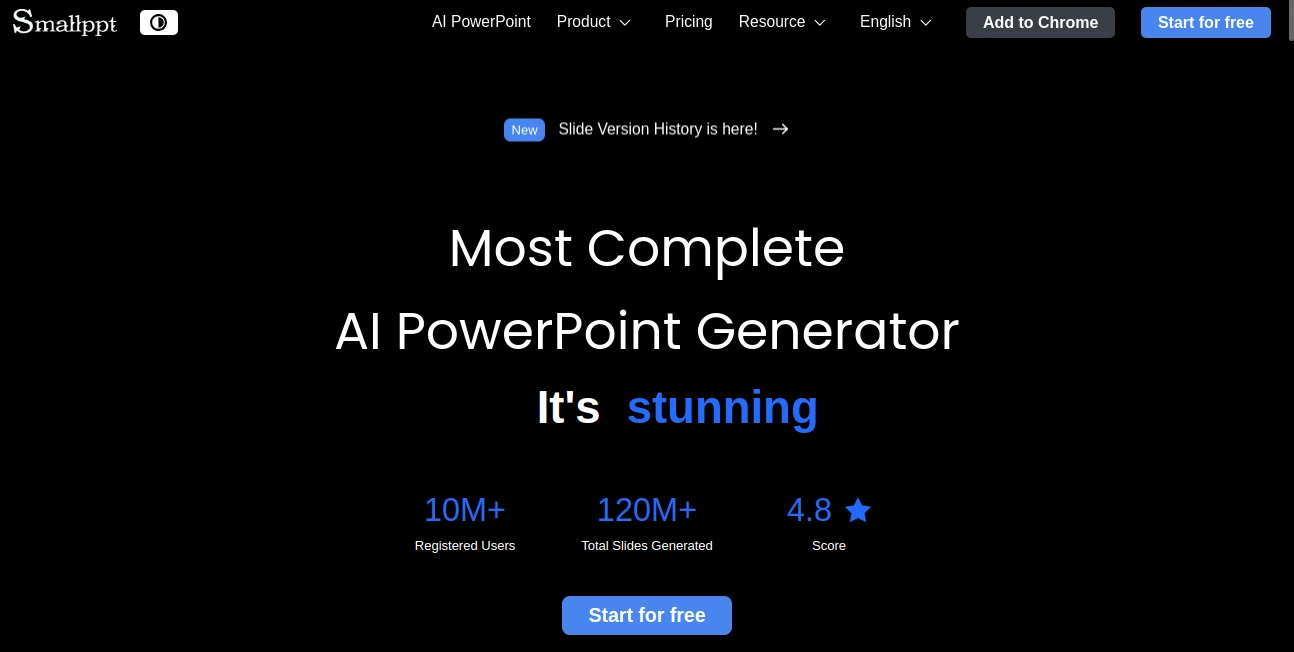
What is Smallppt?
Imagine dumping a rough outline or even a full report into a tool, and out comes a deck that's crisp, on-brand, and ready to wow your audience—all without you fiddling with fonts or layouts for hours. That's the quiet revolution this platform brings to the table, making slide creation feel less like a chore and more like a clever shortcut. I've watched colleagues go from stressed-out late-nighters to confident presenters, thanks to how it nails the structure and polish every time. It's the kind of helper that doesn't just save time; it elevates your game.
Introduction
In the hustle of deadlines and meetings, who hasn't stared at a blank slide deck wondering where to start? This gem changes that, pulling together smart tech to whip up professional presentations from simple inputs like a topic, a document, or even a link. It's built for real people—marketers juggling campaigns, teachers prepping lessons, executives polishing pitches—who need results fast without sacrificing quality. With millions of users already on board, sharing how it turned their scattered notes into standout stories, it's clear this isn't just another app; it's a workflow win that fits right into busy days, delivering decks that look thoughtfully designed, even when you're rushing.
Key Features
User Interface
Everything unfolds in a clean, no-fuss space where you drop your ideas front and center, with options to tweak tones or audiences popping up just when needed. The real-time editing feels smooth as butter, letting teams jump in together without the usual lag or version chaos. I love how the template picks sit ready to browse, categorized neatly for business pitches or classroom talks, making that first step feel inviting rather than overwhelming.
Accuracy & Performance
Feed it a jumbled report, and it pulls out the key threads with surprising smarts, laying them into logical flows that make sense on the first glance. Generations happen in minutes—or seconds for tweaks—keeping your momentum going strong. Users often mention how it captures the right voice, whether formal for boardrooms or engaging for students, turning potential mishmashes into coherent, impactful narratives.
Capabilities
Beyond basic slides, it layers in extras like mind maps for brainstorming, summarizers for condensing dense info, and even a chat helper for refining ideas on the spot. One-click style swaps refresh entire decks, while imports from files or URLs build custom fits without starting from scratch. It's this all-in-one vibe, complete with collaboration tools for comments and controls, that turns solo efforts into team triumphs seamlessly.
Security & Privacy
Your projects stay tucked safely, with team access dialed in precisely and no unnecessary lingering of data. It's designed with the everyday user in mind, offering that reassuring backdrop so you can share drafts freely within your circle without second-guessing. In a world full of shared clouds, this thoughtful setup stands out for keeping things straightforward and secure.
Use Cases
A marketing lead uploads campaign notes and gets a pitch deck that wows clients on the spot. A teacher turns lesson plans into interactive slides that keep kids hooked. An exec summarizes quarterly reports into clear visuals for the board, buying back hours for strategy. Even students craft project overviews that impress professors, proving it's versatile enough for classrooms, offices, or remote teams chasing polished results fast.
Pros and Cons
Pros:
- Turns rough ideas into pro decks quicker than coffee brews.
- Huge template stash keeps things fresh and on-brand.
- Team edits flow real-time, no more email ping-pong.
- Extra helpers like summarizers add real workflow wins.
Cons:
- Free starts have limits, nudging toward paid for heavy use.
- Super niche designs might need a manual touch-up.
Pricing Plans
It hooks you with free generations to try the magic firsthand, no strings. Monthly options kick in around twenty for pro perks like unlimited runs, scaling to thirty for boundless access, with yearly deals shaving costs nicely or a one-time lifetime grab for the committed. Team upgrades add collaboration depth, making it scalable whether you're flying solo or with a crew.
How to Use SmallPPT
Jot your topic or upload a file, pick a tone if you like, and let it spin up the draft—tweak layouts or swap templates with a click. Dive into real-time edits for fine-tuning, add team notes, and export when it shines. One friend of mine turned a rambling meeting recap into a client update deck over lunch; start with the AI boost, refine as needed, and you're presenting like a pro.
Comparison with Similar Tools
While some focus heavy on visuals or broad design, this one nails the presentation sweet spot with deeper AI structuring and team flow that others skim. It outpaces generalists by specializing in slides that feel purpose-built, blending speed with substance where competitors might lean too light on content smarts or collaboration ease. For anyone prioritizing polished, professional decks without the detour, it's the standout choice.
Conclusion
This platform isn't just about making slides; it's about reclaiming your time and confidence, letting ideas shine through without the drag of design details. In a packed field, it carves out space by delivering consistently impressive results that feel tailored, not templated. If you're ready to ditch the deck dread and embrace effortless excellence, give it a spin—you'll wonder how you managed without it.
Frequently Asked Questions (FAQ)
How fast can I get a full deck?
Often in under a minute for basics, minutes for fuller ones—plenty quick to fit tight spots.
Does it work with my existing files?
Absolutely, import docs or PDFs, and it pulls the essence into fresh slides.
Can teams collaborate smoothly?
Real-time edits and comments make it a breeze, with controls to keep things organized.
What about custom branding?
Templates adapt easily, keeping your look consistent across decks.
Is there a free start?
Yes, generate a few to feel the fit before going further.
AI Content Generator , AI Presentation Generator , AI Productivity Tools , AI Documents Assistant .
These classifications represent its core capabilities and areas of application. For related tools, explore the linked categories above.
Smallppt details
This tool is no longer available on submitaitools.org; find alternatives on Alternative to Smallppt.
Pricing
- Free
Apps
- Web Tools
Categories

Smallppt Alternatives Product

jpg to excel

David One
md2card

FINIITE AI

Toolquix

PDFgear

Watermark in…

SEOBlogger AI

Futurwise
