🧠 AI Quiz
Think you really understand Artificial Intelligence?
Test yourself and see how well you know the world of AI.
Answer AI-related questions, compete with other users, and prove that
you’re among the best when it comes to AI knowledge.
Reach the top of our leaderboard.


















Solmi AI
What is Solmi AI?
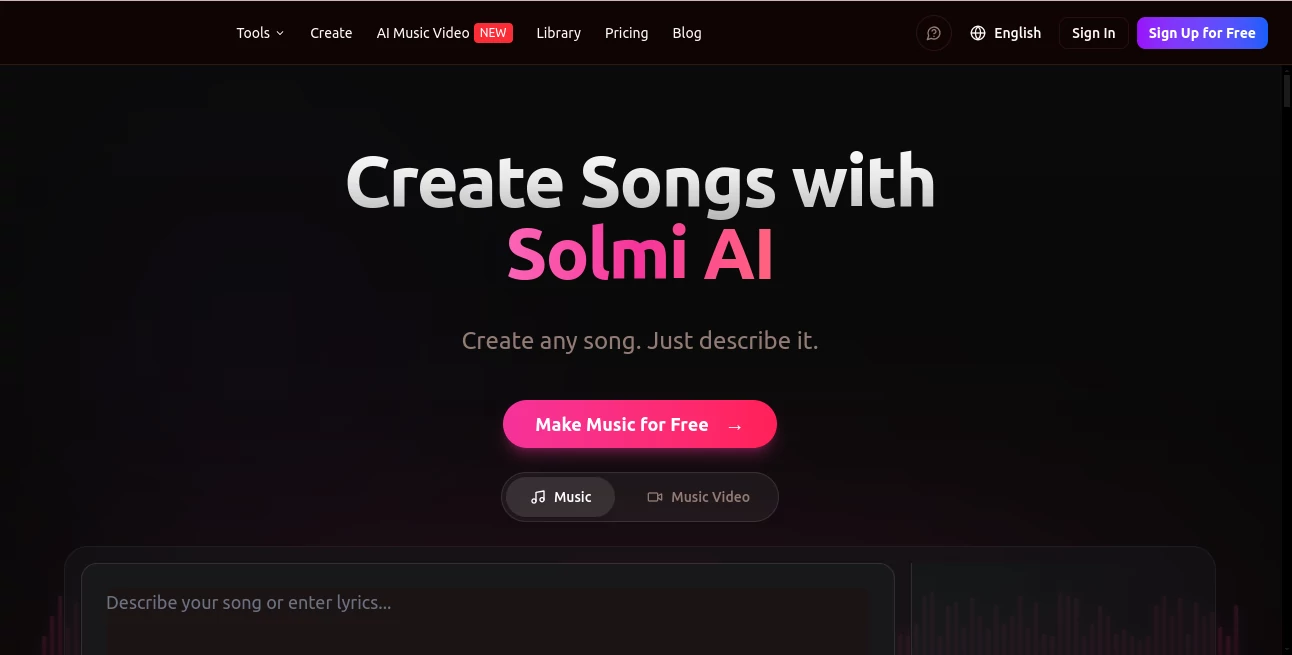
There’s something special about hearing a melody you imagined suddenly come to life with real instruments, proper structure, and even vocals that carry emotion. Solmi makes that moment feel almost too easy. You type a simple description—like “upbeat summer pop song about chasing dreams” or “melancholic indie ballad with piano”—and it delivers a full track with lyrics, vocals, and arrangement that actually sounds like a real song. I’ve watched friends who can barely hum a tune light up when their first generation played back something surprisingly catchy and coherent. It’s not just random notes thrown together; it feels like a real creative collaborator who understands mood, genre, and structure.
Introduction
Making music has always been magical, but also intimidating if you don’t play instruments or know music theory. Solmi removes those barriers while keeping the joy intact. It lets anyone—from complete beginners to experienced musicians—generate original songs quickly, then refine them until they feel personal. The results often surprise people with how listenable and genre-accurate they are. Whether you want a polished pop track, a lo-fi chill beat, or something more experimental, it handles the heavy lifting so you can focus on the fun part: shaping the idea until it feels right.
Key Features
User Interface
The interface is clean and welcoming. You start with a simple prompt box where you describe the song’s mood, genre, or even specific lyrics ideas. A few helpful toggles let you choose length, vocal style, or instrumental focus. Previews load quickly so you can listen and iterate without frustration. It never feels overwhelming—just enough options to guide the AI without burying you in settings.
Accuracy & Performance
The model has a strong sense of musical structure. It keeps rhythm steady, chord progressions natural, and vocals surprisingly expressive. Genre understanding is solid—ask for lo-fi, electronic, rock, or acoustic and it delivers something that actually belongs in that lane. Generation is fast enough that you can create multiple versions in one sitting and pick the best one, which keeps the creative flow alive.
Capabilities
It generates full songs with lyrics, melody, vocals, and instrumentation. You can guide it with detailed prompts (“female vocals, dreamy synths, bittersweet lyrics about letting go”), request instrumental-only versions, or extend and refine existing tracks. The output is coherent enough for sharing, pitching, or even using as a demo. Many users start with a vague idea and end up with something they’re proud to show others.
Security & Privacy
Your prompts and generated songs stay private by default. The platform doesn’t use your creations for training without permission, and basic use doesn’t require sharing sensitive information. For songwriters working on original material, that respectful approach matters.
Use Cases
A bedroom producer uses it to quickly generate song skeletons, then adds their own touches in their DAW. A content creator needs background music for videos and gets custom tracks that match the mood perfectly without royalty worries. Someone writing lyrics generates the melody first to hear how the words flow. Musicians stuck in a rut use it to spark new ideas when inspiration runs dry. It’s especially powerful when you want to move fast but still keep the music feeling human.
Pros and Cons
Pros:
- Full songs with lyrics and vocals in seconds—real momentum for creators.
- Surprisingly good genre accuracy and musical structure.
- Easy to refine and iterate without starting from zero.
- Great for sparking ideas or finishing demos quickly.
Cons:
- Longer, more complex compositions still benefit from human editing.
- Free tier has limits; heavy users will want a paid plan.
- Vocal quality varies depending on the style requested.
Pricing Plans
It offers a generous free tier so you can test the quality and generate several songs without spending anything. Paid plans unlock more generations, higher quality outputs, longer tracks, and commercial usage rights. The pricing feels fair—many creators say the time saved on demos and ideation more than covers the cost.
How to Use Solmi
Go to the generator, type a description of the song you want (genre, mood, theme, or even partial lyrics). Choose any specific preferences like vocal gender or tempo if you have them. Hit generate and listen to the result. If you like the direction but want changes, refine the prompt and generate again. Download the track when you’re happy, or export stems for further work in your own software. The whole process is fast and forgiving, encouraging experimentation.
Comparison with Similar Tools
Some music generators focus on short loops or instrumentals, but this one stands out for creating complete songs with coherent lyrics and structure. While others can sound generic or repetitive, the outputs here often feel like actual tracks with personality. It strikes a nice balance between speed and quality that makes it especially useful for both quick ideas and more serious demo work.
Conclusion
Solmi brings the fun back to music creation by removing the technical barriers that used to slow people down. It doesn’t replace real musicians or songwriters—it gives them a fast, inspiring starting point and helps everyone else discover the joy of hearing their ideas turned into real songs. Whether you’re a hobbyist, content creator, or serious musician looking for fresh inspiration, it’s a tool that consistently delivers pleasant surprises. Sometimes the best creative breakthroughs start with the simplest prompt.
Frequently Asked Questions (FAQ)
How long are the generated songs?
Most tracks are 2–4 minutes, long enough to feel like real songs while staying manageable.
Can I use the songs commercially?
Yes—paid plans include commercial rights; check the specific terms for your plan.
Do I need music knowledge to use it?
Not at all. Clear prompts in plain English work best.
Can I edit the generated songs?
Absolutely. Many users export and continue working in their favorite DAW.
AI Lyrics Generator , AI Music Generator , AI Voice & Audio Editing , AI Text to Music .
These classifications represent its core capabilities and areas of application. For related tools, explore the linked categories above.
Solmi AI details
Pricing
- Free
Apps
- Web Tools
Categories

Solmi AI Alternatives Product

lyria 3

Lyria3 AI
AI Music Gen…

SAM Audio

ModelsLab

FluentDictat…

AI Song Maker

AI Rap Gener…

Custom Gift …