🧠 AI Quiz
Think you really understand Artificial Intelligence?
Test yourself and see how well you know the world of AI.
Answer AI-related questions, compete with other users, and prove that
you’re among the best when it comes to AI knowledge.
Reach the top of our leaderboard.

















Sonicker
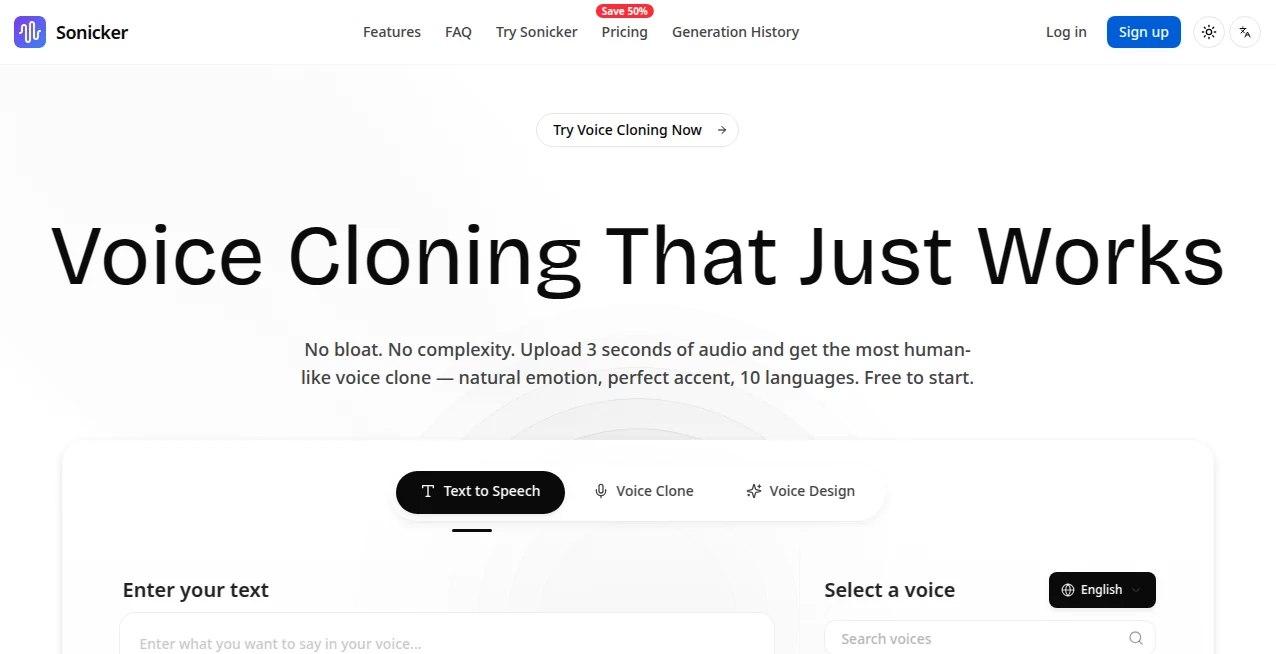
What is Sonicker?
There's something oddly satisfying about typing a line of dialogue and instantly hearing it spoken in a voice that perfectly matches the character in your head—gruff pirate, nervous sidekick, smooth narrator, whatever the story needs. This tool makes that happen fast and surprisingly well. Upload a short sample or just describe the tone, and it generates clean, expressive audio that feels custom-made. I’ve used it to mock up trailer voice-overs, prototype game dialogue, and even create quirky podcast intros—each time thinking, “This should have taken hours, not minutes.” The quality keeps surprising people who expect robotic or flat results.
Introduction
Voice acting is expensive, time-consuming, and often hard to iterate on. Sound effects libraries are huge but rarely have exactly the right tone or variation. This platform bridges both worlds: it lets you create bespoke voices from scratch or tweak existing ones, and it generates custom sound effects with the same ease. No studio booking, no waiting for revisions—just type, generate, download. It’s become a go-to for indie creators, YouTubers, podcasters, and game devs who want professional-sounding audio without professional budgets. The emotional range and clarity it achieves in such short clips is what makes users keep returning.
Key Features
User Interface
The workspace is clean and focused. Big prompt box for voice description or script, optional audio upload for cloning, simple sliders for pitch/emotion/speed, and a prominent generate button. Previews play instantly so you can tweak on the fly. No cluttered timelines or unnecessary panels—just enough controls to guide the output without slowing you down. It feels like talking to a very talented voice actor who understands exactly what you mean.
Accuracy & Performance
Voice clones capture timbre, accent, and emotional nuance with impressive fidelity—even from short samples. Generated speech has natural prosody and avoids the usual robotic cadence. Sound effects match the prompt closely (e.g., “distant thunder with rain on metal roof” actually sounds atmospheric, not generic). Generation is quick—most clips ready in 5–20 seconds—and quality holds up at higher bitrates. It rarely produces artifacts that ruin the take.
Capabilities
Text-to-speech with custom voice cloning, voice conversion (turn your voice into another), emotional control (angry, calm, excited, etc.), multiple languages and accents, sound effect generation from text, background noise/mixing options, and export in high-quality WAV/MP3. You can fine-tune inflection, pacing, and tone mid-generation. It handles long-form narration, short dialogue lines, character voices, and ambient effects equally well—versatile enough for games, videos, podcasts, ads, and more.
Security & Privacy
Uploaded samples and generated audio are processed temporarily and deleted after download. No long-term storage unless you opt into saving projects. No forced account creation for basic use. For creators working with client scripts or personal voice data, that clean, ephemeral handling provides real peace of mind.
Use Cases
An indie game dev generates character voices for NPCs in multiple emotions without hiring actors—saving thousands in budget. A YouTuber creates consistent narration for a video series in a custom “host” voice that matches their brand. A podcaster adds custom sound effects (creaking door, distant explosion) that fit the story perfectly instead of stock library filler. A marketer produces multilingual ad voice-overs overnight for a global campaign. Wherever voice or sound needs to feel bespoke but time and budget are tight, this tool quietly solves the problem.
Pros and Cons
Pros:
- Voice clones sound remarkably natural—captures personality, not just tone.
- Fast generation keeps creative momentum alive—no waiting all day.
- Emotional and stylistic control gives real directing power over the output.
- Sound effects generation fills gaps that libraries often miss.
- Free tier lets you test quality without commitment.
Cons:
- Very long scripts may need splitting into chunks on free tier.
- Extremely niche accents or extreme vocal styles can require multiple tries.
- Unlimited generations and premium voices live behind paid plans.
Pricing Plans
Free plan offers daily credits for testing voices and effects—enough to prototype a scene or create a few key lines. Paid plans remove limits, unlock higher quality models, more emotional range, faster queue times, and commercial rights. Pricing feels reasonable for the leap in output—many creators say one month covers what they used to spend on a single voice actor session.
How to Use Sonicker
Start by typing your script or dialogue in the prompt box. For cloning, upload a clean 10–30 second sample of the desired voice (or skip for built-in models). Adjust emotion, pitch, speed, or style sliders to taste. Hit generate—listen to the preview. Tweak wording or settings if needed, then download in high-quality format. For sound effects, describe the sound (“distant wolf howl at night with wind”) and generate variations. Batch short lines or effects for longer projects. The loop is fast enough to refine several takes in one sitting.
Comparison with Similar Tools
Many TTS platforms produce flat or robotic speech; this one delivers emotional depth and character consistency that feels closer to human performance. Where others focus only on voice, the integrated sound-effect generation adds huge value for multimedia creators. Speed, quality, and creative control put it ahead of most consumer-grade tools, while staying more approachable than enterprise-level voice AI.
Conclusion
Voice and sound are often the last pieces creators tackle because they’re expensive or time-consuming. This platform flips that script—making high-quality, custom audio as easy as typing a sentence. It gives indie makers, storytellers, and marketers the ability to produce professional-sounding work without professional budgets. When your character speaks with the exact right tone, or your scene is filled with perfectly timed ambiance, the story simply hits harder. That’s the quiet power this tool unlocks.
Frequently Asked Questions (FAQ)
How much audio do I need to clone a voice?
10–30 seconds of clean speech is usually enough for strong results; longer helps for nuance.
Can I use the voices commercially?
Yes—paid plans include full commercial rights; free tier allows personal/non-commercial use.
What languages are supported?
Multiple major languages with good accent coverage; more added regularly.
Is there a limit on script length?
Free tier has per-generation limits; paid plans allow longer continuous audio.
How natural does the emotional range sound?
Very—anger, sadness, excitement, calm all feel authentic, not cartoonish.
AI Voice Cloning , AI Text to Speech , AI Speech Synthesis , AI Voice & Audio Editing .
These classifications represent its core capabilities and areas of application. For related tools, explore the linked categories above.
Sonicker details
Pricing
- Free
Apps
- Web Tools
Categories

Sonicker Alternatives Product

Maestra

AI Voice Clo…

Adobe Podcast

NepVox

SuperAI

Goose Pod

ModelsLab
Voice To Ins…

Qwen3 TTS