
🧠 AI Quiz
Think you really understand Artificial Intelligence?
Test yourself and see how well you know the world of AI.
Answer AI-related questions, compete with other users, and prove that
you’re among the best when it comes to AI knowledge.
Reach the top of our leaderboard.


















SpeakerSplit

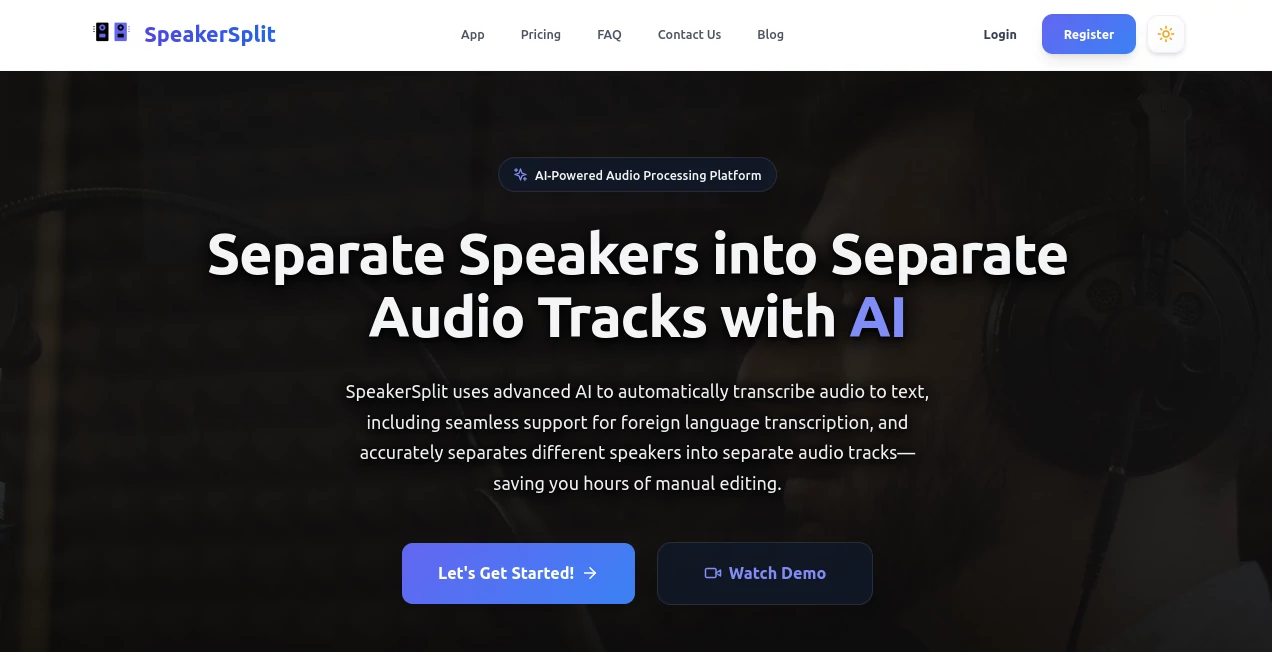
What is SpeakerSplit?
Ever stared at a jumbled audio file from a lively interview or podcast session, wondering how on earth you'd untangle the voices without losing your mind? That's where this gem steps in, like a trusty editor who's got your back, quietly making the impossible feel like a walk in the park. It's the kind of tool that doesn't just save hours—it reignites the joy in piecing together stories, letting creators focus on what they love instead of wrestling with waveforms.
Introduction
Picture this: You're knee-deep in a project, the clock's ticking, and that one recording with overlapping chatter is threatening to derail everything. I've been there, fumbling through clunky software that promises the world but delivers headaches. Then along comes this browser-based wizard, flipping the script on audio chaos with a few clever clicks. No downloads, no steep learning curves—just pure, AI-driven smarts that slice through the noise to hand you clean, separated tracks and spot-on transcripts. It's earned a spot on my desktop for good reason; in a sea of half-baked apps, this one feels like it was built by someone who's actually lived the frustration.
Key Features
User Interface
From the moment you land on the page, it's clear this isn't some bare-bones afterthought. The layout borrows that familiar, no-nonsense vibe—like an old friend who knows exactly what you need without the small talk. Drag in your file, hit process, and watch it hum along with progress bars that actually tell you something useful. It's refreshingly straightforward, even for folks who barely know their MP3 from their WAV, turning what could be a tech chore into something almost fun.
Accuracy & Performance
Here's where it really shines: That AI doesn't mess around. It picks out voices with a precision that had me double-checking the output, convinced I'd fed it a polished demo instead of my raw field recording. Speeds? Lightning—minutes for files that would've taken me an afternoon manually. And when things get tricky, like accents or background hum, it holds steady, delivering results that feel reliable, not roulette.
Capabilities
This isn't limited to basic splits; it transcribes with diarization, tagging who said what, and handles everything from English banter to foreign tongues without breaking a sweat. Pull apart a podcast episode into solo tracks for each host, or strip vocals clean for a remix—it's versatile enough to handle interviews, videos, or even those rambling Zoom calls. The foreign language support? A lifesaver for global projects, keeping nuances intact like a pro interpreter on speed dial.
Security & Privacy
In an age where data feels like fair game, this tool plays it smart and safe. Everything processes right in your browser, no servers hoarding your files afterward, and uploads vanish once the job's done. It's that quiet confidence—knowing your unedited rants or client secrets stay just yours—that lets you dive in without the nagging doubt. For anyone handling sensitive audio, it's a breath of relief wrapped in solid, everyday security.
Use Cases
Podcasters swear by it for turning chaotic co-host sessions into editable gold, saving edits that used to eat weekends. Video folks clean up on-set dialogue, ditching mic mishaps to focus on the cut. Journalists transcribe pressers on the fly, nailing quotes without the scrub. And for remote teams? It's a godsend, splitting meeting mess into clear contributions that make follow-ups a snap. Real talk: I used it on a family history project last month, and those overlapping stories came alive separately—pure magic.
Pros and Cons
Pros:
- Browser magic means no install headaches, just instant results.
- Spot-on voice detection that nails even the trickiest overlaps.
- Transcripts with labels that make editing feel effortless.
- Handles global accents like a champ, broadening your reach.
Cons:
- Long files might nudge toward paid tiers for unlimited fun.
- Super noisy environments could use a quick pre-clean.
Pricing Plans
Jumping in is a steal—with a free tier that lets you test the waters on shorter clips, proving its chops without a penny. For the heavy hitters, plans kick off affordably, offering unlimited splits and transcripts that scale with your needs, complete with those sweet 10% off codes floating around for first-timers. It's priced like it gets you: Fair, flexible, and focused on value that pays itself back in saved sanity.
How to Use SpeakerSplit
Couldn't be simpler: Fire up your browser, snag the site, and drop your audio file—no sign-up walls in sight. Let it chew through the mix, maybe sip coffee while it works its wonders, then download the split tracks and labeled script. From there, drag 'em into your editor and voila—polished pieces ready to roll. I knocked out a 20-minute interview in under five, and the output was so clean it felt like cheating.
Comparison with Similar Tools
Sure, there are heavyweights out there with bells and whistles, but they often demand downloads or drown you in options that slow you down. This one? It strips away the fluff, delivering laser-focused splits faster than most, without the bloat. Against pricier suites, it punches way above its weight for everyday creators, proving you don't need a fortune for pro-level audio tweaks.
Conclusion
If audio editing's been your secret time sink, this tool's the quiet revolution you've been waiting for—efficient, intuitive, and downright effective. It doesn't just handle the heavy lifting; it hands you back hours to chase the creative highs. In a lineup of flashy apps, it stands out for getting the job done with grace, turning tangled tapes into treasures that tell your story just right.
Frequently Asked Questions (FAQ)
Does it work with videos too?
Absolutely—extract the audio first, and it'll split voices like a dream for seamless video syncs.
What formats does it accept?
MP3, WAV, M4A, FLAC—you name it, as long as it's standard audio fare.
How accurate is the transcription?
Impressively so, with diarization that tags speakers reliably, even in lively chats.
Is there a limit on free use?
Short clips fly free; upgrade for endless episodes without the cutoff.
Supports non-English audio?
You bet—handles multiple languages with ease for international flair.
AI Transcription , AI Audio Enhancer , AI Speech to Text .
These classifications represent its core capabilities and areas of application. For related tools, explore the linked categories above.
SpeakerSplit details
This tool is no longer available on submitaitools.org; find alternatives on Alternative to SpeakerSplit.
Pricing
- Free
Apps
- Web Tools
Categories

SpeakerSplit Alternatives Product

Sourcetable

Transcribe A…

Adobe Podcast

AI ASMR Gene…

EasyVC

SAM Audio

Quso AI

AI Voice Clo…

TuCanChat
