🧠 AI Quiz
Think you really understand Artificial Intelligence?
Test yourself and see how well you know the world of AI.
Answer AI-related questions, compete with other users, and prove that
you’re among the best when it comes to AI knowledge.
Reach the top of our leaderboard.


















StatMate
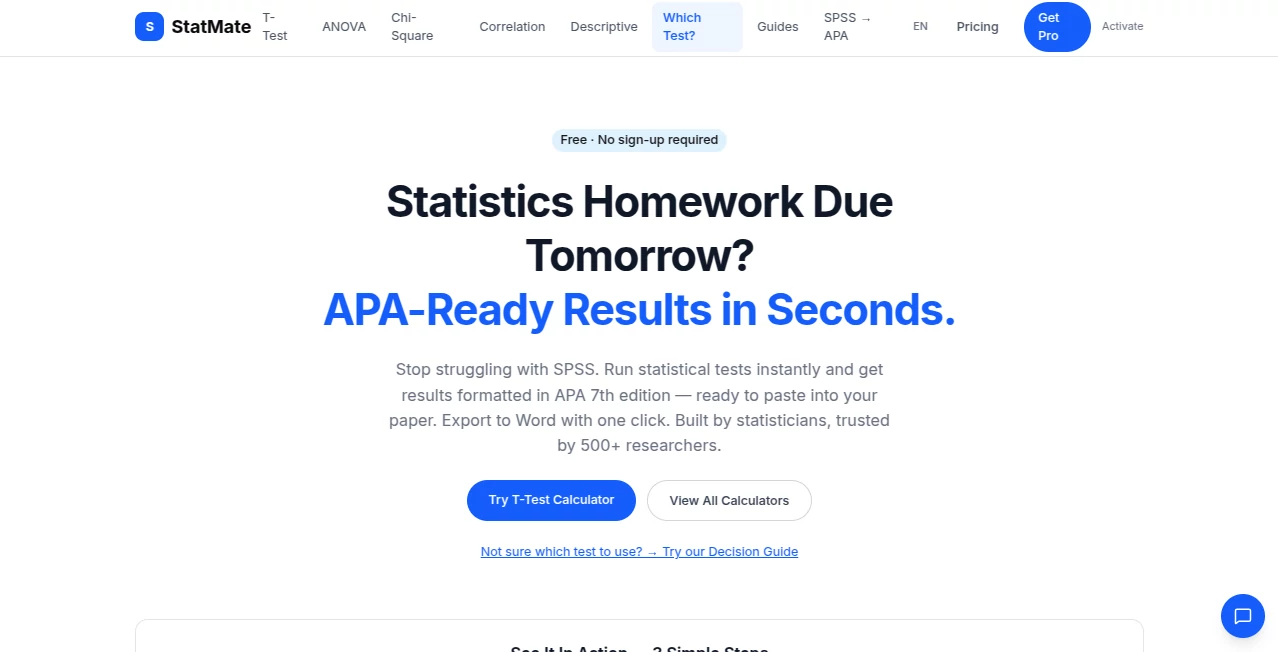
What is StatMate?
Running statistical tests used to mean wrestling with clunky software, copying numbers into spreadsheets, or praying the output looked professional enough for a paper. StatMate changes that experience completely. You paste your data, pick the right test, and get clean results formatted in perfect APA 7th edition style—ready to drop straight into your manuscript. No sign-up, no hidden fees for the core tools, and everything runs right in your browser. Researchers and students I’ve spoken with say it feels like having a patient stats tutor who never gets tired and always formats things correctly. It takes the stress out of analysis so you can focus on what the numbers actually mean.
Introduction
Whether you’re writing a thesis, running experiments for a study, or teaching research methods, statistical analysis is essential but often painful. Many tools are either expensive, overly complicated, or leave you with ugly output you have to clean up manually. StatMate was built by people who understand that frustration. It offers 20 common statistical tests—from t-tests and ANOVA to regression and reliability measures—all with instant, publication-ready APA formatting. The free version covers everything most students and early-career researchers need, while the optional Pro upgrade adds AI that explains your results in plain English and generates ready-to-use sentences for your paper. It’s become a quiet favorite in psychology, education, and social science departments because it just works—fast, private, and accurate.
Key Features
User Interface
The design is refreshingly simple and focused. You choose a test from a clear list or use the built-in decision guide if you’re unsure which one fits your data. Paste your numbers (comma, space, or line separated) or enter summary statistics, then hit calculate. Results appear instantly with tables, p-values, effect sizes, confidence intervals, and full APA-formatted text you can copy with one click. Visualizations like scatter plots or interaction graphs appear where they make sense. It never feels overwhelming—everything you need is right there without extra clicks or distractions.
Accuracy & Performance
The calculations are cross-validated against R and SPSS, matching to at least four decimal places. That level of precision gives real confidence when your results matter for publication or grading. Tests run instantly in your browser, so there’s no waiting or server lag. Students and researchers appreciate that the output matches what they’d get from expensive software, but without the learning curve or cost. It’s reliable enough that many now use it as their default tool for coursework and early-stage analysis.
Capabilities
It covers the tests most people actually need: independent and paired t-tests, one-way and repeated measures ANOVA, chi-square, correlation, simple and multiple regression, Cronbach’s alpha, non-parametric options like Mann-Whitney and Kruskal-Wallis, and more. You get full APA tables, effect sizes, confidence intervals, and even power/sample size calculations. Pro users receive AI-generated plain-language explanations and publication-ready sentences that save hours of writing. Export to Word is seamless, and the decision guide helps you pick the right test when you’re unsure.
Security & Privacy
Your data never leaves your device—everything runs client-side in the browser. No uploads to servers, no accounts required for basic use, and no tracking of your analyses. That privacy-first approach is a big reason researchers trust it with sensitive study data. You stay in complete control, which feels especially important when working on theses or client projects.
Use Cases
A psychology student running her thesis analysis pastes her survey data and gets APA-formatted results she can drop straight into her paper. An instructor demonstrates ANOVA live in class using sample data, with clean tables and graphs students can understand. A researcher comparing two teaching methods quickly checks significance and effect size without opening SPSS. A grad student uses the AI interpretation feature to better understand her regression results before meeting with her supervisor. It shines anywhere people need fast, trustworthy stats without the usual headaches.
Pros and Cons
Pros:
- Completely free for all core statistical tests—no sign-up, no limits on basic use.
- Perfect APA 7th edition formatting saves hours of manual editing.
- Instant results with clear visualizations and decision support.
- Privacy by design—data stays on your device.
- Pro features like AI explanations add real value without breaking the bank.
Cons:
- Pro AI interpretation and Word export require a small monthly fee.
- Very advanced or niche analyses may still need specialized software.
Pricing Plans
The free tier includes all 20 statistical calculators with full APA output—no strings attached. The Pro plan at $5.99 per month adds AI-powered interpretations, plain-language explanations, publication-ready sentences, and one-click Word export. It’s an affordable upgrade that many students and researchers find pays for itself quickly in time saved. No long-term contracts, and you can cancel anytime.
How to Use StatMate
Choose the statistical test you need (or use the decision guide if you’re unsure). Paste your raw data or enter summary statistics. Click calculate and review the results: test statistics, p-values, effect sizes, confidence intervals, and ready-to-use APA text. Copy the formatted output directly into your document or export to Word with Pro. For repeated use, the interface remembers your last settings so you can pick up right where you left off. It’s simple enough for beginners yet powerful enough for real research.
Comparison with Similar Tools
Traditional software like SPSS or R is powerful but expensive, steep to learn, and often overkill for everyday analyses. Free online calculators frequently lack proper formatting or accuracy. StatMate sits in a sweet spot: free core functionality with professional APA output, privacy you can trust, and optional AI help that actually makes understanding results easier. It’s not trying to replace full stats packages—it’s the practical companion most students and researchers reach for first.
Conclusion
Statistical analysis shouldn’t be a barrier between good ideas and clear communication. StatMate removes that barrier with speed, accuracy, and beautiful formatting that makes your work look professional from the start. It respects your time, protects your data, and gives you confidence that your numbers are presented correctly. For students finishing theses, instructors teaching methods courses, or researchers publishing papers, it’s the kind of reliable tool that quietly makes everything easier. Once you try it, you’ll wonder how you ever managed without it.
Frequently Asked Questions (FAQ)
Is everything really free?
Yes—all 20 statistical tests and APA formatting are completely free with no sign-up required.
Do I need to install anything?
No—it runs entirely in your browser. No downloads, no software installation.
How accurate are the calculations?
They’re cross-validated against R and SPSS and match to at least four decimal places.
What is the AI interpretation feature?
Pro users get plain-language explanations of results plus ready-to-use sentences for papers.
Can I export to Word?
Yes—one-click export is available on the Pro plan.
These classifications represent its core capabilities and areas of application. For related tools, explore the linked categories above.

StatMate Alternatives Product

Harvey

MacroMicro

Toonifyit

Needle

Hirescope.te…

ModelsLab

Vurge

JSON to TOON…

TrueSource AI