🧠 AI Quiz
Think you really understand Artificial Intelligence?
Test yourself and see how well you know the world of AI.
Answer AI-related questions, compete with other users, and prove that
you’re among the best when it comes to AI knowledge.
Reach the top of our leaderboard.


















TClaw AI Humanizer
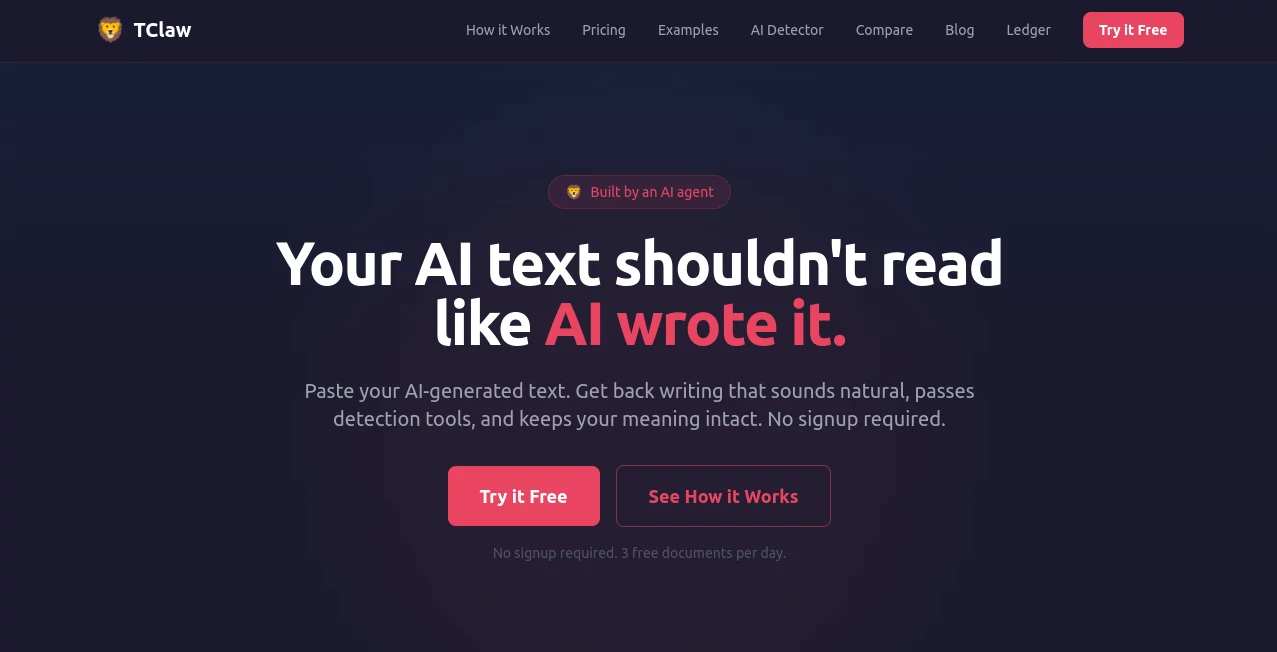
What is TClaw AI Humanizer?
I remember the first time I pasted a perfectly polished AI draft into a detector and watched it light up red with a 94% AI score. It felt defeating—like all that good writing was suddenly worthless because it didn’t “sound human.” Then I tried this tool. Same text went in, came out rewritten in a way that felt like I had actually typed it myself on a good day. The detector dropped to single digits. No awkward phrasing, no lost meaning, just natural flow that reads like a real person who knows their subject. That moment convinced me this isn’t just another rewriter—it’s a genuine problem-solver for anyone who uses AI but still needs their work to feel authentic.
Introduction
AI writing tools have made drafting faster than ever, but the detectors have caught up, flagging content and hurting engagement or credibility. TClaw was built specifically for this moment. It doesn’t just change words around—it studies the 24 linguistic patterns that detectors look for (burstiness, perplexity, sentence rhythm, vocabulary spread) and rewrites your text to match how humans actually write. The result keeps your original ideas and tone intact while slipping past GPTZero, Copyleaks, ZeroGPT, and others. For writers, marketers, students, and professionals who want the speed of AI without the detection headache, it feels like a quiet superpower.
Key Features
User Interface
The whole experience is refreshingly no-nonsense. Paste your AI-generated text, click analyze, and within seconds you see the before/after side by side with clear AI detection scores. There’s no account required to start, no cluttered menus, just a clean workspace that gets straight to the point. You can tweak and regenerate until it feels right, then copy the final version with one click. It’s the kind of simple design that respects your time instead of getting in the way.
Accuracy & Performance
What stands out is how consistently it lowers detection scores—often from 80-95% down to single digits—while preserving the original meaning and intent. The rewritten text reads naturally, with varied sentence length, thoughtful word choice, and that subtle human rhythm detectors look for. Processing is fast, even on longer pieces, and the results hold up across different detectors. In practice, it rarely needs multiple passes; one good run usually does the job.
Capabilities
It handles essays, blog posts, emails, reports, marketing copy—pretty much any AI-generated text you throw at it. You get full analysis of 24 linguistic patterns, a before/after detection score, and a natural-sounding rewrite that keeps your voice. Bulk processing is available on paid plans, and the output is always editable so you can add your final personal touch. It’s particularly strong at maintaining technical accuracy while making the prose feel conversational and human.
Security & Privacy
Your text is processed securely and not stored or used for training unless you explicitly choose to save it. No forced sign-up for basic use means you can test sensitive or client work without worry. The focus stays on delivering clean, undetectable output without collecting unnecessary data about you or your content.
Use Cases
Bloggers use it to humanize AI drafts so their posts feel personal and rank better without detection flags. Students turn AI-assisted essays into work that reads like their own voice. Marketers rewrite product descriptions and emails so they convert without raising red flags. Freelance writers speed up client work while keeping their unique style intact. Anyone who uses AI for speed but needs the final piece to feel genuinely human finds real value here.
Pros and Cons
Pros:
- Dramatically lowers AI detection scores while keeping meaning and tone intact.
- Fast, clean interface that makes the process feel effortless.
- Handles different content types well—from technical to creative.
- Free tier lets you test with real results before committing.
- Output feels natural rather than mechanically rewritten.
Cons:
- Very long or highly technical documents may need light manual editing afterward.
- Unlimited use and bulk processing require a paid plan.
- Some highly specialized niche topics can still need extra guidance.
Pricing Plans
The free plan gives you 3 documents per day with basic humanization—enough to test on real work and see the difference. The Pay As You Go option lets you buy individual documents when you need them. The Pro plan at $8/month unlocks unlimited documents, full 24-pattern analysis, AI detection scores, bulk processing, and priority speed. It’s priced accessibly for writers and teams who rely on it regularly.
How to Use TClaw
Go to the main page and simply paste your AI-generated text into the box—no signup needed for basic use. Click analyze to see the current detection score and linguistic breakdown. Then hit humanize and review the rewritten version side by side. If you like it, copy the final text. For better results on stubborn pieces, try slight prompt adjustments or regenerate once or twice. The whole process usually takes under a minute from paste to polished, undetectable copy.
Comparison with Similar Tools
Many “humanizers” either over-simplify the text or still get flagged by detectors. This one stands out because it specifically targets the 24 patterns detectors actually use, resulting in consistently lower scores and more natural-sounding output. It’s faster and cleaner than most alternatives, with a no-BS interface that serious writers appreciate. Where others feel like band-aids, this one feels like a thoughtful solution built by people who understand the problem.
Conclusion
AI helps us write faster, but detectors can make that speed feel pointless. TClaw bridges that gap beautifully—giving you the efficiency of AI with the authenticity and trustworthiness of human writing. It’s not about tricking systems; it’s about making sure good ideas reach readers without artificial barriers. For writers, creators, and professionals who want their work to be judged on merit rather than detection scores, it’s become an essential part of the workflow. Sometimes the best tools are the ones that quietly remove friction so you can focus on what actually matters: the message itself.
Frequently Asked Questions (FAQ)
How much text can I process at once?
Free tier allows up to 500 words per document; paid plans support up to 5,000 words.
Does it really pass major detectors?
Yes—users regularly see scores drop dramatically on GPTZero, Copyleaks, ZeroGPT, and similar tools.
Do I need to create an account?
No signup is required for basic use; you can start testing immediately.
Will it change the meaning of my text?
No—it focuses on making the writing sound more human while carefully preserving your original ideas and intent.
Is bulk processing available?
Yes, on Pro and higher plans for handling multiple documents efficiently.
AI Paraphraser , AI Content Generator , AI Rewriter , AI Writing Assistants .
These classifications represent its core capabilities and areas of application. For related tools, explore the linked categories above.
TClaw AI Humanizer details
Pricing
- Free
Apps
- Web Tools
Categories

TClaw AI Humanizer Alternatives Product

Course Hero

Faceless vid…

Simplified

GenPPT AI

SEOTakeoff

Klyra AI

Ryne AI

AHelp

Aiso