
🧠 AI Quiz
Think you really understand Artificial Intelligence?
Test yourself and see how well you know the world of AI.
Answer AI-related questions, compete with other users, and prove that
you’re among the best when it comes to AI knowledge.
Reach the top of our leaderboard.


















Tekadio

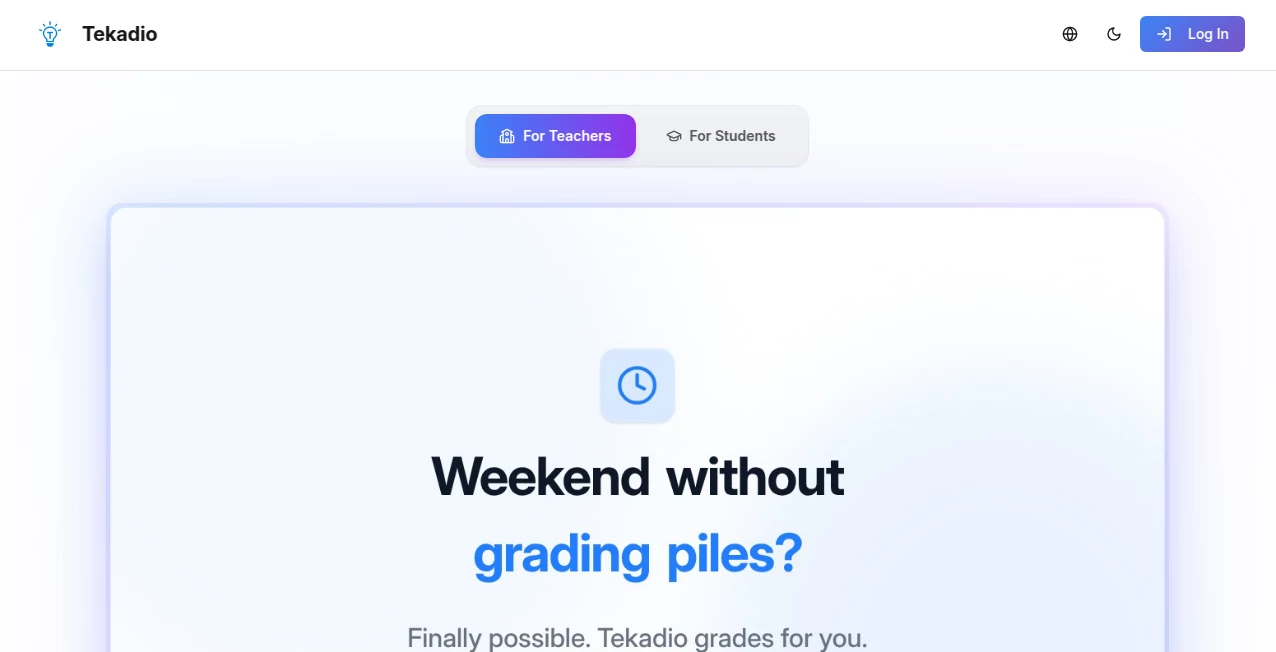
What is Tekadio?
Building a landing page used to mean either paying a developer, wrestling with complicated builders, or settling for something generic. This tool changes that completely. You start with a rough idea, pick a layout that feels right, tweak colors and copy, and in under ten minutes you have something clean, modern, and genuinely professional-looking. I’ve seen solo founders go from “I need a page up yesterday” to live site with testimonials, pricing, and a strong CTA—all without touching a line of code. The designs don’t scream “template”; they feel thoughtful, polished, and ready to convert from day one.
Introduction
Most landing page builders overwhelm you with options or lock good designs behind expensive plans. This one keeps things focused: beautiful, conversion-oriented templates built for speed and results. Whether you’re launching a SaaS, selling an ebook, collecting emails, or promoting a service, it gives you a strong starting point that already follows best practices—clear hierarchy, mobile responsiveness, fast load times. What stands out is how quickly it lets non-designers produce pages they’re actually proud to share. It’s become a quiet favorite among indie makers who want to ship fast without sacrificing quality.
Key Features
User Interface
The editor is calm and intuitive. Pick a template, and everything is drag-and-drop with smart constraints so you can’t accidentally break the layout. Sections snap into place, colors sync across elements, typography pairs look good by default. Inline editing feels natural—click to change text, upload images, adjust spacing with simple sliders. Previews update live on desktop and mobile side-by-side. It’s the kind of interface that makes you feel capable instead of frustrated.
Accuracy & Performance
Pages load blazing fast because the output is clean, minimal code—no bloat from unused features. Every template is optimized for Core Web Vitals out of the box. Mobile layouts adapt intelligently without weird overlaps or tiny text. Export is instant—either hosted on a subdomain for free or exported HTML/CSS for self-hosting. The consistency across templates means you always get a professional result, even on the first try.
Capabilities
Hundreds of conversion-focused templates (SaaS, ebook, webinar, agency, newsletter sign-up, product launch, etc.), full drag-and-drop editing, built-in color palettes and font pairings, image upload/editing, custom domains on paid plans, one-click export (HTML/CSS/JS), integrated forms with email capture, analytics tracking, SEO meta tags, and mobile-first responsiveness. You can start from scratch or remix existing designs. It covers almost every common landing page use case without forcing you into rigid structures.
Security & Privacy
Form submissions can be routed directly to your email or integrated services—no unnecessary data storage on their end. Self-hosted exports mean you control everything. No forced account for basic use, though signing up unlocks saving and custom domains. For indie creators collecting early leads, that clean, low-friction approach feels trustworthy and respectful.
Use Cases
A bootstrapped founder launches a waitlist page for their new tool and collects 500 emails in the first week. A course creator builds a sales page for their upcoming workshop and sees sign-ups roll in without redesigning from scratch. An agency throws together client pitch pages in minutes instead of days. A newsletter writer creates a beautiful sign-up landing that doubles their subscriber growth rate. It’s perfect whenever you need to look professional fast—without spending weeks or thousands on design.
Pros and Cons
Pros:
- Templates look modern and convert well—no dated or generic feel.
- Extremely fast from idea to live page.
- Export option means you’re never locked in.
- Built-in best practices (mobile, speed, SEO) save tons of manual fixes.
- Free plan is genuinely usable for real launches.
Cons:
- Advanced animations and complex interactions require custom code after export.
- Custom domains and unlimited pages live behind paid plans.
- Very niche or highly branded designs may need post-export tweaks.
Pricing Plans
Free plan includes several beautiful templates, unlimited previews, and basic hosting with their subdomain—enough for MVPs, waitlists, and side projects. Paid plans unlock custom domains, unlimited pages, removal of branding, advanced analytics, priority support, and more export formats. Pricing is modest—many users say it costs less than one freelance design gig and saves far more time.
How to Use Teka
Browse templates, pick one that matches your goal, start editing: swap images, change copy, adjust colors via the palette picker. Add sections (hero, testimonials, pricing, FAQ) with one click. Preview on mobile/desktop. When happy, publish to a free subdomain or export HTML/CSS for self-hosting. Connect a form to your email provider or tool of choice. Publish, share the link, and watch sign-ups or sales start coming in. The whole process can take under 15 minutes for a solid page.
Comparison with Similar Tools
Many builders overload you with complexity or lock the best designs behind high tiers. This one keeps things focused on fast, beautiful, conversion-first pages without unnecessary bloat. Where others force you into their ecosystem, the export option here gives real freedom. It sits in a sweet spot: more polished than basic builders, less restrictive than enterprise-grade platforms.
Conclusion
Great landing pages shouldn’t require a design degree, a big budget, or weeks of work. This tool proves that with the right starting point and smart defaults, anyone can ship something that looks sharp and converts well. It turns the “I need a page up” panic into a quick, confident win. For indie makers, creators, and small teams who want to move fast and look good doing it, it’s hard to beat. When your idea goes live looking this good this quickly, momentum feels inevitable.
Frequently Asked Questions (FAQ)
How long does it take to make a page?
Most people finish a solid landing in 10–20 minutes.
Can I host it myself?
Yes—export clean HTML/CSS/JS and host anywhere.
Do forms work on free plan?
Yes—basic form capture to your email or webhook is included.
Is it mobile-friendly?
Every template is fully responsive out of the box.
Can I remove your branding?
Yes—paid plans remove all Teka branding and let you use custom domains.
AI Landing Page Builder , AI Website Builder , AI No-Code & Low-Code , AI Design Generator .
These classifications represent its core capabilities and areas of application. For related tools, explore the linked categories above.
Tekadio details
This tool is no longer available on submitaitools.org; find alternatives on Alternative to Tekadio.
Pricing
- Free
Apps
- Web Tools
Categories

Tekadio Alternatives Product

Seedream 5.0

Uni-1

NanoBanana2F…

Lexica AI

X Grok Imagi…
LogoAI

Nano Banana 2

AI Slop Canv…

CatDoes
