🧠 AI Quiz
Think you really understand Artificial Intelligence?
Test yourself and see how well you know the world of AI.
Answer AI-related questions, compete with other users, and prove that
you’re among the best when it comes to AI knowledge.
Reach the top of our leaderboard.

















text to 3d world
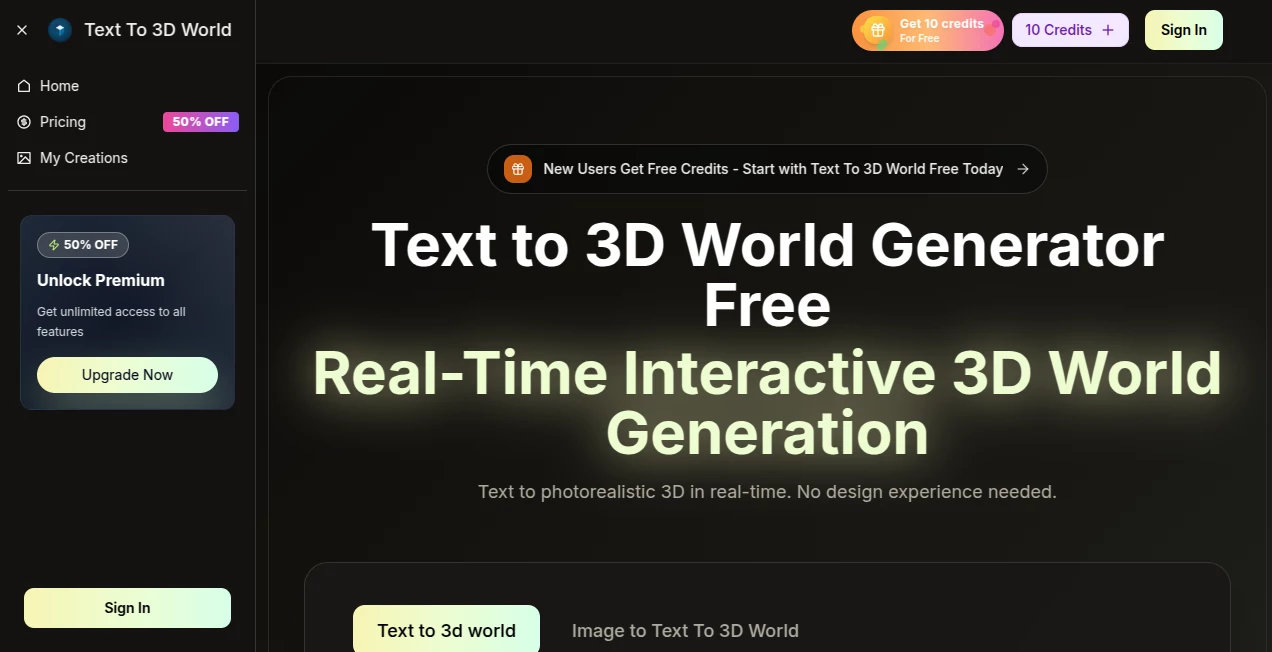
What is text to 3d world?
There’s a special kind of wonder in describing a place—a misty forest at dawn, a cyberpunk alley under neon rain, a cozy cabin buried in snow—and then watching it appear around you in full 3D, explorable from every angle. This tool makes that leap feel almost effortless. You type a sentence or two, hit generate, and suddenly you’re standing inside the scene you just imagined. I’ve had moments where I described something half-formed in my head, saw the result, and thought, “That’s exactly what I meant, but better.” It’s the kind of creative spark that turns idle daydreams into tangible worlds you can walk through.
Introduction
Most 3D generation tools still feel like prototypes—blocky geometry, floating assets, inconsistent lighting. This one quietly raises the bar. It understands descriptive language deeply enough to build coherent environments with proper scale, atmosphere, and detail. A single prompt can produce a navigable scene complete with terrain, foliage, architecture, and dynamic lighting that feels thoughtfully composed. For storytellers, game prototypers, concept artists, world-builders, educators, or anyone who thinks spatially, it’s like gaining a superpower: describe → explore → refine. The joy of seeing your words become a place you can actually step into is hard to overstate.
Key Features
User Interface
The workspace is clean and focused: a wide prompt box, optional style/reference toggles, aspect ratio and quality selectors, then one clear generate button. Once the scene loads, you get a smooth orbit camera, WASD navigation, and zoom controls that feel natural. No cluttered panels or hidden settings—everything needed to explore and iterate is right in front of you. It’s the kind of interface that disappears after the first minute so you can lose yourself in the world instead of the tool.
Accuracy & Performance
It captures prompt intent with surprising precision—architectural styles, time of day, weather, mood, even subtle compositional choices like depth and focal points. Scenes generate in under a minute in most cases, and the geometry holds together without major floating assets or impossible intersections. Lighting and shadows behave realistically, and materials feel appropriate to the description (wet pavement reflects neon, moss clings to stone). Iterations are fast enough to refine on the fly without losing momentum.
Capabilities
Text-to-3D environment generation, optional image reference for style or layout guidance, navigable first-person and orbit views, export to common 3D formats (GLB, OBJ), multiple quality levels, support for indoor/outdoor scenes, fantasy/realism/stylized looks, and coherent large-scale worlds (forests, cities, interiors, landscapes). It handles multi-part prompts (“a Japanese garden at twilight with lanterns reflecting in a koi pond, cherry blossoms falling gently”) with impressive scene understanding and visual storytelling.
Security & Privacy
Prompts and generated scenes are processed ephemerally—nothing is stored long-term unless you explicitly save or export. No mandatory account for basic use, no training on user inputs. For concept artists, writers, or studios working with sensitive IP or early ideas, that clean separation provides real peace of mind.
Use Cases
A fantasy author visualizes a key location from their novel and walks through it to better describe atmosphere. A game designer prototypes level layouts and mood before committing to modeling. A filmmaker blocks out a scene in 3D to test camera angles and lighting. An educator creates explorable historical environments for students to wander through. A concept artist generates dozens of quick environment thumbnails in an afternoon instead of days. Wherever imagination needs a fast, tangible form, this tool becomes indispensable.
Pros and Cons
Pros:
- Remarkable scene coherence and storytelling from surprisingly short prompts.
- Navigable 3D output feels like real exploration, not just a static render.
- Fast generation and iteration keep creative flow alive.
- Exports integrate smoothly with Blender, Unity, Unreal, etc.
- Free tier generous enough to spark serious ideas.
Cons:
- Scene complexity is still limited compared to hand-built environments.
- Very abstract or contradictory prompts can produce unexpected results.
- Higher resolutions and unlimited use live behind paid access.
Pricing Plans
A solid free daily quota lets anyone experience the quality without commitment. Paid plans unlock higher detail, longer/more complex scenes, faster queues, unlimited generations, and priority support. Pricing feels balanced for the creative leap it enables—many users say one month covers what they used to spend hiring 3D freelancers for initial concepts.
How to Use Text to 3D World
Start with a descriptive prompt (“ancient temple overgrown with vines at golden hour, dramatic volumetric fog, stone statues half-buried”). Optionally upload a style reference image. Choose aspect ratio (wide landscape, vertical for portraits, square for social). Hit generate. Once loaded, orbit with mouse, walk with WASD, zoom with scroll. Tweak prompt wording or reference strength for another variation. Export as GLB/OBJ when happy. The loop is fast enough to explore dozens of directions in a single session.
Comparison with Similar Tools
Many 3D generators produce isolated objects or simple dioramas. This one excels at full, navigable environments with proper scale, atmosphere, and cinematic feel. Where others often deliver floating assets or inconsistent lighting, the results here feel composed and immersive. The speed + quality + explorability combo puts it in a class of its own for rapid world-building and visual storytelling.
Conclusion
Ideas live in our heads until they become something we can see, walk through, share. This tool collapses that distance so dramatically that it changes how creators work. It doesn’t replace imagination—it feeds it, visualizes it, and lets you step inside it. For writers, designers, educators, filmmakers, game makers, or anyone who dreams in places, that’s a quiet revolution worth experiencing. Describe a world. Walk into it. Refine it. The loop is addictive, and the possibilities are only beginning.
Frequently Asked Questions (FAQ)
How detailed can the scenes be?
Very—complex environments with multiple elements, lighting, and atmosphere are common. Best results come from clear, vivid prompts.
Do I need a reference image?
No—text-only works beautifully—but adding one helps lock in specific style or composition.
What formats can I export?
GLB (most common), OBJ, and sometimes USDZ/FBX depending on settings.
Can I use the scenes commercially?
Yes—paid plans grant full commercial rights to generated content.
Is there a watermark on free generations?
Small watermark on free tier; paid removes it completely.
AI 3D Model Generator , AI Fun Tools , AI Image to 3D Model , AI Design Generator .
These classifications represent its core capabilities and areas of application. For related tools, explore the linked categories above.
text to 3d world details
Pricing
- Free
Apps
- Web Tools
Categories

text to 3d world Alternatives Product

seedream 6

genie3

HY Motion

Flux 2 Klein

Plottie

Seedream Ima…

bratgenerator

MuseArt AI

UNi-1 AI