🧠 AI Quiz
Think you really understand Artificial Intelligence?
Test yourself and see how well you know the world of AI.
Answer AI-related questions, compete with other users, and prove that
you’re among the best when it comes to AI knowledge.
Reach the top of our leaderboard.

















Text To Any

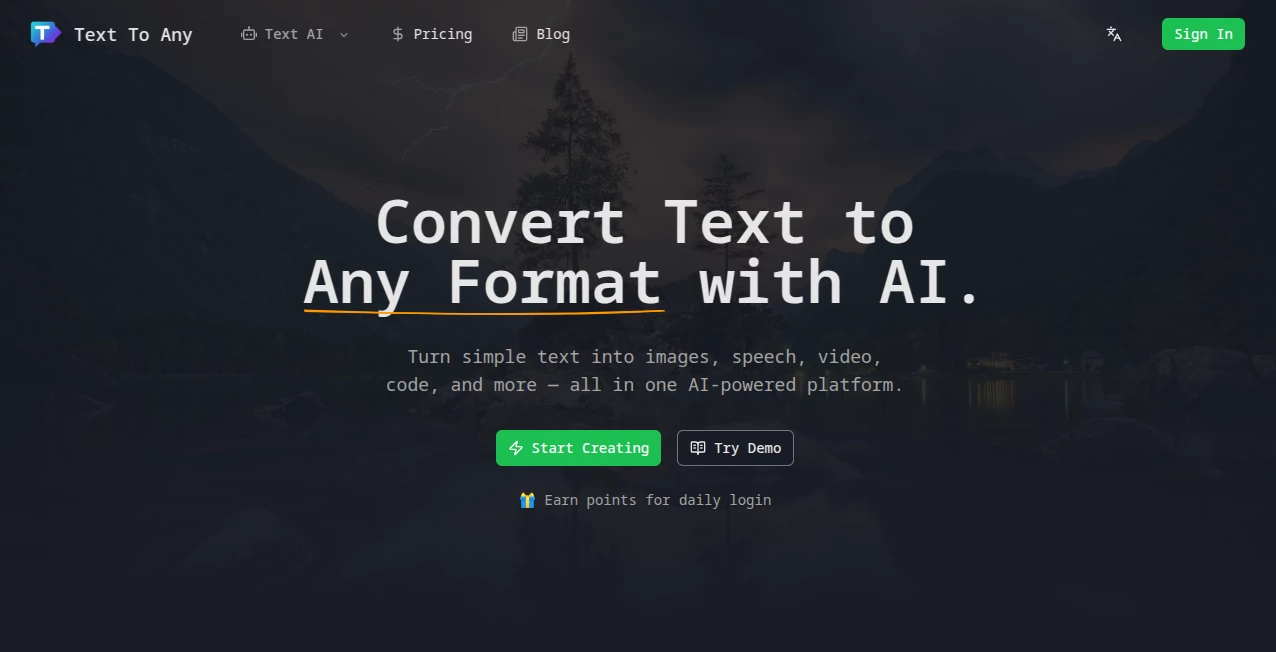
What is Text To Any?
There's something downright satisfying about typing a few lines of description and watching them morph into a stunning image, a catchy tune, or even a short video clip that captures the vibe perfectly. This all-in-one spot makes that happen without the usual fuss, pulling together top-notch AI to handle everything from visuals to sounds in one smooth go. I remember fiddling with separate apps for each thing—frustrating switches and inconsistent results—until stumbling on this; now, a single prompt can spark a whole mood board or soundtrack, saving hours and sparking way more ideas along the way.
Introduction
In the rush of daily creating, juggling tools for images one day and audio the next eats up precious time—this platform bundles it all neatly, letting a straightforward text idea bloom into multimedia magic. It's grown popular among folks who need quick, pro-level outputs without deep dives into specialist software, boasting thousands of users who've churned out hundreds of thousands of pieces already. What stands out is the sheer convenience: describe your vision once, tweak a few settings, and get polished results fast, often in seconds. Whether you're sketching concepts or fleshing out finals, it feels like a reliable creative partner that just gets what you're after, with that added bonus of full ownership on upgraded plans.
Key Features
User Interface
It keeps things delightfully straightforward—a big, welcoming box for your words, dropdowns for picking formats or styles, and sliders for fine touches like length or quality that don't overwhelm. Upload references if you want, hit go, and your creations stack up in a tidy library ready for grabs or tweaks. My first spin felt almost too easy; no buried menus or confusing jargon, just a flow that lets the ideas lead rather than the tech.
Accuracy & Performance
The outputs land with impressive fidelity to your prompt, capturing nuances in style or mood that make them feel custom-crafted, and turnaround times hover around that sweet 15-second mark even for trickier asks. Batch mode lets you spin variations without waiting forever, keeping the momentum alive. From experience, it rarely misses the mark on well-phrased ideas, delivering crisp, industry-ready files that skip the usual post-production polish.
Capabilities
Spanning images to videos, voices to full tracks, it covers a broad canvas with options to customize depth—think aspect ratios for visuals or durations for clips, plus batch runs for exploring options. Cloud saves mean nothing gets lost, and API hooks open doors for weaving it into bigger workflows. It's this versatility that turns a simple sentence into a multi-layered asset, whether standalone or part of something larger.
Security & Privacy
Everything stays encrypted end-to-end, with content yours to control and no unauthorized shares—standard practices that build real confidence, especially for commercial spins. Payments run through trusted gates, and a solid refund window adds that extra layer of trust. It's reassuring to know your experiments remain private, letting you push boundaries without a backward glance.
Use Cases
Marketers whip up campaign visuals and jingles from brief notes, testing vibes before big commits. Educators craft engaging slides with narrated bits or illustrative clips to liven lessons. Entrepreneurs prototype app assets or promo reels on a budget, scaling ideas without hiring out. Designers pull mood references into tangible elements, building on generations to refine client pitches faster than ever.
Pros and Cons
Pros:
- One-stop hub that replaces a toolbox of separate apps, streamlining the chaos.
- Blazing quick results that keep inspiration flowing uninterrupted.
- Full rights on pro outputs, freeing you for real-world use without worries.
- Batch and customization options that encourage happy accidents and refinements.
Cons:
- Free tier caps generations, tempting upgrades for heavier creators.
- Best with thoughtful prompts—vague ones might need a second pass.
Pricing Plans
A free entry gives you a taste with monthly limits, ideal for casual tries or light needs. Pro unlocks the full suite—unlimited runs, commercial freedoms, and priority perks—for a reasonable monthly tag, with payment flexibility through cards or PayPal. That 30-day guarantee seals the deal, letting you commit only when convinced it's the fit you've been missing.
How to Use TextToAny
Start with your idea in the prompt field, select the output type—image, video, voice, or music—and adjust any sliders for style or length. Add references if handy, then generate; watch it build, browse the results in your saved spot, and download or iterate. A buddy of mine turned a product blurb into a full ad visual set over breakfast—prompt, tweak, export, done.
Comparison with Similar Tools
While single-focus generators excel in one lane, this one's breadth covers multiple without sacrificing quality, bundling what others scatter across subscriptions. It's speedier for mixed needs, with that all-under-one-roof convenience that saves switching and syncing headaches, emerging as the practical choice for versatile creators over niche specialists.
Conclusion
This platform quietly revolutionizes the scatter of content creation, gathering diverse outputs into a cohesive, joyful process that amplifies what you can achieve alone. It's the kind of tool that grows on you, turning routine tasks into playful explorations with results that genuinely impress. Give it a whirl; your next project might just thank you for the extra spark.
Frequently Asked Questions (FAQ)
What formats does it cover?
Images, videos, voices, music, and more—all from one prompt base.
How fast are generations?
Often around 15 seconds, keeping waits minimal and ideas fresh.
Commercial use allowed?
Fully on pro, with complete rights to sell or share.
Is there storage?
Cloud-based, so your creations stay organized and accessible.
Any refund policy?
30 days to try risk-free, full money back if it doesn't click.
AI Photo & Image Generator , AI Content Generator , AI Video Generator , AI Music Generator .
These classifications represent its core capabilities and areas of application. For related tools, explore the linked categories above.
Text To Any details
This tool is no longer available on submitaitools.org; find alternatives on Alternative to Text To Any.
Pricing
- Free
Apps
- Web Tools
Categories

Text To Any Alternatives Product

Mage
ds video
kling 5.0

AISEOMate

HypeClip

kling 4.0

KOOX AI
gemini music
Omnesuite AL…