
🧠 AI Quiz
Think you really understand Artificial Intelligence?
Test yourself and see how well you know the world of AI.
Answer AI-related questions, compete with other users, and prove that
you’re among the best when it comes to AI knowledge.
Reach the top of our leaderboard.


















Roblox The Forge Calculator
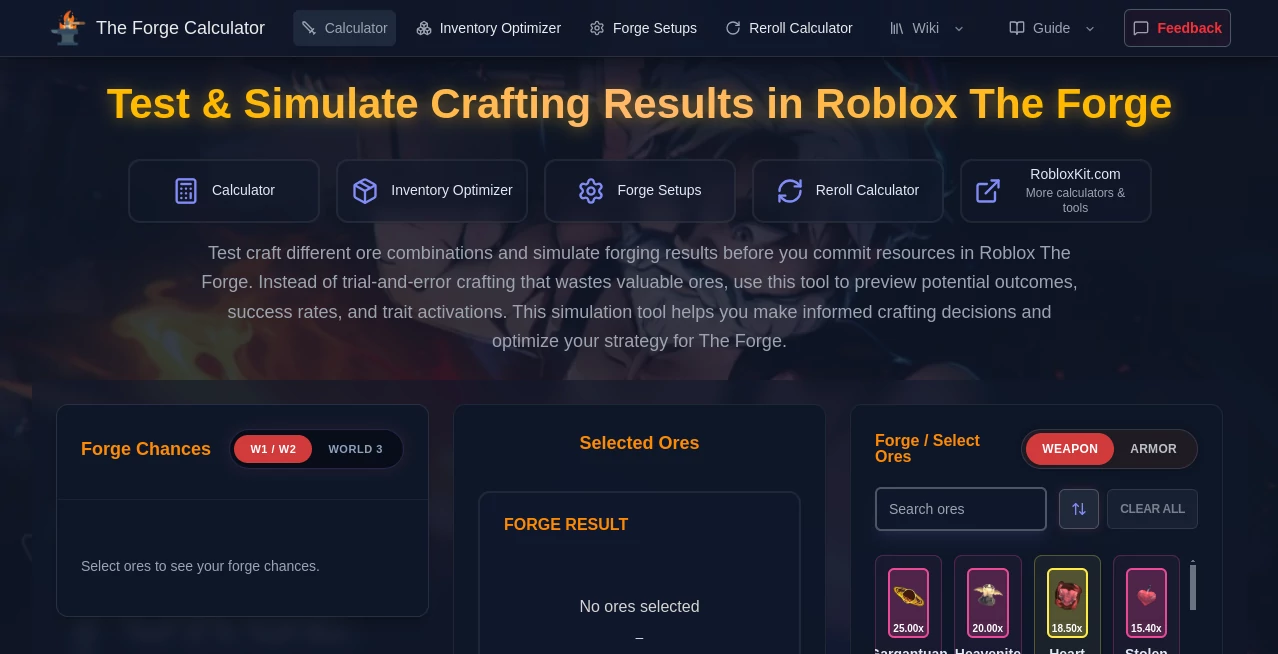
What is Roblox The Forge Calculator?
Ever poured a pile of hard-earned ores into the forge only to end up with something underwhelming? This clever little helper changes all that, letting you experiment with combinations safely before risking a single resource. It's a lifesaver for anyone deep in Roblox's crafting grind, offering clear previews of what might come out the other side. I've lost count of how many times it's saved me from regret—now I plan every forge with confidence, chasing those perfect traits without the heartbreak.
Introduction
Built by fans for fans, this tool dives straight into the heart of The Forge's complex crafting system, breaking down probabilities and outcomes so you can strategize like a pro. No more blind guesses or wasted rares; just smart simulations based on real game mechanics that show weapon classes, armor stats, trait rolls, and more. It's unofficial, sure, but spot-on in its predictions, helping beginners grasp the ropes while veterans fine-tune for legendaries. What draws people in is that pure utility—no fluff, just reliable insights that turn frustrating trial-and-error into calculated triumphs.
Key Features
User Interface
Everything unfolds on one clean page: a grid of ore cards you tap to stack, a running tally of your mix, and instant updates on chances and traits as you build. Toggle between weapon and armor views with a click, clear the slate when needed—it's all intuitive, like browsing a catalog that reacts to your picks. My first session felt effortless; added a few ores, watched the probabilities shift, and suddenly I was hooked on tweaking for better odds.
Accuracy & Performance
Drawing directly from in-game formulas, it crunches numbers in real time with impressive precision, highlighting exact percentages for classes and traits that match what players see in action. No lag even with full stacks, and the estimates hold up remarkably well—folks share stories of nailing rare rolls after following its guidance. It's that trustworthy feedback loop that keeps you coming back, turning vague hunches into data-backed decisions.
Capabilities
Mix up to four ores in any amounts, watch multipliers stack, preview damage ranges or vitality boosts, and spot which traits fire based on your composition. Separate tabs for weapons and armor keep things focused, with detailed breakdowns of potential results that go beyond basics to include stat targets. It's perfect for testing wild ideas or optimizing inventory without stepping into the game.
Security & Privacy
Everything happens locally in your browser—no accounts, no data sent off unless for basic analytics you can opt out of. Selections save on your device, clear on refresh if you want, keeping things private and straightforward. In a space full of trackers, this light touch feels refreshing, letting you focus on the craft without worrying about your habits being watched.
Use Cases
New players dip in to understand how ores influence outcomes, building knowledge before their first big forge. Veterans chase optimal mixes for endgame gear, simulating stacks to hit specific traits or max multipliers. Group runs benefit when planning shared resources, avoiding duplicates or flops. Even casual crafters test fun combos just to see what's possible, turning routine sessions into exciting experiments.
Pros and Cons
Pros:
- Instant, accurate previews that save resources and frustration.
- Simple yet powerful—master it in minutes, use it for hours.
- Completely free with no barriers or upsells.
- Local processing keeps everything speedy and private.
Cons:
- Limited to current game mechanics—updates might need catching up.
- No mobile app, though the site works decent on phones.
Pricing Plans
It's all free, no hidden tiers or credit systems—just open access for everyone diving into The Forge. That straightforward generosity makes it a community staple, relying on player goodwill rather than gates, so you can simulate to your heart's content without ever reaching for a wallet.
How to Use The Forge Calculator
Land on the page, browse the ore grid, and start clicking to add to your mix—watch the right panel fill with composition details and probabilities update live. Switch modes for weapon or armor focus, adjust quantities by removing singles, and study the trait previews. When you're happy with a setup, head in-game to replicate; clear and start fresh for the next idea. It's that back-and-forth that sharpens your instincts over time.
Comparison with Similar Tools
Plenty of spreadsheets float around forums, but they lack the live feedback and visual ease this one offers, often requiring manual inputs that drag. Some apps go heavier on inventory tracking, yet miss the pure simulation joy here. It strikes a sweet balance—focused, fast, and fan-driven—standing out for players who want quick answers without extra baggage.
Conclusion
This tool quietly elevates the whole forging experience, shifting power from luck to informed choices that feel rewarding every time. It's the kind of resource that binds a community, sparking shares and strategies that keep the game fresh. Whether you're grinding for that one perfect piece or just curious about possibilities, it opens doors wide—dive in, play around, and watch your crafts level up in ways you didn't expect.
Frequently Asked Questions (FAQ)
Are the results guaranteed in-game?
No, they're probability-based estimates from known mechanics—super reliable for planning, but RNG still rules the final roll.
How many ores can I mix?
Up to four types, with flexible amounts to match your inventory.
Does it cover all worlds or updates?
It tracks current mechanics closely, with traits and multipliers reflecting live game data.
Is any data collected?
Only optional analytics; everything else stays local on your device.
Best for weapons or armor?
Both—toggle freely for dedicated previews on either.
AI Game , AI Fun Tools .
These classifications represent its core capabilities and areas of application. For related tools, explore the linked categories above.
Roblox The Forge Calculator details
Pricing
- Free
Apps
- Web Tools
Categories

Roblox The Forge Calculator Alternatives Product

royaldle

AI Baby Video

Connections …

OutfitSwap S…

sz-games

OC-Maker

Kirkify Al

Museland

LongCat Image
