
🧠 AI Quiz
Think you really understand Artificial Intelligence?
Test yourself and see how well you know the world of AI.
Answer AI-related questions, compete with other users, and prove that
you’re among the best when it comes to AI knowledge.
Reach the top of our leaderboard.


















Thesys
Generative UI for Smarter AI Apps

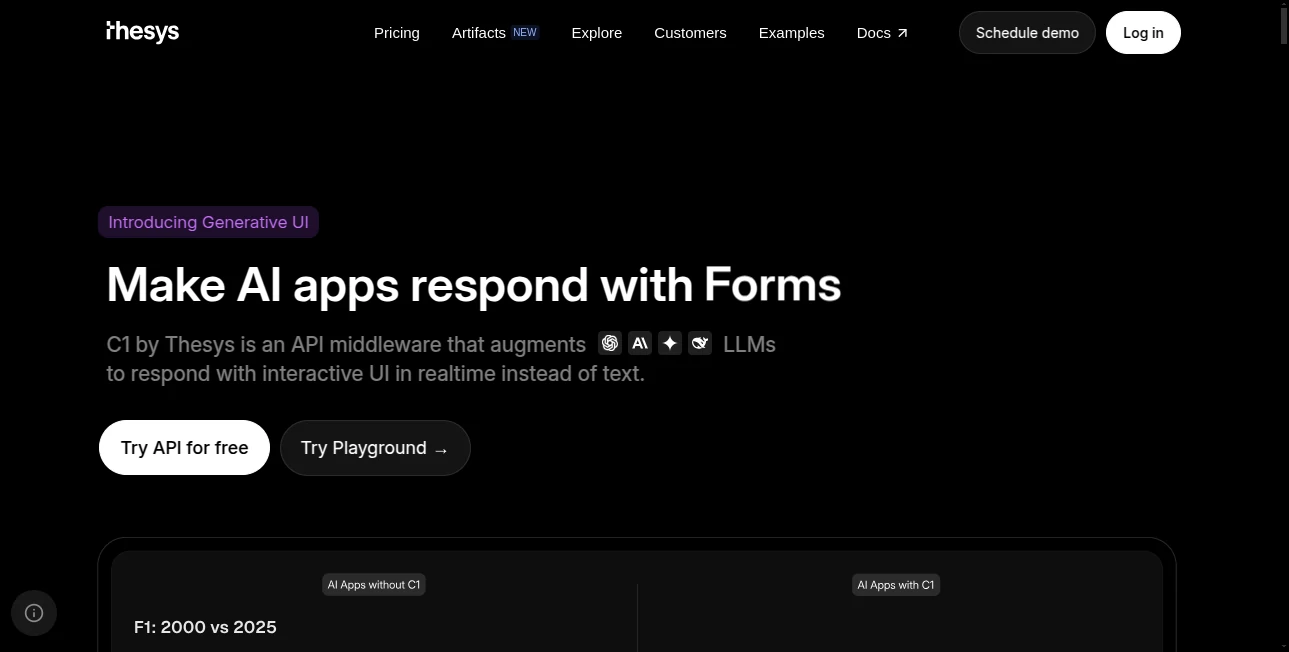
What is Thesys?
Thesys flips the script on how AI talks back to users, swapping bland chat bubbles for slick, interactive screens that shift with every click and query. Picture firing off a question to your bot and getting back not just words, but a dashboard that dances to your needs—charts that pop, forms that fill themselves, all cooked up on the fly. Devs who've dipped in call it a breath of fresh air, especially when juggling apps that have to flex for every wild user whim without breaking a sweat.
Introduction
Thesys kicked off a bit back when a sharp crew of builders got tired of wrestling static screens into shape for ever-changing AI chats. They dreamed up this generative twist, layering smarts over big language brains to spit out UIs that feel alive, not locked in. It caught on quick in the trenches of AI tinkering, with whispers from indie hackers to enterprise squads about how it shaved weeks off frontend fiddles. At its heart, it's about letting the machine mirror the messiness of real talks, turning what could be a flat exchange into something that pulls you in, keeps you clicking, and yeah, maybe even solves the puzzle before you knew it was there.
Key Features
User Interface
Once hooked up, the frontend blooms from simple prompts, pulling in bits like dropdowns or graphs that slot right into your React flow without a fight. It's all about that seamless handoff—the API hums in the background, and suddenly your app's wearing a custom suit tailored to the moment, no drag-and-drop headaches or template traps. Testers geek out over how it just works, blending into whatever look you've got going, from sleek corporate gloss to quirky startup vibes.
Accuracy & Performance
It clocks in zippy, rendering fresh faces in a heartbeat even under load, with nary a glitch to sour the show. The smarts behind it nail the intent nine times out of ten, dishing out elements that click logically without the weird tangents that trip up lesser setups. Folks running betas swear by the zero-lag zip, especially when chaining queries that build on each other, keeping the whole dance floor humming smooth.
Capabilities
From whipping up data viz that updates as you poke to forms that guess your next move, it covers the gamut of interactive goodies—think reports that reshape on a dime or slides that sync with your spiel. Plug in your fave language models, tweak the theme to match your brand, and watch it weave in custom bits like nobody's business. It's geared for the wild west of AI agents, where one minute you're plotting sales trends, the next schooling a virtual tutor.
Security & Privacy
Your queries stay buttoned up, funneled through secure pipes that don't linger or leak, giving devs the green light to experiment without the paranoia. It plays nice with standard safeguards, letting you gatekeep sensitive flows while the generative gears grind safely out of sight. Teams handling touchy data nod along to the no-fuss approach, where control stays in your court from prompt to pixel.
Use Cases
Analytics whizzes build on-the-fly dashboards that morph with market moods, no more stale spreadsheets killing the vibe. Edtech outfits spin lesson plans into clickable worlds, where kids drill down without the app freezing up. Retail bots guide shoppers through personalized picks, layouts shifting from broad browses to deep dives on that impulse buy. Even copilot crafters use it to layer tools that anticipate fixes, turning debug drudgery into a guided tour.
Pros and Cons
Pros:
- Births UIs that bend to user quirks, ditching the one-size-fits-none feel.
- Plays ball with top models and your house style, no vendor lock-in blues.
- Speeds up prototyping like nobody's watching, from idea to interactive in a flash.
- Hands full reins to coders, no black-box mysteries muddying the code.
Cons:
- Curves a touch for React newbies, though docs smooth the slide.
- Relies on solid prompts to shine; fuzzy ones fetch fuzzy results.
- Beta vibes mean occasional tweaks, but updates roll hot and heavy.
Pricing Plans
They keep it lean with a starter tier that's free for light lifts, letting you test the waters without dipping deep. Scale to pro for heavier hits around the mid-teens monthly, bumping to enterprise custom for the big leagues with dedicated hand-holding. Trials stretch a full moon cycle, and yearly bets trim the tab, easing the jump for squads sizing up the fit.
How to Use Thesys
Snag an API key from the dashboard, then tweak your OpenAI setup to point at their endpoint—super straightforward swap. Fire off a chat call with your prompt, snag the structured reply, and feed it to the React SDK to watch the magic unfold on screen. Iterate from there, layering logic or styles as you go, and before long you've got an app that chats back in full color.
Comparison with Similar Tools
Where mockup makers like Lovable spit wireframes you still have to build, Thesys jumps straight to live, breathing interfaces that evolve right there. Against code spitters like Bolt, it skips the scaffold phase for runtime realness, though those might edge for static site spins. It owns the niche for apps that gotta adapt on the fly, blending brains with beauty where others halt at half-measures.
Conclusion
Thesys stands as a sly upgrade for the AI era, where frontends aren't fixed but fluid, mirroring the mind's meanderings in pixels that pulse. It frees devs from the design drudge, letting focus fall on the features that wow, and in turn crafts experiences that stick. As bots burrow deeper into daily doings, this tool tunes the interface to match, proving the future's not just smart—it's shape-shifting.
Frequently Asked Questions (FAQ)
What's the big diff from regular LLM calls?
Instead of text dumps, you get bundled UI blocks ready to render, turning replies into real interactions.
Which models does it back?
OpenAI and Anthropic headliners now, with more flavors queuing up soon.
Can I slap my brand's look on it?
Yep, hook into your design kit via the Crayon library for that seamless stamp.
Is it just for React folks?
SDK's React-focused, but the API plays nice with other frameworks too.
How quick till it's live?
From prompt to pixels in milliseconds, zero wait for the wow.
AI Website Builder , AI No-Code & Low-Code , AI Developer Tools , AI App Builder .
These classifications represent its core capabilities and areas of application. For related tools, explore the linked categories above.
Thesys details
This tool is no longer available on submitaitools.org; find alternatives on Alternative to Thesys.
Pricing
- Free
Apps
- Web Tools
Categories

Thesys Alternatives Product

GPTLocalhost

axiom.ai

Workik

Lovable

Screenshot t…

Defapi

Lovable APP

JustCopy.ai

Scillus
