🧠 AI Quiz
Think you really understand Artificial Intelligence?
Test yourself and see how well you know the world of AI.
Answer AI-related questions, compete with other users, and prove that
you’re among the best when it comes to AI knowledge.
Reach the top of our leaderboard.


















TicketsData

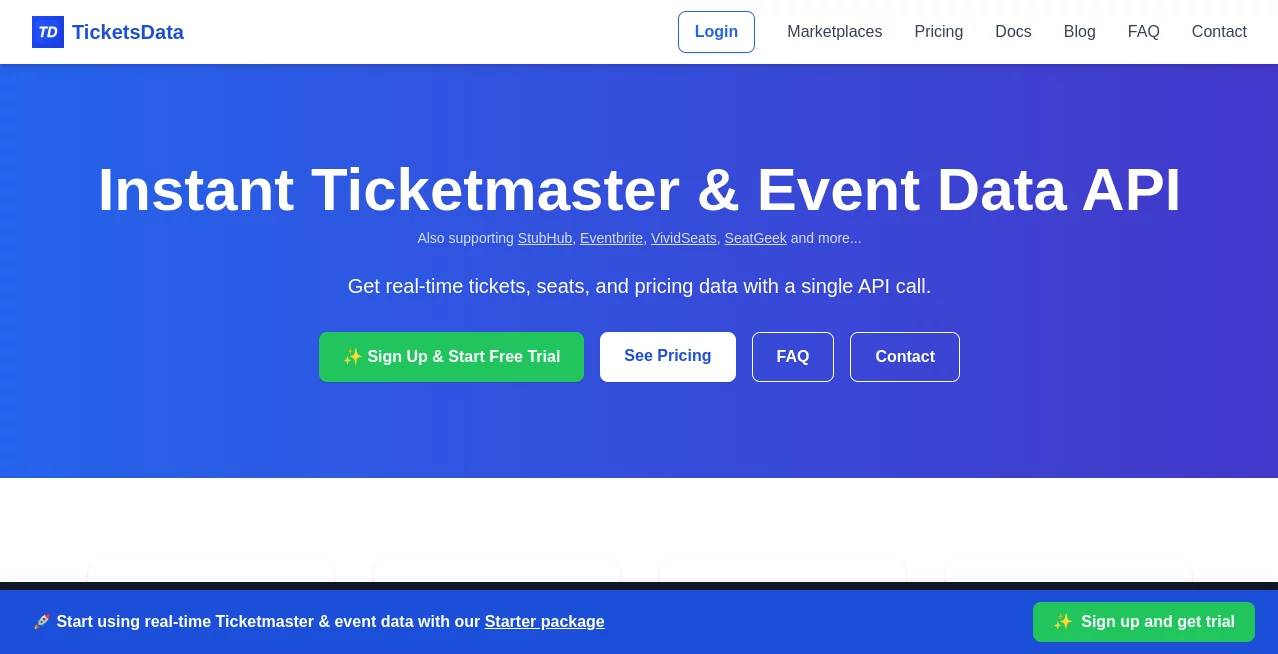
What is TicketsData?
Buying tickets for a sold-out show or a big game can feel like gambling—prices swing wildly, inventory vanishes, and you’re never quite sure if you’re overpaying. This platform quietly removes that guesswork. It pulls live data from primary and secondary markets, shows you price trends, seat maps with real-time availability, and even predicts where the best deals are likely to appear. I’ve seen fans go from refreshing resale pages in panic to calmly waiting for the dip they knew was coming. It’s the difference between reacting to the market and actually understanding it—and that small edge turns stressful hunts into confident decisions.
Introduction
Live events are back and bigger than ever, but the ticket ecosystem is more chaotic than most people realize. Prices fluctuate by the minute, bots snatch inventory, and resale markups can double (or halve) overnight. This tool was built for anyone who’s tired of playing catch-up. It aggregates data across Ticketmaster, StubHub, SeatGeek, Vivid Seats, and dozens more, delivering a single, clear dashboard of what’s happening right now—and what’s likely to happen next. For casual fans, it’s peace of mind; for power users and resellers, it’s a serious advantage. Either way, it turns scattered information into actionable clarity, and that alone makes every dollar spent feel smarter.
Key Features
User Interface
The dashboard is clean and focused: event search at the top, real-time price graphs and inventory heatmaps below, and filters for section, row, quantity, and deal type. Everything updates live—no manual refresh needed. Charts are intuitive (average price over time, lowest available, velocity of sales), and clicking any data point shows you the exact listings behind it. It never feels cluttered, even when tracking multiple events. That simplicity keeps you looking at insights instead of figuring out the tool.
Accuracy & Performance
Data refreshes every few minutes (sometimes faster for high-demand shows), pulling directly from APIs and scraping where needed. Price tracking is tight—rarely more than a 5–10% deviation from live listings. Alerts fire accurately when prices drop below your threshold or new inventory appears in your preferred sections. In practice, users catch drops and flash sales they would have missed otherwise. Reliability is high even during onsales or major artist announcements when other trackers buckle under load.
Capabilities
Real-time price tracking, historical price charts, seat map overlays with color-coded pricing, inventory velocity monitoring, deal alerts (price drop, new listings, quantity thresholds), multi-event watchlists, and basic resale arbitrage signals (buy low/sell high opportunities). It covers concerts, sports, theater, festivals, and more across North America and key international markets. Exportable data and API access (on higher plans) let power users integrate into their own workflows.
Security & Privacy
No credentials or payment info is ever stored on their side—you’re not linking accounts or giving marketplace access. All monitoring is external and read-only. Personal watchlists and alert settings are tied to your email/login and encrypted. For resellers or frequent buyers who track many events, that clean separation between monitoring and actual purchasing feels essential.
Use Cases
A fan sets a price alert for floor seats to their favorite band’s tour and gets notified when resale drops 40% overnight—snags the tickets without overpaying. A small-scale reseller monitors a hot festival and spots a section where supply spikes while demand stays steady—buys low, flips profitably. A group of friends tracks a playoff game and waits for the post-rush dip, landing great seats at face-value-ish prices. Corporate event planners watch theater inventory to secure blocks at optimal times. Wherever timing and price matter, it quietly gives the upper hand.
Pros and Cons
Pros:
- Live, accurate data across major primary and resale platforms—no blind guessing.
- Intuitive alerts that actually catch meaningful drops and opportunities.
- Historical trends help you time purchases instead of panic-buying.
- No account linking or risky permissions—pure external monitoring.
- Pricing is reasonable for the time and money it can save on tickets.
Cons:
- Free tier is limited (basic tracking, fewer alerts); serious users upgrade quickly.
- Does not execute purchases—still need to buy through original platforms.
- Very niche or international events sometimes have thinner data coverage.
Pricing Plans
Free tier covers basic event tracking and limited alerts—enough to feel the value. Starter plan unlocks full historical data, unlimited alerts, and multi-event watchlists. Pro adds API access, advanced filters, and priority data refresh. Enterprise offers custom integrations and dedicated support for high-volume buyers/resellers. Plans scale sensibly—many casual fans stay on Starter, while active resellers say Pro pays for itself after one good score.
How to Use TicketsData
Search for your event (artist, team, venue, date), select it from results. Set your preferences—section, max price, quantity, alert threshold. Turn on notifications (email, push, or both). Watch the dashboard for live price/inventory updates. When an alert fires, click through to buy on the source site (Ticketmaster, StubHub, etc.). For longer-term events, add to watchlist and review historical trends to decide when to pull the trigger. Simple, effective, no wasted time.
Comparison with Similar Tools
Basic ticket trackers give price alerts but lack depth or resale aggregation. Full resale bots are expensive and risky (account bans). This one sits in a smart middle ground: deep data, no automation (so no ban risk), and pricing that makes sense for fans and moderate resellers. It’s less about scalping at scale and more about giving regular buyers and smart opportunists reliable, real-time insight—exactly what most people actually need.
Conclusion
Tickets are emotional purchases—great seats mean great memories. Getting burned on price or missing out stings. This platform quietly takes the sting out. It doesn’t guarantee the cheapest ticket every time, but it gives you the clearest picture of what’s available, when, and for how much. That clarity turns stressful hunts into confident decisions. For anyone who loves live events and hates overpaying, it’s hard to imagine going back to blind refreshing.
Frequently Asked Questions (FAQ)
How often does data refresh?
Every few minutes on most events; high-demand shows often faster.
Do I need to connect my ticket accounts?
No—pure external monitoring. You buy on the original sites yourself.
Will alerts come fast enough to grab drops?
Yes—most users catch meaningful dips before inventory vanishes.
Is it legal / allowed by marketplaces?
Yes—read-only data aggregation; no bot purchasing or account automation.
Can I track multiple events?
Absolutely—watchlists scale with your plan; Pro supports dozens simultaneously.
AI Research Tool , AI Analytics Assistant .
These classifications represent its core capabilities and areas of application. For related tools, explore the linked categories above.
TicketsData details
This tool is no longer available on submitaitools.org; find alternatives on Alternative to TicketsData.
Pricing
- Free
Apps
- Web Tools
Categories

TicketsData Alternatives Product

Candidate Sc…

Reachara

SuperAI

Sorank

MiniValuator

Pinpoint Ans…

Goodnotes

Crawlly AI

Pixelied