
🧠 AI Quiz
Think you really understand Artificial Intelligence?
Test yourself and see how well you know the world of AI.
Answer AI-related questions, compete with other users, and prove that
you’re among the best when it comes to AI knowledge.
Reach the top of our leaderboard.


















CheckToDo
AI-Powered Task Manager for Smarter Workflows

What is CheckToDo?
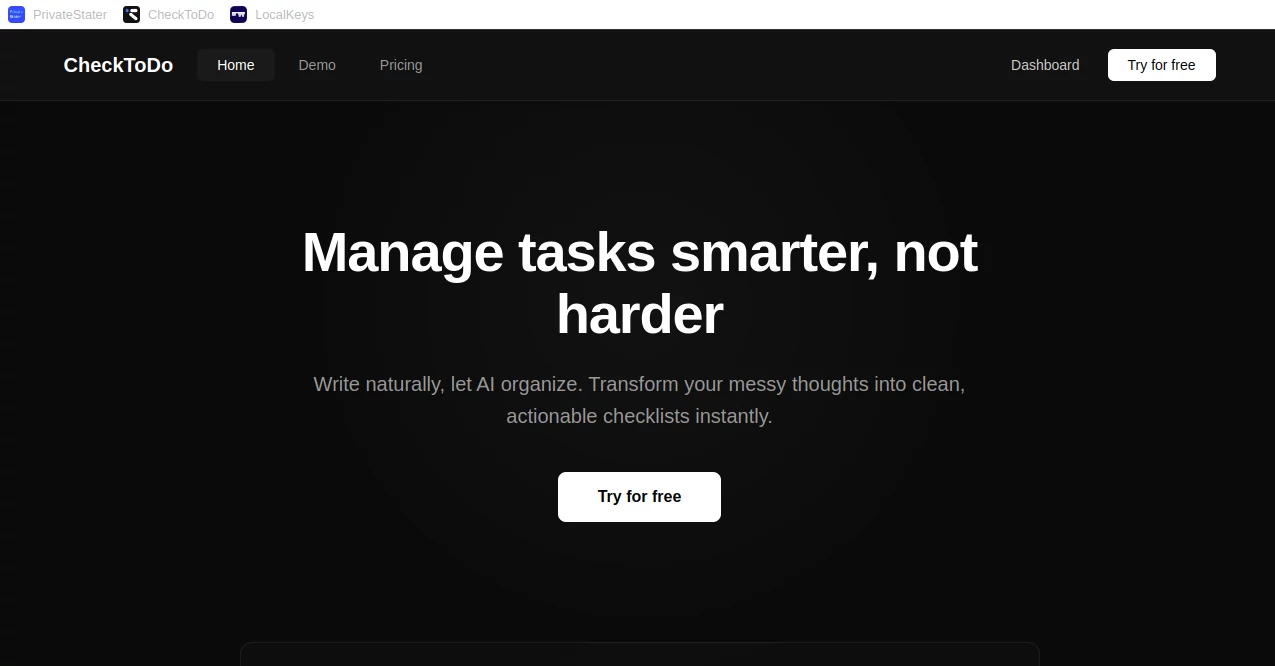
CheckToDo slips into your daily grind like a quiet sidekick, using clever smarts to sort your to-dos so you spend less time shuffling lists and more time knocking them out. This handy spot keeps things rolling without the usual chaos, nudging you toward what matters most with gentle reminders that feel spot-on. Busy bees from all walks rave about how it turns overwhelming piles into steady streams, making those end-of-day wins feel effortless and earned.
Introduction
CheckToDo sprang up from the everyday headaches of folks buried under endless sticky notes and forgotten apps, kicked off by a small team who'd had enough of the scramble. It hit the ground running a bit over a year ago, quickly pulling in users who needed a fresh take on staying on top without the fuss. What started as a simple list builder soon layered in thoughtful tweaks that anticipate your next move, drawing a crowd of freelancers, team leads, and home organizers who share how it quietly reshaped their routines. The charm lies in its unassuming way of learning your habits, turning what could be another tool into a trusted rhythm keeper that grows with you.
Key Features
User Interface
The screen opens to a clean board where tasks stack like friendly Post-its, easy to drag or drop without a second thought. A floating bar catches quick entries as you think them up, and color tags bloom naturally to group the day's musts. Switching views—from today's hits to weekly overviews—happens with a swipe, feeling more like browsing a journal than punching keys, and the whole thing lightens up on any screen size for those coffee-break checks.
Accuracy & Performance
It picks up on patterns sharp as a tack, flagging the right priorities based on your past wins and deadlines, rarely shuffling the deck when you need stability. Even with a full load of chores, it hums along without a stutter, syncing changes across devices in a heartbeat so nothing slips through the cracks. Users nod to its knack for gentle course corrections, like bumping a low-energy task to tomorrow without you lifting a finger.
Capabilities
Beyond basic checklists, it weaves in smart groupings that link related bites, suggesting breaks or bundles to keep momentum without burnout. Share lists for group huddles, set voice nudges for hands-free flows, and even pull in calendar ties to dodge clashes. It handles the quiet magic of estimating times based on your history, turning vague 'someday' items into slotted slots that build real progress over time.
Security & Privacy
Your lists lock down tight with simple pins and auto-locks after idle spells, keeping peeks at bay unless invited. It sticks to bare-bones data grabs, wiping session scraps clean and letting you peek at access trails if curiosity strikes. Folks in shared setups appreciate the circle controls, where you handpick who sees the team tally without exposing personal side quests.
Use Cases
Freelancers juggle client gigs by auto-sorting deadlines, freeing heads for the creative sparks. Families plot meal preps and chore wheels, with kid-friendly tags that make divvying duties a game. Remote crews track project pulses, linking updates to shared boards that cut down on email ping-pong. Even solo dreamers map habit stacks, watching small wins chain into bigger shifts without the guilt of forgotten goals.
Pros and Cons
Pros:
- Learns your flow quick, making suggestions that hit home every time.
- Light on the eyes and fingers, perfect for quick peeks or deep dives.
- Blends solo and team modes without awkward switches.
- Keeps things private by default, easing worries in mixed-use spots.
Cons:
- Peak smarts shine after a few weeks of use, not day one.
- Offline tweaks sync later, a hiccup for spotty signal wanderers.
- Extra team layers tuck away in paid pockets for budget watchers.
Pricing Plans
Start free with core lists and basic nudges for solo sails, no hidden catches. Bump to plus for about eight bucks a month, unlocking unlimited shares and habit trackers that dig deeper. Teams grab pro at twenty-five, with admin tools and bulk invites for smoother group grooves. Yearly wraps save a sliver, and a quick trial lets you test the tide before diving in.
How to Use CheckToDo
Sign up with a quick email tap, then spill your first batch of tasks into the welcome board. Let it chew on patterns as you check off wins, tweaking tags to match your moods. Invite pals for joint jams, set recurring rings for steady rhythms, and glance at the smart summary for tomorrow's lineup. Revisit the tips nook for shortcuts that speed the spin, turning lists into lifelines one tick at a time.
Comparison with Similar Tools
Where chunky apps overload with charts, CheckToDo keeps it breezy, focusing on the flow over fancy frills, though those might suit data hounds better. Against bare-bones notepads, it adds that anticipatory edge without the bloat, edging out for folks who want growth baked in. It finds its sweet stride for everyday hustlers, blending ease with insight where others tip too simple or too stuffed.
Conclusion
CheckToDo wraps the tangle of tasks into tidy trails that lead straight to clearer days, proving small tech tweaks can shift big habits. It honors the hustle by lightening the load, letting you chase what lights you up amid the must-dos. As lives keep piling on, this quiet powerhouse stands ready, turning 'to-do' dread into done-with-delight, one smart step at a time.
Frequently Asked Questions (FAQ)
Can I import old lists from other apps?
Yep, snag them in via CSV or direct pulls for a smooth shift.
Does it work without the web?
Core adds and ticks go offline, syncing when you're back in range.
How does the grouping magic work?
It spots links by keywords and history, bundling like a pro sorter.
Is sharing safe for sensitive stuff?
Granular gates let you lock levels, from view-only to full edit.
What if I outgrow the free bit?
Seamless upgrades keep your flow, with no data dips or restarts.
AI Productivity Tools , AI Task Management , AI Team Collaboration , AI Project Management .
These classifications represent its core capabilities and areas of application. For related tools, explore the linked categories above.
CheckToDo details
This tool is no longer available on submitaitools.org; find alternatives on Alternative to CheckToDo.
Pricing
- Free
Apps
- Web Tools
Categories

CheckToDo Alternatives Product

Candidate Sc…

Instantly Id…

LaunchBoard

Workik

Rierino

Coresite

Project Mela

Chrome Sidek…

Miro
