
🧠 AI Quiz
Think you really understand Artificial Intelligence?
Test yourself and see how well you know the world of AI.
Answer AI-related questions, compete with other users, and prove that
you’re among the best when it comes to AI knowledge.
Reach the top of our leaderboard.

















Toon Composer
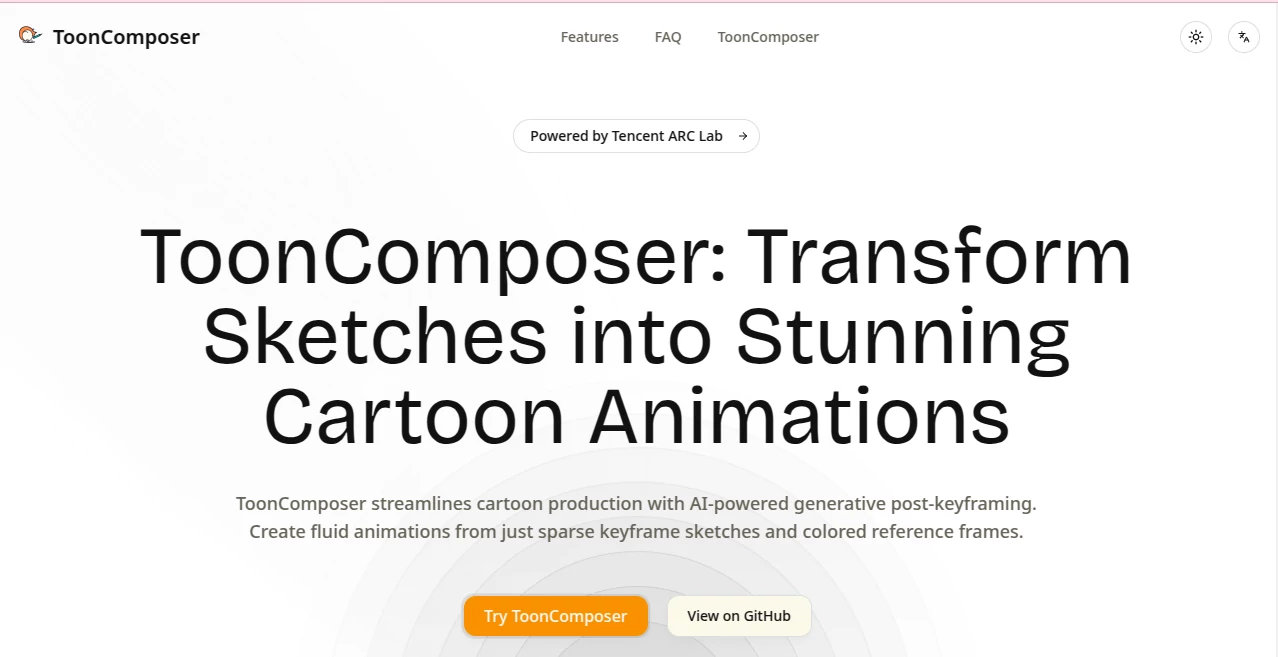
What is Toon Composer?
There’s a special kind of excitement when a rough pencil sketch suddenly starts moving with life and color, like the character you doodled in a notebook finally decided to dance. This tool captures that moment and makes it feel almost effortless. You drop in a few simple keyframes—maybe just a couple of poses—and it fills in the gaps with fluid motion and vibrant shading that stays true to your style. I’ve seen animators who normally spend days on inbetweens look genuinely surprised at how natural the results feel after just a few minutes. It’s the kind of thing that reignites the joy of creating rather than turning it into a grind.
Introduction
Traditional 2D animation is beautiful, but the middle parts—the endless inbetweening, the frame-by-frame coloring—can drain even the most passionate artist. This platform quietly changes that equation. By merging those two labor-heavy stages into one smart generative pass, it lets creators focus on the storytelling and personality instead of repetitive cleanup. What started as a research project has become a practical companion for anyone who wants to see their ideas move without losing sleep over production time. People are already using it to prototype episodes, polish social media clips, and experiment with styles that would otherwise stay locked in sketchbooks. The sense of possibility it brings is hard to overstate.
Key Features
User Interface
The whole experience is refreshingly straightforward. You upload sparse keyframes—sometimes just one or two sketches—and a colored reference if you have it. A simple timeline lets you place frames wherever they fit in the sequence, and blank areas can be guided with text prompts if needed. Previews appear quickly so you can spot-check motion and style before committing. It never feels like you’re fighting the tool; instead, it quietly gets out of your way and lets the animation emerge.
Accuracy & Performance
What stands out most is how faithfully it preserves your original intent. Characters keep their proportions and expressions across frames, motion follows cartoon physics in a believable way, and colors stay consistent even when you give the AI very little to work with. Generations run fast enough that you can iterate in real time, and the output quality holds up remarkably well at 480p or higher. In practice, the first try often feels close enough to use, which is rare in this kind of creative tech.
Capabilities
It handles everything from single-character actions to multi-subject scenes, supporting up to 61 frames for longer sequences. Region-wise control lets you decide exactly where the AI should invent details, while the unified inbetweening-and-colorization step eliminates the usual mismatch between line work and paint. Exports come in common video formats or frame sequences, ready for editing software or direct sharing. The result is a workflow that feels like an extension of your hand rather than a replacement for it.
Security & Privacy
Your sketches and references stay under your control. The process is contained, with no unnecessary retention or sharing. For independent creators and studios alike, that matters—knowing your rough ideas won’t wander off somewhere unexpected gives real peace of mind when you’re experimenting with new directions.
Use Cases
An indie animator roughs out a short film sequence in the morning and has a playable rough cut by lunch. A social media creator sketches a quick gag, adds motion, and posts a looping clip that gets strong engagement. A student builds a portfolio piece that would have taken weeks the old way. Even larger teams use it to test storyboards quickly before investing in full production. It’s especially powerful when time is tight but the vision is clear.
Pros and Cons
Pros:
- Drastically cuts down the most tedious parts of animation without sacrificing style.
- Works beautifully even with very minimal input—just one or two frames can be enough.
- Motion and color feel natural and cohesive, not forced or generic.
- Iterate fast and stay in the creative zone instead of getting stuck in cleanup.
Cons:
- Best results still come from clean, intentional keyframes.
- Longer or very complex scenes can push hardware limits.
Pricing Plans
It keeps the entry point wide open so anyone can try it without hesitation. Generous free access lets you experiment and see the quality firsthand. For heavier use or commercial projects, paid options scale sensibly, unlocking higher resolutions, more frames, and priority processing. The model rewards curiosity first and scales gracefully as your ambitions grow.
How to Use ToonComposer
Start by uploading one or more sketches—place them on the timeline where they belong in the action. Add a colored reference frame if you have a specific palette in mind. Use text prompts for any blank regions you want guided. Hit generate and watch the AI bridge the gaps with smooth inbetweens and matching colors. Preview the result, adjust frame positions or prompts if needed, then export as video or image sequence. It’s simple enough for quick tests yet deep enough for serious sequences.
Comparison with Similar Tools
Many animation helpers focus on either inbetweening or coloring, forcing you to juggle separate passes and pray the styles match. This one combines both into a single thoughtful step, reducing errors and saving enormous time. Where other tools demand dense keyframes or produce stiff motion, the results here feel lively and hand-drawn. It’s less about replacing artists and more about giving them superpowers.
Conclusion
Animation should be about storytelling, emotion, and fun—not endless repetitive tasks. This tool gently removes those barriers so the real creative work can take center stage. Whether you’re a solo creator racing a deadline, a student building confidence, or a team exploring ideas faster, it opens doors that used to stay firmly closed. The feeling of seeing your sketches come alive is hard to beat, and this makes it happen more often than ever.
Frequently Asked Questions (FAQ)
How many keyframes do I really need?
You can start with as few as one or two; more give finer control, but even minimal input produces impressive results.
Can I guide blank areas?
Yes—use text prompts to tell the AI what you want in empty regions, and it fills them contextually.
What formats can I export?
MP4, WebM, or individual frame sequences—ready for editing or sharing.
Is there a limit on frames?
Up to 61 frames in a single generation, enough for short sequences and loops.
Does it work with my existing workflow?
Perfectly—exports integrate smoothly with After Effects, Toon Boom, Blender, and more.
AI Animated Video , AI Image to Video , AI Video Generator , AI Design Generator .
These classifications represent its core capabilities and areas of application. For related tools, explore the linked categories above.
Toon Composer details
Pricing
- Free
Apps
- Web Tools
Categories

Toon Composer Alternatives Product

Framepack AI

Generador De…
JoyFlix AI

Seedance 3.0

seedance 3.0

Veo3 AI

ImagineToVid…
Kling 3.0

Seedance 2.0
