🧠 AI Quiz
Think you really understand Artificial Intelligence?
Test yourself and see how well you know the world of AI.
Answer AI-related questions, compete with other users, and prove that
you’re among the best when it comes to AI knowledge.
Reach the top of our leaderboard.


















Wan AI
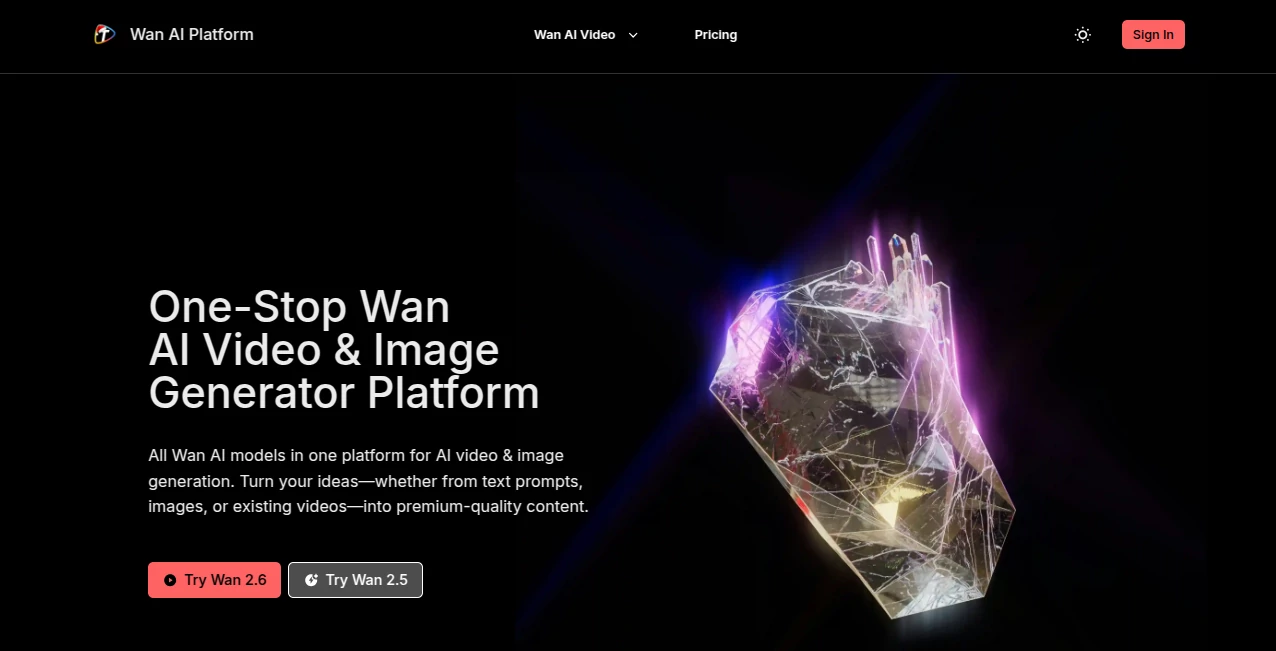
What is Wan AI?
There’s a quiet thrill when you can go from a simple sentence or a single photo to a full, high-resolution video that actually feels like it was made with care. This platform gathers every major Wan model under one roof so you never have to bounce between sites or guess which version will give the cleanest motion or sharpest lip-sync. I’ve had moments where I tried a text prompt late at night, watched a 1080p clip come together in seconds, and thought, “This is the future I didn’t know I needed.” The difference is noticeable—characters stay consistent, audio locks in naturally, and the whole thing looks ready to post without heavy editing.
Introduction
Creating short videos used to mean juggling apps, dealing with watermarks, or settling for results that looked “AI-ish” in the wrong way. Here, everything is streamlined: pick the Wan model that fits your idea—whether it’s the latest for cinematic multi-shot stories or one tuned for smooth character animation—and generate right away. People who make Reels, TikToks, ads, or even personal projects keep coming back because they can compare models side-by-side, keep the same look across clips, and skip the usual post-production slog. It’s become a daily go-to for creators who want professional polish without the professional timeline.
Key Features
User Interface
The dashboard keeps things focused: one prompt box, clear model choices, upload slots for images or reference videos, and a generate button that never feels buried. Switching between Wan 2.6 for multi-shot or Wan Animate for stylized sequences takes a single click, and previews load fast enough that you can refine on the fly. It’s calm and purposeful—exactly what you want when you’re chasing a creative spark and don’t want to fight the tool.
Accuracy & Performance
Consistency is where it really shines. Faces, outfits, and backgrounds hold steady across shots, even when you feed in complex prompts with multiple characters or fast action. Processing is quick—often under a minute for a solid clip—and the output stays sharp at 1080p. I’ve seen side-by-side tests where older tools lose track of details mid-sequence, but this setup rarely does. The motion feels natural, the lip-sync lands tight, and the overall quality makes you forget you didn’t film anything.
Capabilities
You can start from text, turn a static image into a talking character, or remix an existing video while keeping the original movements and audio intact. Need cinematic multi-shot storytelling? One model handles it. Want stylized animation? Another specializes there. The platform supports high-res downloads without watermarks on paid runs, and the ability to chain ideas—generate a clip, then use it as reference for the next—opens up real creative freedom.
Security & Privacy
Your prompts, uploads, and generated clips are treated with care. There’s no unnecessary data retention, and the setup is designed so you can experiment comfortably, especially when working on client projects or personal ideas you’d rather keep close. That trust matters when you’re pouring real effort into content.
Use Cases
A small brand owner creates weekly product teasers that look like mini commercials without hiring a crew. A content creator turns song lyrics into visual stories with perfect beat sync and consistent character appearance. An educator animates short explainers that keep students watching till the end. Freelancers mock up client concepts fast, iterate in real time, and deliver polished drafts that win the job. It fits anywhere short, engaging video can make an impact.
Pros and Cons
Pros:
- Every major Wan model lives here—no more app-hopping.
- Character and motion consistency that feels almost too good to be true.
- Native audio-visual sync saves hours of manual alignment.
- Watermark-free commercial output on paid plans.
Cons:
- Free tier has limits that push you toward paid for serious volume.
- Very long or highly detailed scenes can still take a bit longer.
Pricing Plans
You can jump in for free to test the models and see the quality yourself—daily quota is enough to spark ideas. Paid plans are straightforward and scale with your needs: lower tiers unlock watermark removal and higher resolutions, while higher ones give more generations, faster queues, and priority support. It’s built so you only pay for the firepower you actually use, which feels fair when you’re creating regularly.
How to Use Towan
Land on the dashboard, choose a model that matches your vision—say Wan 2.6 for multi-shot cinematic or Wan Animate for stylized motion. Type your prompt or upload an image/video reference, adjust settings like resolution or length if needed, and hit generate. Preview arrives quickly; if you want tweaks, refine the prompt or reference and run again. Download the finished clip clean and ready. Batch a few variations, pick the winner, and you’ve got content that looks like it took far longer than it did.
Comparison with Similar Tools
Many platforms lock you into one model or force you to compromise on consistency or audio sync. Here, having the full Wan lineup in one place means you can try different strengths without starting over. The results often feel more deliberate—characters don’t drift, motion tracks better, audio lands tighter—making it a clear step up for creators who care about polish over raw speed alone.
Conclusion
This is one of those tools that quietly raises the bar for what’s possible on your own. It takes the friction out of video creation so you can spend your energy on the story, not the struggle. Whether you’re building a brand, teaching, entertaining, or just playing with ideas, it gives you professional-grade output with very little overhead. Once you see your words turn into moving pictures that actually look good, it’s hard to go back.
Frequently Asked Questions (FAQ)
How long can the videos be?
Most models support up to around 15 seconds of clean, multi-shot content—perfect for socials and quick stories.
Do I need a reference video or image?
Not always—text prompts work great, but adding a reference boosts consistency and control.
Are downloads watermark-free?
Paid plans remove watermarks completely; free runs carry them.
Which model is best for lip-sync?
Wan 2.6 handles native audio-visual sync particularly well.
Can I use it commercially?
Yes—paid output is ready for ads, content, or client work without restrictions.
AI Animated Video , AI Image to Video , AI Text to Video , AI Video Generator .
These classifications represent its core capabilities and areas of application. For related tools, explore the linked categories above.
Wan AI details
Pricing
- Free
Apps
- Web Tools
Categories

Wan AI Alternatives Product

ai seedance …
Veo4AI

Sora-2.co
Seedance 2

Seedance AI …
Veo 3.2

Leonardo.ai

Seedance Art

Seedance 2 A…