
🧠 AI Quiz
Think you really understand Artificial Intelligence?
Test yourself and see how well you know the world of AI.
Answer AI-related questions, compete with other users, and prove that
you’re among the best when it comes to AI knowledge.
Reach the top of our leaderboard.


















Trellis 3D

What is Trellis 3D?
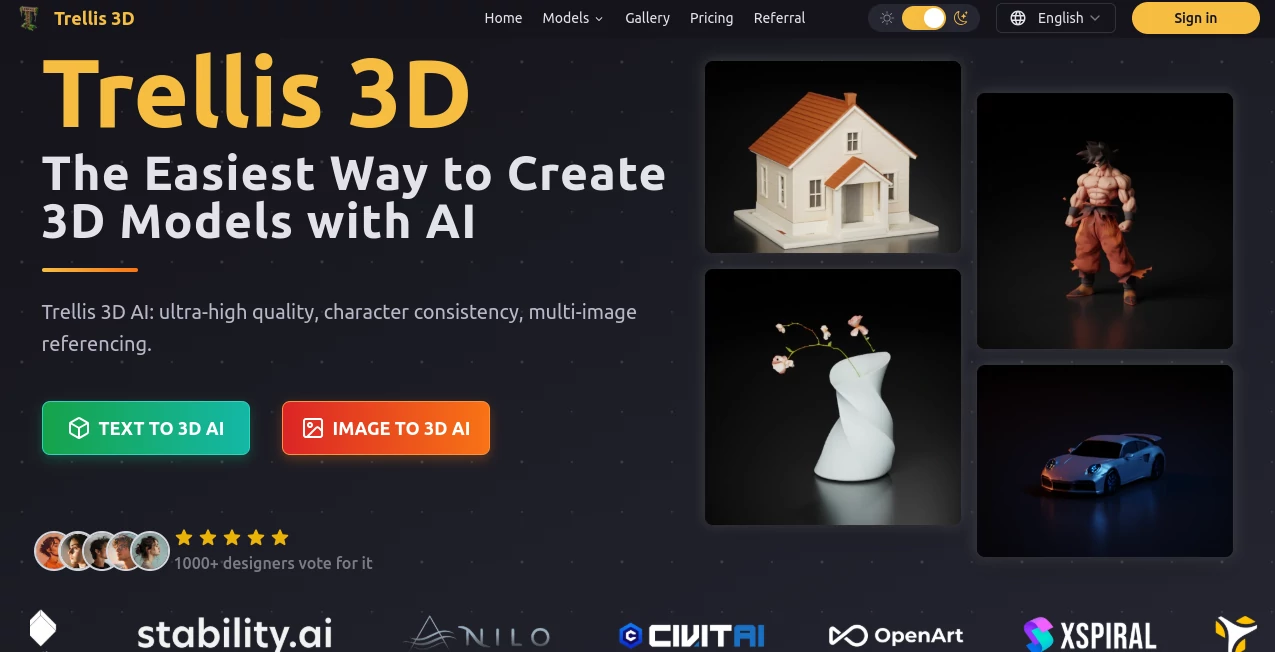
There's something genuinely exciting about watching a simple photo or a quick text description turn into a detailed, ready-to-use 3D asset right in your browser—no heavy software, no endless tweaks. This platform makes that moment feel almost effortless, pulling off intricate shapes and textures that leave you wondering how it got so good so fast. I've thrown everything from product sketches to character concepts at it, and the results keep surprising me with their quality and speed.
Introduction
In a field crowded with 3D tools that demand patience and expertise, this one stands out by keeping things straightforward while delivering results that feel premium. It takes your input—whether a single image or a descriptive prompt—and generates assets in multiple formats like radiance fields for photoreal renders, Gaussians for quick viewing, or clean meshes for game engines. What hooked me was how it handles consistency across complex scenes, something that's often a headache elsewhere. Creators I've chatted with say it's saved them hours of manual sculpting, turning rough ideas into polished models in moments. It's not just another generator; it's a reliable partner that makes 3D feel approachable again.
Key Features
User Interface
The whole experience is built around simplicity—a clean upload area, a spot for your prompt, and options to choose output style or resolution without overwhelming you. Everything loads fast, previews spin smoothly, and downloads are one click away. It's the kind of setup that lets you focus on ideas instead of menus, and I appreciate how it feels intuitive from the first try.
Accuracy & Performance
When you feed it a detailed prompt or a high-res reference image, it captures fine details like textures and proportions with impressive fidelity, rarely missing the mark on tricky elements. Generation times are quick—often under a minute for solid models—and the outputs scale well, from web-friendly Gaussians to print-ready meshes. It's reliable enough that you can count on it for production work without constant babysitting.
Capabilities
It handles both text-to-3D and image-to-3D workflows beautifully, producing assets in versatile formats that drop straight into Unity, Blender, or AR apps. Multi-image referencing keeps characters consistent, and local editing support lets you refine geometry or textures afterward. The sheer variety—from furniture pieces to stylized characters—makes it adaptable for all sorts of projects.
Security & Privacy
Your uploads are processed securely and not stored long-term, giving you peace of mind when working with original designs or client concepts. It's designed with creators in mind, so you know your ideas stay yours without lingering on some distant server.
Use Cases
Game devs love using it to prototype characters from concept art, getting consistent models ready for rigging in no time. Product designers turn 2D sketches into prototypes that look and feel real, speeding up iterations with clients. Educators bring historical artifacts to life for interactive lessons, and hobbyists create custom prints from family photos. It's versatile enough that one person might use it for a quick prop while another builds an entire scene.
Pros and Cons
Pros:
- Delivers stunning detail and consistency that stands up to pro scrutiny.
- Fast enough to fit into real workflows without slowing you down.
- Multiple output formats mean it's ready for whatever comes next.
- Free trial lets you test the quality before committing.
Cons:
- Best results come from clear, well-lit inputs—fuzzy ones might need cleanup.
- High-detail generations can eat credits quickly on paid plans.
Pricing Plans
You can jump in for free to try the core features, which is generous enough to get a real feel for the quality. Paid tiers unlock more generations and higher resolutions, with flexible credits that fit both casual users and heavy workflows. It's straightforward—no surprises—and the value shines through when you see what you're getting.
How to Use Trellis 3D
Start by uploading an image or typing a detailed prompt, then select your preferred output style—Gaussian for quick previews or mesh for editing. Hit generate, watch the progress, and once it's ready, preview the model from all angles. Download in the format you need, tweak locally if you want, and integrate it into your project. It's that simple, and the results are often so good you barely need adjustments.
Comparison with Similar Tools
While other generators can produce decent models, they often struggle with consistency or require heavy post-processing. This one stands out for its balance of speed, quality, and versatility, especially with multi-format outputs and strong reference handling. It's not the cheapest or the fastest on simple tasks, but when detail and reliability matter, it pulls ahead with results that feel more polished and production-ready.
Conclusion
This tool quietly raises the bar for what's possible in 3D creation, making high-quality assets accessible without the usual barriers. It's the kind of thing that changes how you approach projects—suddenly, ideas that used to take days are ready in minutes. If you're tired of wrestling with complex software or settling for mediocre results, this is worth trying. It just works, and when it does, the possibilities open up in ways that feel genuinely exciting.
Frequently Asked Questions (FAQ)
What file types can I download?
GLB, OBJ, STL, GLTF, USDZ, and PLY—plenty of options for any workflow.
Do I need powerful hardware?
No, everything runs in the cloud so even basic setups work fine.
How detailed can the models get?
They handle fine textures and complex shapes surprisingly well, especially with good input.
Can I edit the models afterward?
Yes, local editing is supported for tweaking geometry or textures.
Is there a free trial?
Absolutely—start generating without any upfront cost.
AI Design Generator , AI Graphic Design , AI 3D Model Generator , AI Image to 3D Model .
These classifications represent its core capabilities and areas of application. For related tools, explore the linked categories above.
Trellis 3D details
This tool is no longer available on submitaitools.org; find alternatives on Alternative to Trellis 3D.
Pricing
- Free
Apps
- Web Tools
Categories

Trellis 3D Alternatives Product

Ai logo maker

LongCat Image

Seedream Ima…

Nano Banana …

Sketchready

Brat Generat…

SAM 3D

Flux 2 Klein

Tryonr
