🧠 AI Quiz
Think you really understand Artificial Intelligence?
Test yourself and see how well you know the world of AI.
Answer AI-related questions, compete with other users, and prove that
you’re among the best when it comes to AI knowledge.
Reach the top of our leaderboard.


















Tubeletter

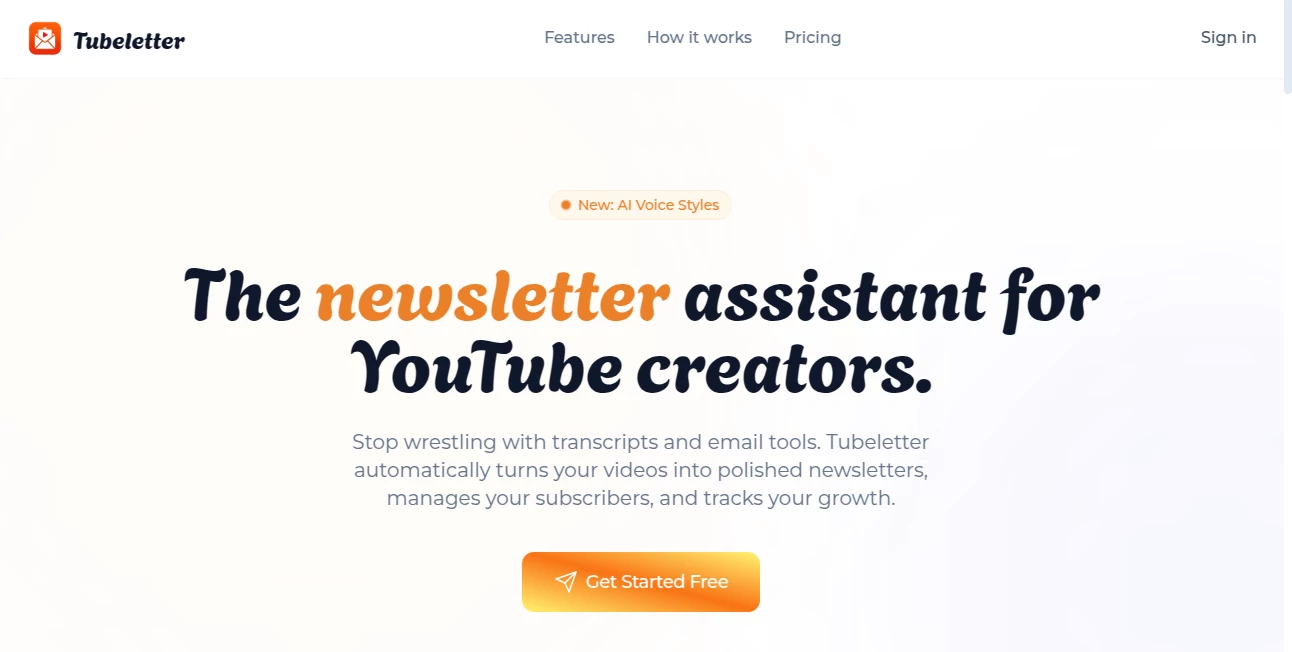
What is Tubeletter?
If you've ever stared at a fresh video upload wondering how to share the highlights with fans beyond the platform, this tool feels like the answer you've been waiting for. It quietly takes your content, digs into the meat of what you said, and crafts newsletters that read like thoughtful recaps—engaging, on-brand, and ready to hit inboxes. Creators who've leaned on it talk about reclaiming hours each week, turning what used to be a chore into something almost automatic, and watching subscriber lists grow steadily as a result.
Introduction
Building a direct line to your audience shouldn't mean wrestling transcripts or piecing together emails late at night. This platform changes that by watching your videos, pulling out the key moments, and drafting summaries that capture your voice without the fluff. Add in subscriber management, branded signup spots, and clear analytics, and you've got a full setup for nurturing fans off-platform. I tried it with a small channel once—connected it, picked a recent upload, and the draft that popped up needed barely a tweak before sending. It's that seamless handoff from video to email that makes it stand out, especially for busy folks juggling creation and community.
Key Features
User Interface
The dashboard greets you with the essentials upfront: growth charts, open rates, and a quick picker for videos that loads your library without fuss. Drafts appear clean and editable, with suggestions that fit naturally, and subscriber overviews keep things organized by engagement. It's straightforward enough that jumping in feels intuitive, no steep climb to get rolling.
Accuracy & Performance
The AI grasps context well, spotting main points and phrasing them in a way that echoes your style, often landing drafts that need little more than a personal note. Delivery runs reliable with solid infrastructure, and metrics update in real time so you see impact fast. In practice, it handles longer talks smoothly, pulling coherent recaps that keep readers hooked.
Capabilities
Beyond drafting, it hosts landing pages that match your brand, segments lists for targeted sends, and tracks everything from opens to clicks over time. Higher tiers add custom voice tweaks for that personal touch and full editing before launch. It's a complete loop—create, send, learn, repeat—all tied neatly to your channel.
Security & Privacy
Subscribers stay managed securely, with enterprise-level sending that respects inboxes and keeps data handled responsibly. It's built for trust, especially when growing personal connections with viewers.
Use Cases
Solo creators recap weekly uploads to keep fans in the loop, boosting loyalty without extra effort. Teams segment audiences for niche drops, like bonus insights for engaged viewers. Educators share lesson highlights via email, extending reach beyond views. Even niche channels build branded communities, turning casual watchers into dedicated subscribers through consistent, valuable touches.
Pros and Cons
Pros:
- Drafts that truly sound like you, saving real time on writing.
- All-in-one for sending, managing, and measuring growth.
- Branded pages that convert viewers smoothly.
- Clear insights to refine what works best.
Cons:
- Free limits suit starters, but scaling needs an upgrade.
- Best with channels that post regularly for steady flow.
Pricing Plans
Free gets you going with one channel and a modest subscriber cap, ideal for testing the waters. Pro opens up more channels and thousands of subscribers with custom styles for around fifteen bucks monthly, while Max goes unlimited with editing and priority help at thirty. Yearly saves a chunk, keeping costs aligned with growth.
How to Use TubeLetter
Connect your channel, browse uploads, and select one—the AI spins a draft you can read over, add a note, and schedule or send. Set up a landing page for signups, watch subscribers roll in, and check dashboards for what resonates. It's a simple rhythm: post video, send recap, build bonds.
Comparison with Similar Tools
Where manual recaps or basic email setups drag on time, this one automates the heavy parts while keeping the human touch, often delivering more cohesive results than scattered alternatives. It's tailored tight to YouTube life, edging ahead for creators focused on direct, meaningful connections.
Conclusion
This tool bridges the gap between video views and lasting relationships, making email feel like a natural extension of your channel rather than an afterthought. It's a smart, understated way to grow deeper ties with fans, freeing you to create while it handles the outreach. Worth a look if you're ready to turn viewers into a true community.
Frequently Asked Questions (FAQ)
Does the AI match my style?
It learns from your content, drafting in a voice that feels authentically yours—custom options refine it further.
How many subscribers on free?
Up to a hundred, with basics to get started strong.
Can I edit drafts?
Fully in higher plans, quick tweaks always available.
Analytics included?
Yes—opens, clicks, growth trends to guide your next moves.
Multiple channels?
Pro and above handle several seamlessly.
AI Email Assistant , AI Content Generator , AI Marketing Plan Generator , AI YouTube Assistant .
These classifications represent its core capabilities and areas of application. For related tools, explore the linked categories above.
Tubeletter details
This tool is no longer available on submitaitools.org; find alternatives on Alternative to Tubeletter.
Pricing
- Free
Apps
- Web Tools
Categories

Tubeletter Alternatives Product

bratgenerator

Harvey

Random Promp…

SupaTraffic

Jasper

labgen

Touchpoint

Ad Suite AI

Noir Prompt