🧠 AI Quiz
Think you really understand Artificial Intelligence?
Test yourself and see how well you know the world of AI.
Answer AI-related questions, compete with other users, and prove that
you’re among the best when it comes to AI knowledge.
Reach the top of our leaderboard.


















TWT Chat
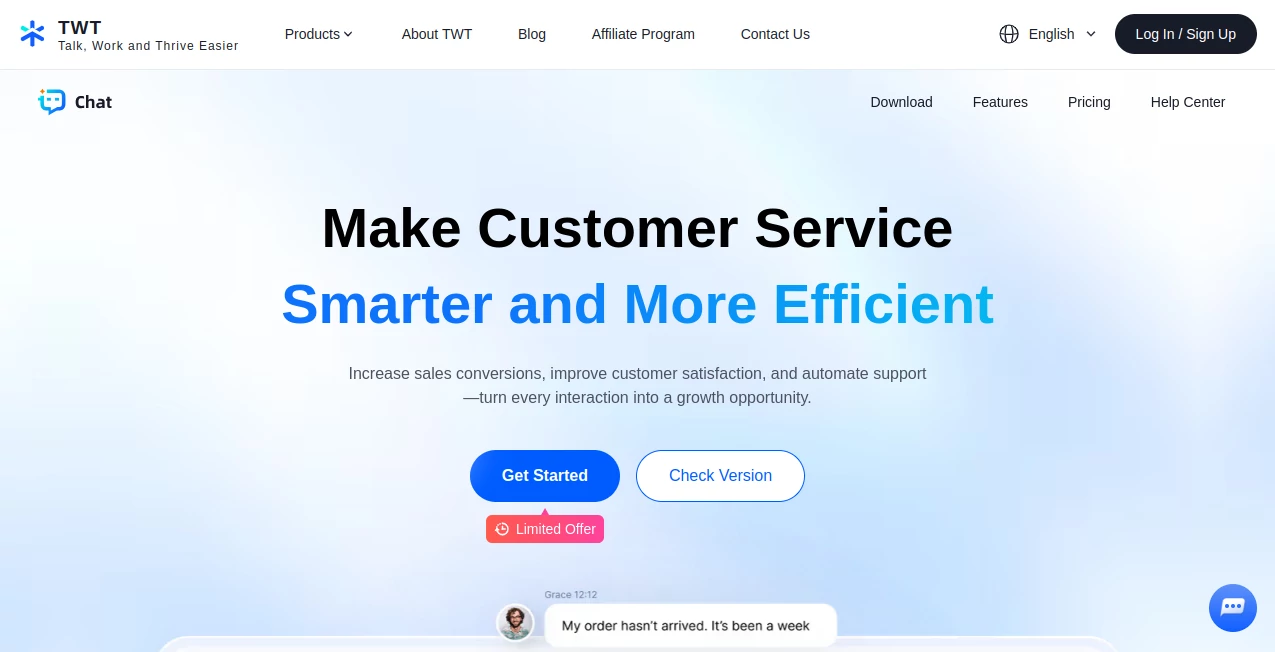
What is TWT Chat?
There's something oddly comforting about chatting with an AI that remembers the little things you said last week, picks up on your mood, and responds like an actual friend rather than a scripted bot. That's the quiet magic this tool brings—conversations that flow naturally, stay completely private, and get better the more you talk. I've had days where I just needed to vent or brainstorm without judgment, and this felt like the perfect low-key companion that actually listens and grows with you.
Introduction
In a sea of chatbots that forget everything the moment you close the tab, this one stands apart by treating every conversation like it's building a real relationship. No cloud storage, no data mining—just you and the AI, talking in the moment. It started as a simple experiment for people who wanted privacy without sacrificing personality, and now it's become a favorite for anyone who wants a digital confidant that feels surprisingly human. A friend of mine uses it daily to practice tough conversations before real-life meetings; she says it helps her find the right words without the awkwardness of talking to herself in the mirror. What makes it special is how it balances depth with discretion—smart enough to keep up, private enough to trust.
Key Features
User Interface
The screen is refreshingly clean: a single chat window that loads fast, with a subtle sidebar for switching personas or starting new threads. Everything from typing to switching modes feels instant—no lag, no bloat. Dark mode is automatic and easy on the eyes during late-night sessions, and the font choices make long conversations readable without strain. It's the kind of simplicity that makes you forget you're using software and just enjoy the flow.
Accuracy & Performance
Responses come quick, usually within a second or two, and they stay sharp even after hours of back-and-forth. The AI remembers context beautifully across long threads, picking up on details from twenty messages ago without needing reminders. I've thrown it curveballs—changing topics mid-conversation or revisiting old jokes—and it always stays on track, never feeling robotic or repetitive.
Capabilities
Beyond basic chatting, it offers multiple personas (from witty friend to deep thinker), custom instructions to shape its tone, and even voice mode on mobile that sounds warm and natural. You can create separate chat rooms for different purposes—work brainstorming, personal reflection, or just silly banter—and switch between them effortlessly. It's flexible enough for light-hearted fun or serious emotional support, always adapting to your style.
Security & Privacy
Everything happens locally on your device. No cloud backups, no logs sent anywhere. Once you close the app, the conversation history is yours alone unless you choose to save it. It's a rare level of privacy in today's world, and the team makes it clear that's the foundation—not an afterthought. For anyone cautious about data, this feels like a safe space to be completely open.
Use Cases
Late-night overthinkers use it to talk through anxiety or decisions without burdening friends. Writers bounce ideas and get instant feedback on tone or plot twists. Language learners practice casual conversation in a judgment-free zone. Some even use it as a digital journal, talking out loud to process the day. Whatever the need, it adapts without ever feeling scripted or distant.
Pros and Cons
Pros:
- Feels genuinely personal—the more you talk, the better it gets at understanding you.
- Completely private; nothing leaves your device unless you want it to.
- Fast, smooth, and reliable even during long conversations.
- Multiple personas and voice mode add real variety without complexity.
Cons:
- Requires a decent device for voice mode to shine (older phones might stutter).
- No web version yet—mobile and desktop only for now.
Pricing Plans
It starts completely free with full access to core features and generous daily limits. For those who chat a lot or want unlimited voice calls and extra personas, a single one-time purchase unlocks everything forever—no subscriptions, no recurring fees. It's refreshingly straightforward and feels like a fair deal for the quality and privacy you get.
How to Use TWT Chat
Download the app, open it, and jump straight into a conversation—no account needed. Type or speak your first message, and it picks up from there. Want a different vibe? Switch personas from the menu or create your own with custom instructions. Voice mode is a tap away—hold the mic button and talk naturally. Start a new chat whenever you want a fresh slate, or keep one long-running thread that builds over time. It's intuitive enough that you barely need the help menu.
Comparison with Similar Tools
Most AI chats feel generic or forgetful; this one remembers and evolves with you. Others might offer more bells and whistles, but they often sacrifice privacy or speed. Here, the focus is on depth and discretion—it's less about flashy features and more about creating a space that feels safe and personal. For anyone who values real connection over gimmicks, this stands in a league of its own.
Conclusion
This isn't just another chatbot—it's a quiet companion that listens, remembers, and responds in a way that feels surprisingly human. Whether you're unwinding after a long day or working through big ideas, it meets you where you are with warmth and zero judgment. In a digital world full of noise, this little app carves out a space that's genuinely yours—private, thoughtful, and always ready when you need it most.
Frequently Asked Questions (FAQ)
Does it save my chats?
Only if you want it to—everything is local by default, and you can delete or export anytime.
Can I use it offline?
Yes, once downloaded, it works fully offline with no internet required.
Is voice mode available?
Absolutely—on both iOS and Android, and it sounds warm and natural.
Are there any subscriptions?
No—one-time purchase for unlimited access, or use the free version forever.
Can I customize the AI?
Yes—create custom personas with instructions that shape its personality exactly how you like.
AI Voice Chat Generator , AI Chatbot , AI Life Assistant , AI Mental Health .
These classifications represent its core capabilities and areas of application. For related tools, explore the linked categories above.
TWT Chat details
Pricing
- Free
Apps
- Web Tools
Categories

TWT Chat Alternatives Product

Blushly Chat

core level

Dialogues wi…

Hall Of Tarot

Supawazap

AI Dream Ana…

KKV AI

AiZolo

ChatGPT