🧠 AI Quiz
Think you really understand Artificial Intelligence?
Test yourself and see how well you know the world of AI.
Answer AI-related questions, compete with other users, and prove that
you’re among the best when it comes to AI knowledge.
Reach the top of our leaderboard.


















uni-1
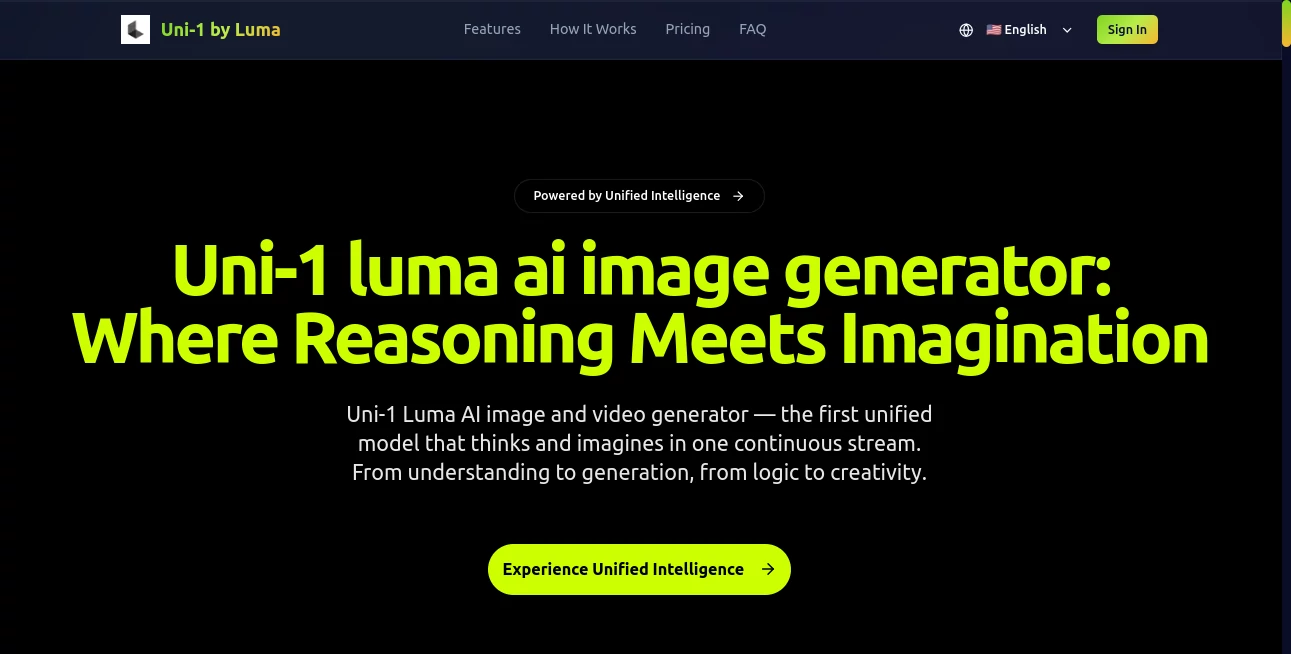
What is uni-1?
There’s a noticeable difference when an AI doesn’t just spit out pixels but actually seems to think before it creates. You describe a complex scene with specific constraints, and instead of generic results, you get something that respects logic, composition, and intent. That’s the experience Uni-1 delivers. It feels less like a generator and more like a creative partner that understands what you’re asking for and figures out how to make it work visually. I’ve watched designers and filmmakers light up when a tricky prompt finally produces exactly the mood and detail they were imagining—without the usual back-and-forth fixes.
Introduction
Most AI image and video tools still operate in separate worlds: one part understands your words, another generates the visuals. Uni-1 brings those worlds together in a single unified model. Built by Luma AI, it reasons step-by-step while it creates, leading to more coherent, intentional outputs that handle complex instructions better than traditional approaches. Whether you’re crafting a single striking image or a short cinematic sequence, it bridges the gap between what you say and what appears on screen. For creators tired of fighting with inconsistent results, this unified approach feels like a genuine step forward—less random guessing, more thoughtful creation.
Key Features
User Interface
The experience is refreshingly clean and focused. A prominent prompt area lets you describe exactly what you want, with options to upload reference images or set specific styles and aspect ratios. Generation happens in one continuous flow, and previews appear quickly enough to keep you in the creative zone. There’s no overwhelming menu jungle—just the tools you need to guide the model without getting lost. It respects your time and keeps the focus on the work itself.
Accuracy & Performance
What stands out most is how well it follows complex reasoning. Ask for specific object interactions, lighting conditions, or narrative consistency, and it actually thinks through the relationships instead of forcing elements together. Results show strong coherence—characters stay consistent, physics make sense, and compositions feel balanced. Generation speed is impressive for the quality level, and the model handles both still images and short video sequences with fewer of the usual artifacts that plague other tools.
Capabilities
It excels at text-to-image, image-to-image, and text-to-video generation, all powered by the same unified reasoning engine. You can guide it with detailed prompts, reference images, or style references, and it maintains logical consistency throughout. The model shines on tasks that require planning—multi-object scenes, specific camera angles, emotional tone, or sequential storytelling in video. It’s particularly strong when you need something that feels directed rather than randomly assembled.
Security & Privacy
Your prompts and generated content are handled with care. The platform focuses on user control, with no unnecessary long-term storage of personal creations unless you choose to save them. For professional creators working on client projects or sensitive concepts, this thoughtful approach provides welcome peace of mind.
Use Cases
A product designer uploads a rough sketch and gets multiple refined variations with accurate lighting and material details. A filmmaker writes a short scene description and receives a cinematic video clip that captures the right mood and camera movement for storyboarding. A marketer needs branded visuals with specific product placement and gets consistent, on-brand results across multiple assets. A game developer prototypes environment concepts quickly, testing different times of day and atmospheres before committing to full production. Wherever imagination needs to meet precise execution, it becomes a valuable creative ally.
Pros and Cons
Pros:
- Strong reasoning leads to more logical and coherent outputs than typical generators.
- Unified approach handles both images and video with consistent quality.
- Excellent at following complex, multi-part instructions.
- Fast enough to support real creative iteration instead of long waits.
- Results often feel thoughtfully composed rather than randomly generated.
Cons:
- Still relatively new, so some edge cases may need refined prompting.
- Higher-resolution or longer video generations may require paid access.
- Very abstract or contradictory prompts can occasionally challenge it.
Pricing Plans
It offers accessible entry points so creators can experience the difference without heavy commitment. Free or limited daily generations let you test quality on real projects. Paid tiers unlock higher resolutions, faster processing, longer video capabilities, and more generous usage limits. The structure rewards regular creators while keeping the door open for curious newcomers.
How to Use Uni-1
Start with a clear, descriptive prompt—include details about mood, composition, lighting, or action if you have them. Optionally upload a reference image to guide style or character consistency. Choose your output format (image or short video) and any specific aspect ratio. Hit generate and review the result. Use the preview to decide if small prompt tweaks would improve it, then generate variations or refine further. The process is quick enough that you can explore several directions in one session and land on something you love.
Comparison with Similar Tools
Many strong image generators still separate understanding from creation, leading to occasional mismatches between prompt and output. Uni-1’s unified reasoning helps close that gap, producing results that feel more intentional and consistent. While some tools excel at pure artistic flair, this one adds a layer of logical coherence that’s especially valuable for storytelling, product visualization, and concept work. It strikes a compelling balance between creativity and reliability.
Conclusion
Uni-1 represents a meaningful step toward AI that doesn’t just create but actually collaborates with your thinking. It turns vague ideas into coherent visuals faster and with more intention than most tools manage. For designers, filmmakers, marketers, and storytellers, that shift from fighting the tool to working alongside it is genuinely exciting. If you’ve ever wished your AI partner could truly understand what you’re going for, this is one of the closest things available right now.
Frequently Asked Questions (FAQ)
How detailed should my prompt be?
The more specific you are about mood, composition, and action, the better the results—though it handles open prompts well too.
Can it generate video?
Yes, it creates short cinematic sequences with strong motion coherence and temporal consistency.
Does it support reference images?
Absolutely—uploading references greatly improves character and style consistency.
Is it suitable for professional work?
Yes—many professionals use it for concepting, storyboarding, and asset creation.
How fast are generations?
Most images appear in seconds; short videos take a bit longer but still feel responsive.
AI Image to Video , AI Art Generator , AI Text to Video , AI Design Generator .
These classifications represent its core capabilities and areas of application. For related tools, explore the linked categories above.
uni-1 details
Pricing
- Free
Apps
- Web Tools
Categories

uni-1 Alternatives Product

Banana Promp…

Veo 4 AI Vid…

CinemaDrop

Wan 2.7 AI

Seedance 3.0

ImagineToVid…

Seedream 5.0

Fast Wan

bananaai.app