🧠 AI Quiz
Think you really understand Artificial Intelligence?
Test yourself and see how well you know the world of AI.
Answer AI-related questions, compete with other users, and prove that
you’re among the best when it comes to AI knowledge.
Reach the top of our leaderboard.


















Upscale image
What is Upscale image?
There's something magical about watching a blurry, pixelated shot transform into a crisp, detailed image that looks like it was taken with a much better camera. This tool does exactly that, quietly and reliably, making old memories sharper and professional shots even more impressive. I’ve seen friends turn grainy childhood photos into something frame-worthy, and the results always leave them stunned—it's one of those rare things that feels almost too good to be true.
Introduction
When you dig out an old family photo or a screenshot that’s too small for print, the disappointment of low resolution hits hard. This platform steps in as a simple, powerful solution that breathes new life into those images. It’s built for anyone who wants better quality without spending hours in complicated software. What makes it stand out is how effortlessly it handles everything from vintage scans to modern smartphone shots. People who use it regularly say they’ve rediscovered photos they’d long given up on—suddenly they’re printing them, sharing them, or turning them into art. It’s not just about upscaling; it’s about preserving moments with clarity they deserve.
Key Features
User Interface
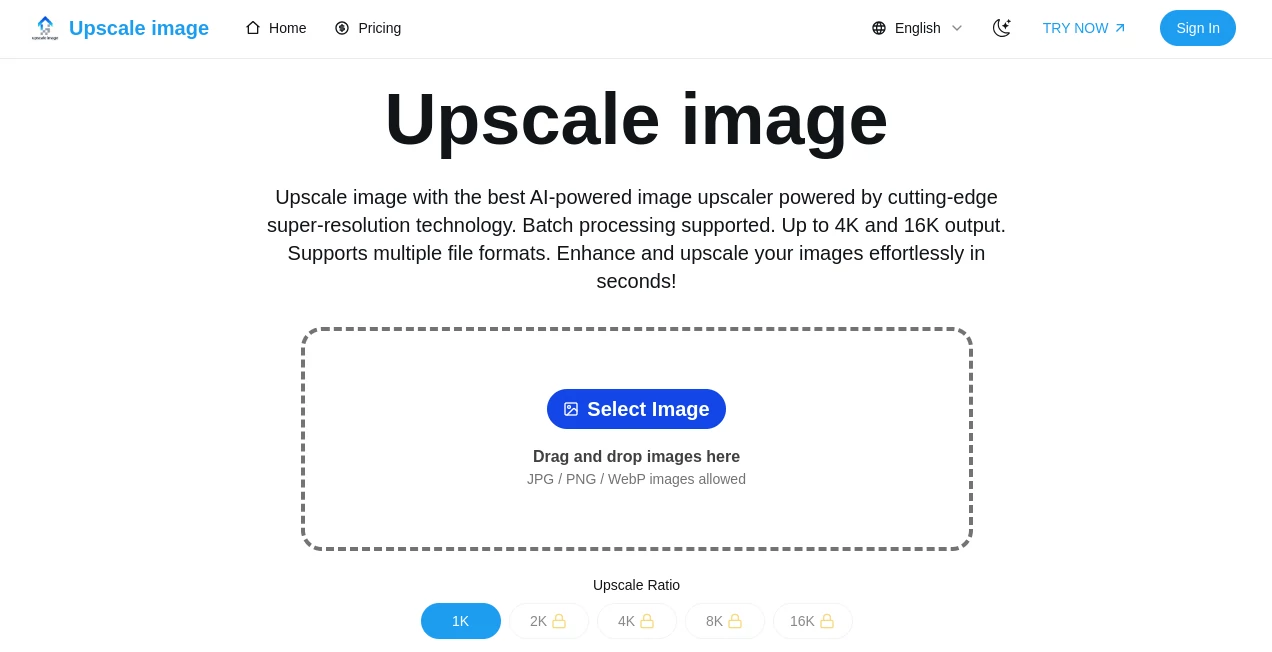
The moment you land on the page, it’s clear: no clutter, no distractions. Just a big drop zone where you drag your image and a few clear buttons to choose your upscale level. The whole process feels calm and straightforward. I remember my first time—uploaded a tiny logo in seconds, selected 4x, and had the result before I finished my coffee. It’s the kind of simplicity that makes you wonder why every tool isn’t this thoughtful.
Accuracy & Performance
What really impresses is how well it understands what it’s working with. It doesn’t just blow up pixels—it rebuilds details intelligently. Faces stay natural, textures come through cleanly, and edges don’t get that artificial look. Even on older photos with noise or compression artifacts, it smooths things out without over-sharpening. Speed-wise, most images finish in under a minute, even at higher scales. It’s the kind of performance that makes you trust it instantly.
Capabilities
You can upscale up to 16x with very little quality loss, which is perfect for enlarging small prints or preparing images for large displays. It handles everything from portraits to landscapes, logos to product photos. The results often feel like they were taken with a higher-end camera to begin with. For creative work, it’s a lifesaver when you need to blow up a detail for a poster or social post without it falling apart.
Security & Privacy
Your images are processed quickly and deleted shortly after. No accounts are required, no data is stored long-term. It’s reassuring to know your personal photos aren’t lingering on someone’s server. In a world where privacy feels increasingly fragile, this kind of straightforward respect is rare and appreciated.
Use Cases
Photographers use it to rescue low-res client shots or prepare images for large prints. Small business owners upscale product photos for websites and ads without reshooting. Families restore old scanned pictures, turning faded memories into sharp keepsakes. Graphic designers enlarge logos or textures for packaging and signage. Even social media creators turn phone snaps into crisp posts that stand out. It quietly solves problems people didn’t even know they had.
Pros and Cons
Pros:
- Incredibly easy to use—no learning curve at all.
- Results look natural, not over-processed.
- Handles a wide range of image types beautifully.
- Free tier is generous enough to be genuinely useful.
Cons:
- Very low-quality inputs can still show some limits.
- Free version includes a small watermark.
Pricing Plans
The free plan gives you several upscale attempts per day with a subtle watermark—plenty to test and enjoy. Paid options remove watermarks and unlock higher limits, starting at a very reasonable monthly fee. It’s the kind of pricing that feels fair—you’re paying for convenience and quality, not being squeezed. Annual plans drop the cost even more, making it a no-brainer for regular use.
How to Use Upscale Image
Drop your image into the upload area, choose your upscale factor (2x, 4x, or more), and hit go. The result appears almost immediately. Download it if you like it, or try a different setting. It takes seconds to learn, and the difference is so clear that you’ll want to run every important photo through it. I’ve made it a habit before printing anything now—saves so much regret later.
Comparison with Similar Tools
Some tools over-sharpen and create unnatural artifacts, but this one keeps things realistic. Others are slow or bury good results behind paywalls. This platform strikes a rare balance: fast, clean, and affordable. It doesn’t try to be everything—just really good at what it does, and that focus shows in every output.
Conclusion
This tool quietly solves a problem most people didn’t realize was so painful until they tried it. It brings old photos back to life, makes small images usable, and gives creators sharper results without frustration. In a digital world full of noise, it’s refreshing to find something that just works beautifully and respectfully. If you’ve ever been disappointed by a low-res image, give this a try—you’ll wish you’d found it sooner.
Frequently Asked Questions (FAQ)
How big can I upscale an image?
Up to 16x, depending on the original quality and plan.
Will it fix blurry photos?
It improves clarity significantly, but extremely blurry images have limits.
Do I need an account?
No—upload and go, no sign-up required.
Is there a watermark on free images?
Yes, a small one—paid plans remove it completely.
Can I use it for professional work?
Absolutely—many designers and photographers rely on it daily.
AI Photo & Image Generator , Photo & Image Editor , AI Photo Enhancer .
These classifications represent its core capabilities and areas of application. For related tools, explore the linked categories above.
Upscale image details
Pricing
- Free
Apps
- Web Tools
Categories

Upscale image Alternatives Product

Kontext AI

onstyle

CapCut

Nano Banana 2

Photo Locati…

Better Image
Free PNG to …

SuperAI

City Boy Meme