🧠 AI Quiz
Think you really understand Artificial Intelligence?
Test yourself and see how well you know the world of AI.
Answer AI-related questions, compete with other users, and prove that
you’re among the best when it comes to AI knowledge.
Reach the top of our leaderboard.

















upscayl
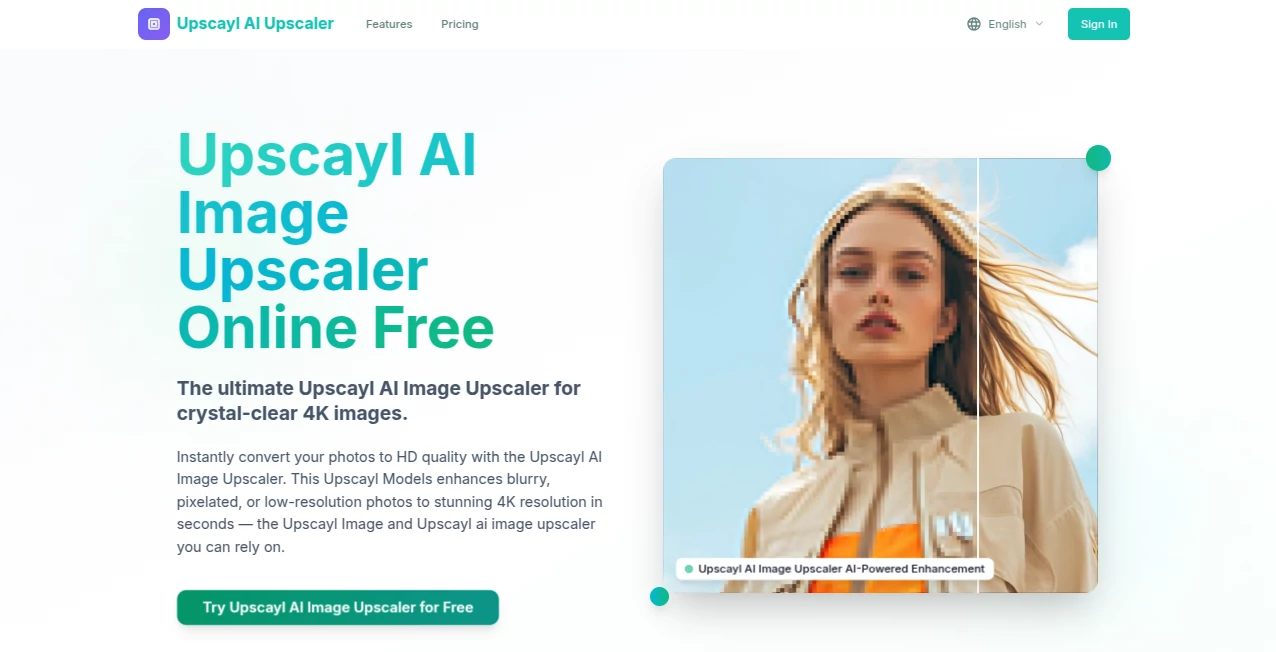
What is upscayl?
There’s something quietly satisfying about taking an old, pixelated photo and watching it sharpen into something crisp and alive again. This little desktop app does exactly that—and does it remarkably well—without asking for your credit card or burying you in subscriptions. You drop in a low-res image, pick one of the carefully tuned models, and a few minutes later you’ve got a version that looks like it was shot yesterday. Friends who’ve used it for family albums or vintage game screenshots always end up saying the same thing: “I didn’t think it could look this good without costing anything.”
Introduction
Upscaling used to mean either paying monthly for cloud services or wrestling with complicated command-line tools. This project changed the game by bringing powerful, offline AI upscaling to anyone with a halfway-decent graphics card. Completely free, open-source, and actively maintained by a small team passionate about image quality, it quickly became the go-to choice for photographers restoring old prints, designers working with low-res assets, and everyday people breathing new life into childhood photos. What keeps people coming back is the combination of simplicity, privacy (everything stays on your machine), and results that frequently rival or beat paid alternatives.
Key Features
User Interface
The window is clean and focused: drag your image in, choose a model, pick a scale factor, maybe adjust a couple of sliders if you want, and hit Start. No login, no account, no hidden upsell screens. The progress bar is honest, the preview pane updates as it works, and when it’s done you get a side-by-side comparison that almost always makes you smile. It feels like a tool built by people who actually use it themselves.
Accuracy & Performance
Different models are tuned for different jobs—some excel at clean digital art, others breathe detail back into grainy photos, and a couple are absolute wizards with anime and illustrations. On a mid-range GPU the wait times are surprisingly short; even 4× upscales of large images rarely take more than a couple of minutes. The output almost never invents ugly artifacts; instead it tends to guess smartly, adding plausible texture where detail was missing. Many users report that certain models consistently outperform cloud services they used to pay for.
Capabilities
You get multiple scale levels (2×, 3×, 4×, and sometimes more), batch processing so you can queue up entire folders, and a growing collection of community-trained models for specialized tasks (faces, landscapes, game sprites, manga, etc.). Double-precision support on compatible hardware squeezes out noticeably cleaner results, and the ability to run everything locally means no file-size limits or internet dependency. It’s a Swiss Army knife for anyone who regularly needs bigger, sharper images.
Security & Privacy
Because the entire process happens on your computer, your photos never leave your machine. No accounts, no uploads, no cloud processing. For family pictures, client work, or anything sensitive, that single fact is a huge relief. The open-source nature means anyone can audit the code, and the community keeps a close eye on it.
Use Cases
A genealogist scans decades-old family photos at 300 dpi, runs them through the app at 4×, and suddenly the faces are recognizable enough to identify distant relatives. A retro gamer wants to print high-res posters of old sprites; a single upscale pass turns pixel art into crisp artwork. A photographer restoring client negatives uses the face-focused model and gets portraits that look like they were shot on modern gear. Small businesses enlarge product shots for print catalogs without losing sharpness. The tool quietly solves real problems across hobbies and professions.
Pros and Cons
Pros:
- Completely free forever, no hidden catches.
- Everything runs offline—your images stay yours.
- Multiple high-quality models for different content types.
- Batch processing saves hours on big folders.
- Active community keeps adding better models.
Cons:
- Requires a decent GPU for reasonable speed (CPU mode exists but is slow).
- Learning which model works best for which image takes a little trial.
- Very large images or extreme upscales can push VRAM limits on lower-end cards.
Pricing Plans
There is no pricing. The app is 100 % free and open source. Donations are welcomed if you love it and want to support the developers, but they are entirely optional. No subscriptions, no credit systems, no “pro” version locked behind a paywall. You download it, you own it, you use it forever.
How to Use Upscayl
Download from the official site for Windows, macOS or Linux. Install (or just unzip on Linux). Open the app, drag your low-res image into the window or use the file picker. Choose the model that matches your content (Real-ESRGAN for photos, Ultrasharp for general use, Anime models for drawings, etc.). Select 2×, 3× or 4× scale. Optionally enable double precision if your GPU supports it. Click Start and wait. When finished, compare before/after in the preview, then save the upscaled version wherever you like. For folders, use Batch mode and point it at the directory.
Comparison with Similar Tools
Cloud services often deliver comparable quality but require uploading every file, impose size limits, and charge per image or per month. Desktop alternatives tend to be either closed-source paid software or complicated command-line wrappers. This one sits in a sweet spot: offline, free, actively developed, and with a friendly interface that doesn’t sacrifice power. For anyone who values privacy, cost, or simply wants to own their workflow, it’s hard to beat.
Conclusion
In a world full of subscription fatigue, this project is a small, stubborn reminder that some of the best tools can still be completely free. It quietly gives power back to creators, archivists, and everyday photo lovers who just want their images to look their best without jumping through hoops or opening their wallets. If you’ve ever stared at a blurry memory and wished it could be sharp again, give this a try. Chances are good you’ll wonder why you didn’t find it sooner.
Frequently Asked Questions (FAQ)
Do I need a powerful GPU?
A modern NVIDIA, AMD or Intel Arc card makes a big difference. Older GPUs and CPUs work, but processing takes longer.
Which model should I use?
Try Real-ESRGAN 4x for most photos, Ultrasharp for general sharpness, and anime-specific models for illustrations.
Can I upscale huge images?
Yes, but very large files may require splitting or a card with more VRAM. Batch mode helps with lots of images.
Is it really free forever?
Yes. No ads, no trials, no paywalls. Donations are optional.
Does it work on Mac/Linux?
Fully supported on both, with native builds available.
AI Photo & Image Generator , Photo & Image Editor , AI Photo Enhancer , AI Image Scanning .
These classifications represent its core capabilities and areas of application. For related tools, explore the linked categories above.
upscayl details
Pricing
- Free
Apps
- Web Tools
Categories

upscayl Alternatives Product

ShinePhoto

img2img.net

NanoBnana-Im…

Retro Image …

Banana 2

Banana Promp…

Brave Pink H…

AI Ease AI P…

CapCut