
🧠 AI Quiz
Think you really understand Artificial Intelligence?
Test yourself and see how well you know the world of AI.
Answer AI-related questions, compete with other users, and prove that
you’re among the best when it comes to AI knowledge.
Reach the top of our leaderboard.


















USERFLOW

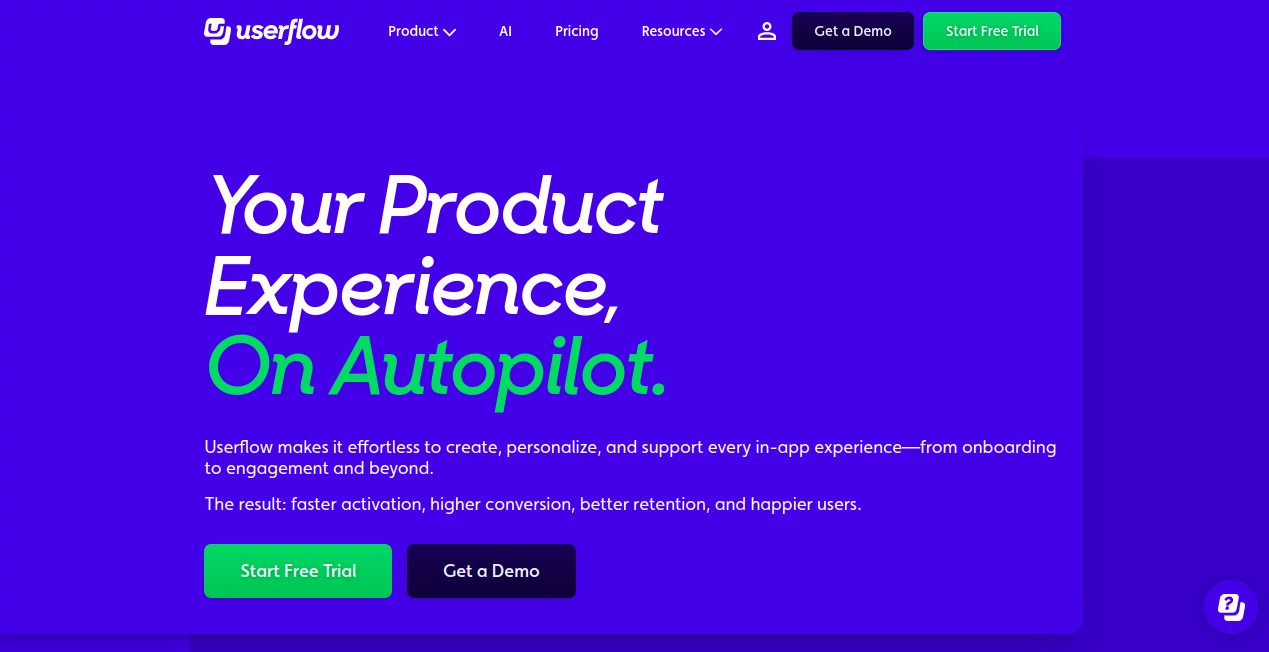
What is USERFLOW?
Userflow steps in as a thoughtful guide for product teams, helping craft smooth paths that ease users from signup to steady use. This setup blends smart suggestions with hands-on tools to shape welcoming touches right inside apps, turning first glances into lasting bonds. Many who've woven it into their workflows talk about how it lightens the load, letting folks focus on what matters while keeping everyone on the same page.
Introduction
Userflow took shape a few years back, sparked by the common gripes of builders watching new faces fumble through features without a nudge. A small team of product folks pieced it together to bridge that gap, starting with basics like simple walkthroughs and growing into a full suite that anticipates needs. It's picked up steam among startups and steady outfits alike, with stories circulating of activation rates climbing after a quick setup. What draws people in is the way it feels like a quiet collaborator, handling the details so creators can chase bigger ideas, all while adapting to the ebb and flow of how teams actually work day to day.
Key Features
User Interface
The dashboard unfolds with a clean slate that invites you to jot an idea or pick a template, no steep walls to climb right away. Tabs for flows and tweaks sit handy, with previews that mirror your app's look in real time, making it easy to spot what clicks. It's the sort of space that eases in, with drag spots for elements and quick saves that keep your rhythm going, even when juggling screens or switching devices mid-thought.
Accuracy & Performance
When you sketch a rough plan, it sharpens the edges with spot-on phrasing and timing that fits the user's pace, often hitting the mark without extra rounds. Builds come together swift, layering in personal bits based on real data flows, so nothing drags or distracts. Teams notice how it holds steady under load, delivering consistent nudges that guide without overwhelming, even as user numbers swell.
Capabilities
From spinning up quick tours that walk newcomers through setups to dropping in surveys that gauge the glow, it covers the full arc of getting folks hooked and keeping them there. Tie in outside tools for seamless pulls of info, or let it reword and resize content on the fly for different crowds. It even chats back with answers pulled from your own guides, rounding out a toolkit that stretches from hello to how's-it-going checks.
Security & Privacy
Your setups stay shielded with standard locks on access and data paths, ensuring only the right eyes land on sensitive spots like user paths. It plays fair with info sharing, wiping temps clean and giving you the reins on what syncs where. Builders lean on that solid base, knowing their app's inner workings remain tucked away while the helpful bits flow free.
Use Cases
New app launches lean on it for step-by-step intros that cut confusion, walking signups through account tweaks and first tasks. Growing teams use the survey drops to sniff out sticking points, tweaking flows based on real feedback loops. Support squads embed quick-help hubs that answer common queries on the spot, easing ticket piles. Even established spots refresh old paths with fresh announcements, keeping long-timers tuned in without the email clutter.
Pros and Cons
Pros:
- Speeds up the build of welcoming touches, often in half the usual time.
- Ties neatly into existing setups for data that drives real tweaks.
- Personalizes paths without the heavy lift of custom code.
- Offers quick wins like surveys and chats that boost engagement fast.
Cons:
- Shines brightest with clear goals; vague starts might need extra honing.
- Full power unlocks with integrations, which take a setup session.
- Learning the full spread calls for a few rounds to feel fluid.
Pricing Plans
It eases in with a starter tier that covers core builds for small crews, stepping up to mid-range for deeper ties and more users. Top spots add team shares and priority help, with scales that match as you grow. Trials give a full taste upfront, letting you test the fit before settling in, all without locking you long-term.
How to Use Userflow
Kick off by linking your app and sketching a flow idea in plain words, watching it shape into a draft with one go. Tweak the steps with drags, hook in data from your tools, and push live to see it hum. Check the dashboard for how folks move through, adjust based on the glow, and layer in extras like polls or prompts to keep things fresh.
Comparison with Similar Tools
Where some setups stick to rigid templates that box you in, Userflow's smart nudges open wider paths, though those might edge out for ultra-simple drags. Against broader builders, it zeros in on the user journey with lighter overhead, skipping bloat but perhaps missing deep design dives. It lands well for teams chasing quick, tailored guides over grand overhauls.
Conclusion
Userflow wraps the welcome mat with warmth and wit, easing the path from stranger to steady hand in ways that stick. It lightens the lift for product minds, turning potential pitfalls into polished progress that pays off in loyalty. As apps keep crowding the scene, this one's a steady sail, guiding crews toward connections that count long after the first click.
Frequently Asked Questions (FAQ)
How does the smart build work?
Drop an idea, and it crafts a full draft in moments, ready for your refinements.
Can it tie into my current tools?
Yes, it links with common stacks for data that flows without friction.
What about reaching different crowds?
It resizes and rewords content on cue, fitting folks from fresh to familiar.
Does it handle quick questions?
Built-in chats pull from your guides to answer on the spot.
Is there a way to measure the lift?
Dashboards track steps and shifts, spotlighting what sparks the most.
These classifications represent its core capabilities and areas of application. For related tools, explore the linked categories above.
USERFLOW details
This tool is no longer available on submitaitools.org; find alternatives on Alternative to USERFLOW.
Pricing
- Free
Apps
- Web Tools
Categories

USERFLOW Alternatives Product

Chatref

ChatFlowchart

VisualGPT

MindSnapz

Manifestly C…

Nifty

Somnio

ClearWork

Yorph AI
