
🧠 AI Quiz
Think you really understand Artificial Intelligence?
Test yourself and see how well you know the world of AI.
Answer AI-related questions, compete with other users, and prove that
you’re among the best when it comes to AI knowledge.
Reach the top of our leaderboard.


















Userjam

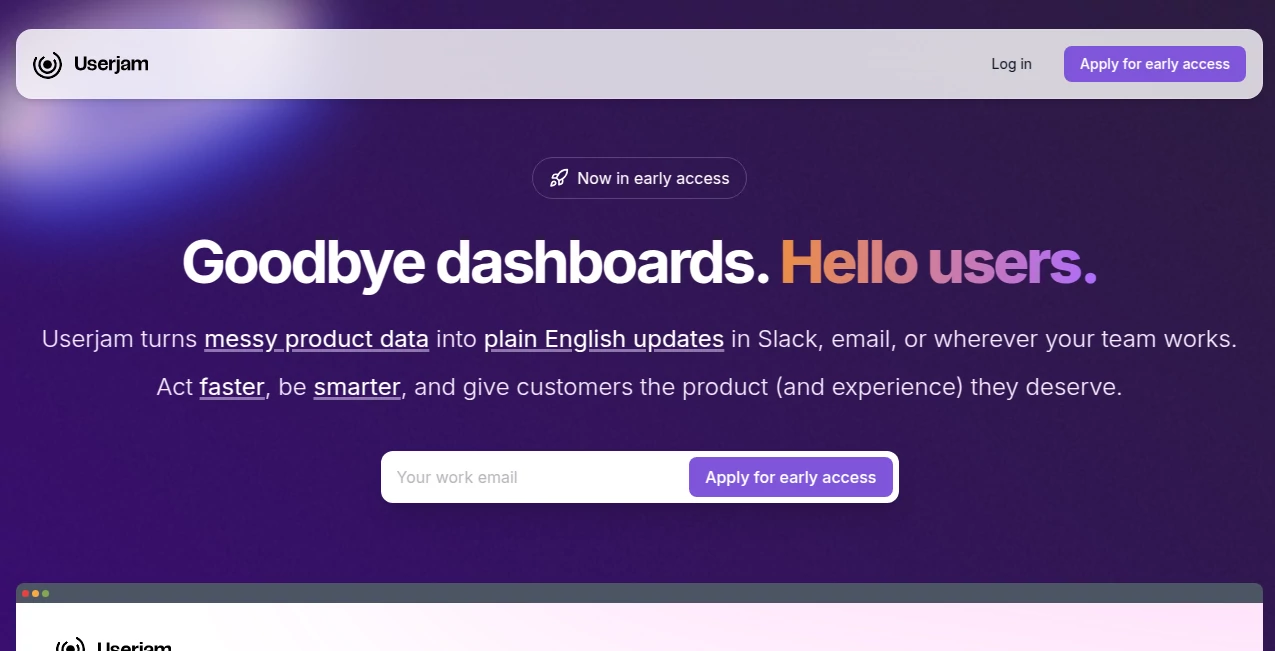
What is Userjam?
There’s a moment every product person dreads: a support ticket lands that says “it’s broken” but gives zero context. No video, no steps, no idea where the user actually got stuck. This platform quietly removes that pain. It records real user sessions—clicks, scrolls, rage clicks, dead ends—and replays them like a security camera for your app. I’ve seen teams go from spending hours decoding vague feedback to watching the exact moment a user gave up, then fixing it the same day. The shift is almost unfair: suddenly you’re not guessing what’s wrong—you’re seeing it.
Introduction
Most analytics tell you what happened. This tool shows you why. It captures full user journeys on your site or app, including mouse movements, keystrokes (masked for privacy), network requests, console logs, and DOM changes. No SDK install for basic use—just a simple script tag. Teams that adopt it often describe the same revelation: “We thought users hated feature X… turns out they couldn’t even find it.” It turns vague complaints into crystal-clear action items, helping product, design, engineering, and support speak the same language. For anyone building software people actually use, that kind of clarity is priceless.
Key Features
User Interface
The dashboard is calm and focused. Sessions appear in a clean timeline view with filters for rage clicks, dead clicks, u-turns, and errors. Click any session and you get a pixel-perfect replay—watch the user move, type, struggle, abandon. Side panel shows console logs, network calls, and custom events without cluttering the screen. It’s designed so you spend time understanding behavior, not hunting through tabs.
Accuracy & Performance
Replays are sharp and faithful—mouse paths, scroll position, typing (redacted), element interactions all preserved. It captures even complex SPAs and React/Vue apps without breaking. Performance impact on the end-user side is negligible (lightweight script, async loading). Capture rate is near 100% once installed. When you watch a session, it feels like you’re literally looking over the user’s shoulder—no lag, no missing clicks.
Capabilities
Full session replay (mouse, clicks, scrolls, typing), rage/dead/u-turn detection, console & network logging, custom event tracking, user segmentation (by URL, device, referrer), retroactive capture (start recording only on error/frustration), privacy masking (PII auto-blurred), shareable replay links, and integrations with Slack, Jira, Linear, Intercom, etc. It’s a complete frustration-to-fix pipeline in one place.
Security & Privacy
Privacy is taken seriously: PII (names, emails, credit cards, etc.) is automatically masked or blocked. Recordings are encrypted in transit and at rest. You control retention periods and can exclude entire domains or user segments. GDPR, CCPA, SOC 2 compliant. For teams handling sensitive apps, the granular controls and audit logs provide real reassurance.
Use Cases
A SaaS team sees a spike in support tickets for onboarding, watches sessions, discovers users miss a critical toggle—fix deployed in 48 hours, churn drops. An e-commerce store notices high cart abandonment on mobile; replays reveal a checkout button hidden behind a sticky header—redesign goes live next sprint, conversion lifts 18%. A dev team uses rage-click detection to find a broken form field that users hammer in frustration—bug squashed before it escalates. It’s the fastest way to turn user pain into product wins.
Pros and Cons
Pros:
- Replays so accurate you feel like you’re sitting next to the user.
- Frustration signals (rage clicks, dead clicks, u-turns) highlight problems automatically.
- Privacy-first design—PII masked by default, no risky data exposure.
- Integrations make it easy to turn insights into tickets or Slack alerts.
- Retroactive capture means you can start recording only when things go wrong.
Cons:
- Full power (unlimited sessions, retro capture, integrations) requires paid plan.
- Learning curve for advanced filtering and custom events (but basics are instant).
- Very high-traffic sites may need enterprise tier for cost efficiency.
Pricing Plans
Free plan gives you 1,000 sessions/month—enough to feel the power on small sites or staging environments. Paid plans scale by session volume and unlock retro capture, advanced filters, integrations, team seats, and longer retention. Pricing is usage-based and transparent—many teams say it pays for itself after preventing one major churn wave or fixing a hidden UX flaw.
How to Use PassWithProof
Add the tiny script tag to your site (or use Google Tag Manager). Sessions start recording automatically. Jump into the dashboard, filter by frustration signals or page, click a session to watch the replay. Add comments, create Jira tickets directly from the timeline, share the replay link with designers or devs. Set up alerts for rage clicks or errors so critical issues hit Slack instantly. The loop—from user struggle to fixed code—becomes shockingly short.
Comparison with Similar Tools
Other session replay tools often trade off privacy for features or drown you in data without clear signals. This one balances strong privacy controls with smart frustration detection and clean UX. Where some competitors feel like raw video dumps, the focused insights and integrations here make it easier to move from “something’s wrong” to “here’s the fix.” It’s less about collecting everything and more about surfacing what matters most.
Conclusion
Building software is hard enough without guessing what users are struggling with. This platform closes that gap—giving you front-row seats to real human behavior on your site. When you can watch exactly where someone got confused, frustrated, or delighted, every decision gets sharper. It turns vague feedback into actionable clarity, and that clarity turns good products into great ones. For any team that ships features people use, it’s one of those tools you wish you’d started using sooner.
Frequently Asked Questions (FAQ)
How much does the script impact page load?
Extremely low—async, lightweight, negligible effect on Lighthouse or Core Web Vitals.
Is PII really masked?
Yes—automatic PII detection and masking (emails, names, credit cards, etc.) out of the box.
Can I record only on specific pages?
Yes—exclude/include rules by URL pattern, so you control exactly what’s captured.
How long are sessions stored?
Depends on plan—free tier 14 days, paid up to 12 months or more.
Does it work with SPAs / React / Vue?
Perfectly—captures dynamic DOM changes, route transitions, and client-side events.
AI Team Collaboration , AI Productivity Tools , AI Analytics Assistant .
These classifications represent its core capabilities and areas of application. For related tools, explore the linked categories above.
Userjam details
This tool is no longer available on submitaitools.org; find alternatives on Alternative to Userjam.
Pricing
- Free
Apps
- Web Tools
Categories

Userjam Alternatives Product

Productivity…

Jamy.ai | Au…

Slackactivity

Schedpilot

UPDF AI

Read

Sorank

photo to URL

Pixelied
