
🧠 AI Quiz
Think you really understand Artificial Intelligence?
Test yourself and see how well you know the world of AI.
Answer AI-related questions, compete with other users, and prove that
you’re among the best when it comes to AI knowledge.
Reach the top of our leaderboard.


















WorkOps

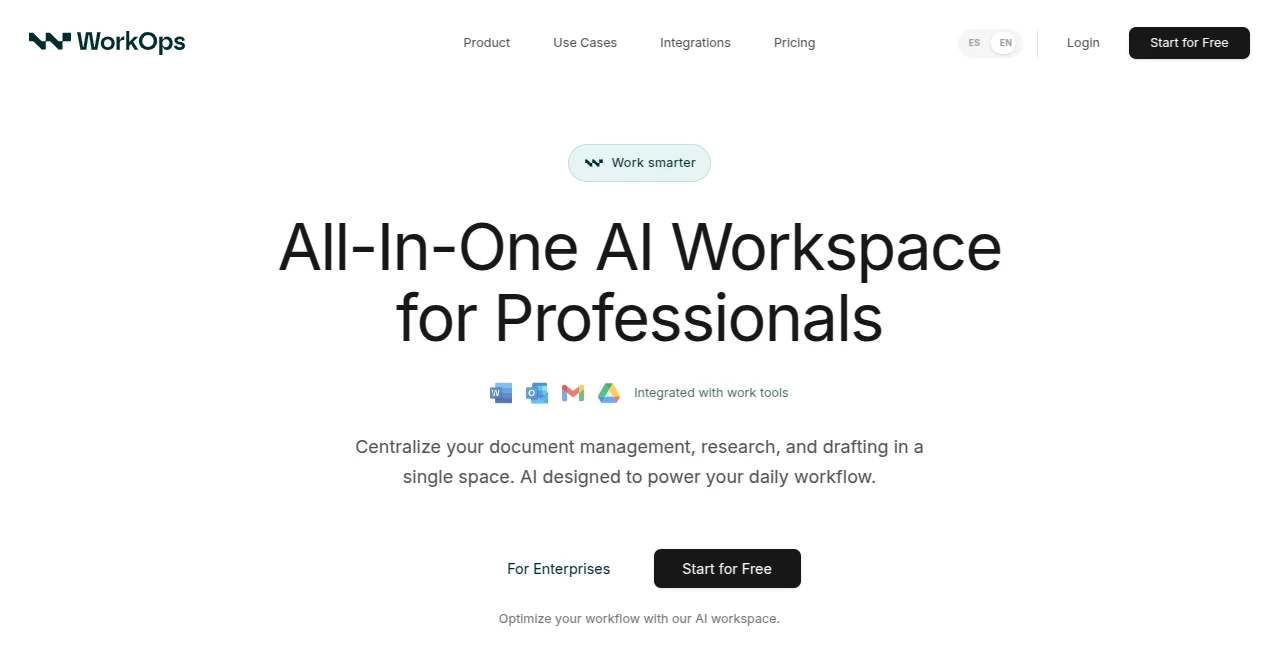
What is WorkOps?
Running an agency means juggling clients, deliverables, timelines, and a dozen tools that never quite talk to each other. The days blur into endless status checks, manual updates, and last-minute scrambles. This platform quietly changes that rhythm. It pulls your scattered processes into one calm, connected space where tasks flow, clients see progress in real time, and your team actually knows what’s next without constant pings. I’ve talked to agency owners who used to dread Monday mornings; now they say the tool gives them back evenings and weekends. It’s not about adding more software—it’s about finally making the software work together so you can focus on the creative work that actually grows the business.
Introduction
Most agency owners didn’t start their business to become project managers. Yet somehow that’s what happens: time gets eaten by spreadsheets, endless email threads, and tools that promise integration but deliver headaches. This one was built by people who lived that pain daily. It connects the dots between proposals, project tracking, client feedback, invoicing, and team capacity—all in a single, intuitive workspace. The difference is immediate: fewer “where are we on this?” messages, happier clients who can see progress without asking, and a team that spends more time creating and less time chasing status. For growing agencies especially, it’s the kind of system that scales with you instead of fighting you.
Key Features
User Interface
The dashboard greets you with a clear overview—active projects, upcoming deadlines, client pulse, team workload—all in one glance without feeling crowded. Navigation is instinctive: left sidebar for clients/projects, top bar for quick actions, and every screen loads fast and stays responsive. Drag-and-drop task boards, inline editing, and visual timelines make updates feel natural rather than forced. It’s rare to find software this powerful that still feels calm and approachable—exactly what busy agency teams need.
Accuracy & Performance
Automation rules fire reliably—no missed notifications or duplicate tasks. Time tracking syncs across tools without double-entry. Client portals update instantly when you move a task or upload a deliverable. The platform handles dozens of concurrent users smoothly, even during crunch weeks. Agencies that switched from fragmented stacks report fewer errors, faster handoffs, and actual visibility into profitability per project—numbers that used to take hours to compile now appear with a click.
Capabilities
End-to-end agency workflows: proposals to signed contracts, project boards with automations, client approval portals, time tracking with budget burn-down, automated invoicing, resource planning, and built-in reporting (profitability, utilization, pipeline health). Native integrations with Slack, Google Drive, Zoom, Stripe, QuickBooks, and more mean data flows where it should without manual exports. Custom fields, role-based permissions, and white-label client portals make it flexible enough for boutiques and scalable for larger shops.
Security & Privacy
Data is encrypted at rest and in transit. Role-based access ensures team members only see what they need. Client portals are password-protected and expire links when projects end. SOC 2 Type II compliance and regular security audits give peace of mind when handling sensitive client work. For agencies that live or die by trust, that foundation matters deeply.
Use Cases
A digital marketing agency moves from Trello + Slack + spreadsheets to one unified view—suddenly they see capacity issues before they become fires, and clients stop asking for updates because they already see them. A design studio automates feedback rounds; revisions happen faster because everything stays in context. A growing agency tracks profitability per client for the first time, spotting underpriced retainers before they hurt margins. It’s especially powerful for teams that have outgrown free tools but aren’t ready for enterprise bloat.
Pros and Cons
Pros:
- Replaces 4–6 separate tools with one cohesive system—huge time savings.
- Client portals and real-time updates dramatically reduce status emails.
- Automation rules are powerful yet simple to set up—no code needed.
- Beautiful reporting surfaces insights that used to be buried.
- Pricing scales sensibly as you grow—no punishing per-seat fees early on.
Cons:
- Learning curve for full automation power (though basics are intuitive).
- Some niche integrations still require Zapier (roadmap promises more natives).
- Best suited for agencies with repeatable processes—purely creative one-offs may feel over-structured.
Pricing Plans
Free plan supports small teams or solo operators with core features and limited projects. Starter and Growth plans unlock unlimited clients/projects, advanced automations, custom reporting, and priority support. Enterprise adds white-label portals, dedicated onboarding, and SLA guarantees. Pricing is per agency (not per seat), so it stays predictable as your team expands. Many users say it pays for itself within the first month just from time saved and better client retention.
How to Use WorkOps
Sign up, connect your existing tools (Google Drive, Slack, Stripe, etc.), invite your team, and create your first client workspace. Set up a simple project template (proposal → kickoff → delivery → billing) with automated notifications and status updates. Invite clients to their portal—they see progress, approve deliverables, and chat in context without endless email chains. Track time against budgets, generate invoices automatically when milestones hit. Review agency-wide reports weekly to spot bottlenecks early. It takes about a week to feel natural, then suddenly the chaos is gone.
Comparison with Similar Tools
Traditional PM tools like Asana or Monday are great for tasks but weak on client portals and billing. All-in-one agency platforms like Accelo or Function Point often feel heavy and expensive for growing shops. This one sits in a sweet spot: modern and visual like newer tools, deep agency-specific workflows like established players, but without the bloat or price tag. The focus on real-time client visibility and profitability tracking sets it apart from generic PM software.
Conclusion
Agency life doesn’t have to be constant firefighting. When your tools finally talk to each other, your team stops chasing updates and starts delivering great work. This platform doesn’t just organize chaos—it removes most of it. Clients feel informed and valued, team morale goes up because everyone knows what’s next, and you get real visibility into what’s actually profitable. For any agency that’s serious about scaling without burning out, it’s one of those rare tools that quietly becomes indispensable.
Frequently Asked Questions (FAQ)
How long does onboarding take?
Most teams are live in 1–2 days; full workflow customization usually takes a week of light usage.
Do clients need accounts?
No—clients get magic links to their portal; no login fatigue.
Can I keep using my current tools?
Yes—it integrates rather than replaces. Bring Slack, Drive, Stripe, etc. along.
What if we have very custom processes?
Powerful automation rules and custom fields let you tailor almost anything.
Is data secure?
Encrypted at rest/transit, SOC 2 Type II, role-based access, GDPR compliant.
AI Workflow Management , AI Project Management , AI Productivity Tools , AI Team Collaboration .
These classifications represent its core capabilities and areas of application. For related tools, explore the linked categories above.
WorkOps details
This tool is no longer available on submitaitools.org; find alternatives on Alternative to WorkOps.
Pricing
- Free
Apps
- Web Tools
Categories

WorkOps Alternatives Product

Notion

Futurwise

Nifty

ChatFlowchart

Workik

Yorph AI

Sourcetable

Tate-A-Tate

Chrome Sidek…
