🧠 AI Quiz
Think you really understand Artificial Intelligence?
Test yourself and see how well you know the world of AI.
Answer AI-related questions, compete with other users, and prove that
you’re among the best when it comes to AI knowledge.
Reach the top of our leaderboard.


















Veo 3.2
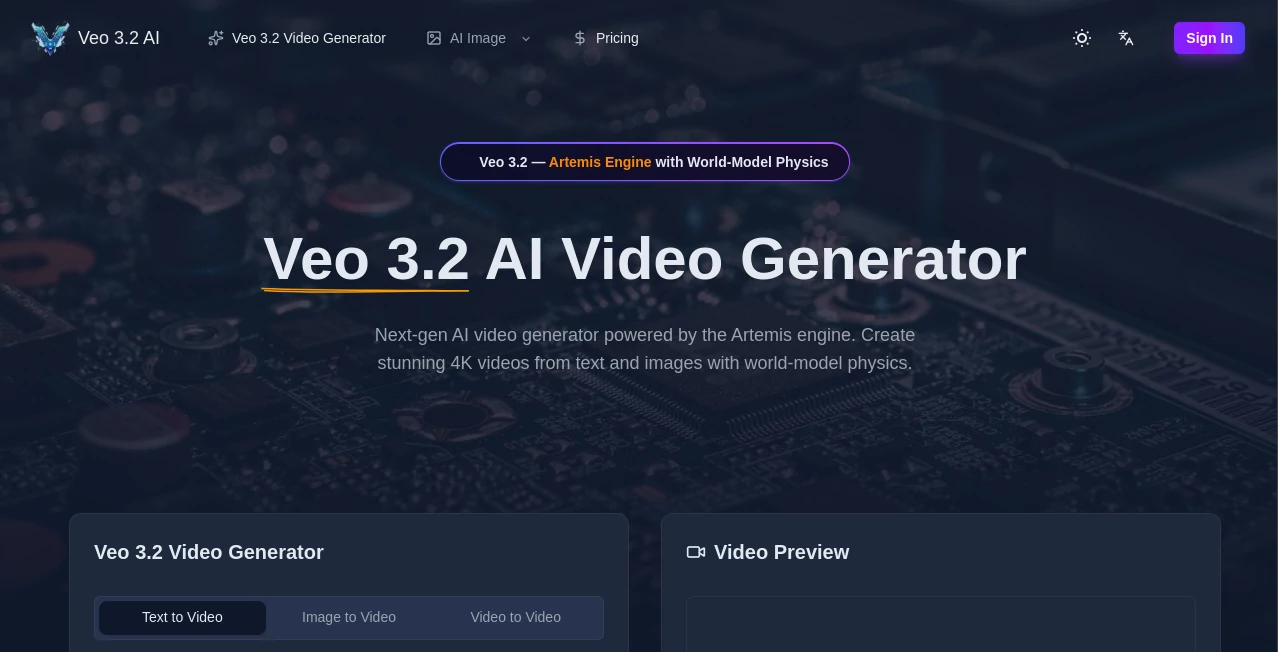
What is Veo 3.2?
There’s a moment when you watch an AI-generated clip and forget you’re looking at synthetic footage. The light catches someone’s hair just right, fabric moves with believable weight, shadows fall naturally across a face—and suddenly it feels like real cinematography. That’s the quiet leap this model makes. You type a short scene, maybe add a reference image or style note, and seconds later you’re watching something that looks directed, not computed. I’ve shown clips to film friends who normally scoff at AI video, and the silence that follows says everything. They lean in, rewind, and ask how it got the emotion so right. It’s not perfect yet, but it’s close enough that the gap between “AI” and “cinematic” is shrinking fast.
Introduction
Video generation has spent years stuck in the uncanny valley—jerky motion, inconsistent faces, lighting that flickers like a bad dream. This version changes the conversation. It understands narrative flow, emotional tone, and real-world physics in a way that feels almost intuitive. Whether you start with pure text, a single still, or a combination, the output carries weight and intention. Early creators started posting side-by-sides—raw prompt vs final clip—and the jump from flat description to living scene keeps surprising even jaded professionals. For storytellers, marketers, musicians, and anyone who thinks in motion, it’s less a tool and more a creative accelerant: see your idea move before you’ve even storyboarded it.
Key Features
User Interface
The workspace is clean and deliberate. Generous prompt field, optional image or clip upload, simple toggles for aspect ratio, duration, and style strength, then one prominent generate button. No labyrinth of options or cryptic icons. Previews load quickly enough that you stay in creative flow instead of waiting. It’s built so beginners can finish their first clip in minutes, while experienced users appreciate how little friction there is between imagination and output.
Accuracy & Performance
Subject consistency is remarkable—same face, same wardrobe, same lighting continuity across camera moves and scene changes. Motion follows natural physics: cloth drapes, hair sways, objects interact realistically. Complex prompts with multiple characters, dialogue, and motivated camera work rarely collapse into chaos. Generation times sit comfortably in the 20–90 second range for most clips, and the model avoids the usual uncanny artifacts that still plague competitors. When it does miss, the error is usually prompt-related rather than random failure—traceable and fixable.
Capabilities
Text-to-video, image-to-video, hybrid mode (image + text guidance), multi-shot storytelling with seamless transitions, native lip-sync and audio-reactive motion, strong cinematic camera language (push-ins, tracking shots, gentle pans), and support for multiple aspect ratios and durations. It handles emotional close-ups, dialogue scenes, product reveals, music-synced visuals, stylized animation, and live-action looks with equal confidence. The real strength is temporal coherence—subjects and environments stay believable from first frame to last.
Security & Privacy
Inputs are processed ephemerally—nothing is retained for training or sold later. No mandatory account linking for basic use. For creators working with client concepts, personal stories, or brand-sensitive material, that clean boundary provides genuine peace of mind.
Use Cases
A skincare brand turns one hero product photo into an elegant 10-second application clip that outperforms their previous live shoots. An indie musician creates an official visualizer that matches the song’s emotional arc instead of stock loops. A short-form creator builds consistent character-driven Reels without daily filming. A filmmaker mocks up key emotional beats to test tone before full production. A marketing team generates multiple variations of a product reveal to A/B test on social. The through-line is speed plus quality—getting something watchable and emotionally resonant without weeks of work.
Pros and Cons
Pros:
- Outstanding character and environment consistency across shots—rare at this fidelity.
- Cinematic camera and lighting choices that feel thoughtfully directed.
- Strong hybrid guidance (text + image + audio) for precise creative steering.
- Generation speed that actually supports real iteration and experimentation.
- Emotional tone and storytelling intent that go beyond simple motion.
Cons:
- Clip lengths remain modest (typically 5–12 seconds), though multi-shot workflows extend storytelling.
- Very abstract or contradictory prompts can still lead to unexpected results.
- Higher resolutions, longer clips, and priority access require paid plans.
Pricing Plans
A generous free daily quota lets anyone experience the quality without commitment—no card needed to start. Paid plans unlock higher resolutions, longer durations, faster queues, and unlimited generations. Pricing feels balanced for the output leap; many creators say one month covers what they used to spend on freelance editors or stock footage for a single campaign.
How to Use the Tool
Open the generator, write a concise scene description (“twilight forest, lone wanderer in hooded cloak, slow dolly shot following, soft fireflies in background”). Optionally upload a reference image for stronger visual grounding (highly recommended for character consistency). Choose aspect ratio (vertical for social, horizontal for cinematic) and duration. Press generate. Watch the preview—adjust wording, reference strength, or style notes if the feel isn’t quite right—then download or generate variations. For longer narratives, create individual shots and stitch them in your editor. The loop is fast enough to refine several versions in one sitting.
Comparison with Similar Tools
Many models still suffer from visible drift, unnatural physics, or abrupt style breaks between shots. This one prioritizes narrative coherence, cinematic intent, and emotional tone, often delivering clips that feel closer to human-directed work. The hybrid input mode stands out—letting you steer with text, images, and audio together gives more director-like control than most alternatives currently offer.
Conclusion
Video creation has always demanded time, money, or both. Tools like this quietly collapse that distance so more people can tell visual stories without compromise. It doesn’t replace human vision—it amplifies it. When the gap between “I have an idea” and “here’s the finished clip” shrinks to minutes, storytelling becomes more democratic. For anyone who dreams in motion, that’s a shift worth experiencing firsthand.
Frequently Asked Questions (FAQ)
How long can generated clips be?
Typically 5–12 seconds per generation; longer stories are built by combining multiple connected shots.
Is a reference image required?
No—text-only works very well—but adding one dramatically improves character and style consistency.
What resolutions are available?
Up to 1080p (and higher on premium plans); free tier offers preview-quality.
Can I use outputs commercially?
Yes—paid plans include full commercial rights.
Watermark on free generations?
Small watermark on free clips; paid removes it completely.
AI Animated Video , AI Image to Video , AI Video Generator , AI Text to Video .
These classifications represent its core capabilities and areas of application. For related tools, explore the linked categories above.
Veo 3.2 details
Pricing
- Free
Apps
- Web Tools
Categories

Veo 3.2 Alternatives Product

Pixelfox AI

Vidmix

Seedance 3.0

Kling 5.0

vio4 ai video

Seedream 4.0…
Kling 3.0

kling 3 AI

Wan 2.7