🧠 AI Quiz
Think you really understand Artificial Intelligence?
Test yourself and see how well you know the world of AI.
Answer AI-related questions, compete with other users, and prove that
you’re among the best when it comes to AI knowledge.
Reach the top of our leaderboard.

















VeoNano
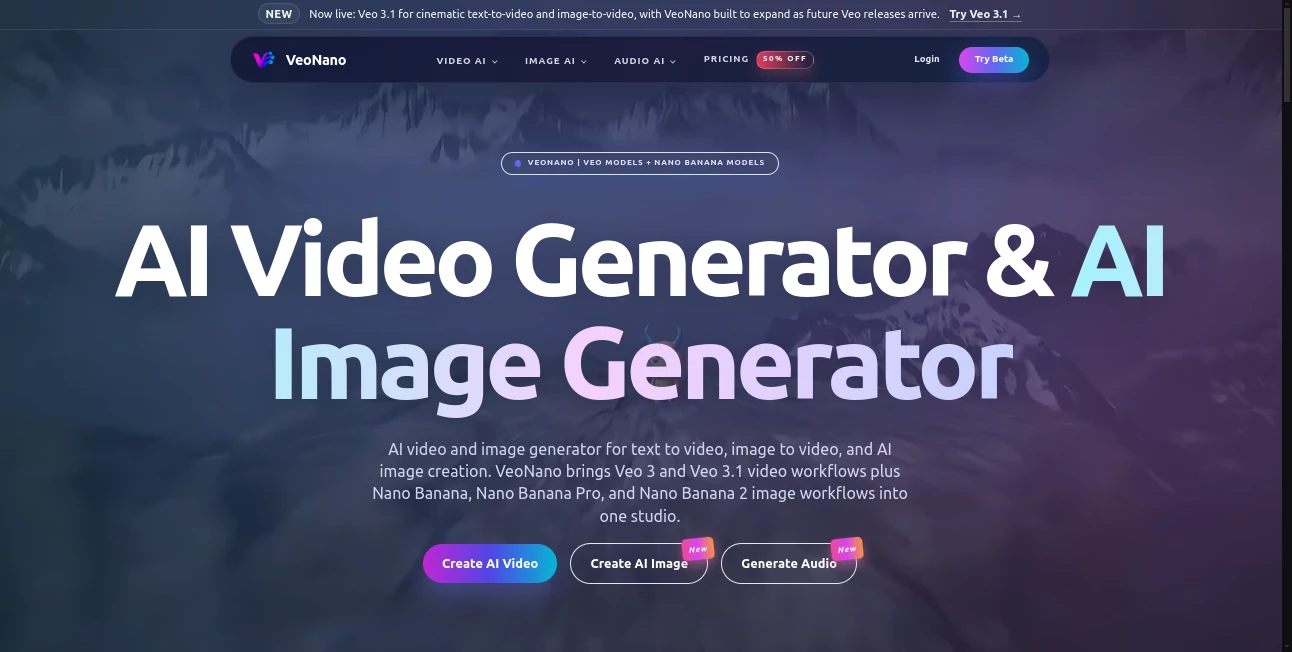
What is VeoNano?
There’s a special excitement when you describe a scene and watch it come alive with real cinematic quality—smooth camera moves, consistent characters, natural lighting, and even sound that fits the mood. This platform delivers that experience in a unified studio that handles both video and still images exceptionally well. I’ve seen creators go from a rough idea scribbled on a napkin to a polished short clip or concept visual in minutes, and the results often look like they came from a dedicated production team rather than a single prompt. It’s the kind of tool that makes you want to keep creating because the output feels genuinely impressive instead of just “good enough.”
Introduction
Most AI video tools still feel experimental—jerky motion, drifting faces, or lighting that changes randomly between frames. VeoNano takes a more mature approach by combining powerful video models (Veo family) with strong image generation (Nano Banana series) in one place. You can start with text, guide with images, add audio references, or build multi-shot sequences with better consistency than many standalone tools. It’s built for people who actually need to produce usable content: short ads, social videos, storyboards, concept art, or full little narratives. The platform strikes a nice balance between creative freedom and practical control, making it feel like a real studio rather than a novelty generator.
Key Features
User Interface
The workspace is clean and intuitive. A generous prompt area sits front and center, with easy tabs for text-to-video, image-to-video, text-to-image, and audio options. Reference uploads (images, video clips, voice) are straightforward, and you can preview generations quickly without losing your place. It avoids overwhelming you with too many sliders while still giving enough control to shape the output. The flow feels designed by people who actually make content daily.
Accuracy & Performance
Character and style consistency across frames is noticeably stronger than many current tools. Motion feels natural with proper physics and timing, especially when using reference images or first/last frame guidance. Generations are reasonably fast, and the model handles complex prompts with multiple subjects or camera movements better than expected. The results require far less cleanup, which saves real time in actual projects.
Capabilities
You get high-quality text-to-video, image-to-video, hybrid workflows, multi-shot storytelling, native audio generation (sound effects, voice, music), and powerful text-to-image with multiple Nano Banana variants. It supports different aspect ratios, reference locking for characters, and instruction-based editing. The combination of video and image tools in one studio makes it versatile for everything from quick social clips to more ambitious concept work.
Security & Privacy
Your prompts, references, and generated content are handled responsibly with standard best practices. The platform focuses on delivering great output without unnecessary data retention or sharing. For creators working with original ideas or client material, this respectful approach builds confidence to experiment freely.
Use Cases
A small brand creates short product ads with consistent characters and natural motion that perform well on social media. An indie filmmaker prototypes key scenes to test pacing and tone before full production. A content creator builds daily Reels or YouTube shorts with coherent storytelling and synced audio. A game studio generates concept animations and environment visuals quickly. Educators and storytellers turn lesson ideas or bedtime tales into engaging visual clips. It shines anywhere you need cinematic-quality video or images without a full production setup.
Pros and Cons
Pros:
- Strong consistency in characters, style, and motion across shots.
- Unified studio for both video and high-quality image generation.
- Practical control features (references, frames, instructions) that actually work.
- Good speed-to-quality ratio for real creative workflows.
Cons:
- Clip lengths are still best suited for short-form content (longer pieces need multi-shot workflows).
- Mastering all control options takes a short learning period for best results.
- Heavy daily use benefits from paid plans for unlimited access.
Pricing Plans
It offers a free tier with daily credits so you can test the quality and workflow without commitment. Paid plans unlock higher resolutions, longer clips, faster generation, priority access, and unlimited usage. Pricing feels balanced for the creative output and time it saves—many users find it pays for itself after producing just a few solid projects.
How to Use VeoNano
Start in the studio by writing a clear scene description. Add reference images or video clips for stronger character and style consistency. Choose your aspect ratio and duration, then generate. Use the preview to check motion and feel—refine with additional instructions or references if needed. For longer stories, build multiple connected shots and combine them later. The process rewards clear direction while remaining approachable for quick experiments.
Comparison with Similar Tools
Many AI video platforms still struggle with consistency or offer limited control. This one stands out by combining strong base quality with practical tools for steering the result. The unified image and video capabilities in one studio reduce the need to switch between different platforms. It feels more like a production companion than a pure novelty generator, especially for creators who need reliable, cinematic output.
Conclusion
Creating video and images that look intentional and high-quality no longer requires a big team or endless hours. This platform brings advanced AI capabilities into a unified, user-friendly studio that actual creators can use daily. It respects your vision while handling the technical heavy lifting, resulting in content you can proudly share or build upon. For anyone serious about visual storytelling in 2026, it’s a tool worth exploring—the difference in consistency and control is genuinely noticeable.
Frequently Asked Questions (FAQ)
How long can generated videos be?
Best suited for short-to-medium clips; longer narratives are built using multi-shot workflows.
Do I need reference images?
Not required, but they significantly improve character consistency and style accuracy.
Can I generate audio as well?
Yes—sound effects, voice, and music can be generated to match your video.
Is commercial use allowed?
Check the terms for your plan, but paid tiers generally support commercial projects.
What makes it different from other tools?
The strong combination of video consistency, image quality, and practical control features in one studio.
AI Image to Video , AI Art Generator , AI Video Generator , AI Text to Video .
These classifications represent its core capabilities and areas of application. For related tools, explore the linked categories above.
VeoNano details
Pricing
- Free
Apps
- Web Tools
Categories

VeoNano Alternatives Product

Seedance AI

Seedance 2

Genmi AI
Seedream 5.0

PixAI - AI A…

Seedance 2.0

Seedance 2 A…
![FLUX.2 [max] Image Generator - AI image generator with prompt gallery and production-ready editing workflows.](/media_submitaitools/telegram/flux2max.app-favicon.webp)
FLUX.2 [max]…

Veo4