
🧠 AI Quiz
Think you really understand Artificial Intelligence?
Test yourself and see how well you know the world of AI.
Answer AI-related questions, compete with other users, and prove that
you’re among the best when it comes to AI knowledge.
Reach the top of our leaderboard.

















videodance
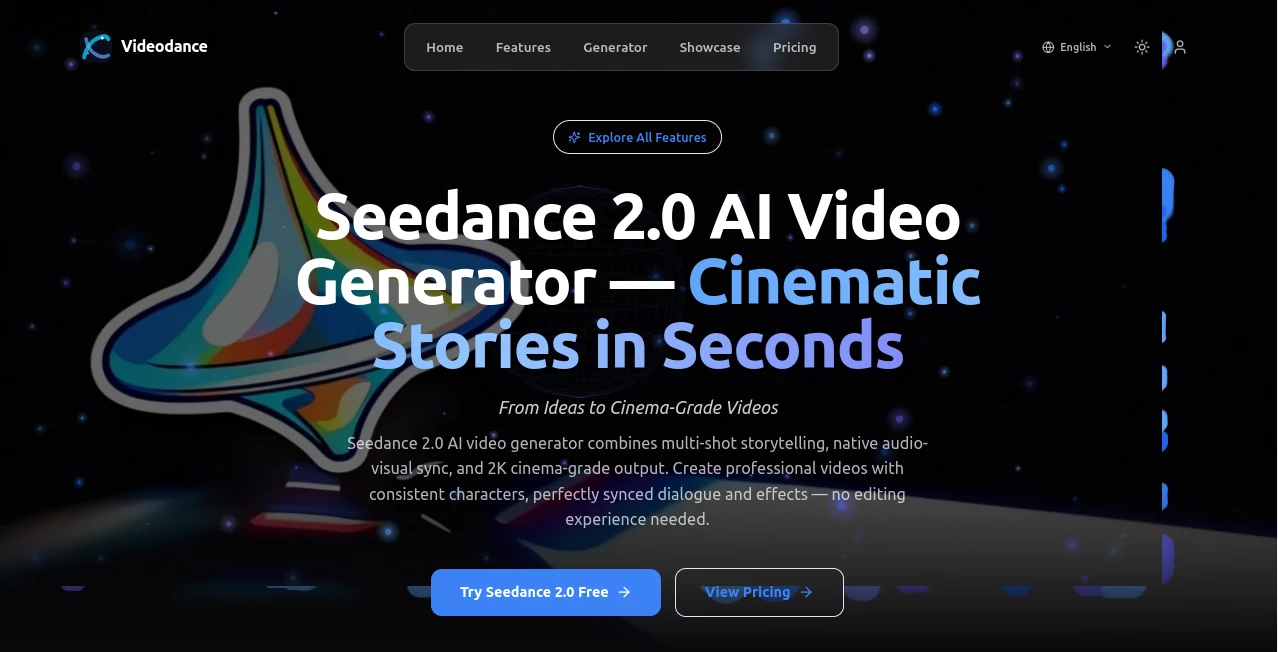
What is videodance?
There’s a special kind of delight when a still portrait suddenly starts moving—hips swaying gently, arms flowing, head tilting with rhythm—like the person in the photo decided to dance right then and there. This tool captures exactly that feeling. Upload any photo (a selfie, a model shot, even a painting), pick a dance style or motion vibe, and seconds later you get a short clip where the subject moves with surprising grace and realism. I’ve shown these to friends who normally laugh off AI animation, and they stop mid-sentence because the motion feels alive, not robotic. It’s the kind of result that makes you want to try it again just to see what else the photo can do.
Introduction
Most AI video tools either produce jerky loops or demand perfect inputs and still fall apart on faces or hands. This one quietly focuses on one beautiful thing: animating people in photos into natural, expressive dance or motion sequences. No complicated rigging, no need for video references—just your image and a prompt or preset. The results carry real personality: subtle weight shifts, natural arm swings, believable head turns. Early users started sharing side-by-sides of static portraits vs animated versions and the reactions were consistent: surprise, then delight, then “I need to try this with my own photo.” For creators who want quick, charming motion content without production headaches, it’s become a go-to secret weapon.
Key Features
User Interface
The layout is intentionally simple and inviting. A large upload area for your photo, a clean selection of dance/motion presets (hip-hop, contemporary, slow sway, playful bounce, etc.), an optional text box for custom motion descriptions, and one prominent generate button. Previews load quickly so you can compare styles without frustration. No login required to start, no aggressive upsell walls. It feels like the creators understood that people want to play first, not configure forever.
Accuracy & Performance
Facial identity holds remarkably well across movement—eyes, smile, hair flow stay consistent even during energetic steps. Body motion respects anatomy: knees bend naturally, shoulders rotate realistically, weight shifts feel grounded. Generation is fast—usually 10–30 seconds—and the model rarely produces the classic AI flaws (extra limbs, melting features, impossible physics). When it does miss slightly, it’s almost always because the prompt was too vague or the source photo had extreme angles/lighting. That level of reliability turns casual experiments into dependable creative sessions.
Capabilities
Photo-to-dance animation, multiple preset motion styles, custom motion via text prompts, adjustable intensity and speed, support for portraits, full-body shots, and even stylized/artistic inputs. It handles various dance genres (street, ballet-inspired, casual groove) and subtle non-dance motions (head tilts, hair sway, gentle breathing). Outputs are smooth, loopable, and export-ready in common formats. The focus on natural human movement sets it apart—clips feel like captured performance rather than synthetic animation.
Security & Privacy
Photos are processed ephemerally—nothing is stored long-term unless you explicitly save the output. No forced account creation for basic use, so your personal images never get tied to a profile. For creators using client headshots, personal portraits, or brand imagery, that clean, no-retention approach provides real comfort.
Use Cases
A dancer turns rehearsal selfies into looping Instagram Reels that show movement without filming every take. A musician animates their album cover portrait into a gentle sway synced to the track for social teasers. A wedding photographer offers clients fun animated versions of couple portraits as digital keepsakes. A small brand brings product models to life with subtle, confident poses for TikTok ads. The common joy is seeing a static image gain personality and motion in seconds—perfect for social content, personal gifts, or creative experiments.
Pros and Cons
Pros:
- Exceptional face and body consistency—subjects stay recognizable even during energetic motion.
- Natural, weight-aware movement that avoids the usual AI stiffness or glitches.
- Fast generation lets you experiment freely without long waits.
- Multiple presets + custom prompts give real creative range.
- Free tier is generous—enough to play seriously and feel the quality.
Cons:
- Clip lengths are short (typically 3–8 seconds), though perfect for loops and social.
- Very abstract/artistic inputs can occasionally produce less coherent motion.
- Higher resolutions and unlimited use require paid access.
Pricing Plans
Free daily credits let you generate several high-quality clips without any payment—enough to test styles and fall in love with the results. Paid plans unlock higher resolutions, longer durations, faster queues, unlimited generations, and commercial-use rights. Pricing is modest; many creators say one month covers what they used to spend on freelance animators or stock footage for social campaigns.
How to Use Videodance
Upload a clear portrait or full-body photo (selfies, headshots, and well-lit full figures work best). Choose a preset dance/motion style or write a custom description (“gentle sway to soft jazz, relaxed shoulders”). Adjust speed/intensity if desired, then generate. Preview the result—tweak prompt or style if needed—and download the loop. For social-ready content, export and post directly. The cycle is fast enough to try several variations in one short session.
Comparison with Similar Tools
Many animation tools produce stiff loops, visible seams, or lose facial identity during motion. This one prioritizes natural human movement and consistent likeness, often delivering clips that feel closer to real performance capture. The balance of ease, quality, and motion realism puts it ahead of most free and even some paid alternatives—especially for portrait-to-dance use cases.
Conclusion
Motion brings photos to life in ways static images never can. This tool makes that magic accessible—no studio, no rigging, no long renders. It turns casual snapshots into charming, shareable moments that carry personality and rhythm. For creators who want to add movement without losing hours (or their sanity), it’s a small, joyful revolution. Try it with one photo you love—you’ll likely end up animating half your camera roll before you realize it.
Frequently Asked Questions (FAQ)
How long are the generated clips?
Typically 3–8 seconds—perfect for loops, Reels, stories, and social posts.
Do I need a perfect photo?
Clear, well-lit faces work best; full-body shots with good posture give the smoothest results.
Can I use these commercially?
Yes—paid plans include full commercial rights; free tier allows personal/non-commercial use.
What dance styles are available?
Wide range—hip-hop, contemporary, casual groove, slow sway, playful bounce, and more—plus custom prompts.
Is there a watermark on free clips?
Small watermark on free generations; paid removes it completely.
AI Animated Video , AI Image to Video , AI Fun Tools , AI Video Generator .
These classifications represent its core capabilities and areas of application. For related tools, explore the linked categories above.
videodance details
Pricing
- Free
Apps
- Web Tools
Categories

videodance Alternatives Product
Toon Composer
VideoFlux

Veo 3.2

See dance 2.…

v04 ai

Kling 3.0 – …

Max Studio AI

Kling 5.0

Veo3 AI
