🧠 AI Quiz
Think you really understand Artificial Intelligence?
Test yourself and see how well you know the world of AI.
Answer AI-related questions, compete with other users, and prove that
you’re among the best when it comes to AI knowledge.
Reach the top of our leaderboard.


















VideoDubber’s Youtube Channel Analyzer

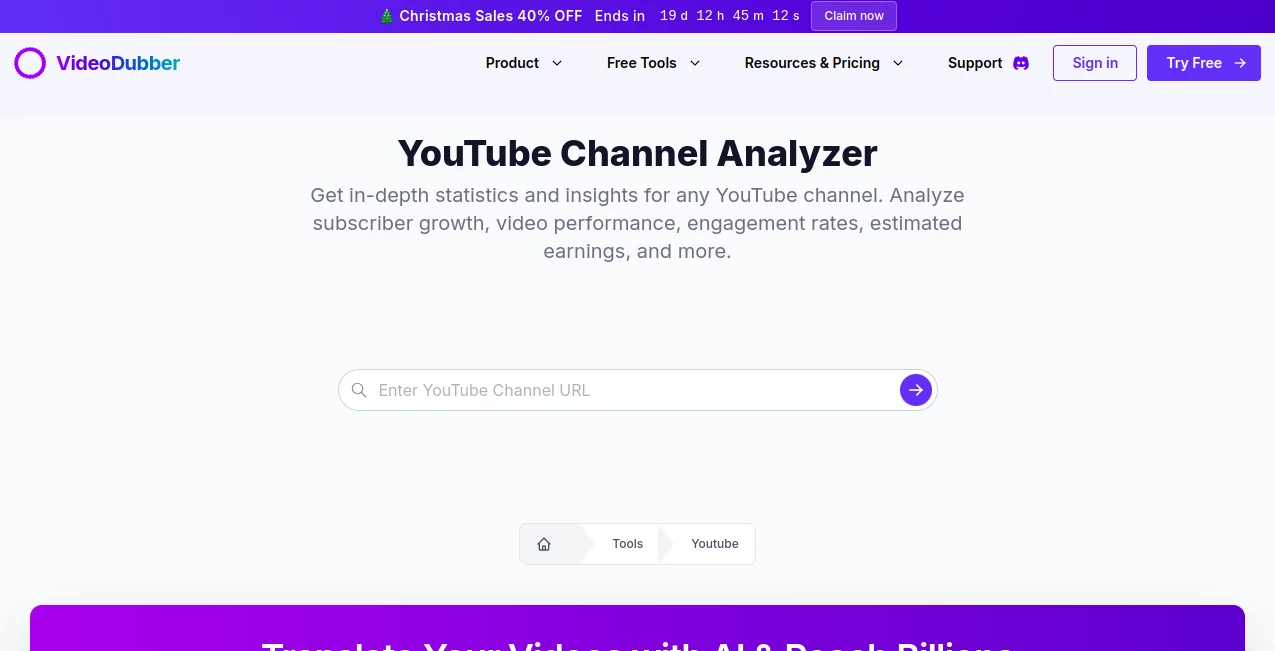
What is VideoDubber’s Youtube Channel Analyzer?
YouTube Channel Analyzer serves as a sharp-eyed guide through the maze of video platform metrics, pulling together a clear picture of any channel's pulse in moments. This handy resource lets creators and marketers peek under the hood of performance numbers, spotting patterns that whisper where the next big push might land. Those who've tapped it often recount how a single scan flipped their approach, turning vague hunches into targeted tweaks that stick.
Introduction
YouTube Channel Analyzer took shape as part of a bigger push to make sense of the endless stream of upload stats and viewer vibes, dreamed up by folks deep in the content trenches who knew the drill all too well. It landed quietly but caught on quick, with everyday uploaders sharing stories of surprise discoveries—like nailing down why certain clips clicked while others faded. Over time, it's woven into routines for those chasing steady climbs, offering a no-fuss way to sift public feeds without the usual data drudgery. At its heart, it's about shining a light on the numbers that matter, helping hands turn raw tallies into roadmaps that actually lead somewhere worthwhile.
Key Features
User Interface
The setup unfolds simple as a quick chat, starting with a spot to drop in a channel link or tag, followed by checkboxes for the bits you care about most. Once you nudge it along, a tidy report rolls out with graphs that pop without overwhelming the eye, and sections that break down the bulk into bites you can chew on right away. It's the sort of flow that welcomes a first-timer without a whisper of where-to-start woes, keeping things light even when digging into thicker stacks.
Accuracy & Performance
It draws straight from the source taps, serving up fresh pulls that mirror what's live, with guesses on payouts holding close to real-world ranges based on broad benchmarks. Runs wrap up in a flash, even for channels stacked high, delivering breakdowns that stand firm under a second look. Users nod at how it cuts through the fluff, landing on trends that ring true more often than not, without the wild swings that sour other scans.
Capabilities
From tallying up follower swells to charting clip clicks and chat buzz, it layers in looks at earnings hints and forward peeks based on the path so far. You can zero in on single uploads or zoom out for the full arc, with visuals that trace rises and dips to spotlight what sparks the stay. It's built to handle any open feed out there, weaving the weave without needing a backstage pass, opening doors to side-by-side peeks at rivals or self-checks over seasons.
Security & Privacy
Since it sticks to what's out in the open, there's no need for account handshakes or hidden hooks, keeping your side of things buttoned up tight. The pulls happen on the fly and fade fast, with no lingering looks or shares unless you say so. It's that straightforward shield that lets you poke around freely, without the nagging tug of what-if worries about where your queries might wander.
Use Cases
Uploaders lean on it to unpack why a series surged, tweaking tags or timings based on the quiet cues in the counts. Marketers scout partner channels, weighing reach against real pull to pick spots that pay off in partnerships. Researchers round up trends across niches, sketching market maps from the metrics that matter. Even casual clip makers check in on growth guesses, turning what-ifs into watch-this plays for the next round.
Pros and Cons
Pros:
- Grabs the goods quick, with charts that clarify without clutter.
- Free ride from gate to goal, no wallet walls in the way.
- Spotlights shifts that shape smarter steps forward.
- Welcomes wide scans, from solo checks to crowd compares.
Cons:
- Stays surface on sealed spots, skipping the private peeks.
- Payout hints hover broad, needing niche nudges for nail-biting close.
- No deep dives into why's, just the what's to wrestle with.
Pricing Plans
It opens wide with no entry fee at all, letting you run reports on any open channel without a single cent swapped. That flat-free path keeps it open to all, from side-giggers testing toes to teams tallying trends, with no tiers teasing extras behind bars. The whole setup bets on building trust through the basics, proving value without the vendor vibe.
How to Use YouTube Channel Analyzer
Slip in the channel's web tag or number, then pick your focus spots like growth graphs or clip counts from the quick list. Give it the green light, and soon a full folder of findings fills your screen, ripe for a scroll or save. Swing back with fresh links to track changes over time, building a backlog of benchmarks that guide the grind.
Comparison with Similar Tools
Where some setups stack fees for the full feed, YouTube Channel Analyzer keeps the gate swung open, trading bells for bedrock basics, though those might muster more metrics for the money-minded. Against clunky consoles that crave logins, it lightens the load with link-only lifts, skipping the setup but perhaps skimping on seamless syncs. It fits folks fixed on fast facts, outshining the sprawl with straight shots.
Conclusion
YouTube Channel Analyzer cuts through the count clutter, handing creators a clear lens on the lifts and lags that shape success. It turns the tide on guesswork games, proving that a peek at the patterns can pave paths worth pursuing. As feeds keep flooding, this one's a steady sidekick, whispering wisdom from the waves to keep your sails set right.
Frequently Asked Questions (FAQ)
Does it cost anything to check a channel?
Not a dime—it's wide open for any public peek you fancy.
What numbers does it crunch?
From follower flows to clip cheers and cash clues, plus path peeks ahead.
Need an account to run it?
Nah, just the link does the trick, keeping it keyless and quick.
How spot-on are the money guesses?
They hover helpful but broad, shaped by standard swings in the scene.
Can it touch hidden channels?
Only the open ones; sealed spots stay off the scan.
AI Research Tool , AI YouTube Assistant , AI Analytics Assistant , AI SEO Assistant .
These classifications represent its core capabilities and areas of application. For related tools, explore the linked categories above.
VideoDubber’s Youtube Channel Analyzer details
This tool is no longer available on submitaitools.org; find alternatives on Alternative to VideoDubber’s Youtube Channel Analyzer.
Pricing
- Free
Apps
- Web Tools
Categories

VideoDubber’s Youtube Channel Analyzer Alternatives Product

Needle

Serplux

seedancetwo2…

Yorph AI

Thumbspick

Manus

UPDF AI

IntoTheBlock

Backlink Man…