🧠 AI Quiz
Think you really understand Artificial Intelligence?
Test yourself and see how well you know the world of AI.
Answer AI-related questions, compete with other users, and prove that
you’re among the best when it comes to AI knowledge.
Reach the top of our leaderboard.


















Video to Video AI

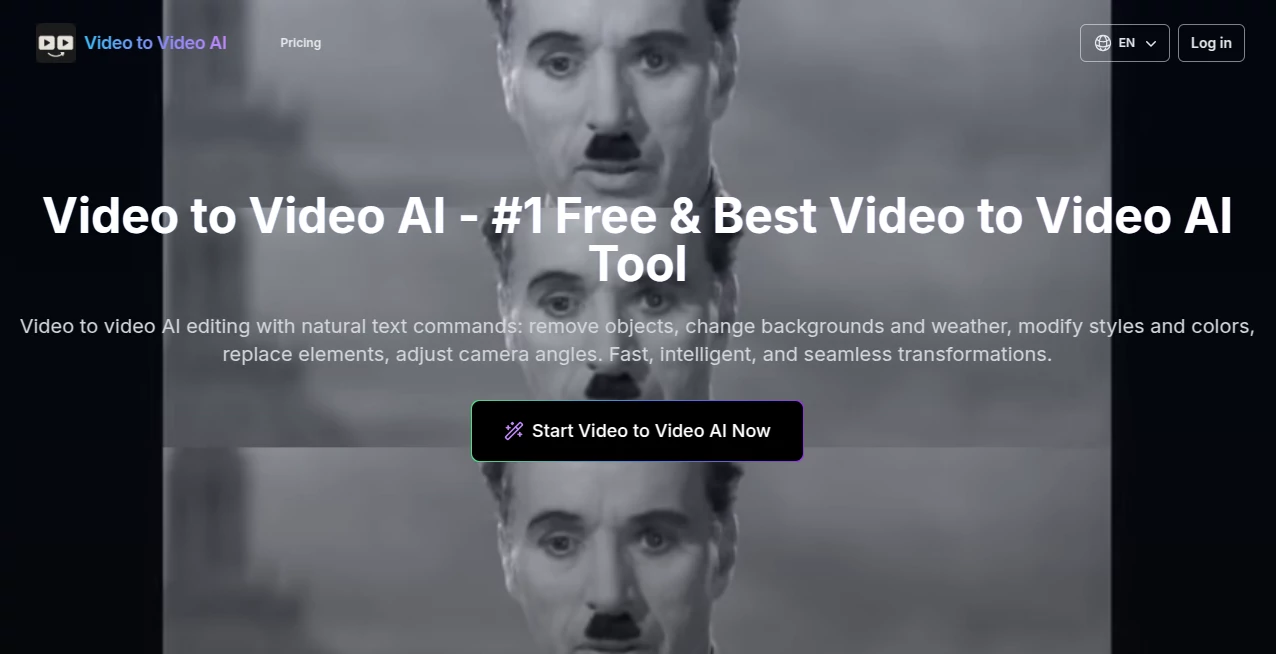
What is Video to Video AI?
Imagine uploading a short clip and telling it, in plain words, to swap outfits, shift the weather, or turn the whole scene into anime style—without losing a single beat of motion. That's the everyday thrill this tool delivers, making video editing feel like magic rather than a chore. I've watched friends go from plain footage to eye-catching stories in minutes, and the way it keeps characters consistent while nailing every detail is honestly impressive. It's one of those tools that once you try, you wonder how you ever edited without it.
Introduction
In a sea of video tools that overpromise and underdeliver, this one stands out by letting you describe changes in natural language and watching them happen seamlessly. It handles everything from removing objects to full style transfers, preserving timing, poses, and lighting so the result feels polished and professional. What really hooked me was the first time I tried character replacement: fed it a clip and a reference image, and the new face moved perfectly with the original body—fabric flow, shadows, everything spot-on. It's become a favorite for quick creators who need fast, high-quality transformations without spending hours in complex software.
Key Features
User Interface
The whole experience is refreshingly simple: upload your video, type what you want changed—like "make it snow" or "turn this outfit blue"—and hit go. Everything happens in one clean screen with clear previews and easy downloads. No overwhelming menus or confusing sliders; it's designed so even beginners feel right at home. I remember showing it to a non-tech friend, and she had her first edit done in under five minutes, grinning the whole time.
Accuracy & Performance
It catches the nuances beautifully—keeping movements natural, lighting consistent, and details sharp even on tricky changes like weather shifts or style swaps. Processing feels quick for most clips, and the results hold up well at higher resolutions. Users often mention how it avoids the weird artifacts that plague other tools, delivering clean, pro-looking output that just works.
Capabilities
From subtle tweaks like recoloring objects to bold transformations like full anime makeovers, it handles a wide range of edits while respecting original motion and composition. Add elements, remove distractions, adjust angles, or restyle the entire scene—it's all there. The ability to use reference images for precise changes, like matching a specific look, makes it incredibly versatile for creative storytelling.
Security & Privacy
Your videos are processed securely and not stored long-term, giving you confidence to experiment freely. It's built with privacy in mind, so you can focus on creativity without worrying about where your content ends up. That level of care makes it a reliable choice for personal or professional use.
Use Cases
Content creators turn everyday clips into viral-ready reels by swapping backgrounds or adding seasonal effects. Marketers craft branded videos with consistent characters across scenes. Filmmakers prototype scenes with style changes before full production. Even casual users have fun transforming old family videos into animated versions or changing outfits for laughs—it's that flexible and enjoyable.
Pros and Cons
Pros:
- Incredibly easy to use—natural language commands make editing feel effortless.
- High-quality results that preserve motion and details beautifully.
- Free daily credits let you play around without commitment.
- Wide range of transformations from subtle to dramatic.
Cons:
- Short clip limit (3-10 seconds) keeps it focused on quick edits.
- Watermark on free outputs, though paid removes it.
Pricing Plans
You can jump in for free with daily credits to try it out—no card needed. When you're ready for more, monthly or yearly plans offer higher limits, priority processing, and no watermarks. The yearly deal often comes with a nice discount, making it affordable for regular use. It's structured so you only pay for what you need, keeping things flexible.
How to Use Video to Video AI
Upload your clip (keep it 3-10 seconds for best results), describe what you want in plain text—like "change the background to a beach" or "make her dress red"—and hit generate. Watch it process, preview the result, and download when it's perfect. Add reference images with @Image1 for precise changes, or use @Video for style guidance. Experiment with different commands until it clicks, and you'll be creating polished edits in no time.
Comparison with Similar Tools
Unlike some tools that produce stiff or inconsistent results, this one excels at maintaining natural motion and high detail across edits. It's simpler to use than complex editors, yet delivers professional-quality transformations that stand out. For quick, creative video changes, it hits the sweet spot between ease and excellence.
Conclusion
This tool opens up a world of video creativity that's fast, fun, and surprisingly powerful. Whether you're making content for fun or work, it turns ideas into reality with impressive results. Give it a try—the free credits are plenty to get hooked, and once you see what it can do, you'll wonder how you ever edited without it.
Frequently Asked Questions (FAQ)
What video formats work best?
MP4, MOV, WEBM, or M4V—keep it 3-10 seconds for optimal results.
How do I use reference images?
Use @Image1 or @Image2 in your prompt for precise matching.
Is there a watermark on free videos?
Yes, but upgrading removes it completely.
Can I change styles like anime?
Absolutely—describe it in your prompt, and it handles the transformation smoothly.
How many edits can I make for free?
You get daily credits to play with—enough to experiment and have fun.
AI Video to Video , AI Video Generator .
These classifications represent its core capabilities and areas of application. For related tools, explore the linked categories above.
Video to Video AI details
This tool is no longer available on submitaitools.org; find alternatives on Alternative to Video to Video AI.
Pricing
- Free
Apps
- Web Tools
Categories

Video to Video AI Alternatives Product

ImagineToVid…

Seedance 3.0
VO4 AI

Sora 2

Seedance 2 P…

Sora AI Vide…
kling 5.0

Veo3 AI

Seedance 2.0…