
🧠 AI Quiz
Think you really understand Artificial Intelligence?
Test yourself and see how well you know the world of AI.
Answer AI-related questions, compete with other users, and prove that
you’re among the best when it comes to AI knowledge.
Reach the top of our leaderboard.


















VideoWatermarkRemover
Erase Watermarks Effortlessly with AI Precision

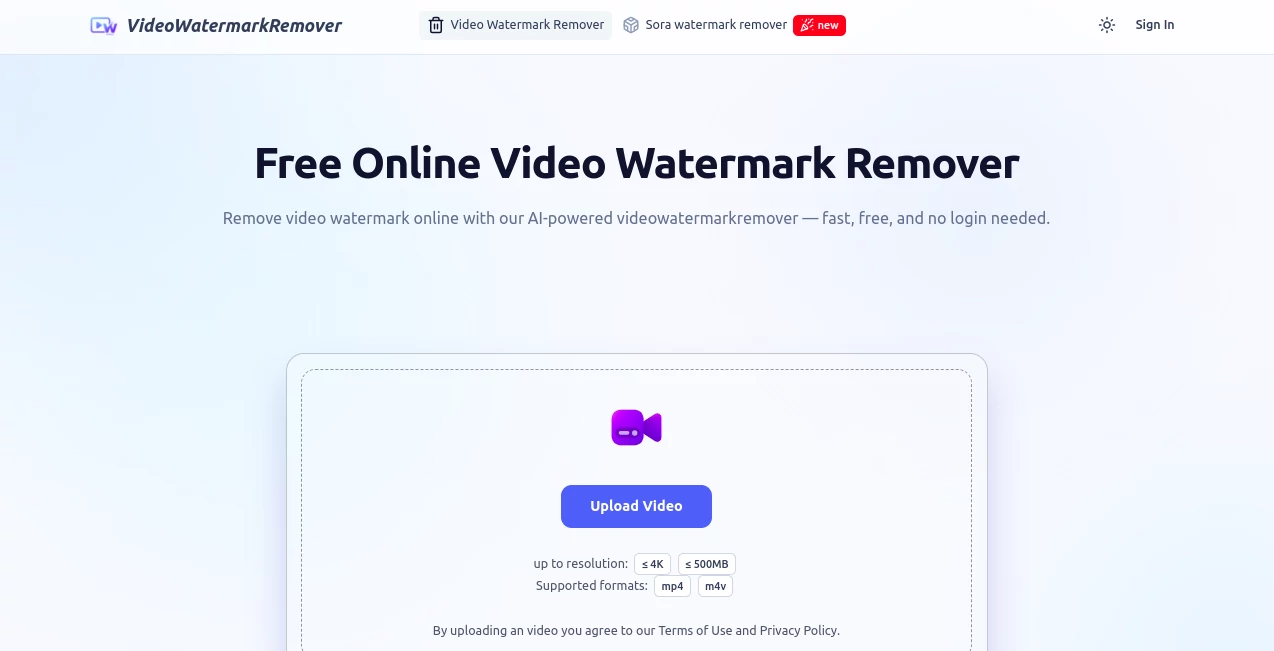
What is VideoWatermarkRemover?
Video Watermark Remover swoops in as a lifesaver for anyone stuck with pesky logos or stamps cluttering their footage, wiping them clean in a snap without leaving a trace. This handy online fix lets you upload clips and watch the AI work its magic, turning branded experiments back into pristine originals ready for sharing or selling. It's the kind of tool that makes you wonder why you ever bothered with clunky edits before, especially when it handles everything from static tags to sneaky moving ones with barely a blink.
Introduction
Picture this: you've got a killer clip from that new video generator, but it's slapped with an ugly watermark that screams "demo" louder than the content itself. That's where Video Watermark Remover stepped in a while back, cooked up by folks tired of jumping through hoops just to salvage their shots. It hit the scene promising a no-fuss way to strip those intrusions, and boy, has it delivered—thousands of creators now swear by it for quick cleanups that keep the focus on their story, not some overlaid ad. What started as a niche fix for AI-generated vids has snowballed into a go-to for all sorts of footage fixes, blending speed with smarts in a package that's as welcoming as it is wickedly effective.
Key Features
User Interface
Diving in feels like a breeze on a summer day—you just drag your file or click to pick it, no accounts nagging or downloads lurking. A simple brush lets you circle the trouble spot, and off it goes, with a preview popping up almost before you can grab coffee. It's all mobile-ready too, so whether you're tweaking on your couch or in a cab, the flow stays smooth, keeping things intuitive enough for your grandma to handle without a tutorial.
Accuracy & Performance
This thing doesn't mess around; it sniffs out watermarks like a bloodhound, tackling both the still ones and those that dance across frames without missing a beat. Jobs wrap up in seconds—under thirty for most—and the output? Crystal clear, no fuzzy edges or color bleeds to ruin the vibe. Users keep coming back because it nails the tough spots time after time, leaving footage that looks like it never had a blemish in the first place.
Capabilities
It chomps through pretty much any video flavor you throw at it—MP4s, MOVs, AVIs, you name it—and even batches multiples for those marathon edit sessions. Whether it's zapping a stubborn Sora stamp or smoothing out old logos, the AI fills in the blanks seamlessly, keeping resolutions high and colors popping. Plus, it's a champ at prepping clips for everything from social blasts to client handoffs, making repurposing a plot twist nobody saw coming.
Security & Privacy
Your uploads get wrapped in encryption the second they land, and poof—they're gone for good once the download's done, no creepy archives hanging around. It's all above board with clear terms you agree to upfront, so you can breathe easy knowing your raw cuts stay your secret until you're ready to unleash them. In a world full of data hogs, this one's refreshingly hands-off about holding onto your stuff.
Use Cases
Content whizzes scrub demo watermarks off fresh AI clips to post polished reels that wow followers without the fine print. Marketers ditch outdated badges from campaign vids, refreshing old assets for new pushes that feel brand-new. Teachers whip up clean tutorials for class shares, ditching distractions so the lesson lands loud and clear. And everyday folks? They salvage vacation montages marred by trial stamps, turning "almost perfect" into shareable gold for family chats.
Pros and Cons
Pros:
- Totally free ride with no sneaky fees or sign-ups to slow you down.
- Lightning-fast fixes that wrap before your kettle boils.
- Keeps every pixel pristine, no quality dips in sight.
- Handles batches like a pro, saving sanity on big jobs.
Cons:
- Tethered to the web, so spotty signals throw a wrench in.
- Might need a quick brush highlight for the trickiest tags.
- Sticks to common formats, leaving oddballs in the lurch.
Pricing Plans
Here's the sweet spot: it's flat-out free, no tiers or upsells lurking in the corners. You upload, erase, download—repeat as needed—without ever cracking open your wallet. That zero-barrier entry has hooked users worldwide, proving you don't need deep pockets for pro-level polish.
How to Use Video Watermark Remover
Start by grabbing your clip and dropping it into the upload zone, easy as emailing a pic. Circle the watermark with the brush tool like you're lassoing a stray thought, then sit back as the AI dives in for a seconds-long scrub. Peek at the preview to give it a thumbs-up, hit download, and boom—your spotless video's ready to roll, all without breaking a sweat.
Comparison with Similar Tools
Stack it against the Sora remover itself, and this one pulls ahead with batch brains and broader format love, though the original might edge on pure speed for single clips. Where desktop dawdlers demand downloads and dollars, Video Watermark Remover keeps it cloud-cool and cost-free, ideal for quick hits over heavy hauls. It's the nimble ninja in a field of bulky beasts, shining for folks who want results without the rigmarole.
Conclusion
Video Watermark Remover cuts through the clutter like a hot knife, handing creators the clean slate they crave without the usual headaches. It turns frustrating fixes into fleeting fun, letting your footage steal the show unmarred. In an era where every second counts, this gem keeps things moving, proving that sometimes the best tools are the ones that just... work, quietly and brilliantly.
Frequently Asked Questions (FAQ)
Does it really keep the quality intact?
You bet—outputs stay sharp and vibrant, just like the original, no compromises.
What formats does it play nice with?
Most crowd-pleasers like MP4, MOV, and AVI roll right in without a hitch.
How long until I see results?
Under thirty seconds for the average clip—faster than tying your shoes.
Is my stuff safe up there?
Locked down with encryption and auto-erased post-download, zero worries.
Can it zap moving watermarks too?
Absolutely, the AI tracks 'em frame by frame for seamless sweeps.
AI Video Editor , AI Video Enhancer , AI Video to Video .
These classifications represent its core capabilities and areas of application. For related tools, explore the linked categories above.
VideoWatermarkRemover details
This tool is no longer available on submitaitools.org; find alternatives on Alternative to VideoWatermarkRemover.
Pricing
- Free
Apps
- Web Tools
Categories

VideoWatermarkRemover Alternatives Product

AI Motion Co…

Sora 2 Video…

VIGGLE

DomoAI

Ultra Face S…

remove bg vi…

Quso AI

Kling O1

FinalLayer
