
🧠 AI Quiz
Think you really understand Artificial Intelligence?
Test yourself and see how well you know the world of AI.
Answer AI-related questions, compete with other users, and prove that
you’re among the best when it comes to AI knowledge.
Reach the top of our leaderboard.


















Video Music-Score

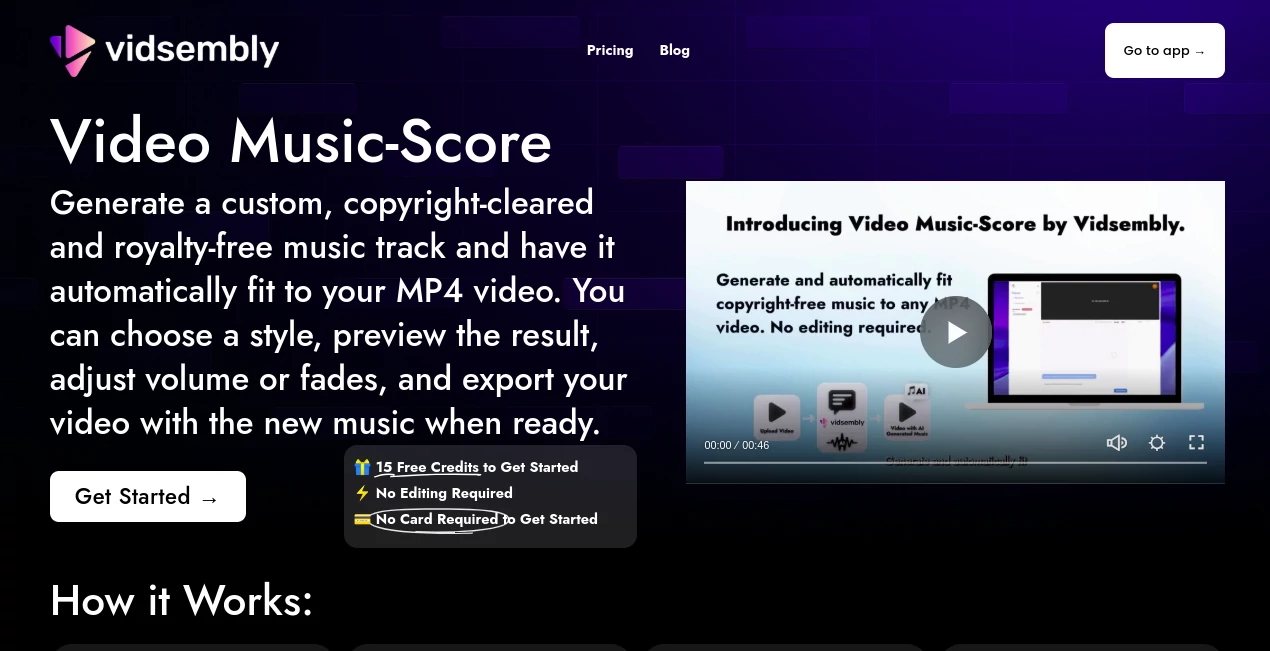
What is Video Music-Score?
Video Music-Score steps in as a handy sidekick for anyone piecing together clips, whipping up fresh audio layers that hug the footage just right without a single manual snip. This corner of the toolkit lets you toss in a video and pick a vibe, then watches as it brews a matching tune that's all yours to keep, free from those nagging rights worries. Creators who've dipped in often come back raving about how it turns quiet reels into lively stories, saving them the chase for stock clips that never quite fit.
Introduction
Video Music-Score came together as part of a bigger push to smooth out the rough spots in video tweaking, sparked by folks who knew the pain of hunting tunes that sync without a fight. It rolled out quietly, catching on with quick-turnaround types like social sharers and promo pushers who needed something snappy yet solid. Before long, users were swapping screenshots of their before-and-afters, showing how a bland demo bloomed into something with real pulse. What hooks them is the no-fuss flow that respects your time, blending clever matching with cleared paths so you can hit publish without the second-guess shuffle. Over these past months, it's carved a cozy spot in workflows, proving that a touch of smarts can make the audio side feel less like a chore and more like a quick win.
Key Features
User Interface
The layout greets you with a clean start button that leads straight to project setup, where a simple plus invites your clip without extra hoops. From there, a row of style picks lines up easy to eye, and sliders for sound levels sit right at hand, with a preview pane that plays the whole thing smooth as you tweak. It's the kind of setup that clicks after one glance, no buried menus or confusing toggles, just a steady path from upload to wrap-up that keeps even the rush-hour editor on track.
Accuracy & Performance
It lines up the beats to your cuts with a natural feel, catching the rhythm of the action so the sound swells where it should without awkward jumps. For shorter pieces, it nails the fit in a flash, though longer ones might need a patient wait, but users note it holds steady without dropping frames or drifting off-key. That reliability shines in the way it keeps things crisp, turning what could be a guess into a glove-like match that plays back true on any screen.
Capabilities
Pick from a handful of moods to spark a fresh track, then layer in soft starts or ends, all while dialing the mix to sit just right behind the visuals. It handles the full clip from your drop, syncing without a whisper of overlap worries, and spits out a ready file that's good to go for shares or sales. The real stretch comes in how it opens up options for folks without deep audio chops, letting them stack simple effects that elevate the everyday upload into something share-worthy.
Security & Privacy
Your uploads get a quick pass through the works, then clear out without a trace, keeping things light on the storage side and your clips under wraps. It plays fair with the rules you bring, nudging you to double-check your own bits, but handles its end with a clean slate so no surprises pop up later. That straightforward guard lets you focus on the fun, knowing the backend stays as tidy as the output.
Use Cases
A quick promo for a local shop gets a upbeat lift that matches the bustle, drawing eyes without the hunt for freebies. Teachers slip it into lesson clips, adding a gentle hum that holds attention through the facts. Social folks layer it on travel snippets, turning raw phone footage into posts that pull likes with their subtle sway. Even team recaps find a fit, with neutral tones that underscore the highlights without stealing the show.
Pros and Cons
Pros:
- Skips the editing slog, syncing tunes in a snap to your pace.
- Cleared paths mean no headaches down the line for shares.
- Free peeks let you test the waters without a dime down.
- Style picks cover enough ground for most quick needs.
Cons:
- Shorter clips shine brighter; longer ones might stretch the wait.
- Tweaks nibble at your starting stash, so plan your plays.
- Stuck spots call for a fresh start now and then.
Pricing Plans
You kick off with a pocketful of tries right away, enough to cover a few full runs without upfront fuss, perfect for seeing if it suits. From there, it leans on a tally system where each bit of building pulls a small slice, keeping things scaled to how much you lean in. No big commitments up front, just a gentle nudge toward more when the spark catches, making it easy to dip deep without diving all in.
How to Use Video Music-Score
Start a new spot by clicking through to add your clip, watching it load quick into the frame. Eye the lineup of sounds and tap the one that vibes, then slide the loudness to nestle in nice. Toss on those soft edges if the mood calls, give it a spin to hear the hum, and when it lands right, pull the final version down to your drive. Swing back for the next one, building a rhythm in your routine that sticks.
Comparison with Similar Tools
Where some setups demand you drag tracks around to match the moments, Video Music-Score brews one fresh to fit, saving the shuffle but perhaps missing the library depth for picky pickers. Against free-for-all finders, it edges with the worry-free rights, though those might win for sheer variety on a budget. It settles sweet for the seamless seeker, blending build and blend in a way that feels tailored over tossed together.
Conclusion
Video Music-Score nudges the needle on video vibes, handing creators a shortcut to sounds that sit just so without the usual tangle. It turns the quiet clip into a quiet storm of story, proving that a matched melody can lift the whole without overwhelming the heart. As more moments hit the stream, this gem keeps the audio side simple and sure, inviting you to layer in life one tuned track at a time.
Frequently Asked Questions (FAQ)
What clips work best with this?
Snappy ones under half a minute hum the smoothest, but it stretches to fuller lengths without a fuss.
Can I tweak after the first go?
Sure, dial the depth or add those gentle glides to make it yours.
Any worries on the rights side?
All fresh and free to fly, good for spots that pay or just play.
What if it hangs mid-way?
Wipe the slate with a new start, and it picks up without the pinch.
How do I get more runs?
Your opener covers the basics; top up as the ideas keep coming.
AI Video Editor , AI Video Enhancer , AI Music Generator , AI Text to Music .
These classifications represent its core capabilities and areas of application. For related tools, explore the linked categories above.
Video Music-Score details
This tool is no longer available on submitaitools.org; find alternatives on Alternative to Video Music-Score.
Pricing
- Free
Apps
- Web Tools
Categories

Video Music-Score Alternatives Product

Riverside.fm

MusicGPT AI

Sora 2 Video…

gemini music

remove bg vi…

Quso AI

lyria 3

Songtell

Lyria3 AI
