🧠 AI Quiz
Think you really understand Artificial Intelligence?
Test yourself and see how well you know the world of AI.
Answer AI-related questions, compete with other users, and prove that
you’re among the best when it comes to AI knowledge.
Reach the top of our leaderboard.


















VO4 AI
What is VO4 AI?
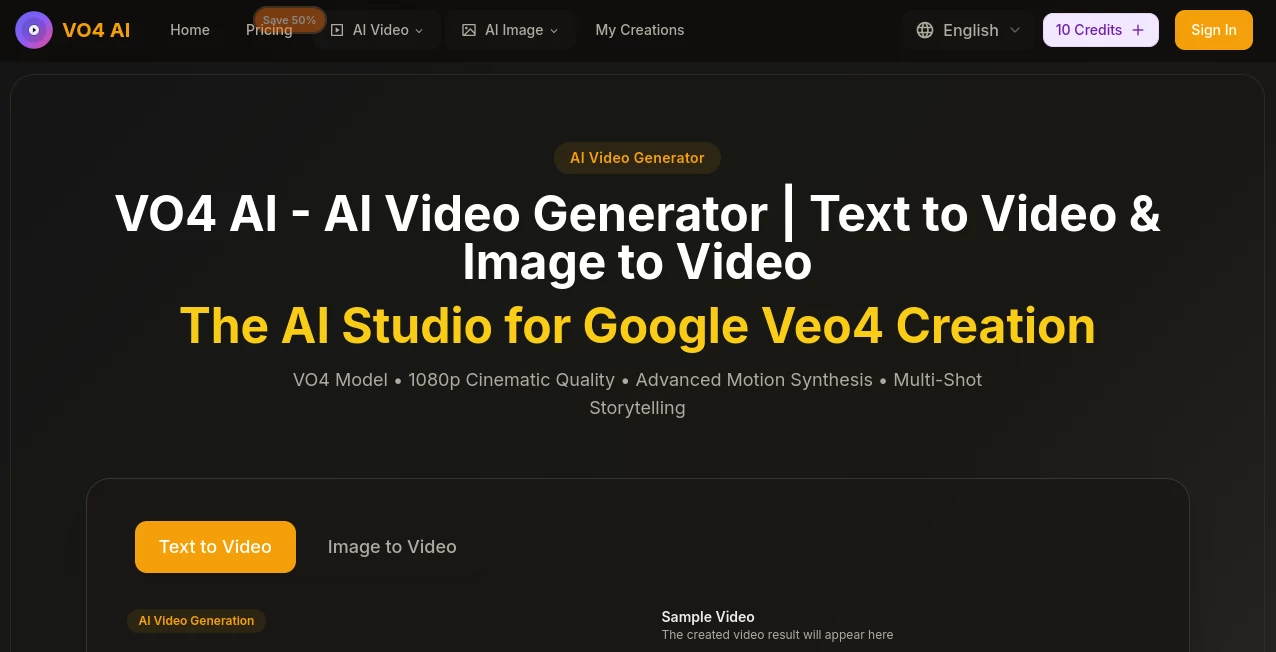
Some tools promise videos from text or images, but very few manage to keep the story flowing smoothly across multiple shots while looking genuinely cinematic. This one does exactly that—taking a single prompt or starting frame and building a cohesive clip with consistent characters, smart camera moves, and motion that feels alive. I ran a quick test describing a quiet street scene turning into a chase, and the transitions were so natural I almost forgot it was generated. It's the kind of quality that makes you want to keep experimenting just to see what else it can pull off.
Introduction
Short-form content rules the day, and standing out requires visuals that grab attention fast without looking artificial. This platform steps up with a model that excels at multi-shot storytelling, turning simple ideas into 1080p clips that maintain style and character consistency from start to finish. What impressed me most was how it handles complex actions and scene changes without losing the thread—upload an image of a person and describe them walking through different environments, and the result stays believable throughout. It's built for anyone who creates for social, ads, or personal projects, delivering pro-level output in seconds rather than hours.
Key Features
User Interface
The workspace is refreshingly straightforward: a large prompt box with a character counter, quick toggles for aspect ratio and resolution, and a generate button that feels inviting rather than intimidating. Previews appear promptly, and you can swipe through examples or expand them for a closer look. It's designed so even first-timers can jump in and get something usable right away—no buried menus or confusing sliders.
Accuracy & Performance
The motion synthesis stands out—characters move naturally, camera work follows the narrative intent, and scenes blend without jarring cuts or style drifts. Generation happens remarkably fast for the quality level, and the 1080p results hold detail even in dynamic sequences. In practice, prompts with multiple actions or environmental shifts come back coherent and visually rich, something many alternatives still struggle with.
Capabilities
It supports both text prompts and image inputs, generating up to 10-second clips (with options for 5s or 10s durations) in various aspect ratios from square to ultrawide. Styles range from photorealistic to anime, watercolor, cyberpunk—pretty much anything you describe. Native multi-shot handling ensures smooth storytelling, with intelligent parsing of complex actions, multi-agent interactions, and precise camera directions. The output is ready-to-share MP4s that look polished enough for professional use.
Security & Privacy
While not heavily detailed on the front end, the setup includes standard protections for uploaded content and generated files, with no indication of unnecessary data retention. It's built to let creators focus on output rather than worry about leaks or misuse, which matters a lot when testing sensitive or branded ideas.
Use Cases
Social creators turn weekly ideas into eye-catching Reels with consistent looks across shots, boosting engagement without endless editing. Small brands produce product spotlights that show items in real-world motion, making listings more compelling. Musicians sync tracks to dynamic visuals that match the beat perfectly, creating lyric videos that feel custom-made. Storytellers experiment with short narratives, testing pacing and transitions before committing to longer work. It's those quick, high-impact pieces that really showcase its strength.
Pros and Cons
Pros:
- Exceptional multi-shot consistency that keeps characters and atmosphere intact.
- Genuinely cinematic motion and transitions that elevate simple prompts.
- Fast turnaround even at full HD, perfect for iterative creative work.
- Broad style range that adapts to almost any aesthetic vision.
Cons:
- Current clip lengths cap at 10 seconds—great for shorts but not longer narratives.
- Free tier comes with limits, so heavier users will want to upgrade.
Pricing Plans
You can start exploring without spending anything, thanks to a free tier that includes daily credits for testing and small projects. Paid plans kick in at reasonable monthly rates with significant discounts for annual billing, unlocking higher resolutions, more generations, priority processing, and extras like no watermarks and commercial rights. The structure rewards regular use while keeping entry-level access open, so you scale naturally as your needs grow.
How to Use It
Head to the main generator page, type your scene description (up to 800 characters) or upload a starting image, then choose your aspect ratio and resolution—720p for quick tests or 1080p for final polish. Adjust duration if needed, hit generate, and wait a short moment for the clip to appear. Preview it full-screen, download the MP4, and iterate by tweaking the prompt for variations. It's simple enough for a first try to yield something shareable, yet flexible for refining details on repeat runs.
Comparison with Similar Tools
Many generators produce single clips or struggle with continuity across shots, but this one excels at native multi-shot flow and character persistence, giving outputs a more directed, story-like feel. While some competitors edge out on maximum length or raw speed for basic clips, the combination of cinematic quality, style flexibility, and reliable consistency makes it a standout for creators who care about narrative coherence in short-form work.
Conclusion
This platform quietly raises the bar for what's possible with AI video right now—delivering short clips that feel thoughtfully crafted rather than hastily assembled. It's empowering for anyone who wants to bring ideas to life visually without a steep learning curve or big budget. If you're tired of flat, disjointed results and ready for motion that matches your imagination, it's hard to find a better starting point.
Frequently Asked Questions (FAQ)
How long can clips be?
Up to 10 seconds per generation, ideal for social posts, ads, and quick stories.
Do I need high-quality input images?
Clear images help, but it handles a wide range well—better details simply give richer motion.
What resolutions are available?
720p HD for faster tests and 1080p Full HD for sharp, professional-looking results.
Can I use it commercially?
Paid plans include commercial licensing—perfect for ads, content creation, and client work.
How fast is generation?
Very quick for the quality—often ready in under a minute, even for detailed scenes.
AI Animated Video , AI Image to Video , AI Text to Video , AI Video Generator .
These classifications represent its core capabilities and areas of application. For related tools, explore the linked categories above.
VO4 AI details
Pricing
- Free
Apps
- Web Tools
Categories

VO4 AI Alternatives Product
Seedance 2.0…

Veo 3.1

Omnigen Stud…

CinemaDrop

Seedance 2.0

Voe4 AI Video

Seedance 2.0…

ai seedance …

ai seedance …