🧠 AI Quiz
Think you really understand Artificial Intelligence?
Test yourself and see how well you know the world of AI.
Answer AI-related questions, compete with other users, and prove that
you’re among the best when it comes to AI knowledge.
Reach the top of our leaderboard.


















Wan 2.7
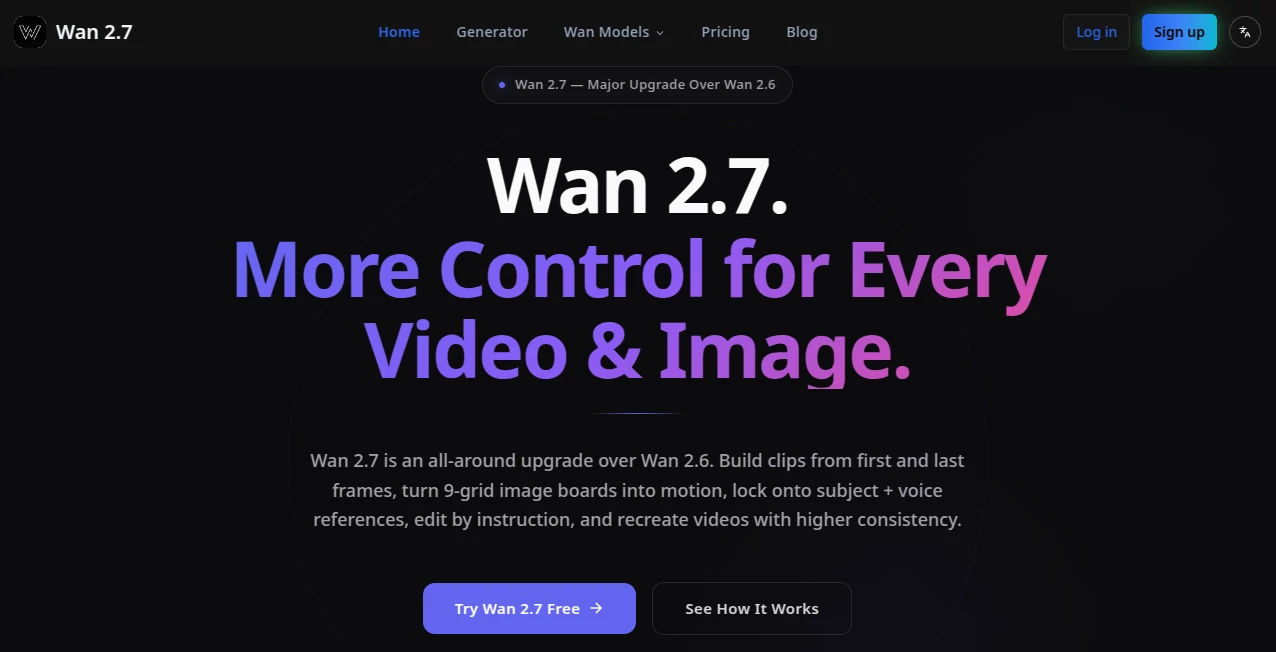
What is Wan 2.7?
There’s a noticeable leap when an AI video tool finally gives you real control instead of just hoping for the best. You describe a scene, add a starting frame or ending frame, lock in a character with a reference, and the output actually respects your vision—consistent faces, natural motion, coherent storytelling. This platform delivers that experience in a way that feels thoughtful and production-ready. Creators I’ve spoken with say it’s the first time they’ve generated clips where they didn’t immediately need to fix inconsistencies or awkward movements. It turns vague ideas into usable footage faster than most expect.
Introduction
AI video has come a long way, but many tools still feel unpredictable—characters change appearance mid-clip, motion looks floaty, or the story falls apart after the first few seconds. Wan 2.7 changes the game by offering meaningful control at every stage. You can start with text, guide with images, lock subjects and voices, edit with instructions, and even build sequences using first and last frames. It’s designed for people who actually need to ship work: marketers creating ads, filmmakers prototyping scenes, social creators building Reels, and teams producing consistent content. The upgrade from previous versions shows in the coherence and flexibility—it feels less like guessing and more like directing.
Key Features
User Interface
The workspace is clean and focused. You have clear sections for prompt writing, reference uploads (images, video clips, voice), frame controls, and editing tools—all arranged logically so you don’t hunt for options. Previews load reasonably fast, and the flow supports both quick experiments and more deliberate multi-shot builds. It avoids the clutter that plagues many AI tools, letting you stay in creative mode rather than fighting the interface.
Accuracy & Performance
Character consistency stands out strongly—faces, clothing, and style hold across shots much better than most current tools. Motion feels natural with believable physics, and instruction-based editing lets you refine specific parts without regenerating the whole clip. Generation times are practical for iteration, and the overall reliability means fewer frustrating reruns. The results often require minimal post-work, which saves real time in actual projects.
Capabilities
You get text-to-video, image-to-video, first/last frame control for precise storytelling, 9-grid image board to motion conversion, subject + voice reference locking, instruction-based editing, and video recreation with higher consistency. It supports multi-shot narratives, native audio sync, and flexible aspect ratios. The combination of these tools in one place makes it powerful for building complete short sequences rather than isolated clips.
Security & Privacy
Your prompts, references, and generated videos are handled with care. The platform focuses on delivering the output without unnecessary data retention or sharing. For creators working with client material or original concepts, this respectful approach provides confidence to experiment freely.
Use Cases
Marketers generate short product ads with consistent branding and natural motion. Filmmakers prototype key scenes to test pacing and tone before full production. Social creators build Reels with locked characters and synced audio that stand out in feeds. Educators create short explanatory clips or animated stories for lessons. Indie teams use it to mock up trailers or narrative sequences quickly. Wherever you need controlled, coherent video without a full crew, it becomes a valuable part of the workflow.
Pros and Cons
Pros:
- Strong character and style consistency across shots.
- Multiple control methods (frames, references, instructions) give real creative power.
- Natural motion and cinematic feel in the outputs.
- Good balance between speed and quality for practical use.
Cons:
- Longer or very complex sequences may still need multiple generations or editing.
- Learning to use all the control features effectively takes a short practice period.
- Access to the full power often requires a paid plan.
Pricing Plans
It offers a free tier with daily credits so you can test the quality and workflow without commitment. Paid plans unlock higher limits, faster generation, priority access during busy times, and full use of advanced features. Pricing is positioned reasonably for the level of control and output quality, making it accessible for both individuals and small teams.
How to Use Wan 2.7
Start with a clear text prompt describing your scene. Add reference images or video clips for characters and style if needed. Use first and last frame options to control the story flow, or upload a 9-grid for more structured motion. Adjust settings for length and aspect ratio, then generate. Review the result, use instruction editing for refinements, and iterate as needed. For multi-shot work, build sequences step by step. The process rewards clear direction while still being approachable for quick ideas.
Comparison with Similar Tools
Many AI video generators focus on raw generation but struggle with consistency and control. This one stands out by combining strong base quality with practical tools like frame guidance, references, and instruction editing. It feels more like a production assistant than a random generator, giving creators the ability to shape results rather than just accept what appears. For users who need reliable, directed output, it often outperforms more basic alternatives.
Conclusion
Creating video that feels intentional and coherent no longer requires a big team or endless hours. This tool brings advanced control into a practical workflow that actual creators can use daily. It respects your vision while handling the heavy technical lifting, resulting in footage you can be proud to share. Whether you’re building a brand, telling stories, or prototyping ideas, it opens up new possibilities without the usual AI frustrations. For anyone serious about visual content, it’s worth exploring the difference real control can make.
Frequently Asked Questions (FAQ)
How long can generated clips be?
Typically 2–15 seconds per generation, with multi-shot workflows allowing longer storytelling.
Do I need reference images?
Not required, but they significantly improve consistency for characters and style.
Can I edit existing videos?
Yes—instruction-based editing lets you refine generated or uploaded clips.
Is audio supported?
Yes, including voice reference and native sync capabilities.
What resolutions are available?
Up to 1080p with strong quality across supported formats.
AI Animated Video , AI Image to Video , AI Video Generator , AI Text to Video .
These classifications represent its core capabilities and areas of application. For related tools, explore the linked categories above.
Wan 2.7 details
Pricing
- Free
Apps
- Web Tools
Categories

Wan 2.7 Alternatives Product

Fast Wan

Veo 4 AI

kling 4.0

Veo 4 AI

Seedance 3.0

See dance 2.…
hailuo03
RightAI

AI ASMR Gene…