🧠 AI Quiz
Think you really understand Artificial Intelligence?
Test yourself and see how well you know the world of AI.
Answer AI-related questions, compete with other users, and prove that
you’re among the best when it comes to AI knowledge.
Reach the top of our leaderboard.


















Wan 2.7 AI
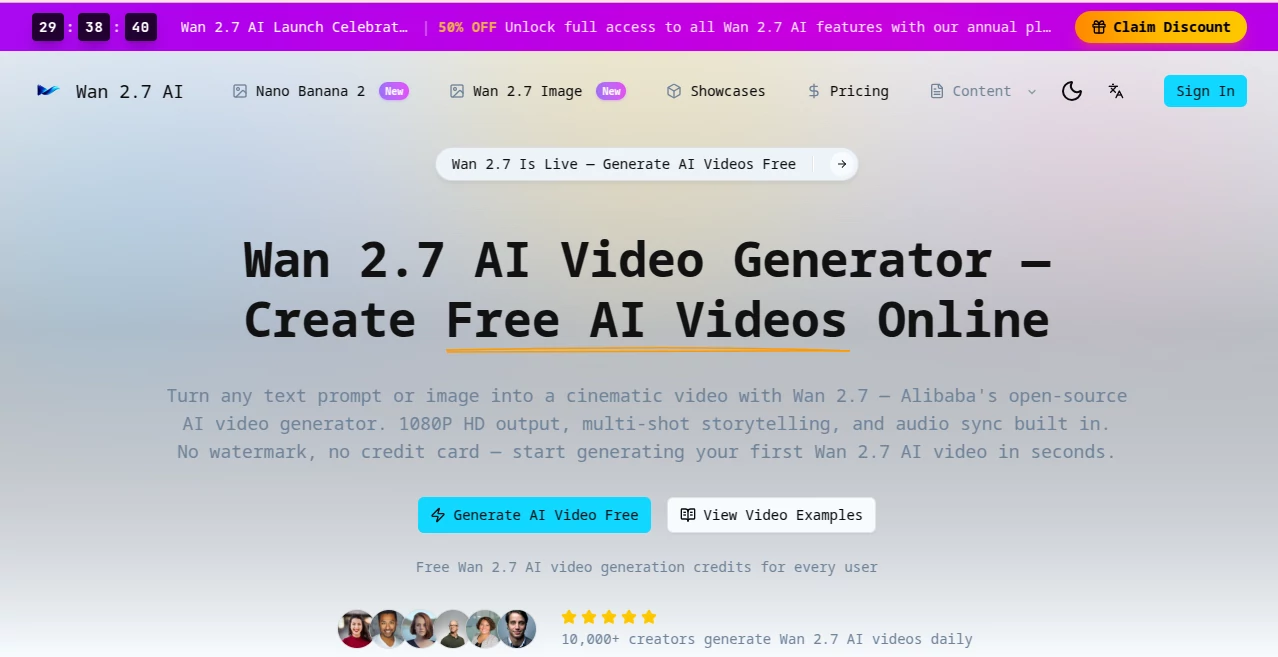
What is Wan 2.7 AI?
You type a short scene description, maybe add a reference photo, and a few moments later a smooth, cinematic clip plays back with natural motion, consistent characters, and lighting that actually feels right. It’s the kind of result that makes you pause and watch it again because it doesn’t look or feel like most AI video you’ve seen before. I’ve shown these clips to friends who usually shrug at generated video, and their reaction is almost always the same: “Wait, that actually looks good.” The tool turns ideas into short films that carry real mood and flow, making it one of those rare creations that feels like it’s on your side as a storyteller.
Introduction
Creating video has always been one of the most time-consuming parts of content making—planning shots, filming, editing, syncing sound. Wan 2.7 AI changes that equation by letting anyone generate high-quality 1080p videos directly from text prompts or images, right in the browser. Built on Alibaba’s open-source model, it focuses on cinematic quality: smooth multi-shot storytelling, realistic motion, and native audio synchronization when needed. No downloads, no complicated setups, no watermarks on paid generations. It’s become a favorite for creators who need fast, watchable results without a full production team. The best part? It keeps improving while staying accessible, so both beginners and experienced makers can jump in and get something they’re proud to share.
Key Features
User Interface
The interface is clean and inviting. A large prompt area welcomes your ideas, with simple options for aspect ratio, duration, and reference uploads. Everything feels designed for flow—you describe what you want, add an image if it helps, and hit generate. Previews load reasonably fast, letting you iterate without losing momentum. It never overwhelms you with too many sliders or hidden menus; instead, it stays out of the way so you can focus on the story.
Accuracy & Performance
Motion stays coherent, characters remain consistent across shots, and the overall pacing feels natural rather than robotic. It handles complex prompts with multiple subjects or camera movements better than many alternatives, producing 1080p output that looks polished. Generation times are practical for creative work, and the results hold up well even when you push the limits with detailed scenes. The difference shows most clearly in how the clips feel directed, not just animated.
Capabilities
It supports text-to-video and image-to-video generation, multi-shot storytelling with smooth transitions, native audio synchronization, and strong prompt understanding for cinematic styles. You can guide it with reference images for better character or scene consistency, create vertical videos for social media or horizontal ones for wider formats, and build short sequences that tell a complete little story. The combination of visual quality and temporal coherence makes it suitable for product demos, social clips, music visuals, or early story prototyping.
Security & Privacy
Your prompts and generated videos are handled with care—processed for the task at hand without unnecessary long-term storage or sharing. The platform emphasizes responsible use, giving creators confidence to experiment with personal or client ideas without worrying about where their content ends up.
Use Cases
A small brand turns a single product photo into a short, elegant lifestyle video that performs better than static posts. An indie creator generates daily Reels with consistent characters and smooth motion that build audience recognition. A musician visualizes lyrics with clips that match the song’s emotion instead of generic stock footage. A filmmaker quickly mocks up key scenes to test tone and pacing before investing in full production. It shines wherever you need engaging video fast without a crew or expensive editing time.
Pros and Cons
Pros:
- Cinematic quality with natural motion and strong character consistency.
- Easy browser-based workflow—no downloads or complex setups.
- Good balance of speed and output resolution for everyday creative needs.
- Free daily credits make it easy to start experimenting right away.
Cons:
- Clip lengths are best suited for short-form content (longer stories require multiple generations).
- Very abstract or highly complex prompts can still need refinement.
- Higher volume or priority access comes with paid plans.
Pricing Plans
Free daily credits let you generate videos without any upfront cost—ideal for testing ideas or light personal use. Paid plans remove limits, unlock faster generation, higher priority during busy times, and more credits for heavier creators. The structure is straightforward and scales with your needs, making professional-quality video accessible without a big budget.
How to Use Wan 2.7 AI
Visit the generator, type a clear scene description in the prompt box (the more vivid, the better), and optionally upload a reference image for stronger visual guidance. Choose your preferred aspect ratio and duration, then hit generate. Review the preview—tweak the prompt or reference if the feel isn’t quite right—and download the result. For longer stories, create multiple short clips and combine them in your favorite editor. The process is quick enough that you can experiment with several variations in one creative session.
Comparison with Similar Tools
Many AI video generators still struggle with motion artifacts, inconsistent characters, or unnatural lighting. This one stands out for its cinematic coherence and reliable prompt following, often producing clips that feel closer to human-directed work. While some tools focus purely on speed or length, the emphasis here on visual quality and storytelling flow makes it especially appealing for creators who care about how their videos actually look and feel.
Conclusion
Video creation used to require time, equipment, and a team. Tools like this quietly lower those barriers, letting more people bring their ideas to life with surprising quality and speed. It doesn’t replace skill or vision—it amplifies them, turning a simple prompt into something you’re excited to share. Whether you’re a marketer, storyteller, educator, or just someone who loves making things move, it opens up creative possibilities that used to feel out of reach. The future of video feels a little brighter when tools this capable are this accessible.
Frequently Asked Questions (FAQ)
How long are the generated videos?
Most clips are short and focused (typically 5–10 seconds), perfect for social media, demos, or story prototyping. Longer narratives can be built by combining multiple generations.
Do I need a reference image?
Not required—text prompts work well on their own—but adding a reference image often improves character consistency and visual style.
Is there a free way to try it?
Yes, daily free credits are available so you can test the quality without any payment.
Can I use the videos commercially?
Paid plans include rights suitable for commercial use; always check the specific terms for your plan.
What if the first result isn’t perfect?
Small prompt adjustments or adding a reference image usually improve the output significantly—iteration is fast and encouraged.
AI Animated Video , AI Image to Video , AI Text to Video , AI Video Generator .
These classifications represent its core capabilities and areas of application. For related tools, explore the linked categories above.
Wan 2.7 AI details
Pricing
- Free
Apps
- Web Tools
Categories

Wan 2.7 AI Alternatives Product

Sora 2 Video

wan2-6.org

AI Hug

vei4 ai

Kling 3 AI

Toon Composer

Nano Banana …

kling 3 AI

Seedance 2.0…