🧠 AI Quiz
Think you really understand Artificial Intelligence?
Test yourself and see how well you know the world of AI.
Answer AI-related questions, compete with other users, and prove that
you’re among the best when it comes to AI knowledge.
Reach the top of our leaderboard.


















watchflow

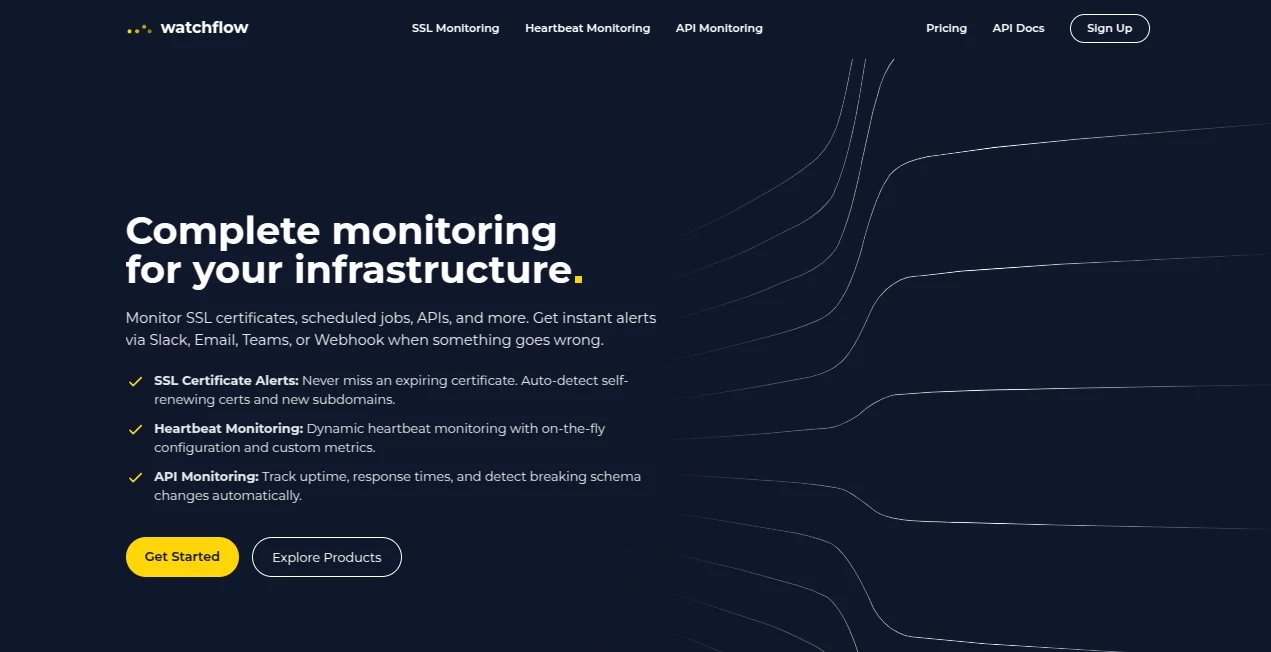
What is watchflow?
There’s something quietly satisfying about knowing exactly where that one perfect scene lives in a 10-season show, or being able to jump straight to the episode where your favorite character finally gets their moment. This platform makes that possible without endless scrubbing through episodes or frantic Googling. You search once, bookmark the timestamp, add your own notes if you want, and next time you’re showing a friend “that scene,” you’re there in two clicks. I’ve used it to save the exact second a plot twist lands in a thriller, and suddenly rewatching becomes fun instead of frustrating. It turns passive viewing into something you actually own and remember.
Introduction
Streaming has given us endless content, but finding the exact moment again? That’s still a hassle. Rewind, fast-forward, give up, search Reddit, get spoilers—most of us have been there. This tool quietly solves it by letting you pin any timestamp from any show or movie, tag it with what happens, rate it, add notes, and organize everything into personal lists. It’s become a small daily habit for binge-watchers, rewatchers, and people who love sharing “you have to see this part” without making everyone sit through the whole thing. The interface is calm, the search is sharp, and the whole experience feels like it was built by someone who’s been annoyed by the same problems we all have.
Key Features
User Interface
It’s clean in the best way. Search bar at the top, results load fast with posters and episode thumbnails, click a title and you’re in a timeline view where you can drop pins with one click. The pin editor is minimal: timecode (auto-filled if you’re watching via browser extension), short description, optional tags, rating, and notes. Your library is organized into custom collections—“Best Fight Scenes,” “Emotional Gut Punches,” “Plot Twists”—whatever matters to you. Dark mode, mobile-friendly, no clutter. It feels like a personal scrapbook for TV and film moments.
Accuracy & Performance
Timestamps are precise down to the second, and the search pulls exact episode and season matches quickly, even for long-running shows. The browser extension syncs playback time in real time so you can pin without pausing and typing. No lag when loading dozens of pins or large libraries. It’s one of those rare tools where the tech disappears—you just use it and it works, every time.
Capabilities
Pin any moment with timecode, title, episode/season info, custom tags, ratings (1–5 stars or hearts), notes, and optional screenshot capture. Build unlimited personal collections, share individual pins or entire lists publicly, import/export for backups, browser extension for real-time pinning while watching, search across your entire library by keyword or tag. Works with Netflix, Hulu, Disney+, Prime, HBO, and most major platforms via extension or manual entry. Profiles support multiple users under one account for households or friend groups.
Security & Privacy
Your pins, notes, and collections are private by default—nothing is shared unless you explicitly make a list public. No tracking of what you watch beyond what you pin. Browser extension requires minimal permissions and only accesses playback time when active. Data is encrypted, and export gives you full ownership if you ever want to leave. For people who use it to log meaningful or personal moments, that privacy matters.
Use Cases
A film buff pins every iconic monologue from classic movies to build “Best Speeches” playlists for movie nights. A couple marks romantic scenes in shows they watch together so anniversaries include a quick highlight reel. A YouTube essayist saves exact reference timestamps for research, cutting research time in half. A parent bookmarks wholesome family-friendly moments across dozens of animated series for easy access on rainy days. A sports fan tracks every clutch play in a long season. Wherever you want to find a moment again—fast, reliably—this becomes the memory bank.
Pros and Cons
Pros:
- Pinpoint accuracy and instant search make revisiting moments effortless.
- Beautiful, shareable collections turn personal highlights into something giftable.
- Browser extension feels seamless—pin without leaving the video player.
- Unlimited private use on free tier is genuinely generous.
- Multi-user profiles make it great for families or friend groups.
Cons:
- Manual entry required for platforms without extension support.
- Public sharing is limited to lists (individual pins stay private unless shared via link).
- Advanced filtering and analytics are paid-tier only.
Pricing Plans
Free tier gives unlimited private pins, basic collections, and core search—more than enough for most people. Premium adds public list sharing, multi-user family profiles, advanced filters, screenshot capture, export backups, priority support, and no ads. Pricing is modest (a couple of coffees a month), and annual saves a nice chunk. Many users upgrade after realizing how much they rely on it daily.
How to Use WatchFlow
Sign up (or start anonymously), search for a show or movie, or use the browser extension while watching. When a moment hits, click the extension icon (or use the web clip button), set the exact timecode (auto-filled if watching via extension), add a short description (“Luke’s father reveal”), tags (“plot twist,” “emotional”), and optional rating/notes. Save. Build collections by dragging pins into folders. Search or browse later to find anything instantly. Share a collection link when you want to show someone your curated highlights.
Comparison with Similar Tools
Bookmarking extensions or note apps require manual time-stamping and organization; this one integrates playback detection and gives a purpose-built structure for media moments. General video timestamp tools lack the rich tagging, collections, and sharing. It sits in a niche of its own: less about clipping full videos, more about curating meaningful seconds with context and discoverability. That focus makes it feel essential once you start using it.
Conclusion
Great stories are built on unforgettable moments. This tool lets you capture and revisit them without losing them to memory or endless scrubbing. It turns passive watching into something active and personal—your own private highlight reel that’s always ready when you need it. For anyone who loves film, TV, or just saving the scenes that hit hard, it’s one of those rare tools that quietly becomes indispensable. Once you have it, going back to “I think it was around episode 7” feels like ancient history.
Frequently Asked Questions (FAQ)
Does it work with every streaming service?
Browser extension auto-detects time on major platforms (Netflix, Hulu, Disney+, Prime, HBO, YouTube); manual entry works for anything else.
Can I share my lists publicly?
Yes—make any collection public and share the link; private pins stay private unless you choose to share.
Do I need an account to use it?
Basic pinning works without login, but saving collections and syncing across devices requires one.
Is there a mobile app?
Web version is fully mobile-optimized; dedicated apps are in development.
Can multiple people use one account?
Premium family profiles allow separate libraries under one subscription—great for couples or households.
AI Life Assistant , AI Fun Tools .
These classifications represent its core capabilities and areas of application. For related tools, explore the linked categories above.
watchflow details
This tool is no longer available on submitaitools.org; find alternatives on Alternative to watchflow.
Pricing
- Free
Apps
- Web Tools
Categories

watchflow Alternatives Product

Kitchendary

Dialogues wi…

AuraMeaning

chibi genera…

Free AI Kiss…

Connections …

MixBooze

Dating photos

Undertale Te…