🧠 AI Quiz
Think you really understand Artificial Intelligence?
Test yourself and see how well you know the world of AI.
Answer AI-related questions, compete with other users, and prove that
you’re among the best when it comes to AI knowledge.
Reach the top of our leaderboard.


















Wayin Video

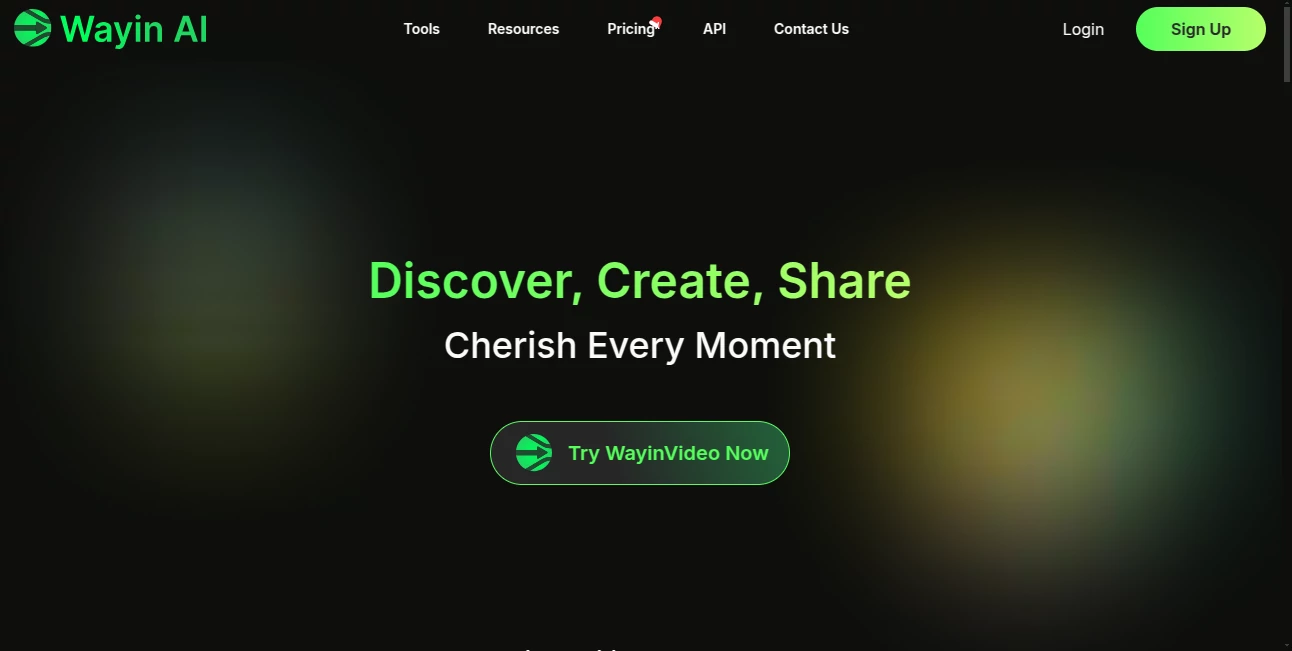
What is Wayin Video?
Have you ever spent hours scrubbing through a long video, desperately hunting for those few seconds that could actually go viral? This tool changes that completely. Upload your footage or drop in a YouTube link, and it instantly pinpoints the golden moments—funny reactions, powerful quotes, or eye-catching visuals—then stitches them into ready-to-post shorts. I tried it on a recent podcast episode, and within minutes I had a handful of clips that looked like they were edited by a pro. It's the kind of thing that makes you feel like you've got a full production team in your pocket.
Introduction
Content creators know the pain: a 30-minute talk or vlog holds maybe three or four killer moments, but finding and cutting them manually can eat up your whole afternoon. This platform steps in and handles it all with surprising intelligence—analyzing every frame, understanding context, and delivering polished clips tailored for TikTok, Reels, or Shorts. What started as a clever way to save time has become a favorite among podcasters, YouTubers, and brands who need consistent, engaging content without the burnout. One creator I follow said it turned his weekly editing slog into a quick review session, freeing him to focus on scripting instead of timelines. It's not just fast; it feels thoughtful, like the AI actually gets what makes a clip pop.
Key Features
User Interface
The dashboard is refreshingly straightforward: paste a link or upload your video, and everything happens right there in the main view. You can type a quick search like "find all funny reactions" or "show the best storytelling bits," and results appear almost immediately. No buried menus or confusing settings—just a clean flow that lets you preview clips, adjust aspect ratios, and export in seconds. It's the sort of design that makes you feel in control without overwhelming you, perfect for those late-night editing sessions when your brain is already fried.
Accuracy & Performance
What really stands out is how well it understands your video. It doesn't just scan for keywords; it grasps context—spotting emotional beats, key actions, or even silent moments that carry weight. The clips it pulls are consistently high quality, with smooth transitions and proper framing. Even on longer uploads, processing stays quick, and the results hold up when viewed on mobile. I've thrown some chaotic vlogs at it, and it still managed to surface the best parts without missing the mark.
Capabilities
Beyond basic clipping, it intelligently reframes for different platforms, keeping subjects centered and looking great in vertical or square formats. Add your own music for perfect sync, or let it suggest trending sounds. You can also translate subtitles into over 100 languages or generate transcripts with speaker labels—handy for reaching global audiences or repurposing content. It's a full toolkit for turning long-form into snackable hits, all without sacrificing quality.
Security & Privacy
Your videos are processed securely and only kept as long as needed—there's no lingering storage that could raise concerns. Everything runs through encrypted channels, and the platform sticks to standard privacy practices. For creators dealing with unreleased material or client work, that reliability is a big plus; you can focus on the creative side without worrying about where your footage ends up.
Use Cases
Podcasters love using it to pull highlight reels from hour-long episodes, turning deep dives into bite-sized teasers that drive listens. Brands drop in product demos and get ready-made social clips that feel authentic and engaging. YouTubers use it to repurpose old videos for Shorts, breathing new life into evergreen content. Even educators clip key teaching moments from lectures, making them easy to share or embed. It's incredibly versatile—any long video becomes a goldmine of short-form potential.
Pros and Cons
Pros:
- Saves hours of manual editing with spot-on moment detection.
- Smart reframing and platform optimization make clips look pro.
- Multilingual support and audio sync open up global reach.
- Free daily credits let you test without commitment.
Cons:
- Free tier limits heavy use; paid plans needed for serious volume.
- Occasional tweaks required for very niche or abstract content.
Pricing Plans
You get a solid free tier with daily credits—enough to experiment and create a few clips without spending anything. Paid plans start reasonable, unlocking more processing time, higher resolutions, and extras like unlimited exports. It's structured so casual users stay free while creators who rely on it can scale up affordably. The value feels right for the time it saves.
How to Use WayinVideo
Head to the main page, paste a YouTube link or upload your file, then either let it auto-detect highlights or type a specific search like "find all product reveals." Pick your platform format, add music if you want, and hit generate. Preview the clips, tweak if needed, and export or share directly. I started with a 20-minute talk, searched for "key takeaways," and had five polished Shorts ready in under ten minutes—simple, fast, and surprisingly addictive.
Comparison with Similar Tools
Many clip generators rely on basic keyword spotting and often miss emotional or contextual gems. This one stands out by actually understanding the content—pulling the right moments even when there's no obvious dialogue. It also handles reframing and multi-language support better than most, making it a more complete solution for modern creators. The speed and accuracy make it feel like a step ahead of the pack.
Conclusion
This tool quietly solves one of the biggest headaches in content creation—turning hours of footage into minutes of magic. It's empowering for anyone who creates video, letting you focus on ideas instead of endless timelines. If you're tired of manual editing or want your content to pop on socials, give it a try. You'll likely wonder how you ever managed without it.
Frequently Asked Questions (FAQ)
How accurate is the moment detection?
Very good on clear, structured content; it understands context beyond keywords.
Can I add my own music?
Yes, upload tracks and it syncs them perfectly to the clips.
What platforms are best supported?
TikTok, Reels, Shorts, YouTube—smart reframing for each.
Is there a free version?
Yes, with daily credits to get started right away.
Does it support non-English videos?
Absolutely, with translation and multi-language capabilities.
AI Animated Video , AI Video Generator , AI Video Enhancer , AI Text to Video .
These classifications represent its core capabilities and areas of application. For related tools, explore the linked categories above.
Wayin Video details
This tool is no longer available on submitaitools.org; find alternatives on Alternative to Wayin Video.
Pricing
- Free
Apps
- Web Tools
Categories

Wayin Video Alternatives Product

VIGGLE

Whisper Thun…
videodance

Seedream 6.0

Veo 4 AI

HypeClip

gemini video

Ltx 2.3

gpt video