🧠 AI Quiz
Think you really understand Artificial Intelligence?
Test yourself and see how well you know the world of AI.
Answer AI-related questions, compete with other users, and prove that
you’re among the best when it comes to AI knowledge.
Reach the top of our leaderboard.

















whisk ai
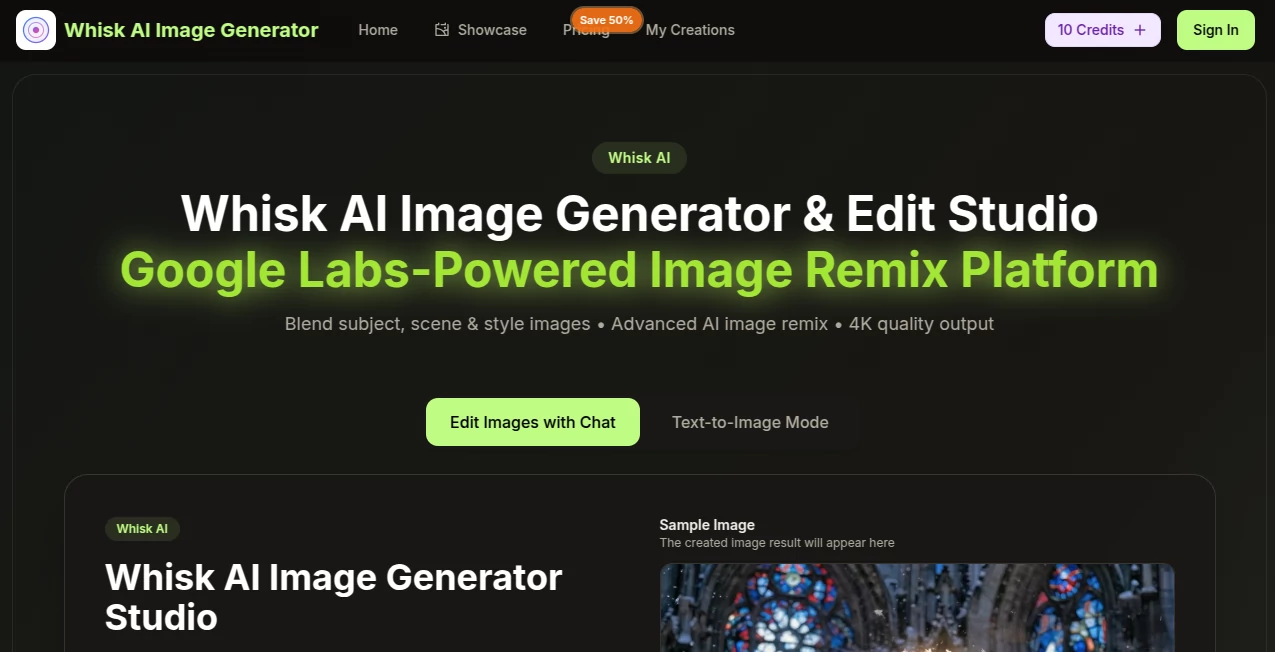
What is whisk ai?
There’s something incredibly freeing about skipping the endless typing of prompts and instead just dropping three pictures that already capture exactly what you’re feeling. One for the person or object you want front and center, one for the setting that sets the mood, and one for the artistic vibe you’re chasing. In seconds you get a fresh image that somehow ties them all together beautifully, often better than you imagined. I tried it once with a photo of my dog, a cozy library background, and a painterly style reference—and the result was this warm, almost storybook portrait that made me smile every time I looked at it. It’s the kind of tool that turns “what if” moments into something tangible without any friction.
Introduction
Most image generators ask you to describe everything in words, which is fine until you realize how hard it is to explain “make it look like this exact feeling.” This one flips the script entirely. You feed it images—your subject, the scene, the style—and it does the heavy lifting of understanding and blending them into something new. Powered by clever tech that analyzes composition, lighting, and details automatically, it produces results that feel intentional and polished, often in 4K. Whether you’re someone who struggles to articulate ideas or just prefers visual thinking, the whole process feels more natural, more like sketching with a friend who instantly gets it. People keep coming back because the output consistently surprises them in the best way—unexpected harmonies, richer colors, cleaner ideas.
Key Features
User Interface
The layout is clean and inviting from the first second. Three clear upload zones sit right in front of you—one for subject, one for scene, one for style—along with a text box if you want to add a little guidance. Drag, drop, or click; it doesn’t fuss. A few aspect ratio presets are a quick tap away, and when you hit generate, the result appears in the center with options to zoom, save, or tweak. It never feels cluttered or confusing—even on a small screen it stays usable. That simplicity alone makes you want to keep experimenting.
Accuracy & Performance
It really understands what you give it. The way it pulls out key elements—shapes, lighting mood, color harmony—from each input and weaves them together is impressive. You don’t get random mashups; you get coherence. Generation is quick—usually 15-30 seconds—and the 4K option delivers crisp detail that holds up for prints or big screens. In my own tests, even when the reference images were quite different in style, the final piece still felt balanced and intentional, not forced.
Capabilities
Beyond the core three-image blend, you can lean on text prompts that get automatically enriched with professional lighting and composition terms for sharper results. There’s also an AI enhancer for upscaling, a background remover, and natural-language editing so you can say “make the sky more dramatic” and see it happen. Multiple aspect ratios cover everything from square social posts to vertical stories, and the commercial license means you can use the work professionally without worry. It’s a full creative loop in one place.
Security & Privacy
Your images never leave your control in any visible way. No watermarks, no public sharing unless you choose it, and the process is handled with care so nothing lingers longer than necessary. For anyone working on client projects or personal concepts, that quiet reliability matters a lot.
Use Cases
A small business owner uploads a product photo, a lifestyle setting, and a brand mood board, getting polished marketing visuals in minutes instead of hiring a photographer. An illustrator experiments with new styles by blending favorite artists’ looks into their own sketches. A content creator remixes everyday photos into eye-catching thumbnails that actually get clicks. Even someone redesigning their living room can mock up furniture in different rooms and vibes before buying anything. It turns vague ideas into concrete visuals faster than most people expect.
Pros and Cons
Pros:
- Visual prompting feels far more intuitive than typing long descriptions.
- Blends are thoughtful—rarely feels like a random collage.
- 4K output looks genuinely professional, ready for real use.
- Extra editing tools make it a complete creative station.
Cons:
- Free tier is limited, so serious users will want to upgrade.
- Occasional need to iterate if inputs are too mismatched.
Pricing Plans
You can start right away with free credits—no card needed—which is enough to get a real feel for the quality. From there the plans are straightforward: Basic gives a solid monthly allowance at a gentle price, Professional doubles down on credits and priority, and Enterprise scales for teams with heavy needs. Annual billing cuts the cost nicely, and everything includes commercial rights and no watermarks. It’s priced so you only pay for the power you actually want.
How to Use Whisk AI Image Generator
Sign up to claim your starting credits, then choose your generator mode. Upload (or drag) your subject image, scene image, and style reference—or skip some and just type a description. Pick an aspect ratio that fits your need, hit generate, and wait a short moment. The result appears; zoom in, download, or refine with a quick edit prompt like “softer lighting” or “more vibrant colors.” Save favorites to history and keep building. It’s one of those tools where the first try already feels rewarding.
Comparison with Similar Tools
A lot of generators live and die by how well you can describe things in words. This one sidesteps that entirely by letting images lead the conversation, which often yields more accurate and inspired blends. Where others might require heavy prompt engineering to match a look, here you simply show it—and the results tend to feel more cohesive and less generic. It’s especially strong when you already have visual references, making it a favorite among visual thinkers who find text prompts limiting.
Conclusion
This tool quietly shifts how we approach image creation—away from struggling to describe and toward simply showing what we mean. The results carry a level of harmony and detail that keeps surprising people, and the whole experience stays light, fast, and genuinely fun. If you’ve ever wanted to remix ideas visually without getting bogged down, this is the kind of companion that makes the process feel effortless and rewarding. It’s less about replacing creativity and more about unlocking it in new ways.
Frequently Asked Questions (FAQ)
Do I need good photos to get started?
Not really—clear, well-lit images help, but even casual shots can produce great blends.
How long does generation take?
Usually 15–30 seconds, depending on complexity.
Can I use the images commercially?
Yes, all plans include a commercial use license.
What file types work for uploads?
JPG, PNG, WEBP up to 10MB each.
Are the generated images private?
Yes—no watermarks, and they stay yours.
AI Text to Image , AI Photo & Image Generator , AI Image to Image , AI Design Generator .
These classifications represent its core capabilities and areas of application. For related tools, explore the linked categories above.
whisk ai details
Pricing
- Free
Apps
- Web Tools
Categories

whisk ai Alternatives Product

Action Figur…

Nano Banana 2
QR Menu Gene…

Modelfy 3D

Berrioo

Z-Image

Picture to L…

qwen image 2…
Z-Image Free