🧠 AI Quiz
Think you really understand Artificial Intelligence?
Test yourself and see how well you know the world of AI.
Answer AI-related questions, compete with other users, and prove that
you’re among the best when it comes to AI knowledge.
Reach the top of our leaderboard.


















Whisper Snapper

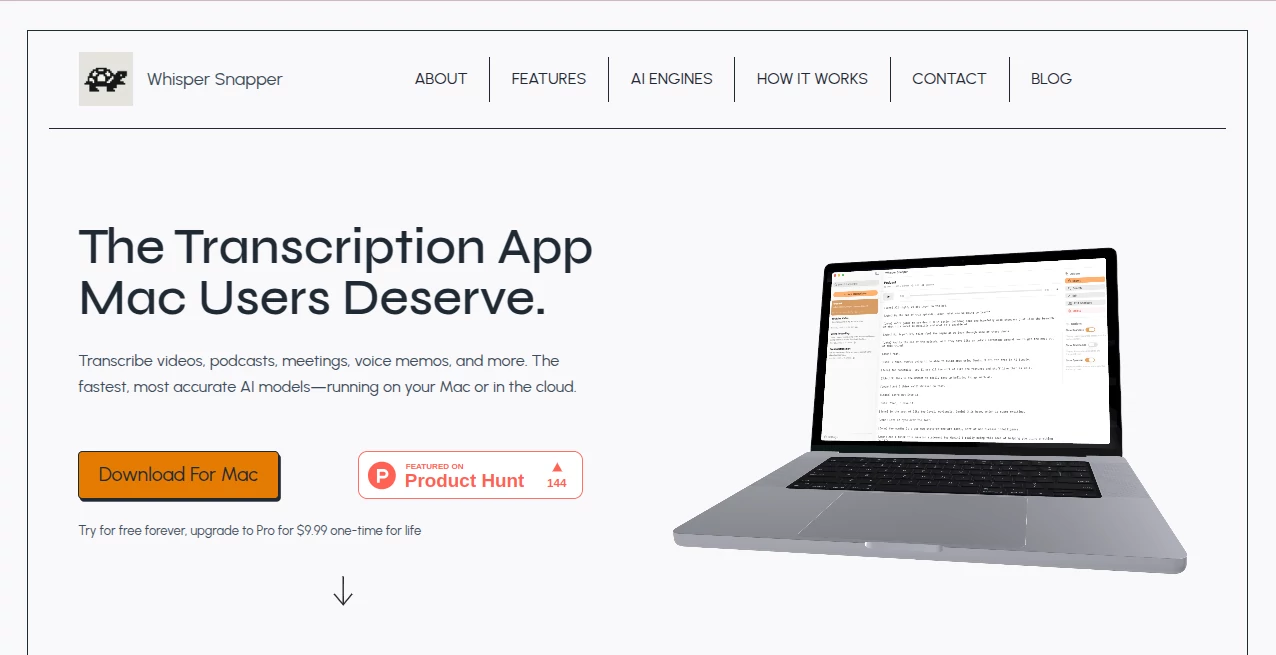
What is Whisper Snapper?
I remember the first time I needed to transcribe a long interview for a project—hours of manual typing, constant pauses, and a headache that wouldn't quit. Then I found this gem, and suddenly the whole process felt almost enjoyable. It's built specifically for Mac folks like us, using the latest AI brains to turn audio into clean, accurate text without sending your files off to some distant server. Whether it's a podcast episode, client call, or quick voice note, it just works—fast, private, and dead-on reliable.
Introduction
If you've ever grumbled at how clunky transcription tools feel on your Mac, this one changes the game. It pulls together the best open-source and cloud AI models into a native app that runs like butter, letting you process everything locally for ultimate privacy or tap cloud power when speed matters most. No accounts, no uploads, no fuss—just drag your file in and get a timestamped transcript you can edit, search, and export in seconds. I've talked to lawyers who swear by the offline mode for sensitive client talks, and podcasters who love the speaker labels that cut their editing time in half. It's the kind of tool that makes you wonder how you managed without it.
Key Features
User Interface
The beauty is in how straightforward it is—open the app, drop your audio or video file, pick your model, and go. Everything happens in one clean window: drag-and-drop support, a simple model selector, and real-time progress that doesn't make you wait in suspense. Editing the transcript feels natural too, with searchable text and easy export buttons right there. My favorite part? The built-in recorder for quick voice memos—no need to switch apps.
Accuracy & Performance
It delivers results that rival what you'd pay big bucks for elsewhere, especially with the local models that run blazingly fast on modern Macs. Even hour-long interviews come out with impressive word accuracy, and speaker diarization keeps things organized without much manual cleanup. I've thrown messy recordings at it—background noise, overlapping talk—and it still pulls through better than I expected.
Capabilities
Beyond basic transcription, it handles video files just as well, spitting out SRT or VTT subtitles ready for editors. Export to plain text, Markdown, CSV, or PDF gives flexibility for any workflow. The real standout is the choice between fully offline (using Parakeet or WhisperKit models) and cloud boosts (OpenAI, Deepgram, GPT-4o) when you need extra speed or multilingual support. It's versatile enough for journalists chasing quotes or students transcribing lectures.
Security & Privacy
This is where it really wins my trust: everything can stay on your Mac with zero internet after downloading models once. For anyone handling confidential audio—legal, medical, or personal—this is a lifesaver. No cloud leaks, no data mining, just your files and your machine. It's rare to find a tool that prioritizes privacy this well without sacrificing power.
Use Cases
Legal pros love the offline mode for client interviews, knowing nothing leaves their laptop. Podcasters use the diarization and SRT export to speed up editing—drop the file, get labeled speakers, and export straight to Final Cut. Journalists transcribe long interviews and search timestamps to find that perfect quote in seconds. Even students turn lecture recordings into searchable notes without worrying about cloud privacy rules.
Pros and Cons
Pros:
- Fully offline option keeps sensitive work private and fast.
- Speaker labels and timestamps save hours of manual work.
- Handles video, audio, and direct recording in one app.
- Multiple export formats fit any workflow.
Cons:
- Local models need a decent Mac for top speed on longer files.
- Cloud options require internet for the fastest runs.
Pricing Plans
It's refreshingly straightforward: free forever for basic use, with a one-time Pro upgrade at $9.99 that unlocks everything—unlimited transcriptions, priority models, and lifetime updates. No subscriptions, no monthly fees—just pay once and own it forever. That's the kind of deal that feels fair and future-proof.
How to Use Whisper Snapper
Install the app, drag your audio or video file in (or hit record for a quick memo). Choose local for privacy or cloud for speed, then sit back as it processes. Once done, skim the transcript, edit any hiccups, search for keywords, and export in your preferred format—TXT for notes, SRT for video, or PDF for reports. It's honestly that simple, and the results are sharp enough to use right away.
Comparison with Similar Tools
Most other transcription apps force you to upload files to the cloud or charge monthly forever, but this one gives you true offline control and a one-time price that can't be beat. It combines the accuracy of big-name models with Mac-native speed, without the privacy trade-offs. For anyone who values their data and hates subscriptions, it's the clear winner.
Conclusion
This app quietly solves one of the most annoying parts of creative and professional work—turning spoken words into usable text—while keeping everything secure and simple. It's the tool Mac users have been waiting for: powerful, private, and priced right. If you've ever dreaded transcribing another interview or lecture, give it a spin. You'll wonder how you ever managed without it.
Frequently Asked Questions (FAQ)
Can I use it without internet?
Yes, download the local models once and transcribe offline forever.
Does it identify different speakers?
Absolutely, with diarization on supported models.
What file types does it handle?
MP4, MOV, M4A, MP3, WAV—pretty much anything you throw at it.
Is there a subscription?
No, just a one-time Pro upgrade for unlimited use.
How accurate is it?
Top-tier with the right models—often better than human transcription for clear audio.
AI Productivity Tools , AI Transcription , AI Speech to Text , AI Voice & Audio Editing .
These classifications represent its core capabilities and areas of application. For related tools, explore the linked categories above.
Whisper Snapper details
This tool is no longer available on submitaitools.org; find alternatives on Alternative to Whisper Snapper.
Pricing
- Free
Apps
- Web Tools
- Mac Apps
Categories

Whisper Snapper Alternatives Product

Zivy

Lexikon AI

Linkflare

Airtable AI …

Alloy

TypingFirst

Adobe Podcast

AnyToURL

NepVox