
🧠 AI Quiz
Think you really understand Artificial Intelligence?
Test yourself and see how well you know the world of AI.
Answer AI-related questions, compete with other users, and prove that
you’re among the best when it comes to AI knowledge.
Reach the top of our leaderboard.


















WriteHybrid

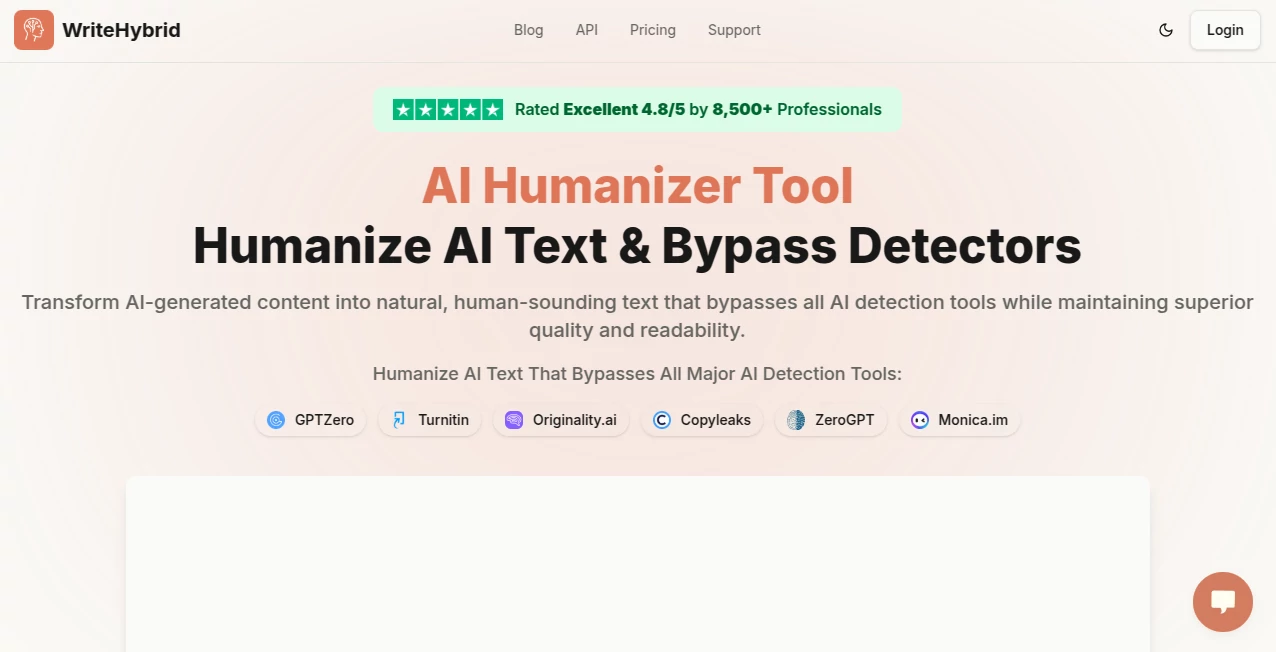
What is WriteHybrid?
There's a quiet thrill in taking a stiff, machine-spun paragraph and watching it loosen up into something that reads like it came from a late-night conversation with a friend. This tool does exactly that, smoothing out the robotic edges of AI drafts while keeping the heart of your message intact. I've fed it everything from blog outlines to essay chunks, and the output always surprises me—flowing naturally, dodging those pesky detectors, and feeling genuinely readable. It's the kind of helper that lets you lean on AI for speed without sacrificing that human touch everyone craves.
Introduction
In an era where AI churns out content faster than we can blink, the challenge isn't just producing words—it's making them sound like they belong to a person, not a program. This platform tackles that head-on, refining AI-generated text into polished pieces that slip past detection tools with ease. Trusted by over a hundred thousand folks, from students polishing theses to marketers crafting campaigns, it boasts a track record of turning flagged drafts into clean passes. What stands out is the balance: it doesn't just evade checks; it elevates the writing, preserving meaning while adding that subtle warmth detectors can't quite pin down. For anyone blending AI efficiency with human authenticity, it's a straightforward ally that delivers without drama.
Key Features
User Interface
It keeps things delightfully simple—a spacious input box for pasting your text, a few tone options on higher tiers, and a button that gets the job done without fanfare. Results appear clean and ready, with easy copy or download. No overwhelming dashboards; just what you need, when you need it, making those quick fixes feel effortless even on a rushed afternoon.
Accuracy & Performance
With a claimed 99%+ success rate against heavy hitters like Turnitin or GPTZero, it consistently transforms text into something detectors overlook, all while holding onto original intent. Processing flies—often under a minute—and the readability stays high, avoiding the awkward phrasing that plagues lesser options. In my trials, a dense academic snippet came back fluid and engaging, passing checks that had tripped it before.
Capabilities
It excels at handling varied inputs, from scholarly essays to marketing copy, offering multiple rewrite styles on pro plans and specializing in areas like Word docs or Turnitin-focused tweaks. The core magic lies in recreating authentic patterns—varied sentences, natural flow—while bypassing a wide array of detectors. Add team access for agencies, and it's versatile enough for solo creators or collaborative outfits alike.
Security & Privacy
Content gets processed securely without lingering on servers, encrypted throughout, giving you confidence for sensitive work like client drafts or personal projects. No storage means no worries about data hanging around, a thoughtful touch in a space where trust matters.
Use Cases
Students refine AI-assisted essays into submissions that sail through academic checks, emerging with compliments on their "natural style." Bloggers polish posts for better search love, dodging penalties while boosting engagement. Freelancers deliver client work that feels handcrafted, meeting deadlines without detection flags. Marketers shape campaigns that connect authentically, turning generic drafts into resonant messages.
Pros and Cons
Pros:
- Delivers reliably natural output that prioritizes readability alongside evasion.
- Generous free allowance to get started, with referrals stretching it further.
- Strong track record against major detectors, backed by real user wins.
- Scales nicely for teams or high-volume needs without complexity.
Cons:
- Advanced tones and extras tucked behind paid plans.
- Best with English for now, though solid in its lane.
Pricing Plans
Kick off with 500 free words each month—no sign-up required—to feel the difference firsthand. Starter at $19 monthly handles 20,000 words with basics, Pro at $49 bumps to 60,000 with tone variety, and Agency at $99 covers 150,000 plus team perks and custom options. Annual saves a couple months' worth, and flexibility lets you adjust as needs shift—fair and straightforward.
How to Use WriteHybrid
Paste your AI draft into the box, choose a tone if available, and let it process—results land quick for review. Copy the refined version, test against a detector if you like, and iterate with tweaks. For bigger pieces, break them down; it's that simple loop that turns rough AI output into something ready to publish.
Comparison with Similar Tools
Against others that might mangle meaning or produce clunky rewrites, this one stands out for keeping quality front and center, often outperforming in natural flow and consistent bypasses. It's not the flashiest, but the reliability and user praise tip the scales for those who value results that read well and rank well.
Conclusion
Blending AI speed with human nuance isn't easy, but this tool makes it feel seamless, empowering writers to produce content that's efficient yet endearing. It's a practical bridge in a divided landscape, helping ideas shine through without the telltale machine marks. Give it a spin with those free words—you might just find your drafts thanking you.
Frequently Asked Questions (FAQ)
How many words free each month?
500 to start, with referrals unlocking more—no strings.
Does it store my text?
No—processed and gone, keeping things private.
Works for academic stuff?
Yes, with strong results against tools like Turnitin.
What detectors does it handle?
Major ones including GPTZero, Originality.ai, and more.
Team features available?
Higher plans include access for groups and custom tones.
AI Paraphraser , AI Rewriter , AI General Writing , AI Writing Assistants .
These classifications represent its core capabilities and areas of application. For related tools, explore the linked categories above.
WriteHybrid details
This tool is no longer available on submitaitools.org; find alternatives on Alternative to WriteHybrid.
Pricing
- Free
Apps
- Web Tools
Categories

WriteHybrid Alternatives Product

LyricStudio

TClaw AI Hum…

Ryne AI

SuperAI

SEOTakeoff
genie 4

Klyra AI

Humanize AI …

Sourcetable
