🧠 AI Quiz
Think you really understand Artificial Intelligence?
Test yourself and see how well you know the world of AI.
Answer AI-related questions, compete with other users, and prove that
you’re among the best when it comes to AI knowledge.
Reach the top of our leaderboard.


















YouMind
Verified Blue CheckMark
Verified Blue CheckMark products are featured above free or unverified listings.
This badge indicates authenticity and builds trust, giving your product higher visibility across the platform.
Upgrade to get verified
Verified Blue CheckMark products are featured above free or unverified listings. This badge indicates authenticity and builds trust, giving your product higher visibility across the platform.
Upgrade to get verified
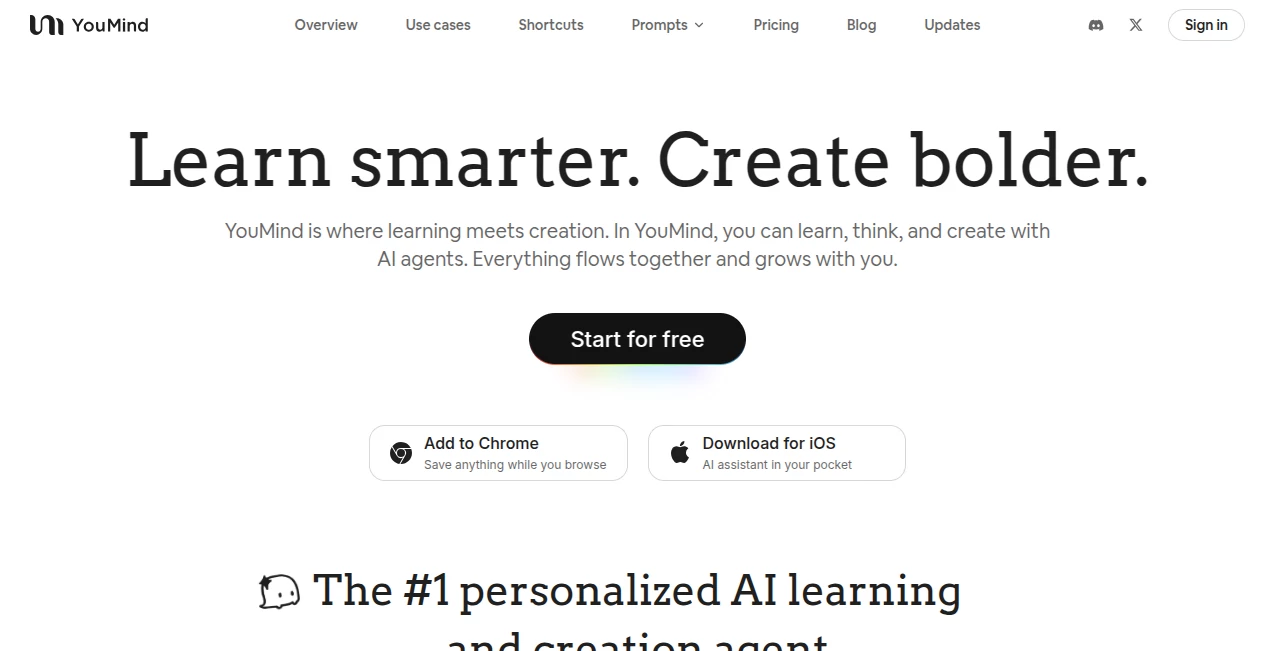
What is YouMind?
Ever had a brilliant idea vanish into thin air because you couldn't capture it fast enough? This little gem fixes exactly that. It sits quietly in your browser, ready to remember everything you throw at it—notes, links, screenshots, voice memos, even random thoughts you blurt out while half-awake. I started using it during a chaotic product launch last year and suddenly my scattered brain felt... organized. It's like having a second mind that never forgets, never judges, and somehow knows exactly what you meant.
Introduction
Most note-taking apps feel like filing cabinets. This one feels more like a living, breathing extension of your own head. You can dump in text, images, audio, web clips—anything—and it keeps everything connected through smart context and natural search. What I love most is how it grows with you: the more you use it, the better it understands your style, your projects, your quirks. It's not just storage; it's a companion that helps you think clearer, work faster, and never lose that spark of inspiration again. I've seen writers, designers, researchers, even my lawyer friend swear by it because it actually makes their life easier instead of adding another app to wrestle with.
Key Features
User Interface
The interface is stupidly simple in the best possible way. Open the extension, type or speak whatever's on your mind, and it just... gets saved. No folders to create, no tags to assign (though you can if you want). The sidebar stays out of your way until you need it, then slides in with everything perfectly contextual to what you're looking at. Dark mode is beautiful, keyboard shortcuts are generous, and the whole thing feels like it was built by someone who actually uses it every day.
Accuracy & Performance
The voice-to-text is shockingly good—even with my terrible accent and background noise. Search is the real standout: type half a thought from three months ago and it finds the exact clip, note, or screenshot. Performance-wise, it's buttery smooth even with thousands of items. I've thrown entire project archives at it and it never slows down. That's rare for something running entirely in the browser.
Capabilities
You can capture anything: text, images, PDFs, web pages, audio notes, even YouTube timestamps. It auto-transcribes audio, extracts key points from articles, and lets you chat with your own knowledge base like it's a private ChatGPT trained on your life. The linking system is magic—everything is automatically connected through context, so when you're working on something, related ideas from months ago just appear. You can also organize into projects without rigid structure.
Security & Privacy
Everything stays on your device by default. No cloud sync unless you explicitly turn it on (and even then, it's end-to-end encrypted). They don't sell your data, don't train models on it, and don't store anything server-side without your permission. For someone who works with sensitive client info, that's not just a feature—it's a requirement. It feels trustworthy in a way most cloud-first apps simply don't.
Use Cases
A freelance designer I know uses it to capture color palettes, mood boards, and client feedback all in one place—everything stays linked to the project without manual organization. Writers dump research, voice notes, and half-finished paragraphs; the search brings everything back exactly when needed. Researchers clip papers, highlight key sections, and later ask questions like "what did that one study say about X?"—and get precise answers with sources. Even my partner uses it for meal planning: saves recipes, grocery lists, and voice notes about what we liked last time.
Pros and Cons
Pros:
- Feels like an extension of your brain, not another app to learn
- Privacy-first design that actually respects your data
- Lightning-fast search across thousands of items
- Voice capture and transcription that actually works well
- Beautifully simple interface that stays out of your way
Cons:
- Offline mode is limited (though they’re working on it)
- Cloud sync requires turning on end-to-end encryption manually
- Still young, so some advanced organization features are coming later
Pricing Plans
Free tier gives you generous storage and all core features—enough for most people. Pro plan is very reasonably priced and unlocks unlimited storage, advanced search filters, team sharing, and priority support. There's no enterprise tier yet, but the team seems focused on individual creators first, which I appreciate. The value is ridiculous for what you get.
How to Use YouMind
Install the extension, pin it to your toolbar. Start typing or hit the microphone icon to speak. Want to save a webpage? Click the extension while on the page. Need to capture a screenshot? Same button. Later, open the sidebar, type what you're looking for—it finds it instantly. Want to organize? Just drag items into a project or add a quick tag. That's it. Within a week, it becomes muscle memory.
Comparison with Similar Tools
Compared to Notion or Evernote, this feels lighter, faster, and more private. Compared to Obsidian, it's way simpler to get started and doesn't require managing a vault. Compared to browser bookmark managers, it actually understands content instead of just saving links. It sits in a sweet spot: powerful enough for serious work, simple enough that you actually use it every day.
Conclusion
If your brain works like mine—ideas flying in from everywhere, half of them disappearing before you can write them down—this changes everything. It's not just another note app. It's the closest thing I've found to a real second brain. Quietly brilliant, genuinely useful, and surprisingly affordable. Once you start using it, going back to regular notes feels like stepping into the stone age.
Frequently Asked Questions (FAQ)
Is my data really private?
Yes. Everything stays local unless you enable cloud sync, which is end-to-end encrypted.
Does it work offline?
Basic capture and search work offline. Cloud sync and some AI features need internet.
Can I share my knowledge base?
Pro users can share individual projects or collections with team members.
How much storage do I get on free?
Enough for most people—thousands of notes, images, and audio clips.
Is there a mobile app?
Web app works great on mobile. Native apps are in development.
AI Life Assistant , AI Knowledge Management , AI Productivity Tools , AI Notes Assistant .
These classifications represent its core capabilities and areas of application. For related tools, explore the linked categories above.
YouMind details
Pricing
- Free
Apps
- Web Tools
- iOS Apps
- Chrome Extensions
Categories

YouMind Alternatives Product

We Are Charl…

Productivity…

Markdown to …

eesel AI

Linkflare

MixBooze

UPDF AI

Clay Read

Slackactivity