
🧠 AI Quiz
Think you really understand Artificial Intelligence?
Test yourself and see how well you know the world of AI.
Answer AI-related questions, compete with other users, and prove that
you’re among the best when it comes to AI knowledge.
Reach the top of our leaderboard.


















Z Image Turbo
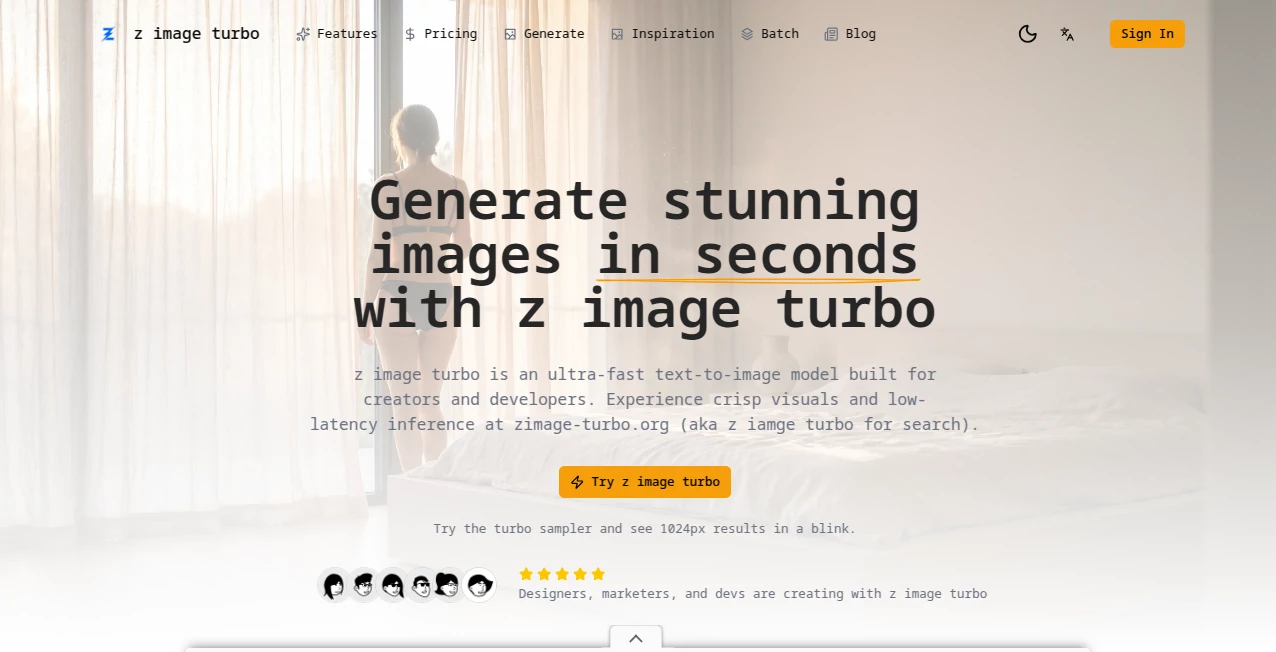
What is Z Image Turbo?
There’s something genuinely exciting about typing a half-formed idea into a box and seconds later seeing a vivid, high-resolution image staring back at you. This tool does exactly that—delivers crisp, creative visuals at a speed that feels almost unfair to slower generators. I’ve lost count of how many times I’ve sat down intending to make just one thumbnail and ended up with a whole mood board because the results kept surprising me in the best way.
Introduction
What makes this stand out is the rare combination of genuine speed and serious quality. Most fast generators sacrifice detail or coherence, but here the output rarely feels rushed. It understands prompts deeply, handles complex compositions, and keeps faces, hands, and text readable far more consistently than you’d expect from something this quick. Creators who live on tight deadlines—YouTubers, Etsy sellers, social media managers—keep coming back because it turns “I need this yesterday” into “here it is, right now.”
Key Features
User Interface
The layout is refreshingly minimal. Big prompt box, style presets that actually make sense, resolution sliders, aspect-ratio buttons, and a generate button that doesn’t hide behind three menus. Everything important is visible at once, and the preview grid updates smoothly as images finish. It never feels like the tool is fighting you.
Accuracy & Performance
Speed is the headline, but the coherence is what keeps people. Faces stay consistent across variations, text doesn’t melt into squiggles, limbs usually know where they belong. Generations usually land in 3–8 seconds even at higher resolutions, and the queue almost never backs up. It’s one of the few tools where “fast” doesn’t mean “sloppy.”
Capabilities
It handles everything from photorealistic portraits and cinematic scenes to clean vector-style illustrations, anime, and surreal concepts. Strong at following detailed prompts, especially when you describe lighting, camera angle, and mood. Negative prompts actually work well here, which is rarer than it should be. Upscaling and variation tools are built in and feel like natural extensions rather than bolted-on extras.
Security & Privacy
Images are processed quickly and not stored indefinitely on their servers unless you explicitly save them to your gallery. No creepy data harvesting vibes. Paid plans give you private mode so even your prompt history stays off public radars. For commercial users that matters a lot.
Use Cases
Content creators generate thumbnails in bulk and still have time to A/B test them. Etsy sellers mock up product photoshoots without renting a studio. Indie authors create consistent cover art variations in one sitting. Marketing teams brainstorm campaign visuals during the morning meeting and walk out with usable assets. It’s become the quiet workhorse behind a surprising number of Reels, pins, and posts you scroll past every day.
Pros and Cons
Pros:
- Genuinely fast without turning into a blurry mess.
- Excellent at following complex, multi-part prompts.
- Very usable free tier with no aggressive throttling.
- Clean, no-nonsense interface that respects your time.
Cons:
- Some ultra-niche artistic styles can be hit-or-miss.
- Free daily limit disappears quickly if you’re experimenting heavily.
Pricing Plans
The free tier is generous enough to be genuinely useful—daily credits refresh and let you create solid work without paying. Paid plans start at a very approachable price for 10× more generations per day, priority queue, higher resolutions, and private mode. No hidden fees, no surprise watermarks on paid output. It’s one of the few places where upgrading actually feels worth it instead of punitive.
How to Use Zimage Turbo
Open the site, type (or paste) your prompt. Choose aspect ratio and quality level. Add a negative prompt if you want to avoid certain artifacts. Hit generate. While the first image cooks, you can already start writing the next prompt. When the grid fills, click any image to upscale, create variations, or download. Save favorites to your personal gallery for later. That’s it—less than ten seconds between idea and usable asset in most cases.
Comparison with Similar Tools
Compared to the big names, this one gives up very little in quality while being dramatically faster and noticeably cheaper. Where others force you to wait in long queues or pay premium for basic features, here speed and access feel like the default. It’s not trying to be everything to everyone—it’s laser-focused on fast, reliable image generation, and it executes that promise better than almost anyone else right now.
Conclusion
In a sea of AI image tools that overpromise and underdeliver on speed, this one quietly became the one I reach for first. It respects your time, delivers surprisingly coherent results, and doesn’t nickel-and-dime you for basic functionality. Whether you need one perfect thumbnail or fifty campaign assets by lunch, it gets the job done with a smile. Once you experience the rhythm of fast iteration, it’s very hard to go back.
Frequently Asked Questions (FAQ)
How fast are generations really?
Most images finish in 3–10 seconds depending on settings and queue. Rarely longer unless the site is under very heavy load.
Is the free tier usable for serious work?
Yes—many creators start free and only upgrade once they’re consistently using it every day.
Can I generate images with text in them?
Yes, and it does surprisingly well compared to most models—logos, posters, book covers all come out readable.
Do paid images have watermarks?
No. Paid generations are completely clean.
What’s the best way to get consistent characters?
Use the same seed + very detailed prompt + reference image if available. The model is quite obedient when you give it clear direction.
AI Text to Image , AI Photo & Image Generator , AI Art Generator , AI Design Generator .
These classifications represent its core capabilities and areas of application. For related tools, explore the linked categories above.
Z Image Turbo details
Pricing
- Free
Apps
- Web Tools
Categories

Z Image Turbo Alternatives Product

nana banana …

meta ai image

AI Polaroid …

Seedream 5.0
AI Best

AI Picture G…

Touchpoint

Brave Pink H…
SeeDream 4.5
