
🧠 AI Quiz
Think you really understand Artificial Intelligence?
Test yourself and see how well you know the world of AI.
Answer AI-related questions, compete with other users, and prove that
you’re among the best when it comes to AI knowledge.
Reach the top of our leaderboard.


















Plottie
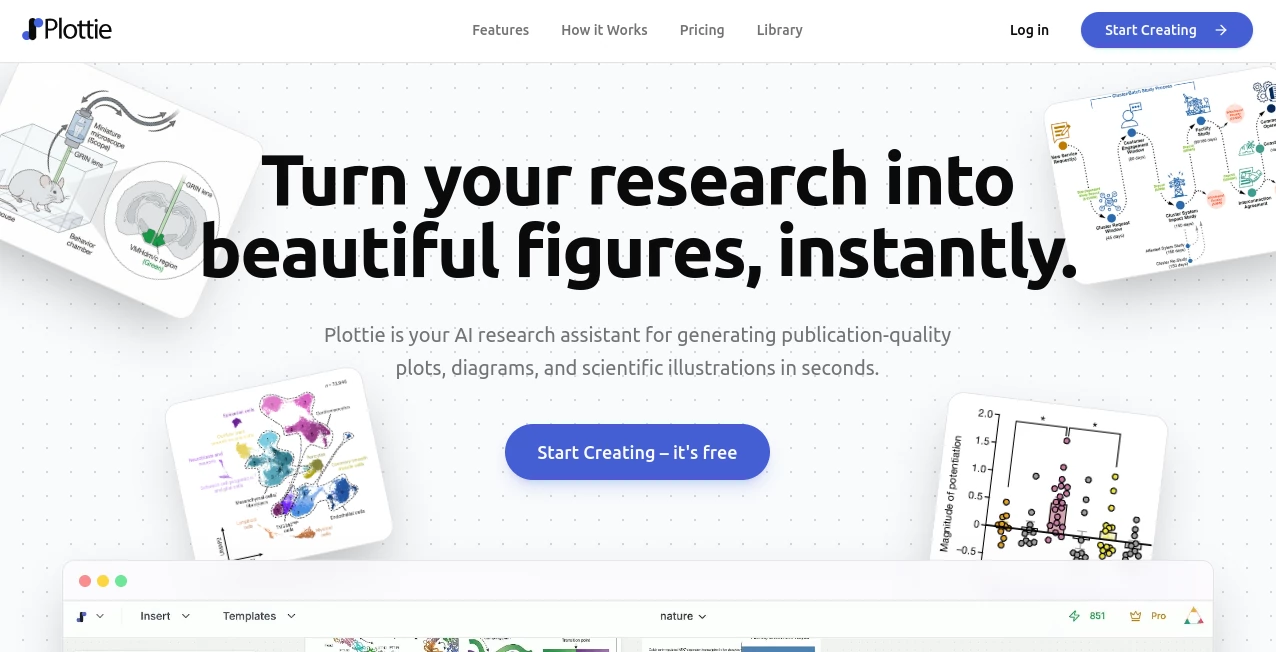
What is Plottie?
There’s something oddly satisfying about watching a simple pen draw lines that transform a photo into something that feels both mechanical and deeply artistic. This little tool captures exactly that magic. Upload any picture—selfie, landscape, pet, whatever—and a few seconds later you get a clean vector-style outline ready for a real plotter or just to admire digitally. I’ve seen people turn family portraits into wall art that looks hand-crafted, or use random vacation snaps to create minimalist prints that spark conversations. It’s one of those rare things that feels both nostalgic and futuristic at the same time.
Introduction
Pen plotters have this hypnotic quality: slow, deliberate, analog in a digital world. But creating artwork that actually looks good on one usually means hours of tweaking in vector software, fighting with line weights, and hoping the pen doesn’t skip. This platform removes almost all of that friction. Drop in a photo, adjust a couple of sliders if you feel like it, and get a plot-ready SVG that respects the strengths (and quirks) of real pen plotting. It’s become a favorite among hobbyists who own little AxiDraw-style machines, artists experimenting with physical media, and even small brands looking for unique merch designs. The joy is in the simplicity: you supply the soul (the photo), it supplies the structure (perfect lines), and your plotter brings it to life.
Key Features
User Interface
The interface is refreshingly minimal. Big drag-and-drop area for your photo, a live preview that updates as you move sliders for line density, detail level, and contrast. Buttons to choose pen simulation (single color or multi-pass), download SVG, or send directly to supported plotters. No account needed for basic use, no overwhelming options. It feels like using a Polaroid camera: point, shoot, enjoy the result almost immediately. Beginners get beautiful outputs on the first try; experienced users love how much fine control is hidden in just a few intuitive controls.
Accuracy & Performance
It does an excellent job preserving recognizable features while simplifying them into clean, continuous lines that plotters love. Faces stay identifiable, landscapes keep their depth through smart contour choices, and even busy photos don’t turn into chaotic scribbles. Processing is fast—usually under 10 seconds—and the SVGs are optimized so they don’t choke smaller machines. The line paths are smooth and efficient, reducing pen-up/pen-down movements that can cause wobble or ink blobs. In short, it’s tuned for real hardware, not just screen display.
Capabilities
Single-line mode for ultra-minimalist plots, multi-pass for richer shading, adjustable detail from super-sparse to intricate, support for color layering (if your plotter handles pen changes), and direct export to popular plotter formats. It handles portraits, architecture, animals, abstract textures, logos—pretty much anything with good contrast. You can also upload already vectorized art or sketches and refine them for plotting. The output SVGs are clean, well-structured, and ready to run on AxiDraw, Silhouette, or any SVG-compatible plotter without extra cleanup.
Security & Privacy
Your photos are processed in memory and not stored after generation unless you explicitly download and keep the result yourself. No forced sign-up, no cloud accounts tied to your images. For personal use or client work, that zero-retention approach feels right—your images don’t become part of someone else’s training set.
Use Cases
A wedding photographer offers “plotter portrait” add-ons—guests see their candid shot turned into line art and printed live at the reception. An indie illustrator turns daily sketches into limited-edition pen plots for Patreon rewards. A product designer creates textured packaging mockups by plotting patterns directly onto cardstock. Someone turns their dog’s photo into a minimalist wall piece that becomes the most complimented thing in their living room. It’s perfect anywhere you want physical, tangible art that still starts from a digital moment.
Pros and Cons
Pros:
- Outputs look genuinely hand-plotted—clean, elegant, never over-processed.
- Extremely fast from upload to ready-to-plot SVG.
- Great control over density and style without needing vector-editing skills.
- Works beautifully on portraits, landscapes, pets, architecture—very versatile.
- Free tier is generous; you can make several high-quality pieces before thinking about paying.
Cons:
- Very low-contrast or blurry photos can produce weaker results (garbage in, garbage out).
- Multi-color plotting requires manual pen swaps (no auto-changer support yet).
- Advanced layering and gradient simulation still need post-processing for perfection.
Pricing Plans
Free tier gives you several high-quality generations per day—enough to experiment and fall in love with the results. Paid plans remove daily limits, unlock priority processing, higher resolutions, and advanced style presets (e.g., stippling, cross-hatching). Pricing is modest, especially considering the time saved and the joy of seeing real pen-on-paper art come from a casual photo upload. Many users say one month’s fee is less than a single custom commission would cost.
How to Use Caricature Generator
Drag or upload your photo (works best with decent contrast and clear subjects). Adjust the detail slider—left for minimal lines, right for denser shading. Choose single-line or multi-pass if your plotter supports pen changes. Hit generate, wait a few seconds, preview the result. Tweak sliders if needed and regenerate. When happy, download the SVG and send it to your plotter software (or use direct integration if available). For best results, start with well-lit photos that have strong outlines—your plotter will thank you.
Comparison with Similar Tools
Many photo-to-line-art converters produce either overly simplistic results or overly noisy vector messes. This one strikes a sweet spot: artistic yet plotter-friendly, detailed yet efficient. Where others create thousands of tiny paths that jam machines, the SVGs here are clean and optimized. It’s less about generic “cartoonify” effects and more about thoughtful line art that looks intentional and beautiful when physically drawn.
Conclusion
In a digital world, there’s still something special about physical art—especially when it starts from a moment you captured with your phone. This tool bridges that gap beautifully, turning snapshots into pen-plotted pieces that feel handmade and meaningful. It’s fun, it’s fast, it’s surprisingly high-quality, and it reminds us that sometimes the oldest ways of making art (a pen, a line, paper) still have the most impact when guided by clever modern tech. If you own a plotter—or even if you just love the idea of one—this is one of the most satisfying ways to use it.
Frequently Asked Questions (FAQ)
How many free generations do I get?
Usually 5–10 high-quality pieces per day—enough to play and see the potential.
Does it work with group photos?
Yes, but single-subject portraits or clear scenes give the cleanest results. Crowded shots can get busy.
Can I use the SVGs commercially?
Yes—paid plans include full commercial rights; free outputs are fine for personal use.
What plotters does it work best with?
AxiDraw, Silhouette, any SVG-compatible pen plotter. Optimized paths help reduce pen-up time and jams.
Can I adjust line thickness or color?
Thickness and pass count are adjustable; multi-color requires manual pen changes on the plotter.
AI Fun Tools , Photo & Image Editor , AI Design Generator , AI Image to Image .
These classifications represent its core capabilities and areas of application. For related tools, explore the linked categories above.
Plottie details
Pricing
- Free
Apps
- Web Tools
Categories

Plottie Alternatives Product
Caricature A…

Wplace Toolk…
City Boy Meme

SAM 3D

grok imagine…

Z image AI

KOOX AI
Ao3dle
Ai logo maker
