🧠 AI Quiz
Think you really understand Artificial Intelligence?
Test yourself and see how well you know the world of AI.
Answer AI-related questions, compete with other users, and prove that
you’re among the best when it comes to AI knowledge.
Reach the top of our leaderboard.


















AI Graffiti

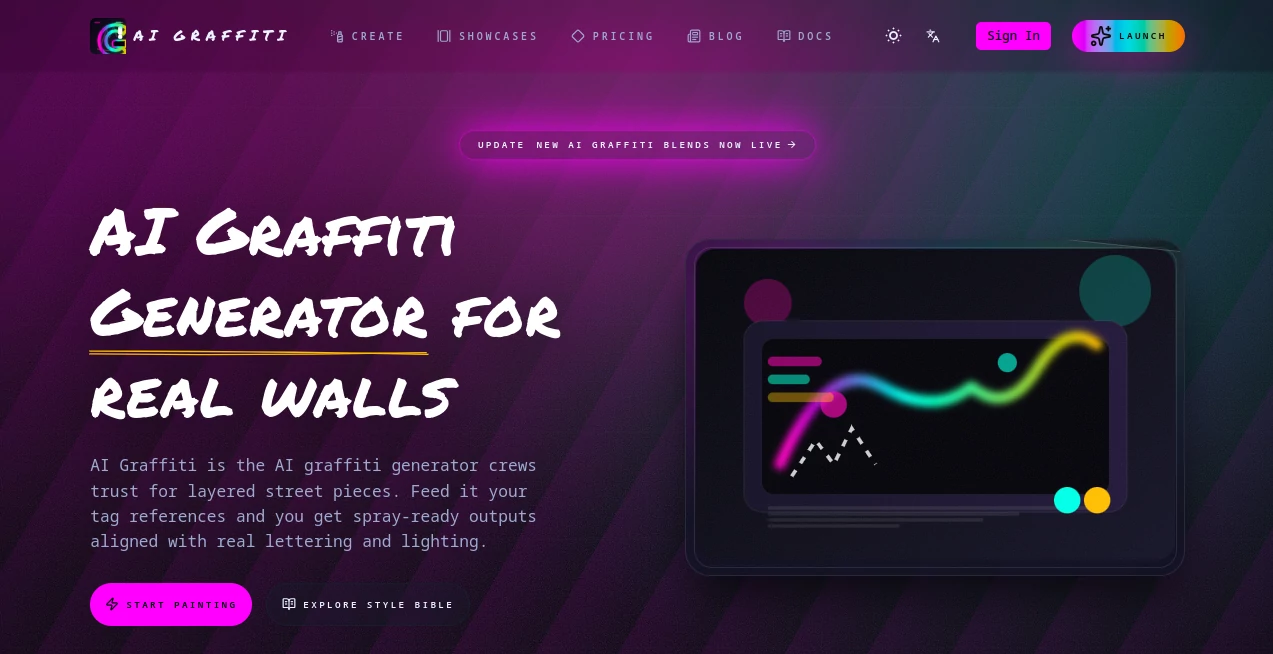
What is AI Graffiti?
AIGraffiti bursts onto the scene as a fresh way to dream up bold wall designs and merch mockups, pulling from real street vibes to make every piece feel alive and authentic. This browser-based spot lets creators sketch out tags, murals, and glowing signs without the usual hassle, turning quick notes into layered visuals that wrap around any surface. Those who've dived in often talk about how it captures that raw energy, making it a hit for anyone wanting to blend digital sparks with urban edge.
Introduction
AIGraffiti took shape from a love for the grit and glow of city walls, started by folks deep in the scene who knew the drill of sketching on scraps or chasing approvals across apps. It launched to fill that gap, offering a one-stop for everything from rough ideas to ready rolls, and quickly won over crews and solo artists sharing stories of pitches that landed gigs overnight. Drawing on licensed strokes from actual hands, it keeps things grounded in the culture, evolving with tweaks that make outputs pop just right. Over time, it's become that trusty sidekick for turning 'what if' whispers into wall-ready wonders, proving a smart nudge can amp up the art without losing the soul.
Key Features
User Interface
The setup greets you with a wide-open prompt spot that swallows your thoughts up to a couple thousand words, flashing a quick heads-up on the tab it'll take. Pick your vibe from a dropdown of ready guides, and as you layer in extras like stickers or glows, the preview spins live on curved spots or flat sheets. It's all tucked in one smooth flow, with export buttons right at hand and a running log of your steps, feeling more like jamming with a sketch buddy than staring at a blank tool.
Accuracy & Performance
It locks onto the flow of your lines and spaces, keeping letters balanced even as you swap shades or spins, delivering wraps that hug real bends without bunching up. Jobs hum along in the browser without a hitch, wrapping up steady so you can chain ideas without waiting on renders. Users point to how it holds true to the brief's beat, dodging the wonky shifts that throw off the rhythm, making every pass feel polished yet punchy.
Capabilities
From quick tags to full throws with looping flicks or beat-tied lights, it builds stacks that layer sketches over surfaces like trains or stages, ready for drops in mixed spaces. You can tweak the core with color maps or motion cues, then pull clean files for prints or plays, all while tracking credits and nods from the team. The open hooks let it slip into bigger setups, like kiosks or social streams, broadening the brush from solo strokes to crew canvases.
Security & Privacy
Your personal strokes stay tucked away if you choose, with licensed bits ensuring no slip-ups on the sourcing side, and logs that let you audit without leaving traces. It keeps the inner chats and splits private for the group, wiping temps clean so bold tests don't linger. Creators lean on that quiet guard, knowing their raw riffs remain ring-fenced until the green light glows.
Use Cases
Crews pitch venue wraps for events, seeing tags twist around fins or doors before the first coat hits. Merch makers spin neon mocks for tees or sheets, pulling print packs that speed the sign-off. Solo sprayers loop quick flicks for social drops, syncing lights to tracks that hook the scroll. Even mixed-reality dreamers drop pieces into spaces, blending walls with worlds for immersive hits.
Pros and Cons
Pros:
- Roots deep in real styles, skipping the stale stock feel.
- One hub for briefs to bills, cutting the app-hop hassle.
- Tracks the trail from thought to take, easy for team ties.
Cons:
- Credit tabs can crimp the free flow for light sprayers.
- Best with sharp briefs—loose ones might need a nudge.
- Motion perks push toward paid plays for full flair.
Pricing Plans
It rolls with a meter that ticks per teammate on each build, starting light at a couple credits a go, with balances shown upfront to keep tabs tight. No big bundles spelled out, but the setup scales for solos or squads, nudging toward chats for custom fits. Trials tease the toolkit without the toll, letting you spray a few before settling in.
How to Use AIGraffiti
Drop your vibe notes into the brief box, picking a guide capsule to steer the style. Stack on layers like tags or twinkles, watching the wrap on your picked spot. Tweak the flow with color shifts or loops, then snag the files—clean for web or full for prints. Log the steps for later looks, and loop back to refine for the next wall wonder.
Comparison with Similar Tools
Where broad sketch spots scatter styles thin, AIGraffiti zeros in on the street pulse with licensed lines and surface smarts, though those might mix more for offbeat asks. Against heavy edit hubs, it lightens the load with built-in briefs and beats, skipping the switch but perhaps skimping on side strokes. It shines for urban upstarts, outpacing the general with grit and groove.
Conclusion
AIGraffiti revs up the raw rush of wall work, blending clever cues with cultural chops to make every mark matter. It turns the tangle of tools into a tight trail, letting creators chase the canvas without the clutter. As streets keep calling for fresh faces, this one's primed to paint the path, one vivid layer at a time.
Frequently Asked Questions (FAQ)
How's it stack against doodle apps?
It digs into real roots with licensed lifts and venue views, keeping the edge sharp.
Can I lock down my sketches?
Yep, personal bits stay private till you flip the switch.
What spots does it wrap?
From flat doors to bent trains, it hugs the curves just right.
Pulls in what files?
Clean clears for web, full fats for prints, all ready to roll.
How's the tab on tabs?
Tallied per team touch, with upfront eyes on the spend.
AI Text to Image , AI Photo & Image Generator , AI Art Generator , AI Design Generator .
These classifications represent its core capabilities and areas of application. For related tools, explore the linked categories above.
AI Graffiti details
This tool is no longer available on submitaitools.org; find alternatives on Alternative to AI Graffiti.
Pricing
- Free
Apps
- Web Tools
Categories

AI Graffiti Alternatives Product

NanoAI

Z-Image

Image to STL

NanoBananaPro

PolyBuzz

MakeMyOC

bratgenerator

Seedream 5.0

BeYourCover