
🧠 AI Quiz
Think you really understand Artificial Intelligence?
Test yourself and see how well you know the world of AI.
Answer AI-related questions, compete with other users, and prove that
you’re among the best when it comes to AI knowledge.
Reach the top of our leaderboard.


















Thumbspick
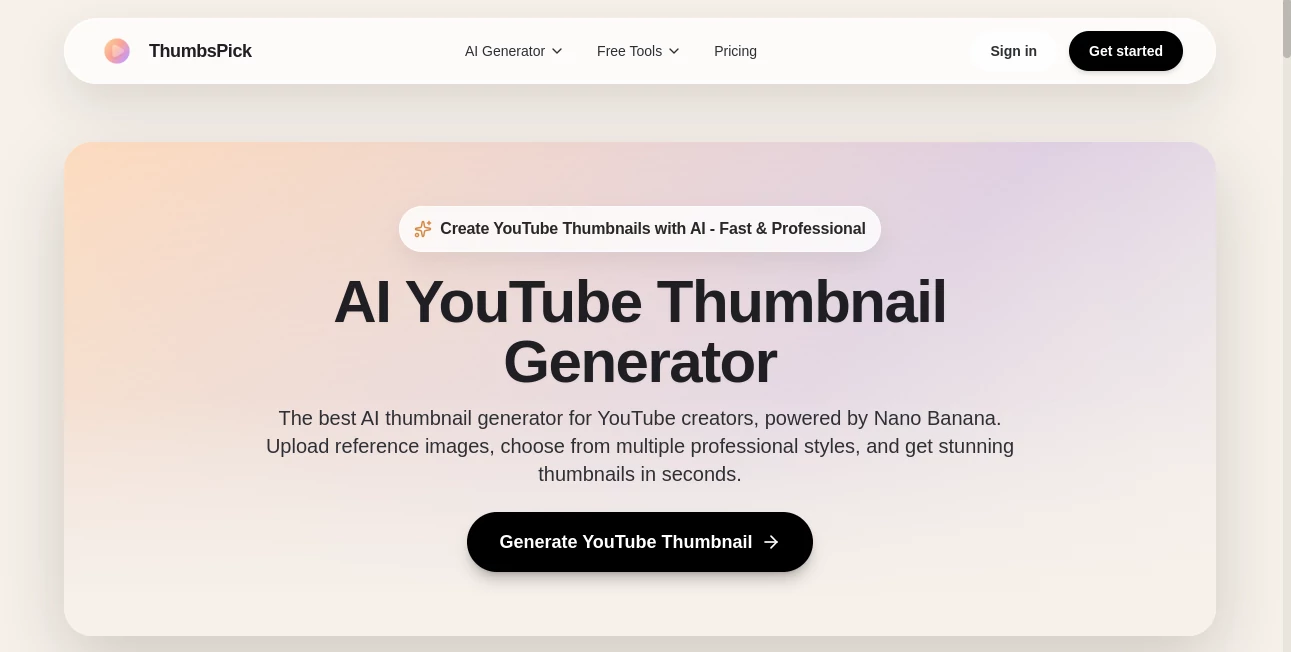
What is Thumbspick?
You know that split-second moment when someone decides whether to click your video or scroll past? This tool nails exactly that moment every single time. It takes your video title, a quick description, or even just a vibe you’re going for, and spits out eye-catching thumbnails that practically beg people to watch. I’ve seen creators go from “meh” click-through rates to suddenly having people stop scrolling because the thumbnail was just too good to ignore. It’s the kind of thing that feels like cheating, but in the best possible way.
Introduction
Most YouTubers spend hours tweaking colors, fonts, and faces in Photoshop, only to end up with something that looks okay but doesn’t pop. This platform changes the game by letting you create professional-grade thumbnails in under a minute—without any design skills. It’s built specifically for creators who want their videos to stand out in a crowded feed, and it shows. The results are bold, clean, and surprisingly on-brand every time. I’ve watched friends go from struggling with basic Canva templates to having thumbnails that look like they were made by a full-time graphic designer. It’s fast, it’s smart, and it actually understands what makes people click.
Key Features
User Interface
The whole thing is stupidly simple. You type your video title or a short prompt, pick a style if you feel like it, and hit generate. That’s it. No menus to get lost in, no sliders to fiddle with. The results load in seconds, and you can swipe through variations like flipping through Polaroids. It feels like the tool is trying to get out of your way as fast as possible so you can get back to making content. My favorite part? You can upload your own face or logo and it automatically places it perfectly every time.
Accuracy & Performance
It doesn’t just slap random elements together—it actually “gets” what makes a thumbnail work. Faces are crisp, text is readable from a distance, colors are punchy but not garish. It’s scary how often the first or second result is exactly what you would’ve spent an hour trying to create manually. And it’s fast—usually under 10 seconds per batch. Even on mobile, it doesn’t lag. I’ve generated thumbnails while waiting for coffee and had them ready before my order was called.
Capabilities
Beyond basic face + text combos, you can do wild stuff: reaction faces, split-screen drama, text overlays with shadows, even custom backgrounds that match your channel aesthetic. It handles multiple languages, different aspect ratios (YouTube, Shorts, TikTok), and even lets you remix existing thumbnails with new text or colors. It’s surprisingly flexible for something that feels so dead simple.
Security & Privacy
Your uploaded images (face, logo, etc.) are processed securely and deleted after generation. There’s no creepy storage or resale nonsense. It’s the kind of behind-the-scenes care you want when you’re uploading personal photos or channel assets. Feels trustworthy, which matters when you’re building a brand.
Use Cases
Gaming creators use it to make dramatic reaction thumbnails that pull viewers in. Vloggers create consistent “day in the life” looks without thinking twice. Tech reviewers generate comparison-style thumbs with bold text overlays that scream “click me.” Even small business owners use it for product teaser videos on Shorts. It’s versatile enough to work for literally any niche, and the consistency across a playlist is what really makes channels look pro.
Pros and Cons
Pros:
- Insanely fast—thumbnails in seconds, not hours.
- Results look expensive without any design skills.
- Face and logo placement is almost always perfect.
- Free plan is actually usable (no watermarks on paid).
Cons:
- Free plan limits you to a handful per day.
- Occasionally needs a second prompt tweak for super-specific vibes.
Pricing Plans
You can start completely free with a daily quota that’s generous enough for small channels or testing. Paid plans start around $9/month and give unlimited generations, no watermarks, and priority processing. There’s a yearly discount that makes it even cheaper long-term. Honestly, if you’re uploading more than one video a week, the paid tier pays for itself in time saved alone.
How to Use It
Log in (Google or email), type your video title or a short description like “shocked face reacting to crazy tech fail,” upload your face or logo if you want, choose a style (or let it auto-pick), and hit generate. Scroll through the options, pick your favorite, and download. Done. You can also remix any thumbnail later with new text or colors. It’s so fast I’ve literally made thumbnails while the render for my video was still going.
Comparison with Similar Tools
Most other thumbnail generators give you generic templates or require heavy editing. This one actually understands YouTube psychology—bold faces, high contrast, emotional hooks—and does it all automatically. It’s not trying to be Photoshop; it’s trying to be the fastest path to a high-CTR thumbnail, and it wins that race every time.
Conclusion
If you’re serious about growing on YouTube (or TikTok, or Shorts), thumbnails are half the battle. This tool takes the guesswork and grunt work out of the equation and hands you professional results in seconds. It’s one of those rare tools that feels like an unfair advantage—until everyone else starts using it too. Give it a spin. Your next video deserves to be seen.
Frequently Asked Questions (FAQ)
Do I need to upload my face?
No, but it makes thumbnails more consistent and clickable. You can skip it entirely.
Can I use it for TikTok or Shorts?
Yes—aspect ratios are perfect for vertical content too.
Are there watermarks on free thumbnails?
Yes, but paid plans remove them completely.
How many can I make per day for free?
Usually 10–20, depending on demand. Plenty for most creators.
Can I edit after generation?
You can regenerate with tweaks or change text/colors on any result.
AI Photo & Image Generator , AI Thumbnail Maker , AI YouTube Assistant , AI Design Generator .
These classifications represent its core capabilities and areas of application. For related tools, explore the linked categories above.
Thumbspick details
Pricing
- Free
Apps
- Web Tools
Categories

Thumbspick Alternatives Product

Nano Banana 2

Z-Image Gene…

Klyra AI

Lensgo

MuseArt AI

AI Raphael

MakeBanner.ai

NepVox

Seedream 5.0
