
🧠 AI Quiz
Think you really understand Artificial Intelligence?
Test yourself and see how well you know the world of AI.
Answer AI-related questions, compete with other users, and prove that
you’re among the best when it comes to AI knowledge.
Reach the top of our leaderboard.


















Animaker AI

What is Animaker AI?
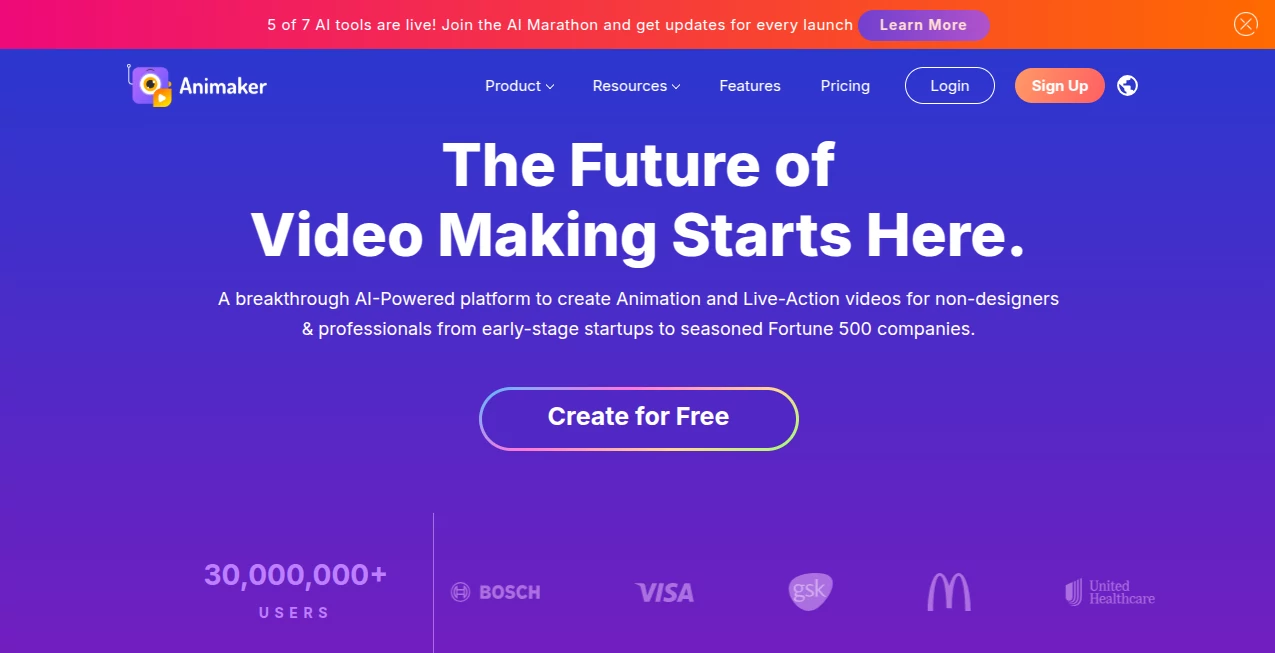
There's something truly liberating about turning a rough idea into a slick, engaging video without wrestling complicated software or burning through budgets on pros. This platform nails that sweet spot, blending powerful AI with an enormous library of assets to let anyone craft studio-quality animations and live-action clips that captivate. I've tinkered with it for personal projects, like a quirky birthday montage that had everyone chuckling, and it never fails to impress with how quickly polished results emerge.
Introduction
Born from the simple frustration of wanting pro videos without the pro hassles, this tool has grown into a powerhouse trusted by millions—from startups scraping by to Fortune 500 giants streamlining their content. It's all about democratizing video creation, packing AI smarts that handle the heavy lifting while you steer the creative ship. Think billions of character combos, massive stock libraries, and templates that shave hours off production. What keeps users hooked is the sheer versatility: one day you're whipping up explainer clips, the next a heartfelt invite, all with that professional sheen that punches way above DIY weight.
Key Features
User Interface
Drag-and-drop simplicity reigns here, with a timeline that feels intuitive even if you've never edited before—layers stack neatly, assets pop in with a click, and previews update live so you see the magic unfold. The character builder alone is a joy, letting you tweak expressions and outfits until they fit your story perfectly. My first project felt like playing rather than working; everything's laid out logically, with helpful nudges that guide without nagging.
Accuracy & Performance
AI steps in smartly for subtitles, voiceovers, and even asset suggestions, nailing accents and timings that sync flawlessly most of the time. Renders fly through, even for longer pieces, and the cloud setup means no laggy local processing—just smooth sailing from draft to export. In busy sessions, it holds steady, churning out 4K-ready files that look crisp on any screen.
Capabilities
From full animated worlds with custom characters to blending live footage with effects, green screens, and transitions—it's a one-stop shop. Dive into whiteboard styles for teaching tough ideas or go hyper-real with voice tech that sounds eerily human. The library's a treasure trove: millions of stocks, thousands of tracks, icons galore, all ready to layer in without hunting elsewhere.
Security & Privacy
Enterprise-grade safeguards wrap your projects, with team controls that lock down access and compliance that checks the big boxes for sensitive work. Files stay secure in the cloud, collaborations happen without leaks, and it's built with trust in mind—perfect for brands handling client stuff or internal comms.
Use Cases
Learning teams simplify knotty concepts into bite-sized animations that stick. HR folks onboard new hires with welcoming clips that set the tone right. Marketers crank out ads and social teasers that grab eyes in crowded feeds. Even personal touches shine—think resumes that stand out or invites that wow guests. One friend used it for a small business promo that landed real clients, all from a weekend tweak session.
Pros and Cons
Pros:
- Huge asset haul means endless options without extra hunts.
- AI shortcuts like auto-subtitles save serious time.
- Scales from solo fun to team workflows beautifully.
- Outputs that rival agency work at a fraction of the fuss.
Cons:
- Free tier watermarks nudge you toward paid for clean shares.
- Super advanced tweaks might still call for external polish occasionally.
Pricing Plans
A forever-free option gets you started with core tools and limited exports—great for testing the waters. Step up to Basic or Starter for more downloads and HD, around the $20-35 monthly mark, Pro unlocks full 4K and premium perks near $50, with enterprise custom for big teams. Yearly deals sweeten the pot, and it's structured so you grow into features without upfront overload.
How to Use Animaker
Sign up quick, pick a template or blank canvas, then build scenes by dragging characters and props onto the timeline. Layer audio, tweak animations with smart actions, add text or effects, and preview often—it's forgiving with undos. Export when it sings, resize for platforms in a click, and you're done. That birthday video I mentioned? Started with a ready template, swapped in photos, voiced over, and shared—all in an evening.
Comparison with Similar Tools
Against simpler drag-droppers, this one's library and AI depth pull ahead for richer stories. Pro suites might edge on raw power but drown in complexity and cost—this balances accessibility with capability, landing as the sweet spot for most without the bloat or bill shock.
Conclusion
This platform quietly revolutionizes how we tell stories visually, handing everyday creators the keys to content that connects deeply. It's empowering, fun, and frankly addictive once you see what flows out. Whether you're explaining ideas, selling dreams, or just sharing laughs, it turns the daunting into delightful—give it a spin, and watch your videos come alive in ways you didn't expect.
Frequently Asked Questions (FAQ)
Is there a free version?
Yes, forever-free with solid basics to get you hooked.
How customizable are characters?
Billions of combos—expressions, outfits, everything tweaks to fit.
Can I mix live and animated?
Seamlessly, with green screen and overlay magic.
What about voiceovers?
AI-powered options in tons of languages and styles.
Team collaboration?
Higher plans make sharing and editing a breeze.
AI Animated Video , AI Video Editor , AI Video Generator , AI Presentation Generator .
These classifications represent its core capabilities and areas of application. For related tools, explore the linked categories above.
Animaker AI details
This tool is no longer available on submitaitools.org; find alternatives on Alternative to Animaker AI.
Pricing
- Free
Apps
- Web Tools
Categories

Animaker AI Alternatives Product

Wan AI Video…

Presenti AI
DomoAI

Motion Contr…

vio4 ai video

Seedream 6.0

Seedance 2.0…

Remove Water…

VidiOne
