🧠 AI Quiz
Think you really understand Artificial Intelligence?
Test yourself and see how well you know the world of AI.
Answer AI-related questions, compete with other users, and prove that
you’re among the best when it comes to AI knowledge.
Reach the top of our leaderboard.


















Bangas

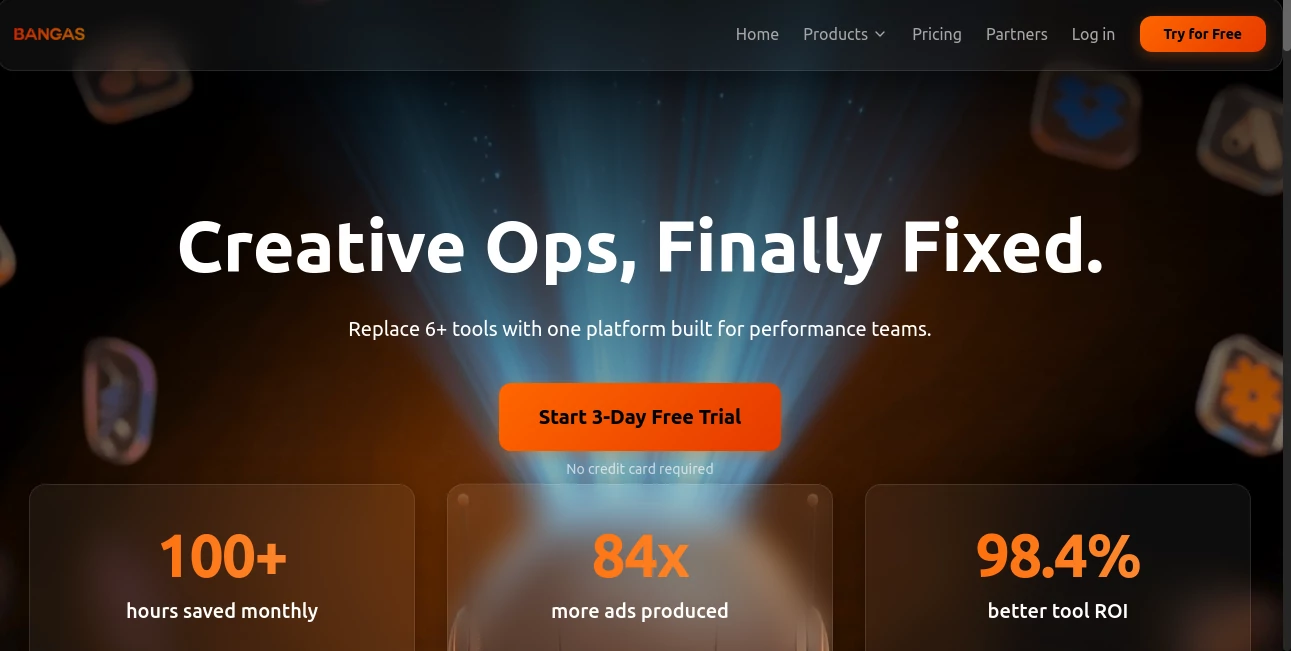
What is Bangas?
Some days you just want a banger caption—something sharp, funny, or straight-up magnetic that stops the scroll dead. Most people stare at the blinking cursor for ten minutes, delete three versions, post something safe, and wonder why engagement stays flat. This little tool ends that cycle. Type (or paste) your vibe, hit go, and it spits out 10–20 ready-to-post lines that actually sound like you—only better. I’ve watched creators go from “I have no idea what to say” to posting something that gets 3× the usual likes in under two minutes. It’s not magic; it’s just really good at reading tone and turning half-baked thoughts into hooks that land.
Introduction
Social media moves fast. Attention is short. The difference between a post that flops and one that spreads often comes down to the first line. Writing that killer opener consistently is hard—especially when you’re posting daily or running multiple accounts. This platform was built for exactly that pain point: give it context (post idea, mood, platform, audience), and it delivers scroll-stopping first lines, full captions, replies, bio tweaks, and even thread ideas. It’s become a quiet daily habit for creators, marketers, and side-hustlers who want to sound sharp without spending 30 minutes rewriting. The results feel human, never robotic, and that’s why people keep coming back.
Key Features
User Interface
Everything lives in one clean screen. Big prompt box up top, quick toggles for tone (witty, savage, heartfelt, professional), platform (Instagram, Twitter/X, TikTok, LinkedIn), and length. Below that, a grid of generated options appears instantly—each one clickable to copy. No login walls for basic use, no cluttered sidebars. It’s designed so you can go from blank mind to copied caption in under 20 seconds. That speed alone is addictive.
Accuracy & Performance
It nails tone better than most. Feed it “sarcastic fitness rant” and it won’t give you corporate motivational fluff—it’ll hand you lines with actual bite. Feed it “soft launch for skincare brand” and the suggestions stay gentle and premium, never off-brand. Generation is near-instant (usually <3 seconds), even for longer threads. Consistency is high: same prompt on different days rarely feels repetitive because it pulls from fresh angles each time. The outputs read like they were written by someone who actually uses the platform, not a generic bot.
Capabilities
First-line hooks, full captions, reply suggestions, story prompts, bio rewrites, thread openers/closers, hashtag clusters, and even DM icebreakers. Supports multiple languages (English dominant, but handles Spanish, French, German well). Tone sliders let you dial from savage to wholesome. It understands platform-specific voice—Twitter roasts vs LinkedIn thought leadership vs TikTok casual. You can chain generations: take one output, paste it back in, and ask for variations or follow-ups. It’s a creative partner, not just a one-shot generator.
Security & Privacy
No account required for basic use—your prompts never get tied to an identity unless you sign up. Nothing is stored server-side after the session ends. No sneaky data harvesting for ads. For creators protecting brand voice or personal style, that clean, no-strings approach feels right.
Use Cases
A fitness coach pastes his workout idea and gets 15 savage-but-motivational openers—posts one, gets 4× usual comments. A skincare brand founder generates soft-launch captions that sound premium without sounding salesy—first post gets strong DMs. A meme page creator needs quick replies to trending comments—copies 10 savage comebacks and stays in the conversation. A LinkedIn consultant rewrites dry posts into thought-provoking hooks—engagement doubles. Wherever words need to hit hard and fast, it quietly becomes the cheat code.
Pros and Cons
Pros:
- Outputs feel authentically human—never “AI voice” cringe.
- Platform-aware tone keeps suggestions on-brand and on-platform.
- Lightning-fast generation supports real-time posting.
- Free tier is actually usable—no hard paywall to feel the magic.
- Reply and thread tools make it a full social-writing companion.
Cons:
- Occasional misses on very niche or culturally specific tones (still rare).
- Unlimited generations and advanced chaining require paid plan.
- Best when you give it a little context—vague prompts can wander.
Pricing Plans
Free tier gives 10–20 generations per day—enough for daily posts or testing. Pro plan removes limits, unlocks longer outputs, priority queue, reply chaining, and analytics on which lines perform best. Pricing stays low—many creators say it’s cheaper than one missed viral post. Flexible monthly or annual options, cancel anytime. Value hits hard once you start seeing better engagement consistently.
How to Use the Tool
Paste (or type) your post idea, photo caption draft, or reply context into the main box. Pick platform and tone. Hit generate. Scroll the suggestions—copy the one that hits, or click “remix” to get variations of your favorite. For threads, generate opener, then paste it back in and ask for follow-ups. Save good lines to your clipboard or export batch for later. Takes 15–60 seconds per post. You’ll wonder how you ever posted without it.
Comparison with Similar Tools
Most caption generators spit out generic motivational fluff or obvious AI phrasing. This one reads tone and platform context far better, delivering lines that sound like a real person wrote them. Reply and thread tools go deeper than one-shot generators. Speed and human feel make it the go-to for creators who post often and want every line to punch.
Conclusion
Words are still the sharpest thing in social media. When they land right, everything else follows—likes, comments, shares, sales, opportunities. This tool makes landing right feel easy instead of exhausting. It’s not about replacing your voice; it’s about helping it cut through the noise. Once you start getting better replies, more DMs, and posts that actually spread, you realize how much small upgrades in wording change the game. For anyone who creates online, that’s worth its weight in gold.
Frequently Asked Questions (FAQ)
How human do the captions actually sound?
Very—most people can’t tell it’s AI unless they’re looking for it. Tone and slang match real users.
Does it work for non-English?
English is strongest, but it handles Spanish, French, German, and a few others surprisingly well.
Can I use it for brand accounts?
Yes—paid plans include commercial rights and brand-voice training options.
What if the suggestions miss the mark?
Remix with more context or tweak tone/platform—usually lands on something great in 1–2 tries.
Is there a limit on free use?
10–20 generations/day—plenty for daily posting or testing.
AI Reply Assistant , AI Content Generator , AI Social Media Assistant , AI Copywriting .
These classifications represent its core capabilities and areas of application. For related tools, explore the linked categories above.
Bangas details
This tool is no longer available on submitaitools.org; find alternatives on Alternative to Bangas.
Pricing
- Free
Apps
- Web Tools
Categories

Bangas Alternatives Product

Reachara

TranslateAI

Lime Social

UPDF AI

Dolphinscribe

Harvey

Maestra

SuperAI

labgen