
Beancount.io
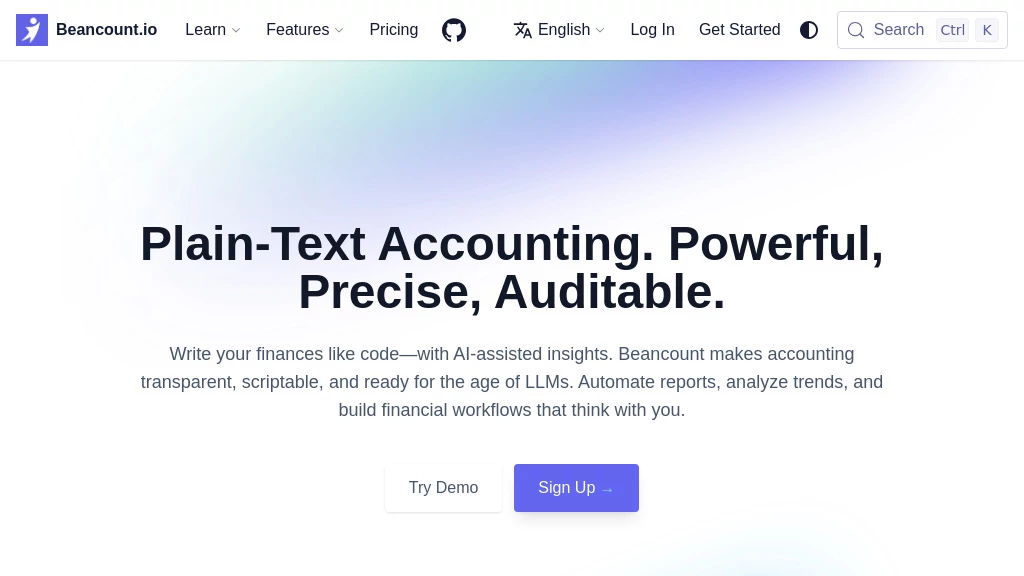
What is Beancount.io?
Let’s be honest for a second. Most accounting software feels like a black box. You click buttons, import CSV files, and hope everything adds up. But when something goes wrong? Good luck tracing the error. That sinking feeling when your balance sheet doesn’t balance, and you have no idea why, is something every business owner knows too well.
That’s exactly why this tool exists. It throws away the confusing dashboards and proprietary formats. Instead, it gives you something radical: complete transparency. Every single entry sits in a plain text file. You can read it. You can edit it. You can track every change like a developer tracks code. This isn’t just accounting. It’s accounting the way it should have been from the start—honest, auditable, and completely under your control.
If you’ve ever felt frustrated by expensive subscriptions or locked-in data, you’re going to love what comes next.
Key Features
User Interface
There’s no flashy dashboard full of charts you never use. Instead, you get a clean, dual-layer experience. On the backend, everything runs through a simple command-line tool. You write transactions in a text file using a syntax that’s surprisingly readable. For example, “2024-07-29 * ‘Buy burger as lunch’” followed by the account names and amounts. That’s it. No pop-ups, no wizards, no distractions.
When you want to visualize your data, Fava steps in. It’s a web interface that turns your plain text ledger into beautiful, interactive reports. Think balance sheets, income statements, and expense pie charts—all generated directly from your files. The best part? Both the CLI tool and Fava are completely free and open source. You’re never forced into a “premium” tier just to see your own numbers.
Accuracy & Performance
This is where the tool truly shines. Because it follows strict double-entry accounting rules, every transaction must balance. Debits equal credits. If you make a mistake—like forgetting an account or entering the wrong amount—the software catches it immediately. You literally cannot save an unbalanced entry.
But the real magic is version control. Store your ledger file in Git, and you get an automatic audit trail. Every change is recorded. Who changed what, when, and why. Need to undo a mistake from three months ago? Just revert to an older commit. Try doing that with QuickBooks or Xero. The performance is also blazing fast because you’re working with plain text files, not waiting for cloud servers to respond.
Capabilities
Don’t let the simplicity fool you. This system handles complex accounting scenarios with ease. Multiple currencies? Check. Investment portfolios with lot tracking? Absolutely. Depreciation schedules, cost basis calculations, and even automated bank imports through custom scripts—it’s all possible.
The ecosystem includes a powerful query language called bean-query. It lets you run SQL-like commands directly on your ledger. Want to know exactly how much you spent on office supplies in Q3? One query gives you the answer. The tool also supports Python plugins, meaning you can extend its functionality however you want. Some users have built automated reconciliation scripts that connect to banking APIs. Others use it to generate real-time financial dashboards.
Security & Privacy
Your financial data never leaves your machine unless you explicitly push it somewhere. There’s no cloud requirement. No mandatory subscription. No company sitting on a server full of your bank statements. You control where the files live—your laptop, a private server, or an encrypted drive.
Because everything is plain text, you can also encrypt the ledger file using standard tools like GPG. Add two-factor authentication to your Git repository, and you’ve got enterprise-grade security without paying enterprise prices. And since the software is open source, you don’t have to trust marketing claims. Anyone can inspect the code to verify exactly how it handles data.
Use Cases
Freelancers and solopreneurs love this tool because it’s free and completely transparent. You can track invoices, expenses, and tax deductions without paying monthly fees. Plus, when tax season arrives, you just hand your accountant the plain text files or export PDF reports from Fava.
Small business owners use it to maintain clean, audit-ready books. The version control feature is a lifesaver during tax audits. You can show exactly when each transaction was recorded and prove that nothing was altered after the fact.
Developers and tech teams appreciate the “infrastructure as code” approach. They write scripts to import bank statements automatically, set up CI pipelines that validate the ledger on every commit, and even generate real-time financial dashboards for their stakeholders.
Accounting firms are starting to recommend this tool to clients who want more control. Instead of wrestling with proprietary software licenses, they can collaborate on a shared Git repository. One accountant told me this reduced their monthly closing time from two weeks to just three days.
Pros and Cons
Pros:
The obvious win is complete data ownership. No vendor lock-in, no surprise price hikes, and no limitations on how many transactions you can record. It’s also incredibly lightweight—the entire program is around 40 megabytes. Compare that to modern accounting apps that eat up gigabytes of RAM. Accuracy is another massive pro. The double-entry validation catches errors before they become problems. And did I mention it’s completely free? No hidden costs, no “premium features” locked behind a paywall.
Cons:
Let’s be real—there’s a learning curve. If you’re used to clicking buttons in QuickBooks, writing transactions in a text editor will feel strange at first. You’ll need to understand basic double-entry accounting. The tool won’t hold your hand. Also, while Fava provides a nice GUI, the core workflow still involves editing text files. This isn’t for everyone. If you hate the command line or prefer drag-and-drop interfaces, you might find it frustrating.
Another consideration is bank feeds. Unlike mainstream software that automatically downloads transactions, you’ll need to set up your own import scripts or manually enter transactions. There are community tools to help with this, but it requires some technical effort.
Pricing Plans
Here’s the part that surprises most people. It’s completely free. Not freemium. Not “free for 30 days.” Genuinely free and open source. You can download it right now, use it for your business, and never pay a cent. The developers believe financial software should be transparent and accessible to everyone.
Of course, “free” doesn’t mean you can’t spend money. Some users choose to donate to support development. Others pay for consulting services or premium support. But the core software? Always free. Your data never gets held hostage.
If you want hosting, you can deploy Fava on a cheap VPS for a few dollars a month. Or run it locally on your laptop for zero ongoing costs. The choice is yours.
How to Use This Tool
Getting started takes about fifteen minutes. First, install the software using Python’s package manager—just type “pip install beancount fava” in your terminal. Then create a text file with a .beancount extension. Open it in any text editor and start by defining your accounts. Something like “open Assets:Cash” and “open Expenses:Food”.
Next, add your first transaction. Use the format we mentioned earlier: date, description, then the account names with amounts. Make sure the numbers balance. Save the file, run “bean-check” to validate everything, and fix any errors. Once it passes, launch Fava with “fava yourfile.beancount” and open your browser to see the reports.
For bank imports, check out the community-built importers. They convert CSV statements from most major banks into the correct format. You can also write a simple Python script if you’re feeling adventurous. Many users set up cron jobs or scheduled tasks to automate this process daily.
Want version control? Initialize a Git repository in your ledger folder. Commit the initial file. Then commit changes regularly with meaningful messages like “added March 2025 transactions” or “corrected rent category”. This creates your audit trail automatically.
Comparison with Similar Tools
QuickBooks Online is the 800-pound gorilla. It offers bank feeds, automations, and a pretty interface. But you’ll pay at least $38 per month, and your data lives on Intuit’s servers. If you stop paying, you lose access. With this tool, you keep everything forever. QuickBooks wins on ease of use for non-technical people. But it loses badly on transparency, cost, and auditability.
Ledger CLI and hledger are the closest competitors. All three are plain-text, double-entry systems. Ledger was the original, but its syntax can be inconsistent. Hledger is a Haskell reimplementation that’s also excellent. This tool stands out for its strictness. It forces you to follow accounting rules more rigorously, which means fewer hidden errors. It also has the most mature ecosystem with Fava and the powerful query language.
FreshBooks and Xero target freelancers and small teams. They’re easier to start with but lock you into their workflows. Your data isn’t truly portable. If you ever want to leave, exporting everything is a nightmare. The plain-text approach gives you freedom those platforms can’t match.
For developers, the comparison also includes newer AI-native tools like Open Accountant. Those are interesting experiments, but they’re not mature yet. This tool has been around since 2007 and has a proven track record.
Conclusion
If you value transparency, control, and accuracy over flashy interfaces, this tool is a game-changer. It turns bookkeeping from a chore into something you can actually trust. Every number is verifiable. Every change is tracked. And you never have to worry about losing access to your own financial data.
Is it for everyone? No. The learning curve is real. But for freelancers, small business owners, developers, and accountants who want to escape the SaaS treadmill, it’s absolutely worth the effort. The community is welcoming, the documentation is thorough, and the peace of mind from knowing your books are correct is priceless.
Give it a shot. Start with a test file. Import a month of transactions. See how it feels to actually understand where every dollar went. You might just find that accounting doesn’t have to be painful.
Frequently Asked Questions (FAQ)
Is this really free? No hidden costs?
Completely free. Open source under the GPL license. No premium tiers, no feature gating, no limits on transactions. You can even modify the source code if you want.
Do I need to know programming to use it?
Not really. You need basic text editing skills and a willingness to learn double-entry accounting. But you don’t need to write code. The syntax is designed to be human-readable. That said, knowing a little Python or Git helps unlock advanced features.
Can I import data from QuickBooks or Xero?
Yes, but it takes work. Export your data as CSV or IIF files, then write a conversion script or use community tools. For many users, starting fresh makes more sense than migrating years of messy data.
How does tax filing work?
You generate reports from Fava—profit and loss statements, balance sheets, etc.—and hand them to your accountant. Or use the query tool to extract exactly what you need. Some users build custom scripts that prepare tax filings directly.
What happens if the project stops being maintained?
Nothing. Your data is plain text. Even if development stopped tomorrow, you can still run the current version for decades. Or write a simple parser in any programming language. You’re never locked in.
Can multiple people collaborate on the same ledger?
Absolutely. Store the ledger in a shared Git repository (GitHub, GitLab, or self-hosted). Team members push and pull changes. Merge conflicts happen occasionally, but they’re easy to resolve because everything is plain text.
Is there customer support?
Not officially, unless you hire a consultant. But the community is active on GitHub, Reddit, and mailing lists. Most questions get answered within a day. The documentation is also excellent.
AI Workflow Management , AI Documents Assistant , AI Productivity Tools , AI Developer Docs .
These classifications represent its core capabilities and areas of application. For related tools, explore the linked categories above.

Beancount.io Alternatives Product

Referent

Online White…

ChatView-AI …

Workik

markdown to …

Toolquix

Free AI Chat

broop

Skygen AI