🧠 AI Quiz
Think you really understand Artificial Intelligence?
Test yourself and see how well you know the world of AI.
Answer AI-related questions, compete with other users, and prove that
you’re among the best when it comes to AI knowledge.
Reach the top of our leaderboard.


















BLACK FOREST LABS

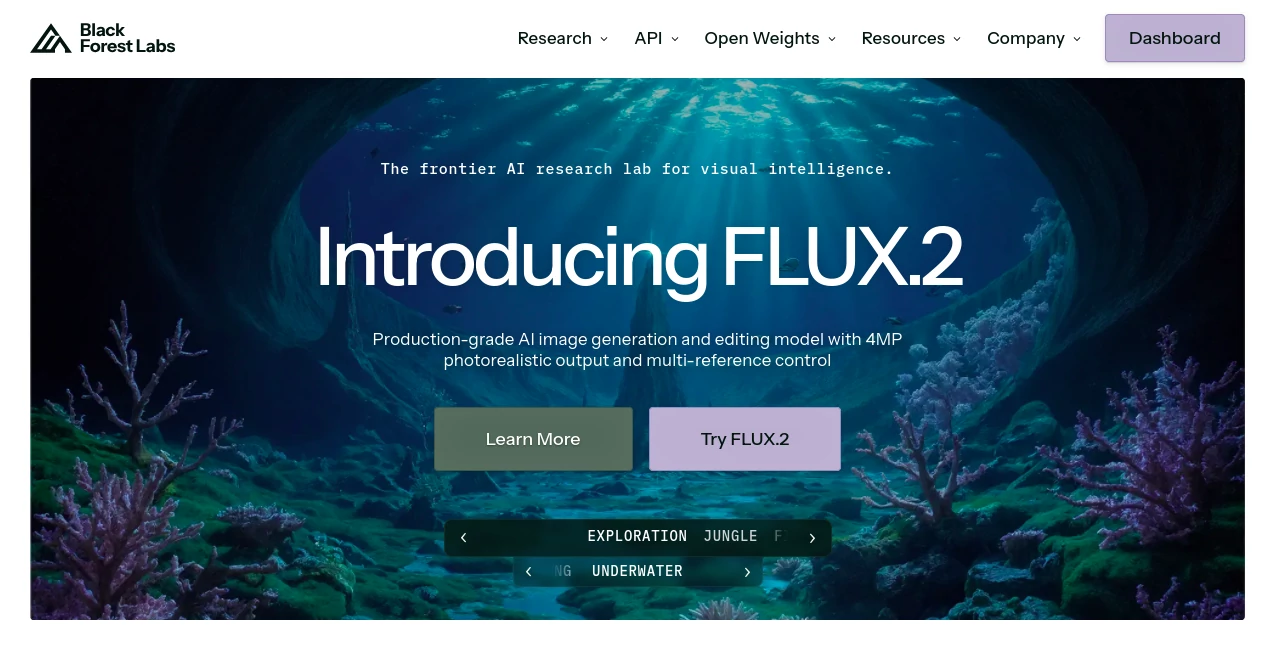
What is BLACK FOREST LABS?
Black Forest Labs dives deep into the world of visual smarts, crafting tools that turn simple descriptions into stunning, lifelike scenes with ease. This lab stands out by blending cutting-edge research with hands-on playgrounds, letting creators experiment freely and bring ideas to vivid life. Those who've tinkered with it often talk about the thrill of seeing a rough notion bloom into something polished, making it a go-to for anyone chasing that perfect blend of tech and imagination.
Introduction
Black Forest Labs kicked things off with a clear mission: push the boundaries of how machines see and shape the world around us. A team of sharp minds, fresh from big-name AI outfits, set out to build models that don't just mimic but truly grasp the nuances of visuals, and their FLUX lineup quickly turned heads. It started with whispers in tech circles about breakthroughs in detail and control, soon drawing in artists, designers, and builders who shared stories of workflows transformed overnight. What keeps it buzzing is that balance—deep science wrapped in simple access, turning what used to be lab secrets into everyday sparks for creation.
Key Features
User Interface
The playground greets you like an open sketchpad, with a clean prompt bar that invites your wildest thoughts and a quick-start gallery of examples to spark ideas. No steep menus or hidden toggles; just type, tweak a style or two, and watch results roll in side by side for easy picks. It's built for flow, whether you're on a desktop dreaming big or a tablet jotting notes, keeping the focus on your vision rather than the mechanics.
Accuracy & Performance
When you describe a bustling cityscape or a sleek machine, it captures the grit and gleam with a precision that feels almost intuitive, nailing proportions and moods without the usual fuzzy edges. Outputs land fast, even at eye-popping sizes, holding sharp through zooms or prints that pros would approve. Users point out how it shines on layered scenes, pulling off the subtle plays of light that elevate a good idea to unforgettable.
Capabilities
From spinning fresh scenes out of words alone to swapping bits in existing shots—like slipping a new gem into an old frame—it handles the full spectrum with a deft touch. You can guide it with multiple cues for spot-on matches, or let presets whisk things into new realms without a single extra word. Beyond the basics, it opens doors to custom tweaks and heavy-duty runs, fitting snugly into bigger setups for those ready to scale up.
Security & Privacy
Your sketches and trials stay tucked away in private sessions, processed on the fly and wiped clean once you're done, with no trails left behind. It gives you full say on what gets shared or stashed, keeping sensitive concepts safe from the start. That quiet reliability lets creators dive in without the nagging doubt, focusing purely on the make rather than the maybe.
Use Cases
Ad teams whip up campaign visuals that pop, testing themes from retro vibes to futuristic flares in minutes. Product folks stage mockups where everyday items shine in dream settings, speeding up the path from sketch to shelf. Storytellers craft illustrations that breathe life into tales, blending text hints with photo-real punch for books or screens. Even tech tinkerers prototype interfaces, layering elements until the flow feels just right.
Pros and Cons
Pros:
- Grabs fine details like a pro artist, from textures to tones.
- Handles big resolutions without breaking a sweat.
- Playground invites endless play without setup hassles.
- Flexes for edits as much as fresh starts.
Cons:
- Shorter prompts sometimes need a nudge for full flair.
- Heavy custom runs might call for deeper dives into settings.
- Free access has gentle limits on the wildest experiments.
Pricing Plans
The entry point lets you roam the playground for free, perfect for dipping toes into prompts and presets. For those ready to ramp up, API keys unlock smoother flows for apps or teams, with tiers likely scaling by calls or power. Enterprise paths tailor the fit for big outfits, blending licenses with support to match the workload.
How to Use Black Forest Labs
Head to the playground and start with a sample or your own line, like a vivid scene from memory. Play with controls for strength or style, hit generate, and sift through the spreads that appear. Grab the one that clicks, download in your needed size, and loop back to refine—it's that loop that turns trials into treasures over time.
Comparison with Similar Tools
Where some rivals rush rough sketches, Black Forest Labs layers in that extra grasp for outputs that hold up under scrutiny, though those might win on sheer volume for casual spins. Against broader suites, it zeros in on visuals with a sharper edge, skipping extras but delivering depth where it counts. It fits folks who want quality over quantity, blending speed with substance in a crowded field.
Conclusion
Black Forest Labs lights a path through the thicket of visual tools, offering a blend of brains and beauty that empowers without overwhelming. It turns the abstract into the awe-inspiring, proving that smart models can feel like trusted collaborators. As creators keep pushing pixels further, this lab looks set to lead, one stunning frame at a time.
Frequently Asked Questions (FAQ)
What's the playground good for?
It's your sandbox for quick tests, from prompt plays to preset shifts, no strings attached.
How detailed can prompts get?
Pack in the particulars for punchier results, but keep it vivid over vague.
Supports editing on old images?
Yes, swap elements or match vibes with ease, keeping the core intact.
Ready for pro workflows?
API and open access make it a seamless fit for apps or heavy lifts.
Any limits on free use?
Gentle caps to keep things fair, but plenty for starters to explore.
AI Photo & Image Generator , AI Image to Image , AI Art Generator , AI Design Generator .
These classifications represent its core capabilities and areas of application. For related tools, explore the linked categories above.
BLACK FOREST LABS details
This tool is no longer available on submitaitools.org; find alternatives on Alternative to BLACK FOREST LABS.
Pricing
- Free
Apps
- Web Tools
Categories

BLACK FOREST LABS Alternatives Product

FLUX 2

BeYourCover

qwen image 2…

LongCat Image

Nano Banana 2

volume shade…

Picnana

Flux.2 AI

Modelfy 3D