🧠 AI Quiz
Think you really understand Artificial Intelligence?
Test yourself and see how well you know the world of AI.
Answer AI-related questions, compete with other users, and prove that
you’re among the best when it comes to AI knowledge.
Reach the top of our leaderboard.

















CapGaps
Uncover Hidden Operational Gaps with AI Precision

What is CapGaps?
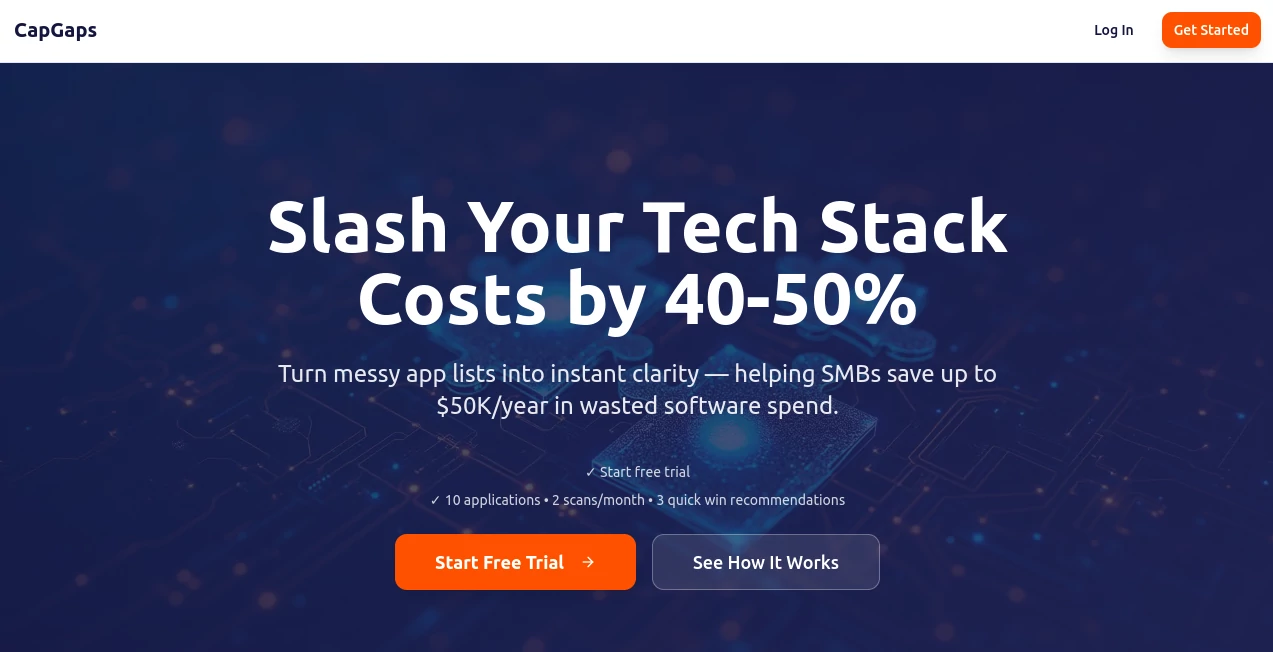
CapGaps dives into the heart of your business setup, spotlighting those sneaky inefficiencies that quietly drain time and cash. This sharp tool acts like an invisible auditor, scanning workflows and toolkits to flag redundancies and missing pieces, all while dishing out straightforward fixes to get things humming. Ops folks and founders have turned to it for that fresh set of eyes, often walking away with a leaner stack that feels lighter on the wallet and heavier on results.
Introduction
CapGaps grew out of the real-world headaches of scaling teams, where founders juggled too many apps and processes that overlapped in messy ways. A small crew of ops pros built it to mimic the gut checks of a seasoned COO, but faster and without the coffee runs. It hit the scene quietly but caught on quick among bootstrapped outfits chasing growth without the bloat. Stories from users paint a picture of lightbulb moments—spotting a forgotten subscription here, a clunky handoff there—that add up to real savings and smoother days. In a world where every tool promises the moon, this one delivers the map to trim the fat and build what's missing.
Key Features
User Interface
The dashboard kicks off with a simple upload spot for your tool list or workflow sketches, no fancy logins to wrestle at first. Once in, it lays out a clean matrix of your setup, with color pops for the hot spots like overlaps or voids, all clickable for deeper peeks. Navigation feels like flipping through a well-thumbed playbook, with drag-and-drop for quick rejigs and tooltips that explain without lecturing, keeping even the least techy users scrolling smoothly.
Accuracy & Performance
It chews through your inputs with a keen eye, often nailing down pain points that slip past human scans, backed by patterns from thousands of similar setups. Scans wrap in minutes, not hours, serving up reports that hold water when you test them against real runs. Users chime in about how its calls on keep-or-kill rarely flop, turning what could be wild guesses into bets you can bank on for tighter ops.
Capabilities
From mapping out your current tech flow to plotting the gaps in skills or software, it builds visual blueprints that highlight bottlenecks and suggest swaps or adds. It crunches quick wins like axing duplicate apps, alongside deeper dives into process tweaks that free up hours weekly. Tie in your goals, and it tailors a roadmap, complete with phased steps to roll out changes without the chaos.
Security & Privacy
Your data stays close to the chest, processed in sealed sessions that don't hang around post-scan, with options to export and erase on the spot. It follows the usual safeguards for business info, letting you control shares for team reviews while keeping the core audit yours alone. Trust runs high among users handling sensitive stacks, as it skips the creepy crawls that some tools pull.
Use Cases
Startups use it to audit their early sprawl, culling tools before they scale into monsters. Growing teams run it quarterly to spot handoff snags that slow support tickets. Consultants drop client details for instant gap reports that wow in meetings. Even solo operators peek at their freelance flow, trimming apps to reclaim weekends without missing beats.
Pros and Cons
Pros:
- Pinpoints savings fast, often 40-50% off tech bills with solid picks.
- Visual maps make complex audits a breeze to grasp and act on.
- Tailors to your scale, from one-person shops to mid-size crews.
- Actionable steps turn insights into changes without the overwhelm.
Cons:
- Shines on detailed inputs; skimpy lists might miss the mark.
- Full roadmaps hide behind paid tiers for casual triers.
- Best for ops-savvy users who can tweak the outputs.
Pricing Plans
Test the waters free with a basic scan that flags the big reds, no card needed. Monthly access starts around the low twenties for unlimited audits and basic maps, stepping to fifty for teams with collab shares and custom tweaks. Annual plans shave off a chunk, and they offer a full-week trial of pro features to see if it clicks before the commit.
How to Use CapGaps
Start by listing your tools and rough processes in the intake form, hit scan, and let it mull over the mess. Review the matrix for the glaring gaps, click through suggestions like replace-this-with-that, and export a plan to share with your crew. Revisit after tweaks to measure the lift, turning one-off checks into ongoing tune-ups that keep things lean.
Comparison with Similar Tools
Unlike broad dashboards that track everything but fix little, CapGaps zeros in on the gaps with surgical suggestions, though those might suit monitoring marathons better. Against manual consultants, it delivers speed without the invoice shock, but lacks the chit-chat nuance. It edges out for quick, data-driven ops overhauls where others linger on logs or looks.
Conclusion
CapGaps stands as a no-fluff fixer for the hidden drags in your daily grind, blending smarts with simplicity to carve out efficiency where it counts. It empowers teams to spot and seal leaks before they sink ships, fostering growth that's as sustainable as it is swift. In the end, it's less about the tool and more about the breathing room it buys—time for what lights you up, not what's weighing you down.
Frequently Asked Questions (FAQ)
What counts as a 'gap' in my setup?
Anything from overlapping apps to process snags that slow your flow, all flagged with why it matters.
How detailed do my inputs need to be?
The more you share on tools and tasks, the sharper the scan—start simple and layer in.
Can it handle non-tech gaps?
Yes, it eyes skill shortfalls and workflow kinks too, beyond just the software.
Is there team access?
Pro plans let you invite folks to view and vote on fixes collaboratively.
What if the suggestions don't fit?
Tweak the inputs or chat support—they're quick to refine for your niche.
AI Consulting Assistant , AI Workflow Management , AI SOP , AI Project Management .
These classifications represent its core capabilities and areas of application. For related tools, explore the linked categories above.
CapGaps details
This tool is no longer available on submitaitools.org; find alternatives on Alternative to CapGaps.
Pricing
- Free
Apps
- Web Tools
Categories

CapGaps Alternatives Product

Chatref

Project Mela

Motion

Manifestly C…

VisualGPT

FeatureShark

Sourcetable

Zapier

Devplan