
🧠 AI Quiz
Think you really understand Artificial Intelligence?
Test yourself and see how well you know the world of AI.
Answer AI-related questions, compete with other users, and prove that
you’re among the best when it comes to AI knowledge.
Reach the top of our leaderboard.


















Change-BG
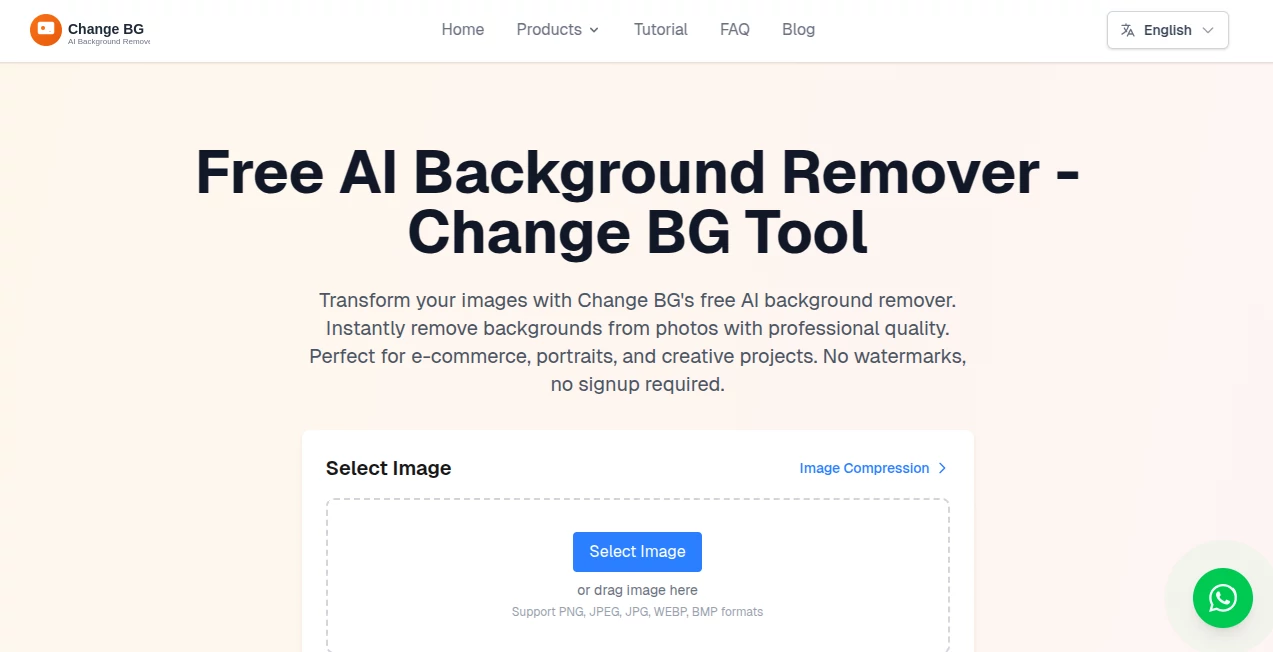
What is Change-BG?
You snap a photo of yourself in the living room, but the vibe just doesn’t match the LinkedIn post you had in mind. A few clicks later, you’re standing in a sleek modern office, golden-hour beach, or minimalist studio—no green screen, no lighting setup, no Photoshop skills required. That’s the kind of quiet magic this tool delivers every single day. It’s become my go-to whenever I need product shots, headshots, or social content to look polished without spending half the day editing.
Introduction
Most background removal and replacement tools either leave jagged edges or force you into complicated layers and manual fixes. This one skips all that drama. Upload any photo (people, products, pets, you name it), and in seconds it cleanly isolates the subject and lets you drop in any background you want—from realistic scenes to pure colors to artistic gradients. What really won me over is how natural the lighting and shadows stay; it doesn’t look pasted-on. Small business owners, content creators, and even wedding photographers I’ve spoken to all say the same thing: it’s the fastest way they’ve found to make average photos feel premium.
Key Features
User Interface
You open the page and there’s basically nothing to figure out: big upload area, drag-and-drop friendly, then one row of beautiful preset backgrounds and a search bar for more. Pick one or upload your own, adjust fit if needed, and download. That’s it. No panels, no sub-menus, no “advanced mode” that scares people away. My non-designer friends have used it without asking a single question.
Accuracy & Performance
The cut-out quality is honestly impressive—hair strands, loose clothing, even jewelry get handled with care. It rarely leaves halos or requires cleanup, and the edge refinement is smart enough that most photos look ready in one go. Processing usually takes 3–8 seconds even on mobile data. I once ran a batch of 20 product shots during lunch and every single one came back clean enough to post immediately.
Capabilities
You get one-click presets (office, nature, studio, solid colors, gradients), custom background uploads, aspect ratio presets for Instagram, LinkedIn, Etsy, Amazon, YouTube thumbnails, and more. It works on single subjects or groups, handles transparency for overlays, and keeps shadows and lighting context surprisingly well for an automatic tool. No resolution drop either—outputs stay crisp at original size.
Security & Privacy
Images are processed quickly and deleted from servers shortly after you download (or leave the page). No accounts are required for basic use, so there’s no long-term storage of your photos unless you explicitly choose to save them in a project. It’s one of the cleaner privacy policies I’ve seen in this category—reassuring when you’re uploading client work or personal shots.
Use Cases
Etsy sellers swap cluttered kitchen-table photos for clean white or lifestyle backgrounds in seconds, boosting conversion rates. LinkedIn users turn messy selfies into professional headshots without booking a photographer. Real-estate agents drop virtual staging furniture into empty rooms for listings. Podcasters create consistent episode artwork from the same portrait in different moods. Even wedding photographers use it for quick client previews before final retouching. It’s become a daily shortcut for anyone who needs to look polished fast.
Pros and Cons
Pros:
- Edge detection is among the best I’ve tried—rarely needs manual cleanup.
- Huge variety of high-quality backgrounds included at no extra cost.
- Works surprisingly well on tricky subjects like hair, fur, and transparent items.
- Completely free tier with generous usage limits for most people.
Cons:
- Very busy or low-contrast images can still confuse it (though far less than competitors).
- No batch processing in the free plan—have to do one at a time.
Pricing Plans
The free plan is genuinely usable: unlimited basic changes, decent resolution, and no forced watermark. Paid unlocks higher resolution, batch processing, priority queue during peak times, and removes any subtle branding. Pricing stays reasonable—monthly or annual options—and feels fair for how much time it saves. Most casual users never even need to upgrade.
How to Use Change Background
Go to the homepage, drag your photo in (or click to browse). Wait 3–10 seconds while it removes the original background. Browse the preset categories or search for something specific (“cozy bookstore”, “modern office”, “solid navy”). Click the one you like—it auto-fits. Want something custom? Upload your own image. Adjust scale/position if needed, then download PNG with transparency or JPG. Done. I usually finish a whole set of social posts in under ten minutes.
Comparison with Similar Tools
A lot of background changers either butcher edges, add ugly shadows, or lock good features behind expensive subscriptions. This one keeps the quality high even on free, includes tons of usable backgrounds out of the box, and handles tricky subjects noticeably better than most browser-based competitors. It’s not trying to be Photoshop—it’s trying to be the fastest, cleanest shortcut, and it succeeds at exactly that.
Conclusion
If you create visuals even semi-regularly, this tool quietly becomes one of those “how did I live without it” utilities. It saves hours, makes average photos look expensive, and never feels like it’s trying too hard. Whether you’re posting daily on Instagram, updating listings, or just want your Zoom background to stop looking like 2019, it’s hard to find a simpler, more reliable way to change the scene behind you.
Frequently Asked Questions (FAQ)
Does it work on photos with multiple people?
Yes—usually quite well, though very crowded shots might need a cleaner input.
Can I upload my own backgrounds?
Absolutely, and they blend surprisingly naturally.
What file formats can I download?
PNG with transparency or JPG, both in original resolution.
Is there a watermark on free downloads?
No visible watermark—just a very discreet credit in metadata on free tier.
How good is it with hair and fur?
One of the strongest points—edges stay soft and natural, rarely needs fixing.
AI Photo & Image Generator , Photo & Image Editor , AI Background Remover , AI Image to Image .
These classifications represent its core capabilities and areas of application. For related tools, explore the linked categories above.
Change-BG details
Pricing
- Free
Apps
- Web Tools
Categories

Change-BG Alternatives Product

Normal Map G…

ZeroEdit

Fine Image

Picsart

BananaFrame

Remove Water…

deck cleaner

GPT Image 1.5

String Art G…
